
Indledning
This manual provides detailed instructions for the installation, operation, and maintenance of your Yamiry Smart Deadbolt Door Lock with Keypad, Model YR02. This digital smart lock offers multiple entry methods including fingerprint, keypad, key fob, and physical key, enhancing security and convenience for your home.
Hvad er der i æsken
- Face Plate (1)
- Bagplade (1)
- Hardware Assembly (1)
- Brugervejledning (1)
- Adjustable Deadbolt (1)
- Physical Key (2, duplicable)
- Key Fob (2, available for purchase & Card Frequency: 13.56MHz)
Opsætning og installation
The Yamiry Smart Deadbolt is designed for easy installation, typically requiring only a screwdriver and no drilling. Follow the steps below and refer to the installation video for visual guidance.
Kontrol før installation
Ensure your door meets the following specifications for compatibility:
- Door Thickness: 1-3/8" to 2" (35mm-50mm)
- Latch Length: 1" (25.4mm)
- Backset: 2-3/8" or 2-3/4" (60mm or 70mm)
- Door Hole: 2-1/8" (54mm)
- Minimum Distance: 1.18" (30.0mm)
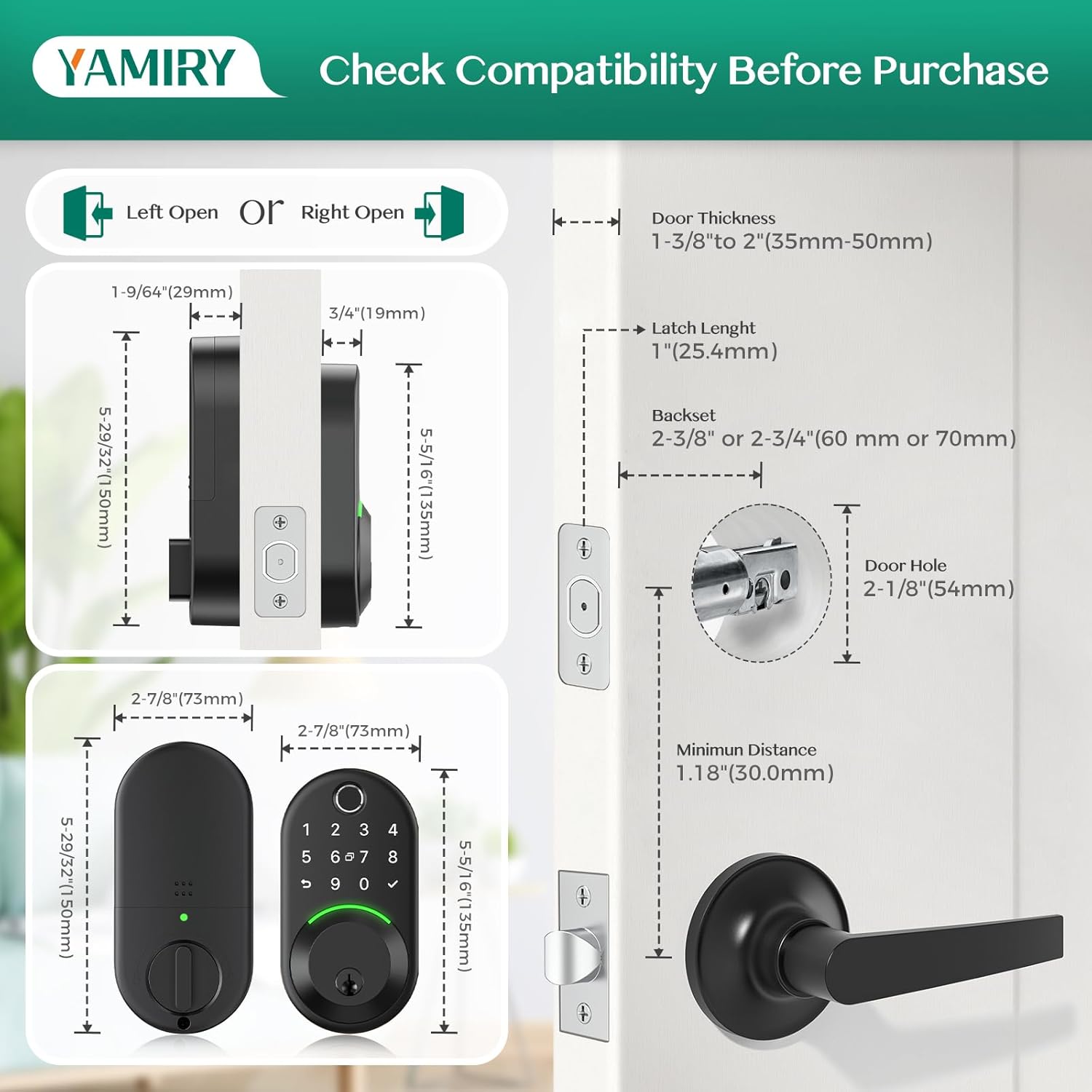
Image: Diagram illustrating door thickness, latch length, backset, door hole, and minimum distance for lock compatibility.
Installationstrin
- Fjern din eksisterende dødbolt.
- Install the new adjustable deadbolt into the door edge.
- Installer den udvendige enhed, og før kablet gennem dørhullet.
- Secure the internal mounting plate.
- Connect the wires and install the internal components.
- Insert 4 AA alkaline batteries (not included).
- Test the lock for proper operation and automatic door direction recognition.
Installationsvideoguide
Video: A step-by-step guide demonstrating the installation process of the Yamiry Smart Deadbolt Lock Model YR02.
Betjeningsvejledning
The Yamiry Smart Deadbolt offers multiple convenient ways to unlock and lock your door.
Unlocking Methods (5-in-1)
- Fingeraftryk: Utilize the AI fingerprint sensor for quick and accurate access. The lock retains 2 fixed fingerprints and 3 self-learning fingerprints for improved recognition.
- Keypad (Passcode): Enter your personalized electronic code on the illuminated keypad. Anti-peep password protection allows you to enter random digits before and after your actual code for privacy.
- Nøglebrik: Simply tap the provided key fob to the lock's sensor for quick entry.
- Fysisk nøgle: Use the traditional physical key as a backup or primary entry method.
- App-styring (Bluetooth): Connect via Bluetooth to the NICE DIGI app within a 6-foot range to unlock your door.
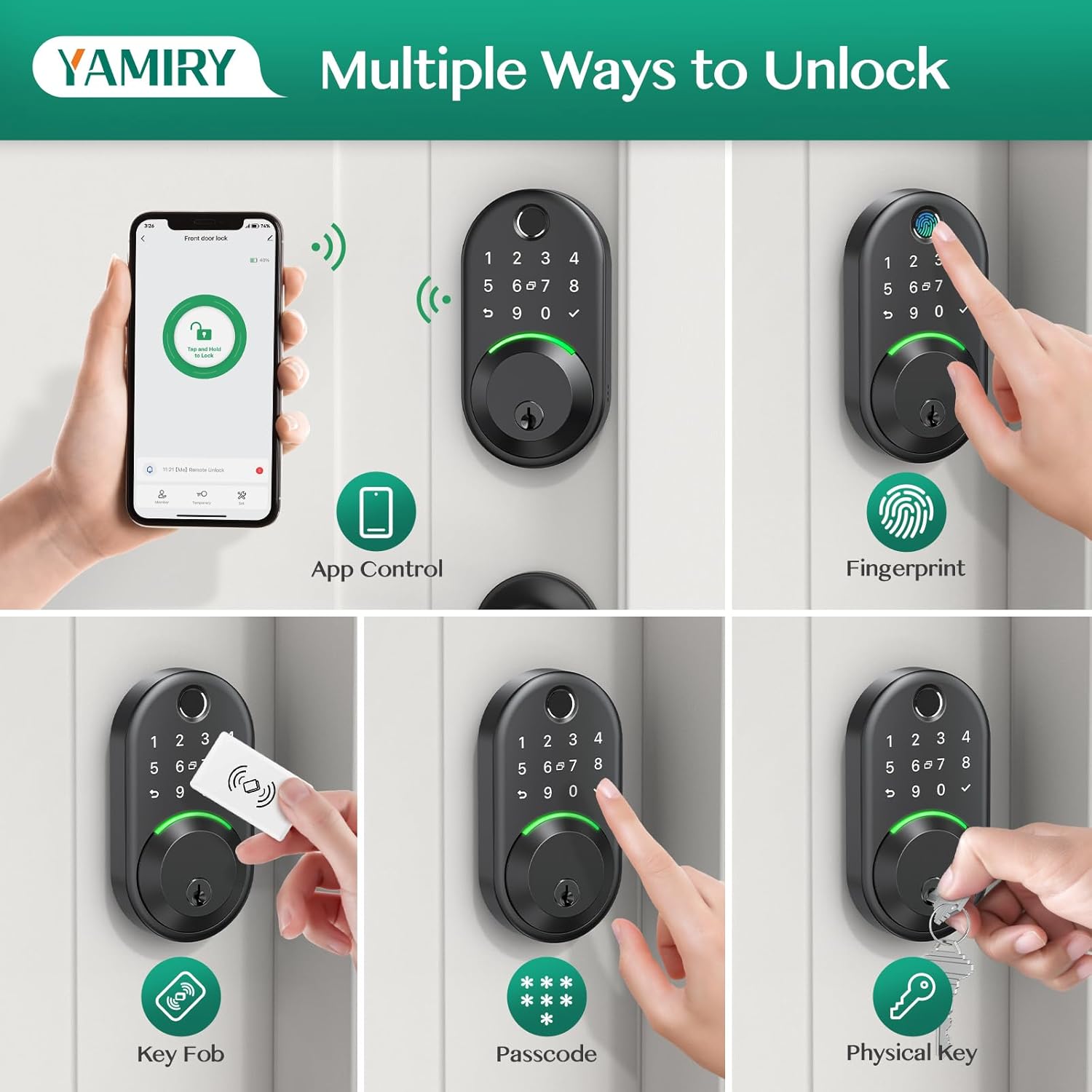
Image: Visual representation of the five unlocking methods: app control, fingerprint, key fob, passcode, and physical key.
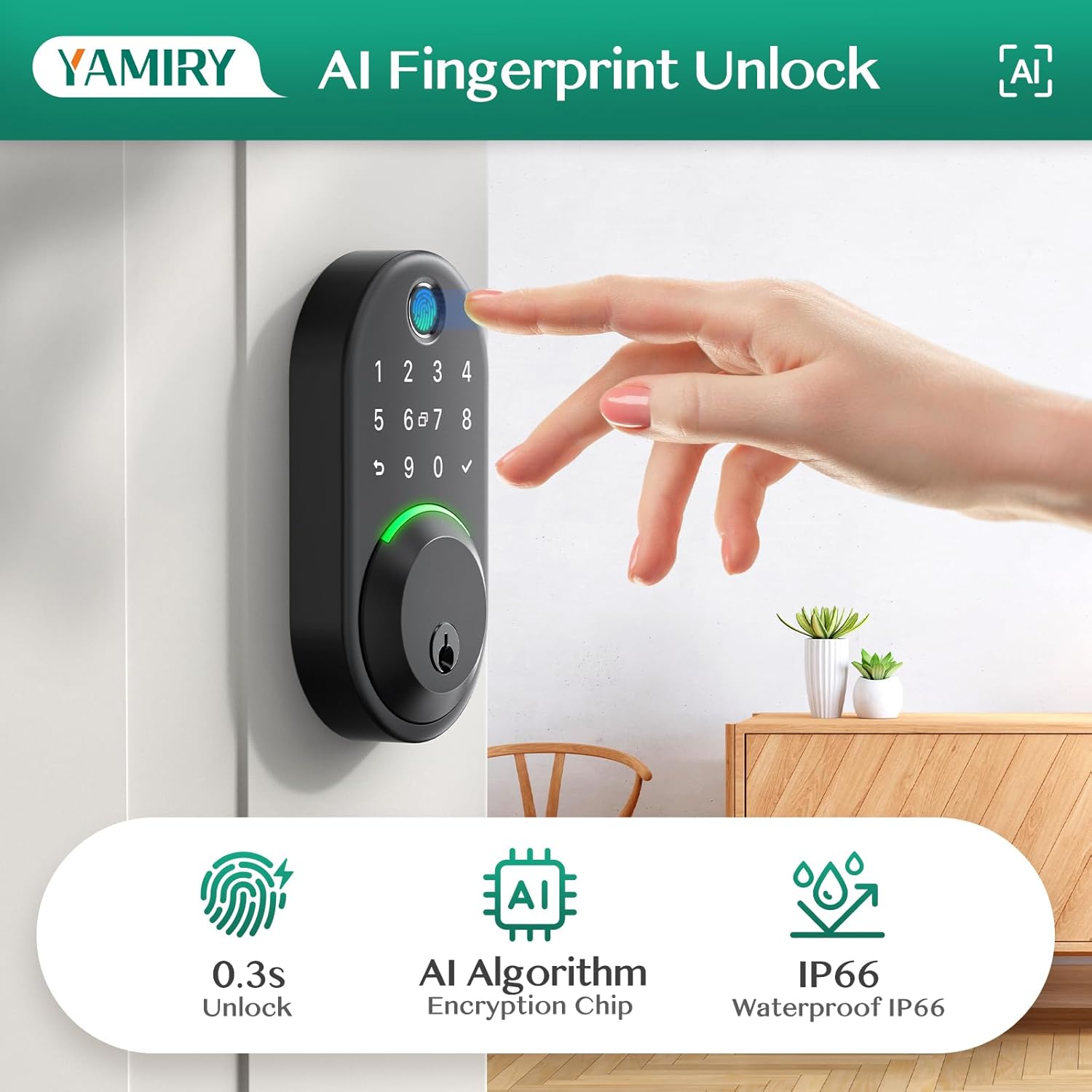
Image: Detail of the AI fingerprint unlock feature, highlighting fast recognition and weather resistance.
Locking Methods (4-in-1)
- Autolås: Configure the lock to automatically lock after a set period (5 to 60 seconds).
- One-Touch Låsning: Long press the "✓" button on the keypad for 3 seconds to manually lock the door.
- App kontrol: Lock the door remotely using the NICE DIGI app.
- Fysisk nøgle: Use the physical key to manually lock the deadbolt.
- Rotatable Knob: The interior rotatable knob allows for quick locking/unlocking from the inside within 1 second.

Image: Illustration of the auto-lock and one-touch locking functionalities.
App-kontrolfunktioner
The NICE DIGI app provides comprehensive control and management of your smart deadbolt:
- Nøglefri adgang: Unlock/lock directly from your smartphone via Bluetooth.
- Grant Access: Remotely provide guests with one-time, short-term, or recurring passwords.
- Diverse Passwords: Create various types of passcodes for different users.
- Auto Lock Settings: Customize the auto-lock duration.
- Lock Records: View a detailed log of all lock and unlock events.
- Remote Access & Voice Control: With the optional Wi-Fi Gateway (sold separately), control the lock from anywhere, anytime, and integrate with Amazon Alexa or Google Assistant for voice commands.

Billede: Overview of the smart lock's app control features for enhanced security and convenience.
App Control Video Guide
Video: Demonstrates the various app control features of the Yamiry Smart Deadbolt Model YR02, including unlocking and locking.
Opretholdelse
Proper maintenance ensures the longevity and optimal performance of your smart deadbolt.
- Udskiftning af batteri: The lock requires 4 AA alkaline batteries (not included). Replace batteries when you receive low-battery alerts from the lock or the app.
- Nødkraft: If the batteries run out, you can use a Type-C USB power bank to temporarily power the lock for emergency access. Do not power smart locks through the Type-C USB port for regular operation.
- Rensning: Wipe the keypad and fingerprint sensor with a soft, dry cloth. Avoid abrasive cleaners or solvents.
- Vejrbestandighed: The lock has an IP66 waterproof rating and operates reliably from -30°C to 70°C (-22°F to 158°F). While weather-resistant, avoid direct and prolonged exposure to extreme conditions where possible.
Image: Low battery alerts on the lock and app, indicating when to replace batteries.
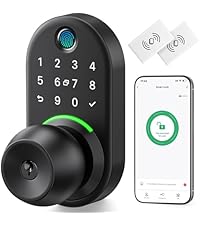
Image: Emergency power option using a Type-C USB port.
Fejlfinding
If you encounter issues with your Yamiry Smart Deadbolt, refer to the common solutions below:
- Problemer med fingeraftryksgenkendelse: Ensure your finger is clean and dry. Re-enroll your fingerprint if recognition remains inconsistent.
- Tastaturet reagerer ikke: Check battery levels. Ensure the keypad is clean and free from debris.
- Lås reagerer ikke på app: Ensure Bluetooth is enabled on your phone and you are within range (6 feet). If using Wi-Fi Gateway, ensure it is properly connected and within 30 feet of the lock.
- Auto-Lock Engages with Door Open: The auto-lock feature does not detect door position. Disable this feature in the app if it causes inconvenience, or ensure the door is closed before the auto-lock timer expires.
- Lock Mechanism Turns Incorrectly: If the lock turns the wrong way, adjust the door direction setting within the app.
- Advarsler om lavt batteri: Replace all 4 AA batteries promptly to avoid loss of function. Use the Type-C emergency power if needed.
Specifikationer
| Feature | Detalje |
|---|---|
| Mærke | Yamiry |
| Modelnavn | YR02 |
| Låsetype | Dødbolt |
| Materiale | Aluminium |
| Farve | Sort |
| Varedimensioner (L x B x H) | 3.02 x 1.18 x 5.37 tommer |
| Varens vægt | 2.31 pund |
| Særlige funktioner | Fingerprint, Weather-resistant Keypad, Key Fob, Physical Key Access, Voice Control, Full APP Control, Easy Installation |
| Forbindelsesprotokol | Bluetooth, Wi-Fi (with optional Gateway) |
| Controller type | Amazon Alexa, Android, Google Assistant, iOS |
| Batterier påkrævet | Ja (4 AA, medfølger ikke) |
| Vandtæt vurdering | IP66 |
| Driftstemperatur | -30°C til 70°C (-22°F til 158°F) |
Garanti og support
Your Yamiry Smart Deadbolt comes with a 30-day money-back guarantee, a 1-year warranty, and lifetime support. For any questions or assistance, please contact Yamiry customer service.