
Indledning
This manual provides essential information for using your realme 15T 5G Smartphone. Please read it carefully to ensure proper operation and to maximize the device's capabilities. Keep this manual for future reference.
Opsætning
Hvad er der i æsken
- realme 15T 5G Smartphone
- USB kabel
- Telefon etui
- Strømadapter
- SIM-bakkeudkaster
Indsættelse af SIM-kortet
- Find SIM-kortbakken på siden af din enhed.
- Sæt SIM-kortbakkens udløserværktøj ind i det lille hul ved siden af bakken, og tryk forsigtigt, indtil bakken springer ud.
- Place your Nano SIM card(s) into the designated slots on the tray. Ensure the gold contacts face downwards.
- Carefully push the tray back into the phone until it is flush with the device.
Første opstart og opsætning
- Press and hold the power button until the realme logo appears.
- Følg vejledningen på skærmen for at vælge dit sprog og din region og oprette forbindelse til et Wi-Fi-netværk.
- Log ind med din Google-konto, eller opret en ny for at få adgang til Android-tjenester.
- Set up your preferred security methods, such as Face Recognition or a PIN/pattern.
Betjeningsvejledning
Grundlæggende navigation
- Power knap: Tryk for at vække/sætte skærmen i dvaletilstand. Tryk og hold nede for at slukke eller genstarte.
- Lydstyrkeknapper: Juster medielydstyrke, opkaldslydstyrke eller notifikationslydstyrke.
- Berøringsskærmbevægelser: Stryg, tryk, og knib for at zoome for at udføre forskellige funktioner.
Mini Capsule Feature
The Mini Capsule feature provides quick access to important notifications and information at the top of your screen, such as charging status, power saving mode, flashlight status, and more.

Image: The Mini Capsule displays real-time information like weather, charging status, and power-saving mode alerts.
Forbindelse
- Wi-Fi: Gå til Indstillinger > Netværk og internet > Wi-Fi for at oprette forbindelse til tilgængelige netværk.
- Bluetooth: Gå til Indstillinger > Forbundne enheder > Bluetooth for at parre med andre enheder.
- 5G mobilnetværk: Enheden understøtter 5G-forbindelse. Sørg for, at dit SIM-kort og din mobilabonnement understøtter 5G for optimale hastigheder.
Brug af kamera
The realme 15T features dual 50MP cameras on both the front and rear, enhanced with AI capabilities for improved photo quality.
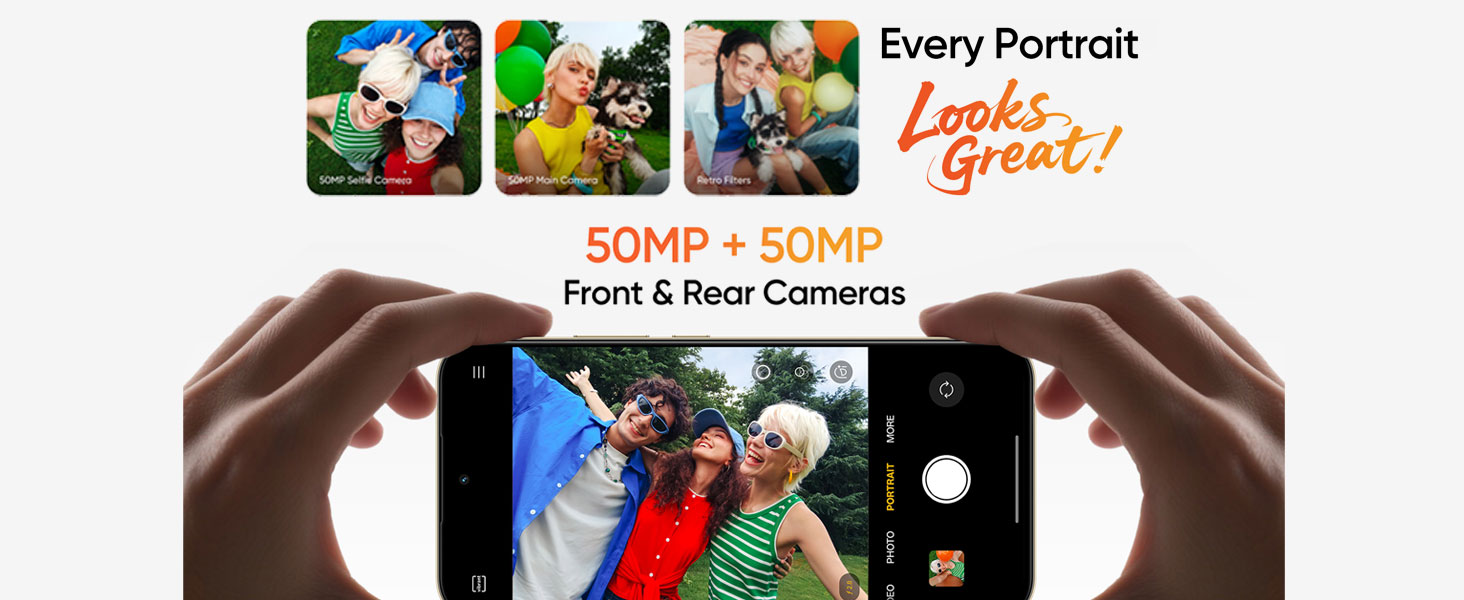
Image: Diagram highlighting the 50MP front and rear AI cameras on the realme 15T.
Tage billeder og videoer
- Åbn programmet Kamera.
- Vælg den ønskede tilstand (Foto, Video, Portræt, Nat osv.).
- Tryk på udløserknappen for at tage et billede eller starte/stoppe videooptagelse.
- Utilize AI enhancements for scene recognition and optimal settings.
Batteri og opladning
The realme 15T is equipped with a 7000mAh battery and supports 60W fast charging.

Image: The realme 15T highlighting its 7000mAh battery, capable of extended usage for YouTube, Spotify, and gaming.
Opladning af din enhed
- Use the provided 60W power adapter and USB Type-C cable for optimal fast charging.
- Connect the USB cable to the phone's charging port and the power adapter to a wall outlet.
- Avoid using damaged chargers or cables, as this may harm the device or battery.
Battery Optimization Tips
- Reducer skærmens lysstyrke eller aktiver adaptiv lysstyrke.
- Luk ubrugte programmer, der kører i baggrunden.
- Enable power-saving mode when battery is low.
- Deaktiver Wi-Fi, Bluetooth og GPS, når de ikke er i brug.
Displayfunktioner
The realme 15T features a 6.67-inch 120Hz AMOLED display with 4000 nits peak brightness, 2160Hz PWM Dimming, and 1.07 billion colors for a vivid and comfortable viewoplevelse.
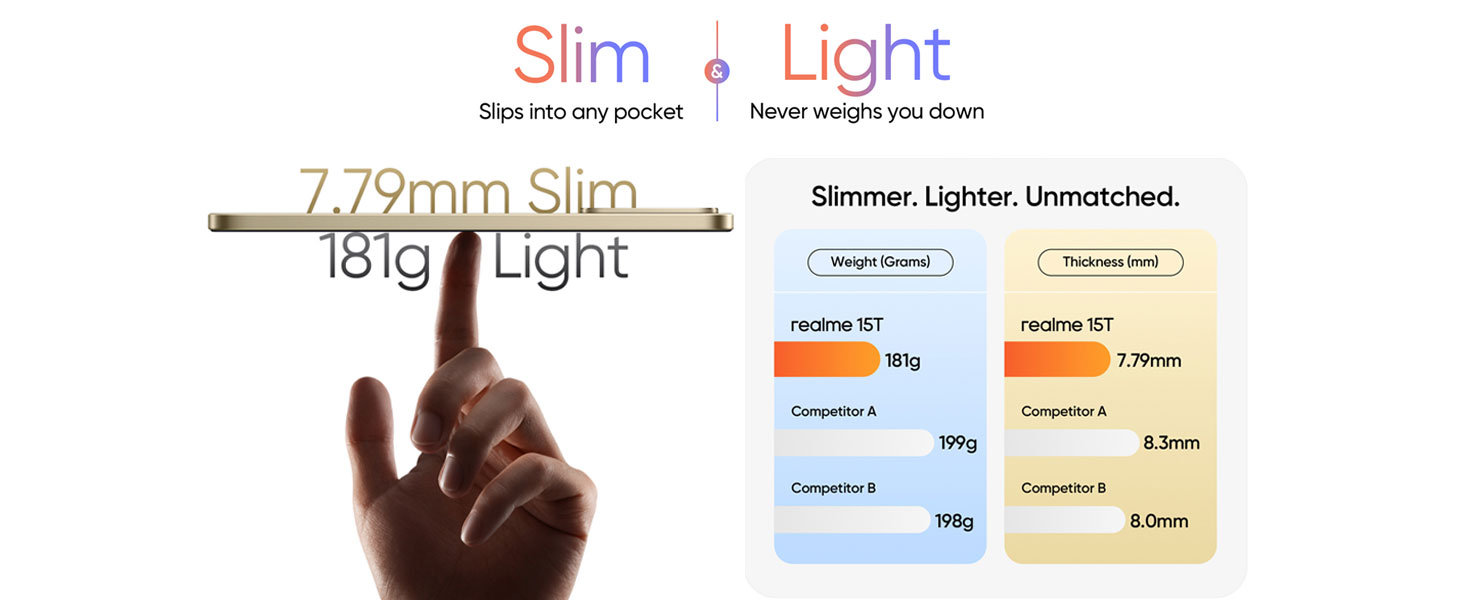
Image: The realme 15T's AMOLED display, showcasing 4000 nit peak brightness, 4R rounded corners, eye protection with 2160Hz PWM Dimming, and vivid 1.07 billion colors.
Skærmindstillinger
- Opdateringshastighed: Adjust between 60Hz and 120Hz in display settings for smoother scrolling or battery saving.
- Lysstyrke: Manually adjust or enable adaptive brightness for automatic adjustment based on ambient light.
- Øjenkomfort: Enable eye comfort mode to reduce blue light emission, especially useful during nighttime use.
Præstation
The realme 15T is powered by the MediaTek Dimensity 6400 Max 5G chipset, ensuring seamless multitasking and efficient performance. It also features 8GB of dynamic RAM and 256GB of ROM.
Image: The realme 15T showcasing the Dimensity 6400 Max 5G Chipset, enabling smooth operation of multiple applications.
Image: Visual representation of the realme 15T's 8GB dynamic RAM and 128GB ROM for enhanced performance.
Kølesystem
The device incorporates a 6050mm² AirFlow VC (Vapor Chamber) cooling system to dissipate heat efficiently, preventing throttling during intensive use like gaming or heavy multitasking.
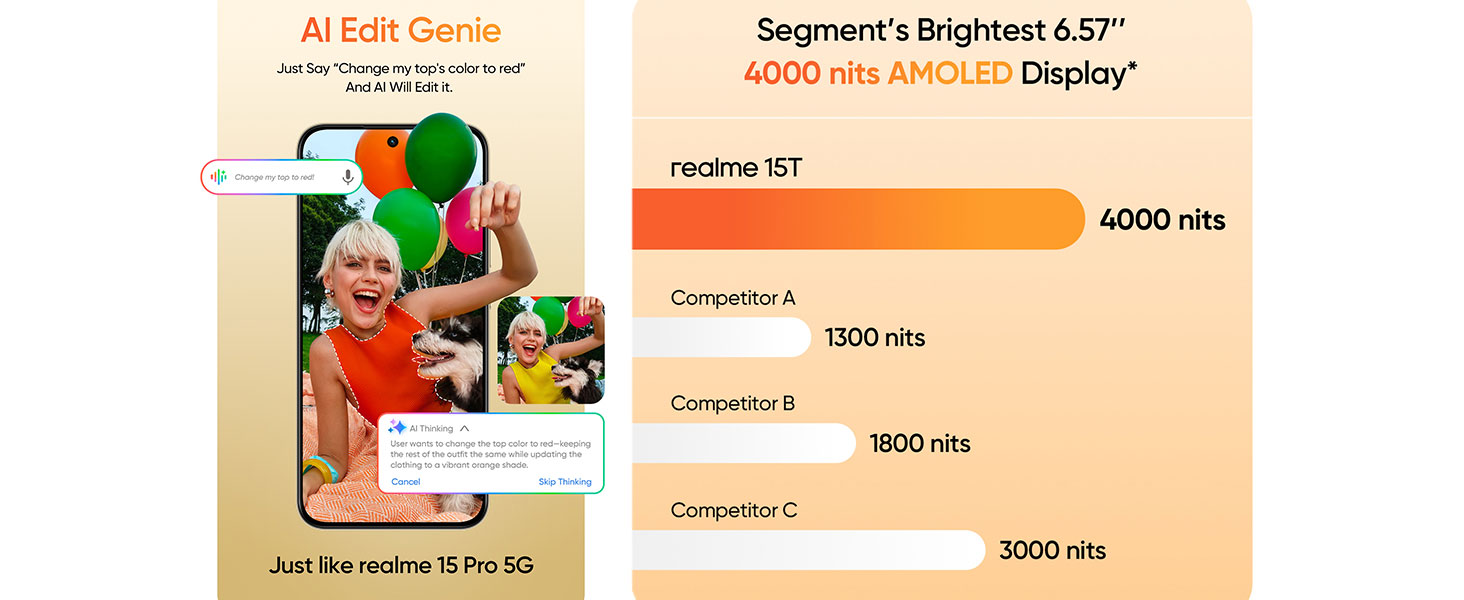
Image: Diagram illustrating the 6050mm² AirFlow VC cooling system within the realme 15T, designed to maintain optimal temperature during use.
Holdbarhed
The realme 15T 5G Smartphone features an IP69 rating for dust and water resistance, providing protection against dust ingress and high-pressure water jets from any direction.

Image: The realme 15T shown with water splashing, demonstrating its IP69 dust and water resistance.
While the device is water resistant, it is not waterproof. Avoid intentional submersion in water or exposure to harsh chemicals. Damage caused by liquids is not covered under warranty.
Opretholdelse
Rengøring af din enhed
- Brug en blød, fnugfri klud til at tørre skærmen og kabinettet af.
- Undgå at bruge slibende rengøringsmidler, opløsningsmidler eller aerosolspray.
- Til genstridige pletter, let dampen klud med vand.
Softwareopdateringer
Regularly check for and install software updates to ensure optimal performance, security, and access to new features. Go to Settings > About phone > Software update.
Lagerstyring
Ryd periodisk unødvendigt files, apps, and cache to maintain device speed and free up storage space. You can manage storage in Settings > Storage.
Fejlfinding
Fælles problemer og løsninger
- Enheden tænder ikke: Sørg for, at batteriet er opladet. Tilslut den til opladeren i mindst 15 minutter, og prøv derefter at tænde den.
- Apps der går ned eller fryser: Close the problematic app and reopen it. If the issue persists, clear the app's cache (Settings > Apps > [App Name] > Storage & cache > Clear cache).
- Dårlig batterilevetid: Refer to the 'Battery Optimization Tips' section. Check for background app usage and disable unnecessary features.
- Problemer med netværksforbindelse: Restart your device. Check if airplane mode is off. Verify your SIM card is properly inserted.
- Skærmen reagerer ikke: Force restart the device by holding the power button for approximately 10-15 seconds.
Specifikationer
| Feature | Specifikation |
|---|---|
| Mærke | realme |
| Model | 15T |
| Operativsystem | Android 15 |
| RAM-hukommelse | 8 GB |
| Lagerkapacitet | 256 GB |
| CPU model | Dimensity 6400 Max 5G (Others) |
| CPU hastighed | 2.3 GHz |
| Skærmstørrelse | 6.67 inches (15.84 Centimetres) |
| Display Type | AMOLED |
| Opdateringshastighed | 120 Hz |
| Maksimal skærmopløsning | 1080x2372 pixels |
| Bagkameraopløsning | 50 MP (Main), 8 MP, 2 MP |
| Forreste kameraopløsning | 50 MP |
| Batterikapacitet | 7000 mAh |
| Hurtig opladning | 60W |
| Antal SIM-kortpladser | Dobbelt SIM |
| Biometrisk sikkerhed | Ansigtsgenkendelse |
| Vandmodstandsniveau | IP69 (vandtæt) |
| Forbindelse | 5G, Bluetooth, USB Type-C, Wi-Fi |
| Varens vægt | 181 gram |
| Emnedimensioner | 15.8 x 7.2 x 0.8 centimeter |
Garanti og support
Garantioplysninger
Your realme 15T 5G Smartphone comes with a standard manufacturer's warranty. Please refer to the warranty card included in your product packaging for specific terms, conditions, and duration. Keep your proof of purchase for warranty claims.
Kundesupport
For technical assistance, service, or further inquiries, please contact realme customer support. Contact details can typically be found on the official realme webwebstedet eller i garantidokumentationen.
- Fabrikant: DBG TECHNOLOGY (INDIA) PRIVATE LIMITED
- Packer/Importer Contact: DBG TECHNOLOGY (INDIA) PRIVATE LIMITED PLOT NO 10, SECTOR-5, HSIIDC INDUSTRIAL MODEL TOWNSHIP, BAWAL, REWARI, HARYANA - 123501


