
1. Introduktion
This manual provides detailed instructions for the setup, operation, maintenance, and troubleshooting of your Beelink SER5 Pro Mini PC. This compact and powerful computer features an AMD Ryzen 5 5625U processor, 16GB DDR4 RAM, and a 500GB PCIe 3.0 SSD, designed for various computing tasks including multimedia, photo editing, and video editing.
2. Hvad er der i æsken
Når du åbner pakken, skal du kontrollere, at alle følgende varer er inkluderet:
- Beelink SER5 Pro Mini PC Unit
- Brugermanual
- HDMI kabel
- Strømadapter
- Wall-Mounted Bracket (for VESA mounting)
3. Produktet er slutview
The Beelink SER5 Pro Mini PC is engineered for high performance in a small form factor. It integrates advanced components and connectivity options to support a wide range of applications.
3.1 Nøglefunktioner
- Processor: AMD Ryzen 5 5625U (6 kerner/12 tråde, op til 4.3 GHz)
- Grafik: AMD Radeon Graphics 7 core 1800MHz for 4K@60Hz triple display output.
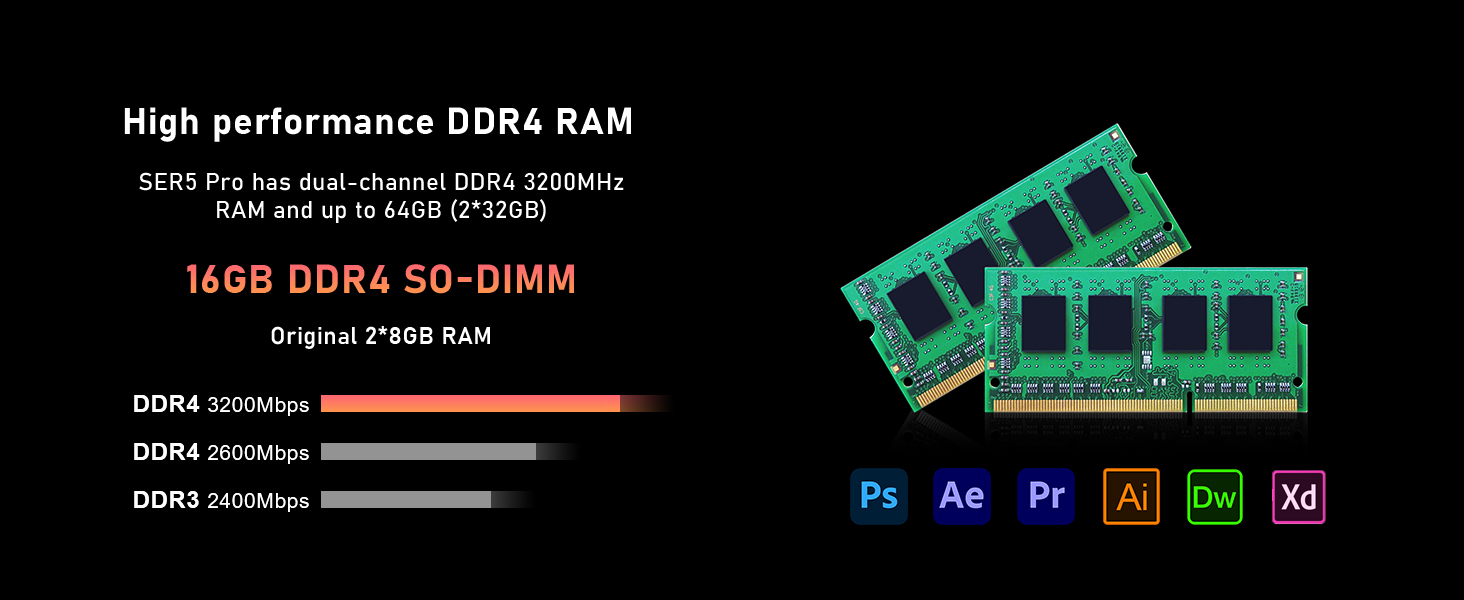
- Hukommelse: 16GB SO-DIMM DDR4 RAM (3200MHz), expandable up to 64GB.
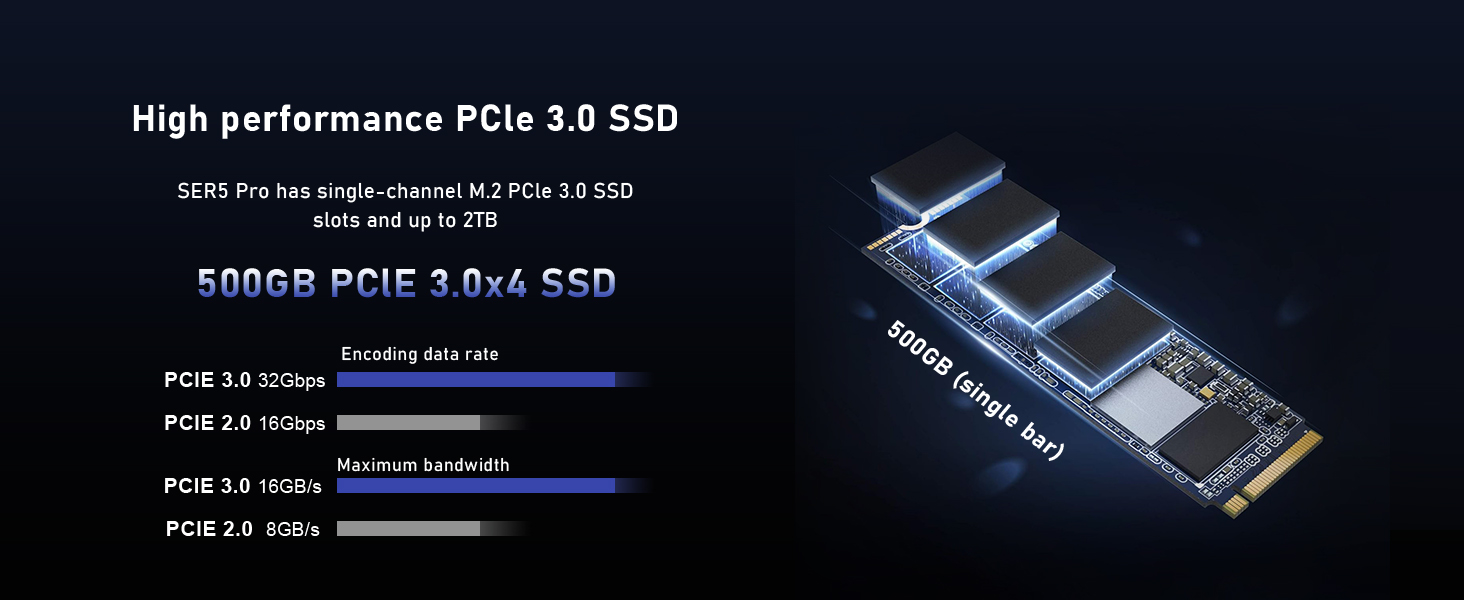
- Opbevaring: 500GB M.2 NVMe PCIe 3.0 SSD, expandable up to 2TB. Supports additional 2.5-inch SATA HDD expansion.
- Trådløs forbindelse: WiFi 6 (802.11ax) and Bluetooth 5.4 for fast and stable connections.
- Kølesystem: Efficient silent cooling with CPU fan, heat sink, and heat pipes.
- Porte: Multiple USB 3.2 Gen2, USB 2.0, HDMI, DisplayPort, Type-C (Data&Video), LAN (2.5Gbps), Audio Jack.
3.2 External Components and Ports
Familiarize yourself with the various ports and components on your mini PC for proper connection and operation.

Billede: Front and rear panels of the Beelink SER5 Pro Mini PC, highlighting USB ports, HDMI, DisplayPort, Type-C, LAN, and power input.

Billede: A detailed diagram illustrating the various ports on the Beelink SER5 Pro Mini PC, including USB 3.2 Gen2, Type-C (Data&Video), Earphone jack, Power button, RTC Key, LAN (2.5Gbps), USB 2.0, DisplayPort, HDMI, and Power adapter input.

Billede: An illustration detailing the front and rear ports of the Beelink SER5 Pro Mini PC, including USB 3.2 Gen2, Type-C, HDMI, DisplayPort, LAN, and power input, along with compatible peripherals like keyboard, printer, and speaker.
3.3 Interne komponenter
The mini PC's internal design allows for memory and storage upgrades.

Billede: Two DDR4 SO-DIMM RAM modules, illustrating the dual-channel memory configuration supported by the Beelink SER5 Pro Mini PC, expandable up to 64GB.

Billede: An M.2 2280 NVMe PCIe SSD, representing the primary storage drive in the Beelink SER5 Pro Mini PC, which can be upgraded up to 2TB.
Billede: En eksploderede view of the Beelink SER5 Pro Mini PC, highlighting the AMD Ryzen 5 5625U processor, AMD Radeon Graphics, WiFi 6 + Bluetooth 5.4 module, 16GB DDR4 RAM, 500GB SSD, and the silent and efficient heat dissipation system.

Billede: A diagram illustrating the silent and efficient heat dissipation system of the SER5 Pro, featuring heat pipes, fins, a silent fan, and an SSD heatsink, with air intakes on both sides and a heat dissipation port on the back.
4. Opsætningsvejledning
Follow these steps to set up your Beelink SER5 Pro Mini PC:
- Tilslut til skærm: Use the provided HDMI cable to connect your mini PC to a monitor or TV. You can also use a DisplayPort or Type-C cable for triple display setup.
- Tilslut ydre enheder: Tilslut dit USB-tastatur og din mus til de tilgængelige USB-porte.
- Opret forbindelse til netværk: For a wired connection, connect an Ethernet cable to the LAN port. For wireless, ensure your WiFi network is available.
- Tilslut strøm: Connect the power adapter to the DC input port on the mini PC, then plug the adapter into a power outlet.
- Tænd: Press the power button on the front of the mini PC. The power LED will illuminate.
- Første opstart: The system will boot into the pre-installed operating system (e.g., Windows 11 Pro). Follow the on-screen instructions for initial setup, including language, region, and network configuration.
Video: An official video from Beelink demonstrating the setup and features of the SER5 Pro Mini PC, including port overview og tilslutningsmuligheder.
5. Betjeningsvejledning
5.1 Tænd/sluk
- For at tænde: Tryk på tænd/sluk-knappen på frontpanelet.
- For at lukke ned: Brug operativsystemets nedlukningsprocedure (f.eks. Start > Strøm > Luk ned i Windows).
- For at genstarte: Use the operating system's restart procedure (e.g., Start > Power > Restart in Windows).
- Tvangsluk: Hvis systemet ikke reagerer, skal du trykke på tænd/sluk-knappen og holde den nede i cirka 5-10 sekunder, indtil enheden slukker. Brug kun dette som en sidste udvej.
5.2 BIOS-indstillinger
For at få adgang til BIOS/UEFI-indstillingerne skal du trykke på DEL key repeatedly during startup immediately after pressing the power button. This allows configuration of boot options, system time, and other hardware settings.
5.3 Opsætning af tredobbelt skærm
The mini PC supports connecting up to three displays simultaneously via HDMI, DisplayPort, and the Type-C port. Ensure your monitors are connected and configured within the operating system's display settings.
Billede: A visual representation of the Beelink SER5 Pro Mini PC connected to three external monitors, demonstrating its triple display output capability via HDMI, DisplayPort, and USB-C for enhanced productivity.
6. Vedligeholdelse
Korrekt vedligeholdelse sikrer din mini-pc's lange levetid og optimale ydeevne.
- Rensning: Regularly clean the exterior with a soft, dry cloth. Use compressed air to clear dust from ventilation openings to maintain efficient cooling. Do not use liquid cleaners directly on the device.
- Softwareopdateringer: Hold dit operativsystem og dine drivere opdaterede for at sikre sikkerhed og ydeevne.
- Udvidelse af opbevaring: The mini PC supports M.2 NVMe SSD upgrades up to 2TB and an additional 2.5-inch SATA HDD/SSD. Refer to the included tutorial for detailed expansion steps.
- Hukommelsesopgradering: The dual-channel DDR4 RAM can be upgraded to a maximum of 64GB (2 x 32GB SO-DIMM modules).
7. Fejlfinding
Hvis du støder på problemer med din Beelink SER5 Pro Mini PC, skal du se følgende almindelige fejlfindingstrin:
| Problem | Mulig årsag | Løsning |
|---|---|---|
| Ingen skærmudgang | Loose cable connection, incorrect input selected on monitor, power issue. |
|
| Mini-pc'en tænder ikke | Power adapter not connected, faulty power outlet, power button issue. |
|
| System freezes or is unresponsive | Software conflict, overheating, insufficient resources. |
|
| Ingen internetforbindelse | Loose Ethernet cable, incorrect Wi-Fi password, driver issue. |
|
8. Specifikationer
Detailed technical specifications for the Beelink SER5 Pro Mini PC:
| Mærke | Beelink |
| Modelnummer | SER5-5625U |
| CPU model | AMD Ryzen 5 5625U (6 Cores, 12 Threads) |
| CPU hastighed | 2.3GHz (Base) up to 4.3GHz (Max Turbo) |
| Grafik coprocessor | AMD Radeon Graphics 7 core 1800MHz |
| RAM-hukommelse installeret | 16GB DDR4 (3200MHz SO-DIMM) |
| Maksimal RAM-hukommelsesstørrelse | 64 GB (2 x 32 GB) |
| Hukommelseslagringskapacitet | 500GB M.2 NVMe PCIe 3.0 SSD |
| Harddisk beskrivelse | M.2 NVMe SSD, supports 2.5-inch SATA HDD expansion |
| Operativsystem | OS (Typically Windows 11 Pro) |
| Trådløs forbindelse | Wi-Fi 6 (802.11ax), Bluetooth 5.4 |
| Video Output Interface | HDMI, DisplayPort, USB-C (supports 4K@60Hz Triple Display) |
| USB-porte | 3x USB 3.2 Gen2, 2x USB 2.0 |
| LAN | 2.5 Gbps Ethernet |
| Yderligere funktioner | Wake up On LAN, Auto Power On |
| Dimensioner | 4.96" x 4.44" x 1.65" (126 x 113 x 42 mm) |
| Strømforbrug | 25 watt |

Billede: A table summarizing the key product specifications of the Beelink SER5 Pro Mini PC, including dimensions, CPU, graphics, wireless LAN, system disk, internal slots, interfaces, additional functions, power adapter details, and operating environment.
9. Garanti og support
Your Beelink SER5 Pro Mini PC comes with a one-year quality assurance warranty. Beelink provides 24/7 manual customer service and technical support.
For any questions or support needs, please contact Beelink US Official customer service. Refer to the contact information provided with your product or visit the official Beelink webwebsted for supportressourcer.
The product has passed CE, EMC, FCC, and RoHS certifications, ensuring compliance with safety and environmental standards.