
1. Introduktion
This manual provides essential information for setting up, operating, and maintaining your Beelink SEi13 Pro Mini PC. Please read it thoroughly before use to ensure optimal performance and longevity of your device.
Pakkens indhold
- 1 x Beelink SEi13 Pro Mini PC
- 1 x HDMI kabel
- 1 x strømadapter
- 1 x Brugermanual (dette dokument)
Sørg for, at alle varer er til stede og i god stand ved udpakning.
2. Produktet er slutview og funktioner
The Beelink SEi13 Pro is a compact desktop computer designed for various tasks, from office work to 4K video playback and content creation. It features a powerful Intel Core i7-13620H processor and extensive connectivity options.
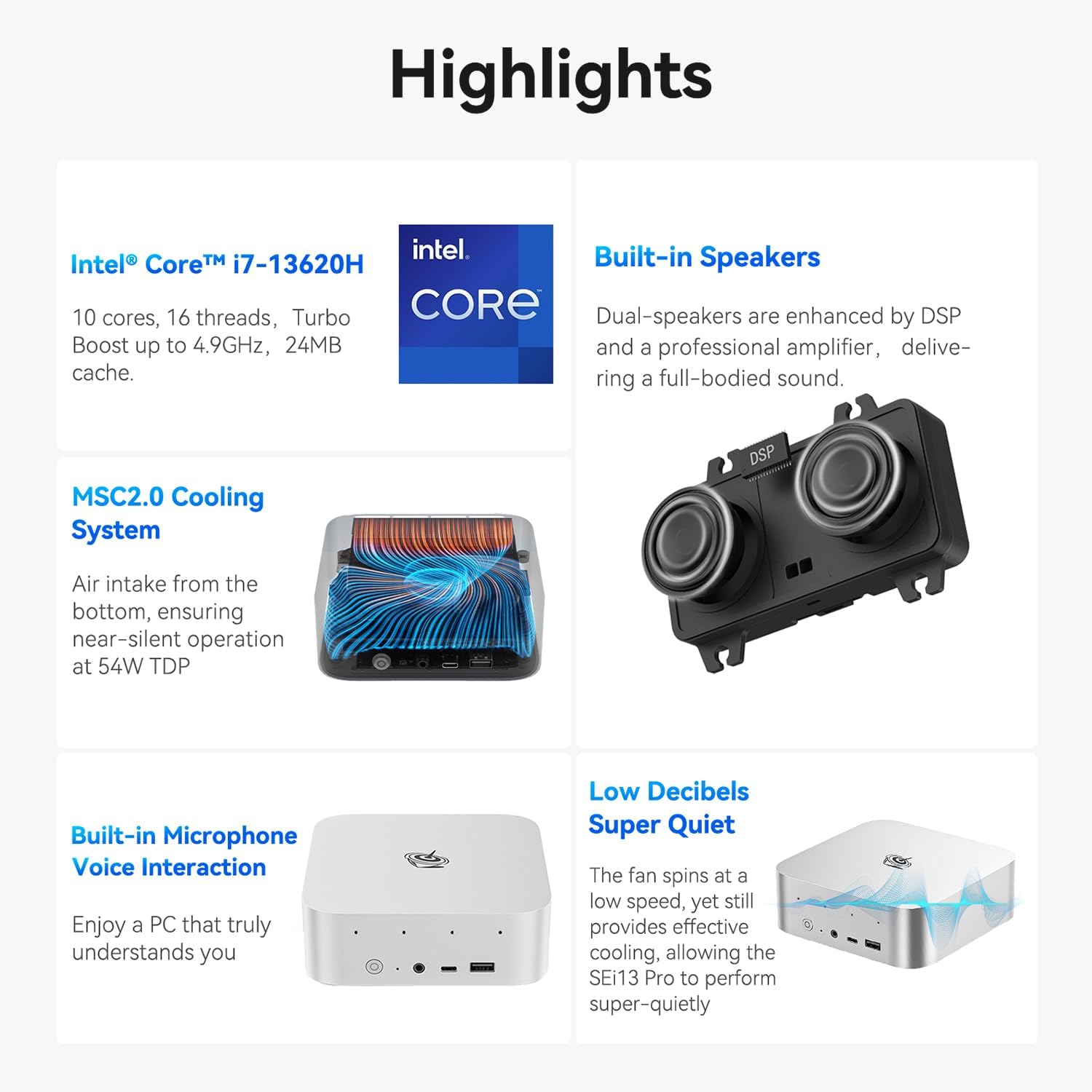
Billede: Overview of Beelink SEi13 Pro Mini PC key features including processor, cooling, speakers, microphone, and quiet operation.
Processor
Equipped with an Intel Core i7-13620H processor, featuring 10 cores and 16 threads, with a maximum turbo frequency of 4.9GHz. This hybrid CPU architecture provides efficient performance for multitasking and demanding applications.

Billede: Detaljeret view of the Intel Core i7-13620H processor specifications, highlighting 4.9 GHz max turbo frequency, 10 cores, 16 threads, and 1.50 GHz maximum dynamic GPU frequency.
Hukommelse (RAM)
The system includes 32GB of LPDDR5 RAM, configured for dual-channel operation. This ensures smooth system performance, faster software loading, and enhanced multitasking capabilities.
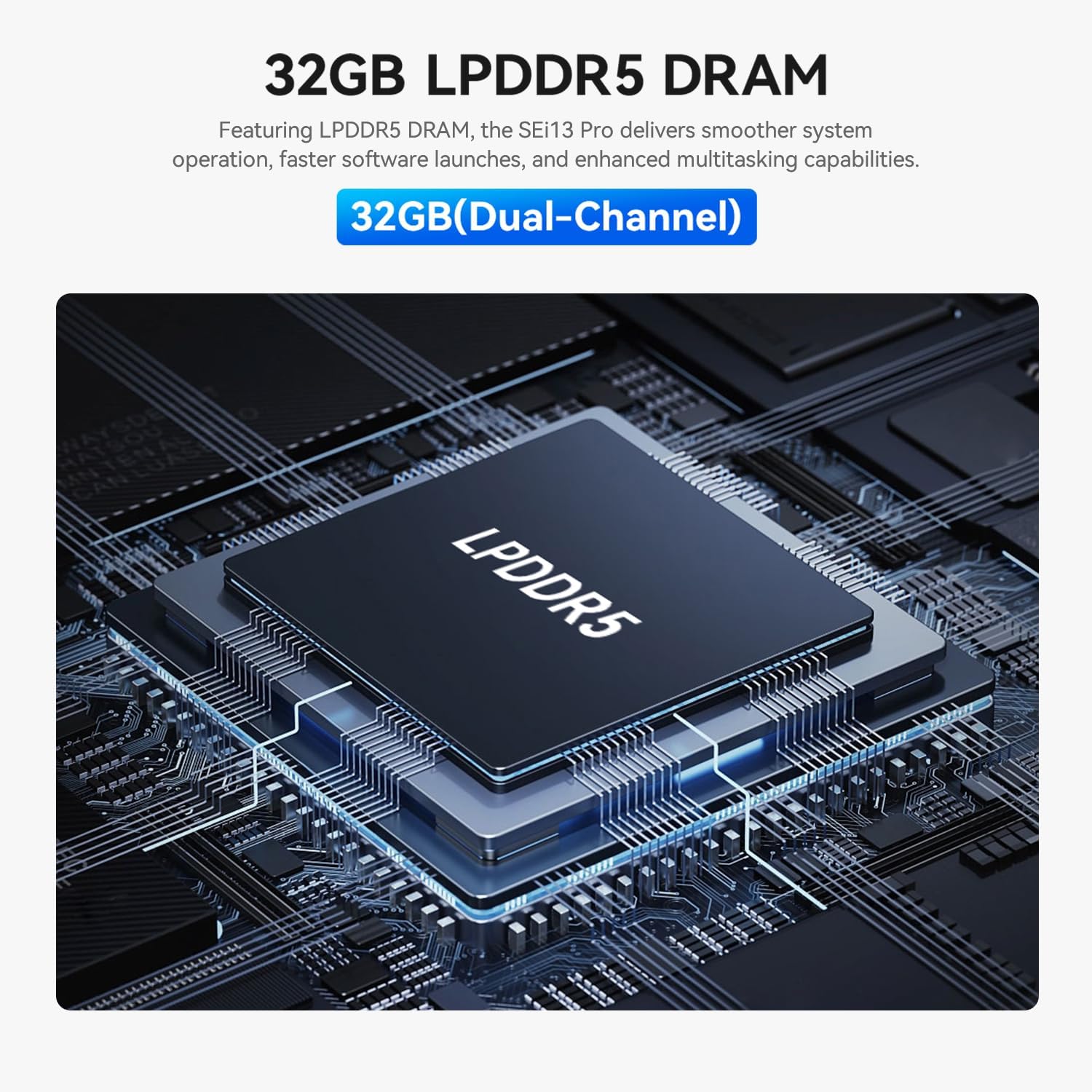
Image: A close-up of an LPDDR5 DRAM module, indicating 32GB (Dual-Channel) memory for the Beelink SEi13 Pro.
Opbevaring
The Beelink SEi13 Pro comes with a 1TB M.2 PCIe NVMe 2280 SSD for high-speed data access. It also features dual M.2 2280 PCIe 4.0 x 4 expansion slots, supporting up to 4TB for each slot, allowing for flexible storage upgrades.

Image: Illustration of dual M.2 SSD PCIe 4.0 modules, emphasizing high-speed storage and the retail unit's 1TB SSD.
Grafik- og skærmoutput
The integrated Intel UHD graphics support triple display output at 4K@60Hz via HDMI, DP1.4, and a rear USB-C port. This configuration is suitable for multitasking across multiple screens.

Image: A Beelink Mini PC connected to three monitors, demonstrating its triple-display output capability via HDMI, DP1.4, and USB-C ports for 4K displays.
Forbindelse
- Trådløs: WiFi 6 (Intel AX200) for speeds up to 2.4 Gbps and Bluetooth 5.2 for stable connections with wireless accessories.
- wired: Two 2.5G LAN ports for high-speed wired network connections.

Image: Details on WiFi 6, Bluetooth 5.2, dustproof design, and dual audio jacks of the Beelink SEi13 Pro Mini PC.
Porte og grænseflader
The Mini PC offers a comprehensive set of ports for various peripherals and displays:

Billede: Foran og bagpå views of the Beelink SEi13 Pro Mini PC, labeling all available ports including DC IN, USB-C (Data & Video), HDMI, 3.5mm Audio Jack, USB2.0, DP1.4, LAN 2.5G, USB3.2, Power Button, CLR CMOS, and Microphone Array.
- Front: Power Button, CLR CMOS, 3.5mm Audio Jack, USB-C 10Gbps (Data), USB3.2 10Gbps
- Bag: DC IN, USB-C 10Gbps (Data & Video), HDMI 4K 60Hz, 3.5mm Audio Jack, USB2.0 480Mbps, DP1.4 4K 144Hz, LAN 2.5G (x2), USB3.2 10Gbps (x2)
Kølesystem
Features an MSC2.0 Cooling System designed for near-silent operation at 54W TDP, ensuring efficient heat dissipation.
Lyd
Includes built-in dual speakers enhanced by DSP and a professional amplifier for full-bodied sound. Dual audio jacks are available, with the front jack taking priority when both are connected.
Operativsystem
Pre-installed with Windows 11 Pro, providing a modern and secure computing environment.
3. Opsætningsvejledning
Follow these steps to set up your Beelink SEi13 Pro Mini PC.
Indledende forbindelse
- Tilslut til skærm: Use the provided HDMI cable to connect the Mini PC to your monitor or TV. You can also use a DisplayPort (DP) cable or a USB-C to DisplayPort/HDMI cable for additional displays.
- Tilslut ydre enheder: Tilslut dit USB-tastatur og din mus til de tilgængelige USB-porte.
- Opret forbindelse til netværk: For wired internet, connect an Ethernet cable to one of the 2.5G LAN ports. For wireless internet, ensure your Wi-Fi network is available during initial setup.
- Tilslut strøm: Sæt strømadapteren i DC IN-porten på mini-pc'en, og sæt derefter adapteren i en stikkontakt.
- Tænd: Tryk på tænd/sluk-knappen på forsiden af mini-pc'en. Systemet starter op.
Windows 11 opsætning
Upon first boot, follow the on-screen instructions to complete the Windows 11 Pro setup, including language selection, network connection, account creation, and privacy settings.
4. Betjeningsvejledning
Grundlæggende betjening
- Tænd/sluk: Press the power button to turn the PC on. To turn off, use the Windows Shut Down option or press and hold the power button for 5 seconds.
- Genstart: Brug Windows-genstartsfunktionen.
- Sove: Use the Windows Sleep option.
Opsætning af tredobbelt skærm
To utilize the triple display output, connect up to three monitors using the HDMI, DP1.4, and rear USB-C (Data & Video) ports. Once connected, Windows will automatically detect the displays. You can configure display settings (e.g., extend, duplicate) via Windows Display Settings.
BIOS Access
To enter the BIOS settings, press the Slet key repeatedly immediately after powering on the device. To access the boot options menu, press the F7 key repeatedly immediately after powering on.
Softwarebrug
The Beelink SEi13 Pro is suitable for a variety of applications:

Billede: Eksamples of software applications the Beelink SEi13 Pro can handle, including graphic design (AI, PS, DW), light office work (Word, PowerPoint, OneNote, Excel), and video editing/streaming (CapCut, Premiere, After Effects, Audition).
- Graphic Design/Web Development/Programming: Supports applications like Adobe Illustrator, Photoshop, Dreamweaver.
- Light Office Work: Compatible with Microsoft Office suite (Word, PowerPoint, OneNote, Excel).
- Video Editing/Live Streaming/Content Creation: Capable of running software such as CapCut, Adobe Premiere, After Effects, and Audition.
5. Vedligeholdelse
Støvforebyggelse
The Mini PC features a dustproof design with a mesh filter at the bottom to prevent dust accumulation. Regularly inspect and clean the exterior of the device to maintain optimal airflow and prevent dust-related issues.
Udvidelse af lager
The device supports storage expansion via its dual M.2 2280 PCIe 4.0 x 4 expansion slots. Refer to the detailed instructions for opening the chassis and installing additional M.2 SSDs if needed. Ensure the device is powered off and unplugged before performing any internal maintenance or upgrades.
6. Fejlfinding
- Ingen visning: Ensure all display cables are securely connected and the monitor is powered on and set to the correct input source. Try a different cable or port.
- Ingen strøm: Kontroller, at strømadapteren er korrekt tilsluttet både mini-pc'en og en fungerende stikkontakt.
- Systemnedbremsning: Kontrollér for baggrundsprogrammer, der bruger ressourcer. Sørg for tilstrækkelig ledig lagerplads. Overvej at opdatere drivere eller udføre en systemscanning for malware.
- Netværksproblemer: For Wi-Fi, ensure the correct password is entered and the router is functioning. For wired, check the Ethernet cable connection and router status.
- BIOS-adgang: If you encounter issues entering BIOS, ensure you are pressing the Slet key immediately and repeatedly after pressing the power button.
Ved vedvarende problemer henvises til afsnittet Garanti og support for kontaktoplysninger.
7. Specifikationer
| Feature | Detalje |
|---|---|
| Mærke | Beelink |
| Model | SEi/13620H/32G/1TB |
| Processor | Intel Core i7-13620H (10 kerner, 16 tråde, op til 4.9 GHz) |
| Grafik | Intel UHD-grafik (integreret) |
| VÆDDER | 32 GB LPDDR5 |
| Opbevaring | 1TB NVMe M.2 PCIe 4.0 SSD (Expandable via dual M.2 slots) |
| Operativsystem | Windows 11 Pro |
| Video output | HDMI, DP1.4, USB-C (rear) - Supports Triple 4K@60Hz Display |
| Trådløs forbindelse | WiFi 6 (Intel AX200), Bluetooth 5.2 |
| Kablet tilslutning | 2 x 2.5G LAN ports |
| USB-porte | 1 x USB2.0, 3 x USB3.2 10Gbps, 1 x USB-C 10Gbps (Data), 1 x USB-C 10Gbps (Data & Video) |
| Lydporte | 2 x 3.5mm Audio Jacks |
| Afkølingsmetode | MSC2.0 Air Cooling System |
| Strømstik type | Type A - 2-benet (nordamerikansk) |
8. Garanti og support
Garantioplysninger
The Beelink SEi13 Pro Mini PC comes with a 3-year manufacturer's warranty, ensuring coverage against defects in materials and workmanship under normal use.
Teknisk support
Beelink offers lifetime technical support and 24-hour customer service. If you have any questions or encounter issues with your Mini PC, please do not hesitate to contact us. Our support team is available to assist you.
For support, please visit the official Beelink webwebstedet eller kontakt kundeservice via din købsplatform.