
1. Introduktion
This manual provides essential information for setting up, operating, and maintaining your Tecno Pova Slim 5G smartphone. Please read this guide carefully to ensure proper use and to maximize the device's performance and longevity.
The Tecno Pova Slim 5G is a 5G-enabled smartphone featuring a slim design, a 3D curved display, and a large battery capacity. It incorporates advanced features such as a Dynamic Mood Light and Ella AI with regional language support.

Billede 1.1: Forside og bagside view of the Tecno Pova Slim 5G smartphone.
2. Hvad er der i æsken
Upon unboxing your Tecno Pova Slim 5G, verify that all the following items are included:
- Tecno Pova Slim 5G Smartphone
- Strømadapter
- USB kabel
- Telefon etui
- Skærmbeskytter (forudpåsat eller i æske)
- SIM-bakkeudkaster
- Quick Start Guide (denne manual)
3. Enhed overview
Familiarize yourself with the physical components of your Tecno Pova Slim 5G smartphone.
3.1. Fysisk indretning
- Front: Curved AMOLED display, front camera, earpiece.
- Tilbage: Dual rear cameras, LED flash, Dynamic Mood Light, Tecno branding.
- Højre side: Tænd/sluk-knap, knapper til lydstyrke op/ned.
- Venstre side: SIM-kortbakke.
- Bund: USB Type-C port, microphone, speaker grille.
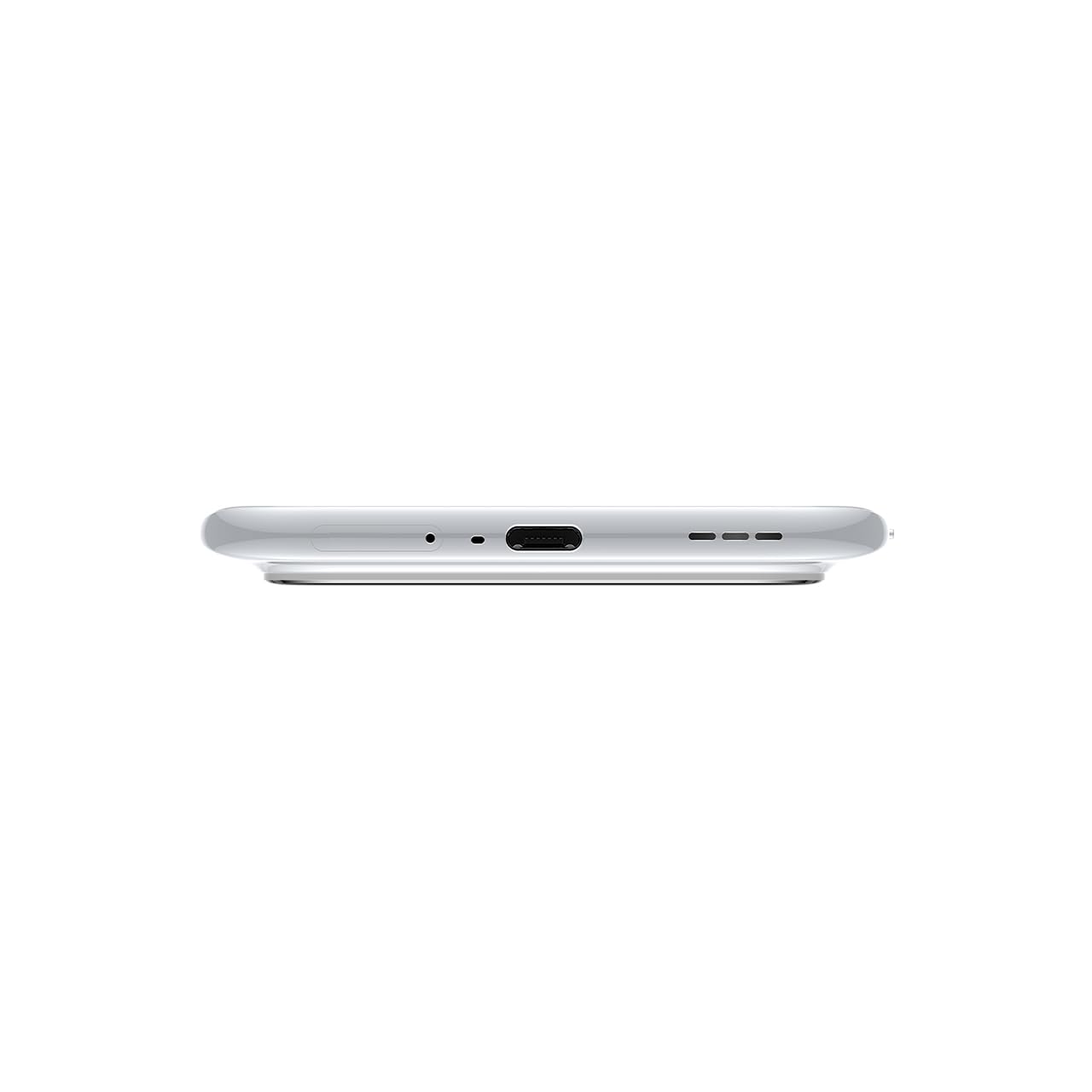
Billede 3.1: Bund view of the device, highlighting the USB-C port and speaker.
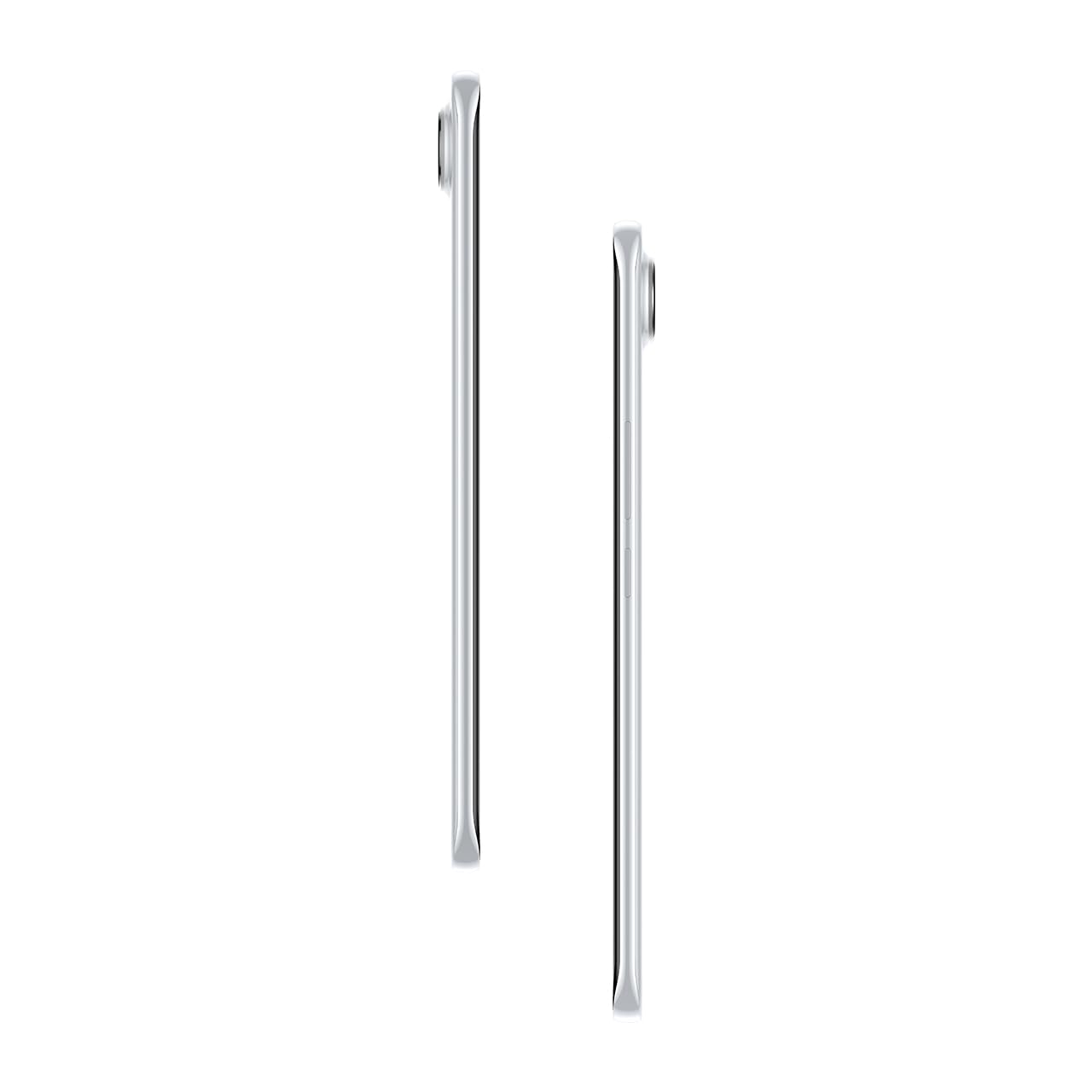
Billede 3.2: Side view illustrerer den slanke profile af smartphonen.
4. Opsætning
4.1. Isætning af SIM-kortet
- Find SIM-kortbakken på venstre side af enheden.
- Sæt SIM-kortbakkens udløserværktøj ind i det lille hul ved siden af bakken, og tryk forsigtigt, indtil bakken springer ud.
- Placer dit/dine Nano-SIM-kort i de dertil beregnede pladser på bakken. Sørg for, at de gyldne kontakter vender nedad.
- Skub forsigtigt bakken tilbage i telefonen, indtil den klikker på plads.
4.2. Tænd/sluk
- For at tænde: Press and hold the Power button on the right side of the phone until the Tecno logo appears.
- For at slukke: Tryk på tænd/sluk-knappen og hold den nede, og vælg derefter 'Sluk' fra indstillingerne på skærmen.
- For at genstarte: Tryk og hold tænd/sluk-knappen nede, og vælg derefter 'Genstart' fra valgmulighederne.
4.3. Indledende konfiguration
Upon first power-on, follow the on-screen instructions to set up your device. This includes selecting your language, connecting to Wi-Fi, setting up your Google account, and configuring security features like fingerprint or face unlock.
5. Betjening af din enhed
5.1. Skærmfunktioner
The Tecno Pova Slim 5G features a 1.5K Curved AMOLED display with a 144Hz refresh rate, providing smooth visuals. It offers up to 4500 nits peak brightness for clear visibility in various lighting conditions and is protected by Corning Gorilla Glass 7i.
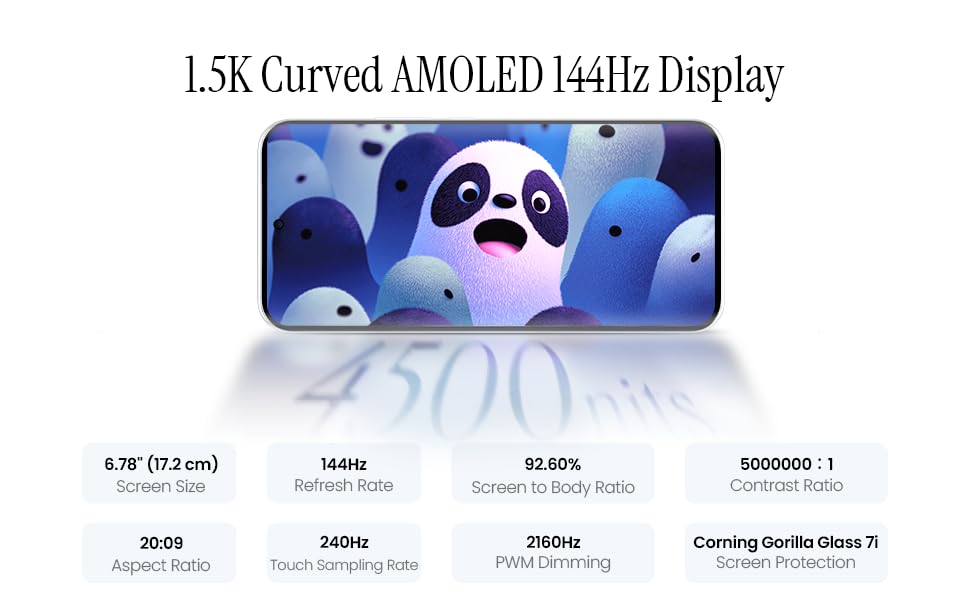
Image 5.1: Display specifications including screen size, refresh rate, and brightness.
5.2. Kamerabrug
The device is equipped with a 50MP AI camera system. To take photos or record videos, open the Camera application. You can switch between different modes (Photo, Video, Portrait, Night, etc.) and adjust settings like zoom, flash, and filters.
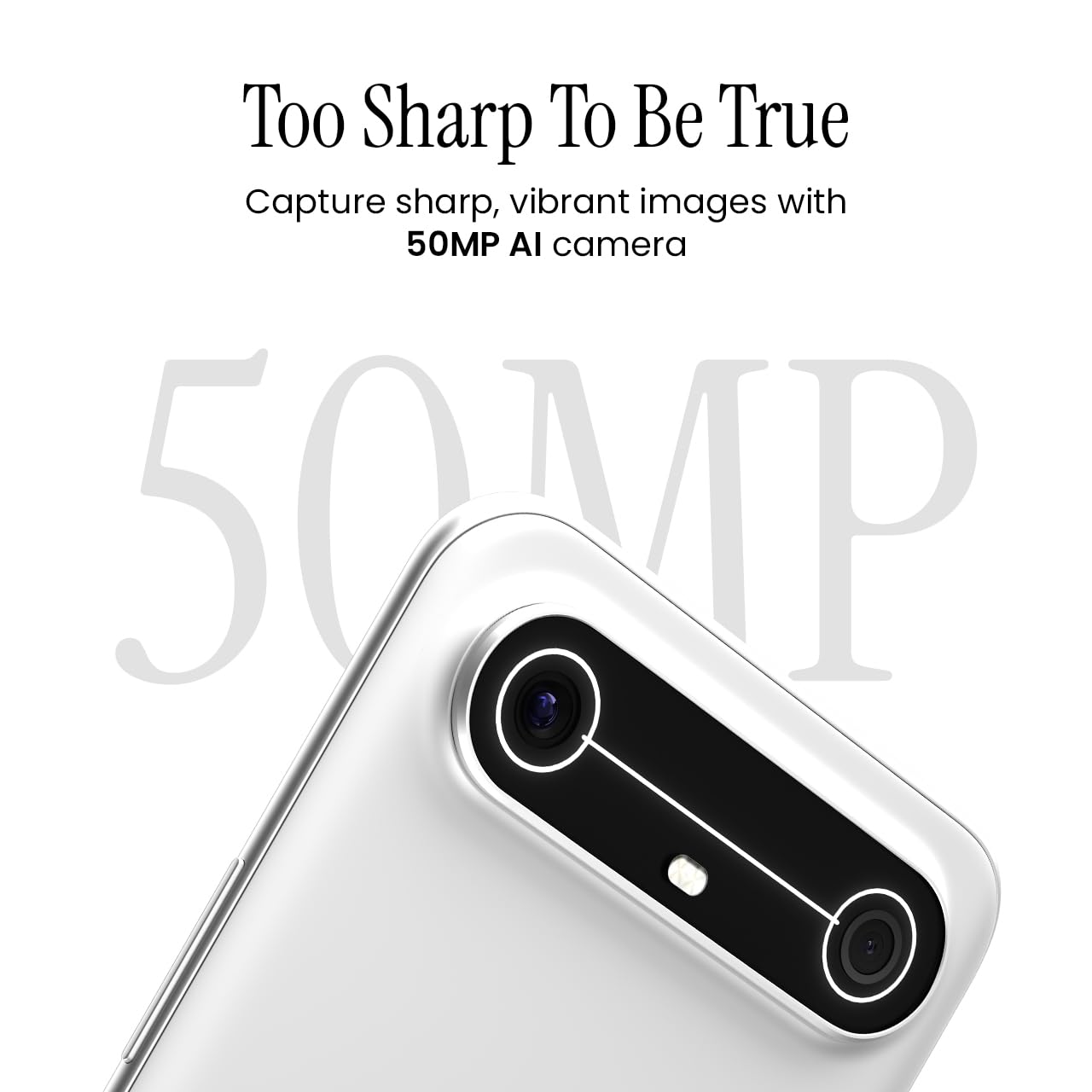
Image 5.2: Detail of the 50MP AI camera module.
5.3. Dynamic Mood Light
The Dynamic Mood Light is an integrated lighting feature on the back of the device that responds to various notifications, calls, and system events, providing visual cues.

Image 5.3: The Dynamic Mood Light design on the device's rear.
5.4. Ella AI Features
Ella AI provides intelligent assistance, including support for Indian regional languages. Key features include:
- AI Writing Assistant: Helps in drafting messages and content.
- Ring om for at søge: Allows users to search for information by circling objects on the screen.
- Sprogforståelse: Processes and responds to voice commands in various Indian languages.
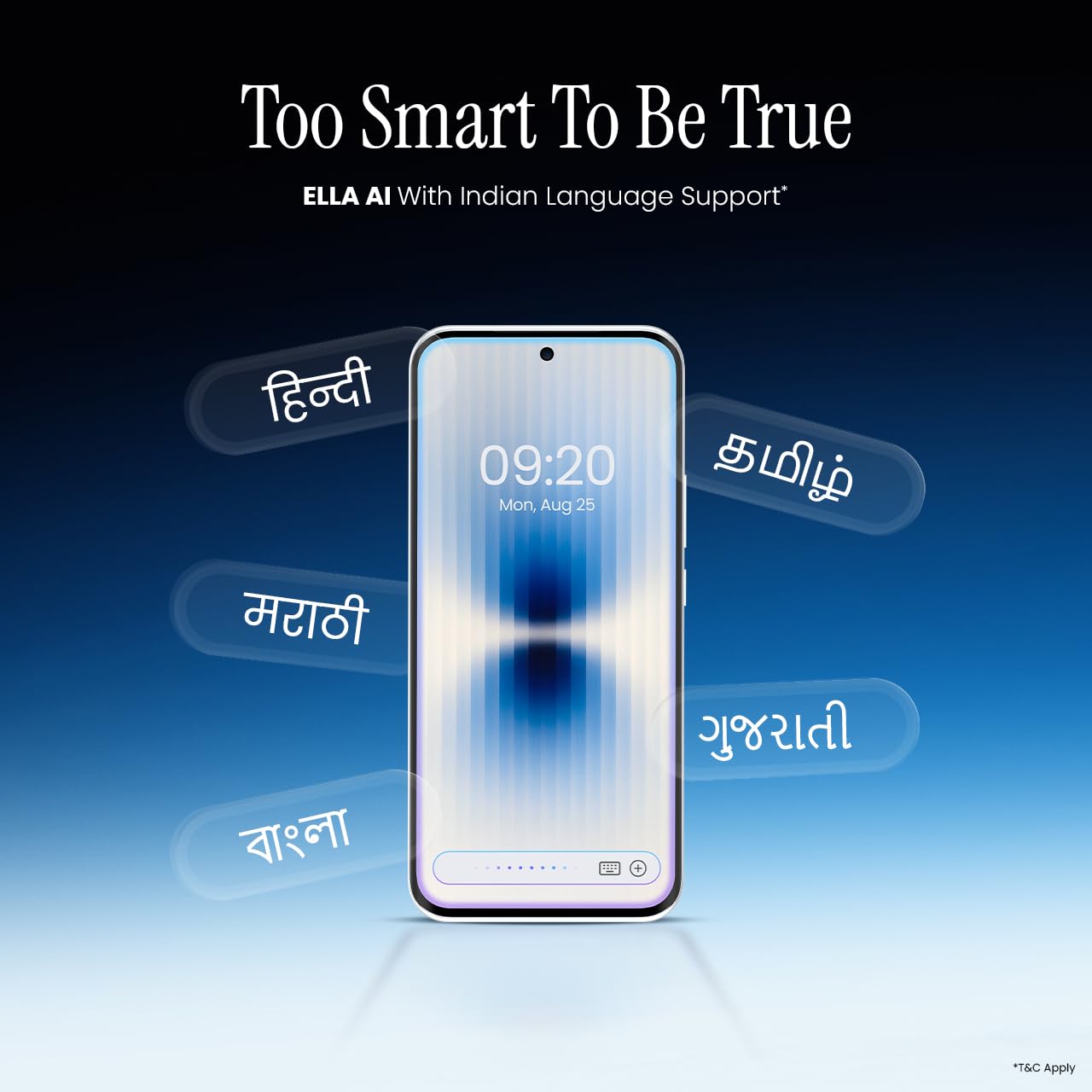
Image 5.4: Ella AI demonstrating Indian language support.
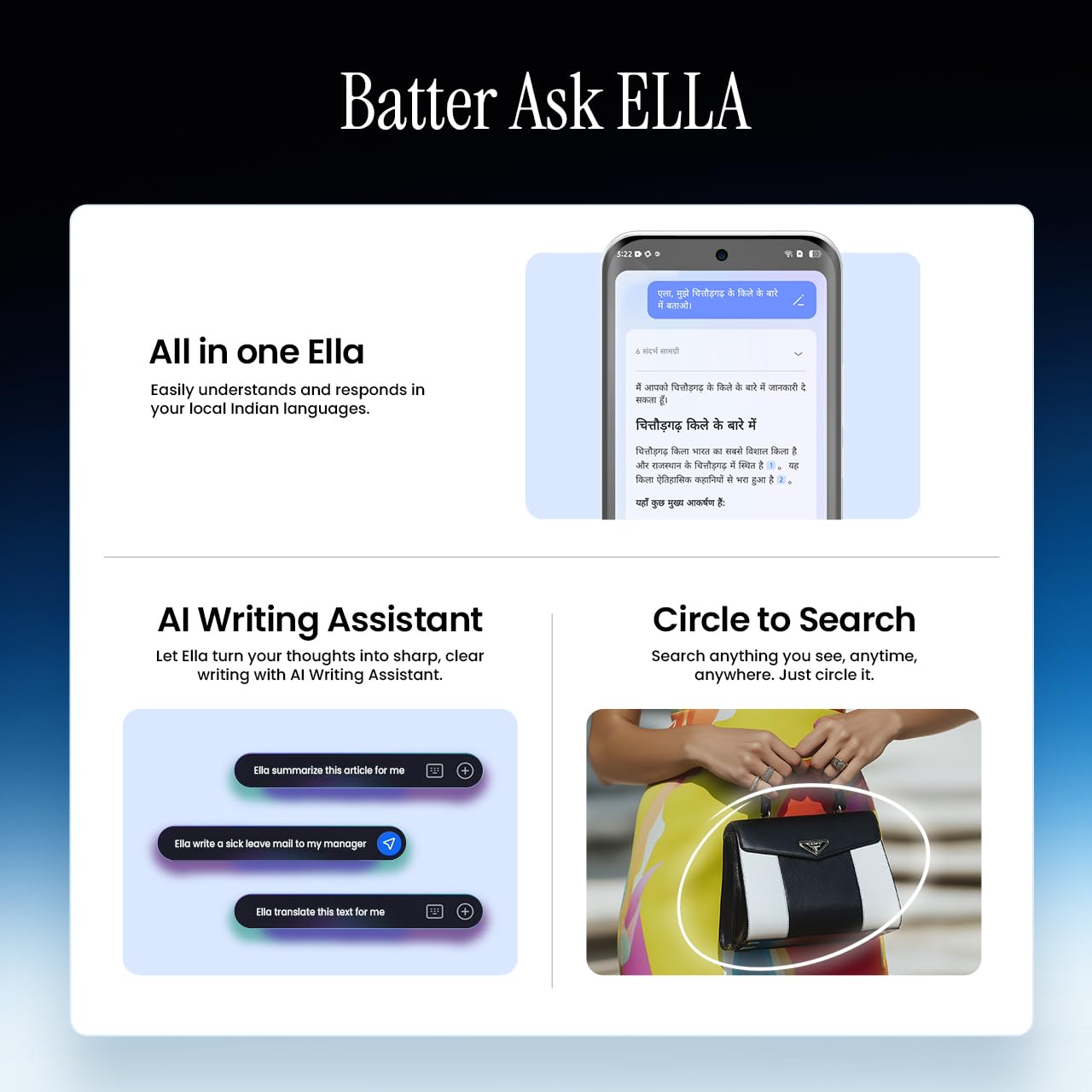
Image 5.5: Visual representation of Ella AI's writing assistant and circle to search functions.
5.5. Forbindelse
The Pova Slim 5G supports 5G networks for high-speed data, Wi-Fi for local network access, and Bluetooth for connecting to accessories. It features an Intelligent Signal Hub System with 4x4 MIMO & N28 Band for enhanced network performance.
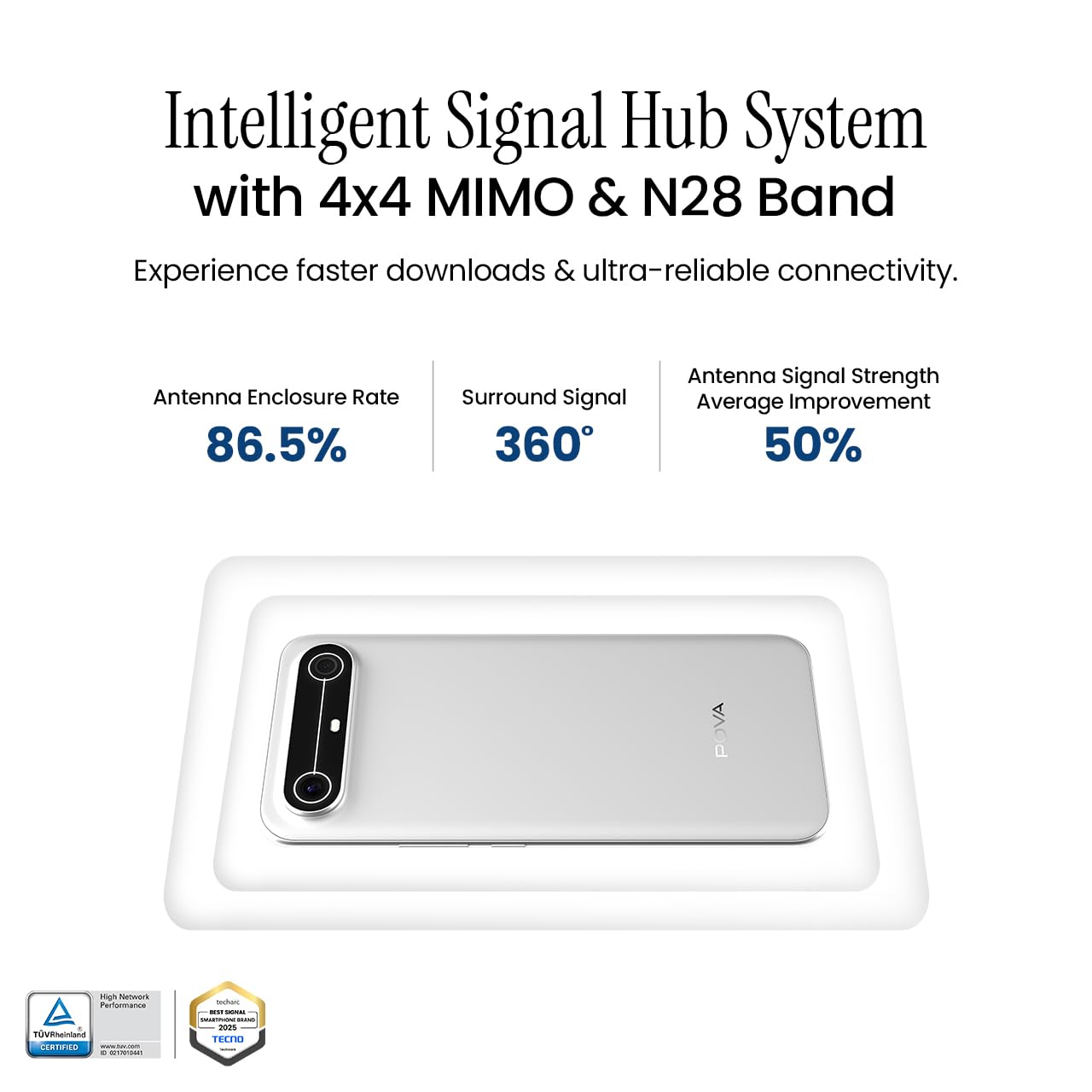
Image 5.6: Diagram illustrating the Intelligent Signal Hub System.
5.6. Batteri og opladning
The device is powered by a 5160mAh battery and supports 45W fast charging. Use the provided power adapter and USB cable for optimal charging performance. Avoid using uncertified chargers or cables.

Image 5.7: Representation of the 5160mAh battery and 45W charging capability.
6. Vedligeholdelse
6.1. Batteripleje
- Undgå ekstreme temperaturer, da de kan forringe batteriets levetid.
- Aflade ikke batteriet helt regelmæssigt; oplad det, før det bliver for lavt.
- Tag stikket ud af opladeren, når batteriet er fuldt, for at forhindre overopladning.
6.2. Rengøring af din enhed
Brug en blød, fnugfri klud til at rengøre skærmen og kabinettet på din telefon. Undgå at bruge skrappe kemikalier eller slibende materialer. Tør let ved genstridige pletter.ampRengør kluden med vand eller en skærmrens, der er specielt designet til elektronik.
6.3. Softwareopdateringer
Regularly check for and install software updates. Updates often include security patches, performance improvements, and new features. To check for updates, go to Indstillinger > System > Systemopdatering.
6.4. Holdbarhedsfunktioner
The Pova Slim 5G is built with durability in mind, featuring MIL-STD-810H military-grade toughness, IP64 dust and splash resistance, and Corning Gorilla Glass 7i for screen protection.

Image 6.1: Indication of MIL-STD-810H military-grade protection.

Image 6.2: Visual representation of Corning Gorilla Glass 7i protection.

Image 6.3: Device shown with IP64 dust and splash resistance.
7. Fejlfinding
Hvis du støder på problemer med din enhed, kan du prøve følgende løsninger:
- Enheden tænder ikke: Sørg for, at batteriet er opladet. Tilslut opladeren, og vent et par minutter, før du forsøger at tænde igen.
- Problemer med netværksforbindelse: Check if your SIM card is properly inserted. Try restarting the device. Verify that mobile data or Wi-Fi is enabled in settings.
- Langsom ydeevne: Close unnecessary background applications. Clear cache from apps. Consider restarting the device. Ensure sufficient storage space is available.
- Batteriet aflades hurtigt: Reduce screen brightness. Disable unused features like Bluetooth or GPS. Limit background app activity.
- Apps der går ned: Clear the app's cache and data (Settings > Apps > [App Name] > Storage > Clear Cache/Clear Data). If the issue persists, reinstall the app.
For persistent issues, contact customer support or visit an authorized service center.
8. Specifikationer
| Feature | Specifikation |
|---|---|
| Modelnummer | KM9 |
| Operativsystem | Android 15 |
| Installeret RAM-hukommelsesstørrelse | 8 GB |
| Lager (ROM) | 128 GB |
| CPU hastighed | 2, 2.5 GHz |
| Produktdimensioner | 16.4 x 7.6 x 0.6 cm |
| Varens vægt | 156 g |
| Batteristyrke | 5160 mAh |
| Opløsning | 1224 x 2720 pixels |
| Forbindelsesteknologier | Bluetooth, Infrared, USB, Wi-Fi |
| Farve | Slim White |
| Oprindelsesland | Indien |
9. Garanti og support
Your Tecno Pova Slim 5G smartphone comes with a limited manufacturer's warranty. Please refer to the warranty card included in your product packaging for specific terms and conditions, including coverage period and limitations.
For technical support, service inquiries, or to find authorized service centers, please visit the official Tecno website or contact their customer service helpline. Keep your purchase receipt and device's serial number handy when seeking support.
Online support: Tecno India Support