
1. Introduktion
Thank you for choosing the Tiksounds S12 Portable Bluetooth Speaker. This manual provides essential information for setting up, operating, and maintaining your speaker. Please read it carefully before use to ensure optimal performance and longevity of your device.
Nøglefunktioner
- Immersive 15W Sound with Zero Distortion
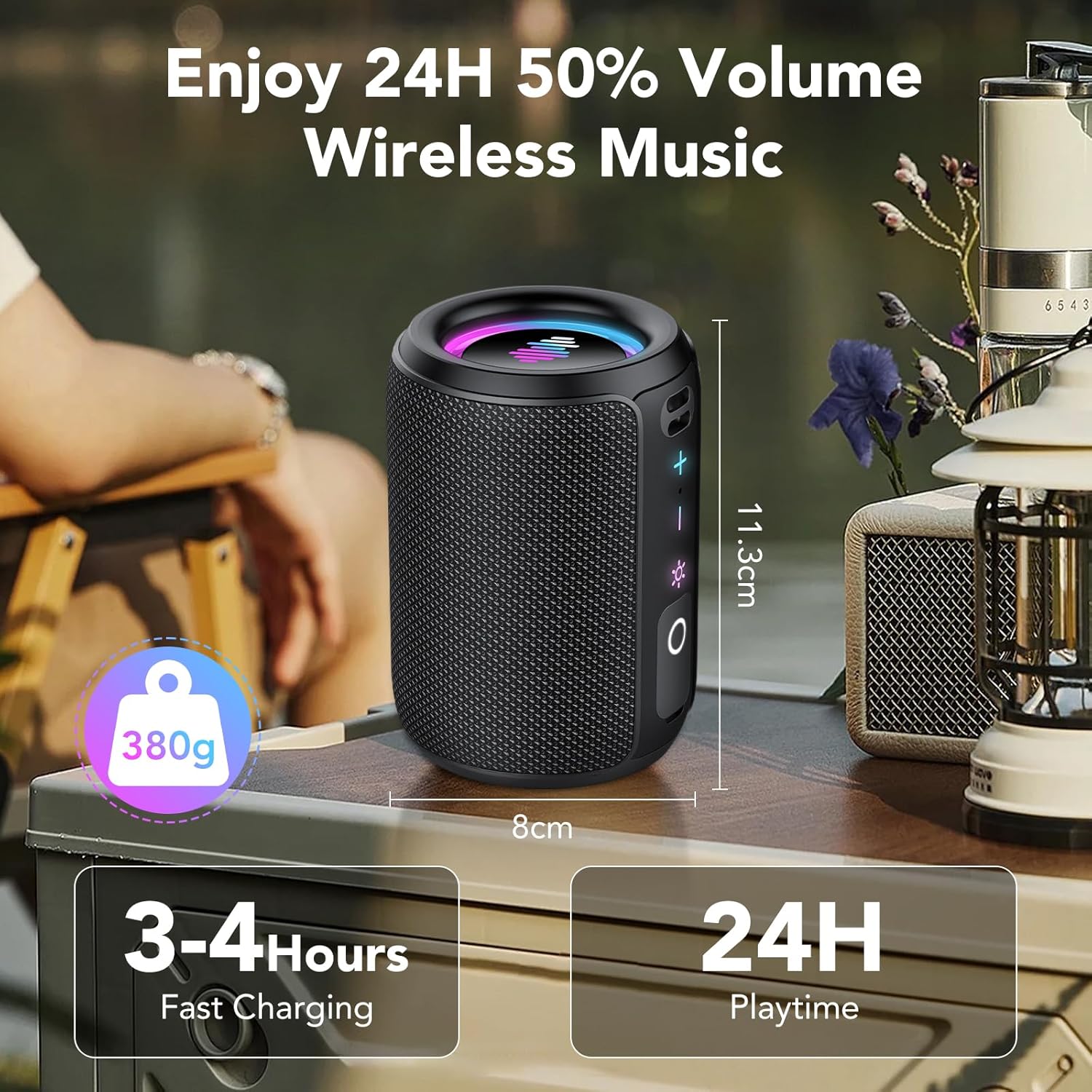
- Op til 24 timers spilletid
- Compact and Lightweight Portable Design
- Dynamic RGB Light Show with 6 Modes
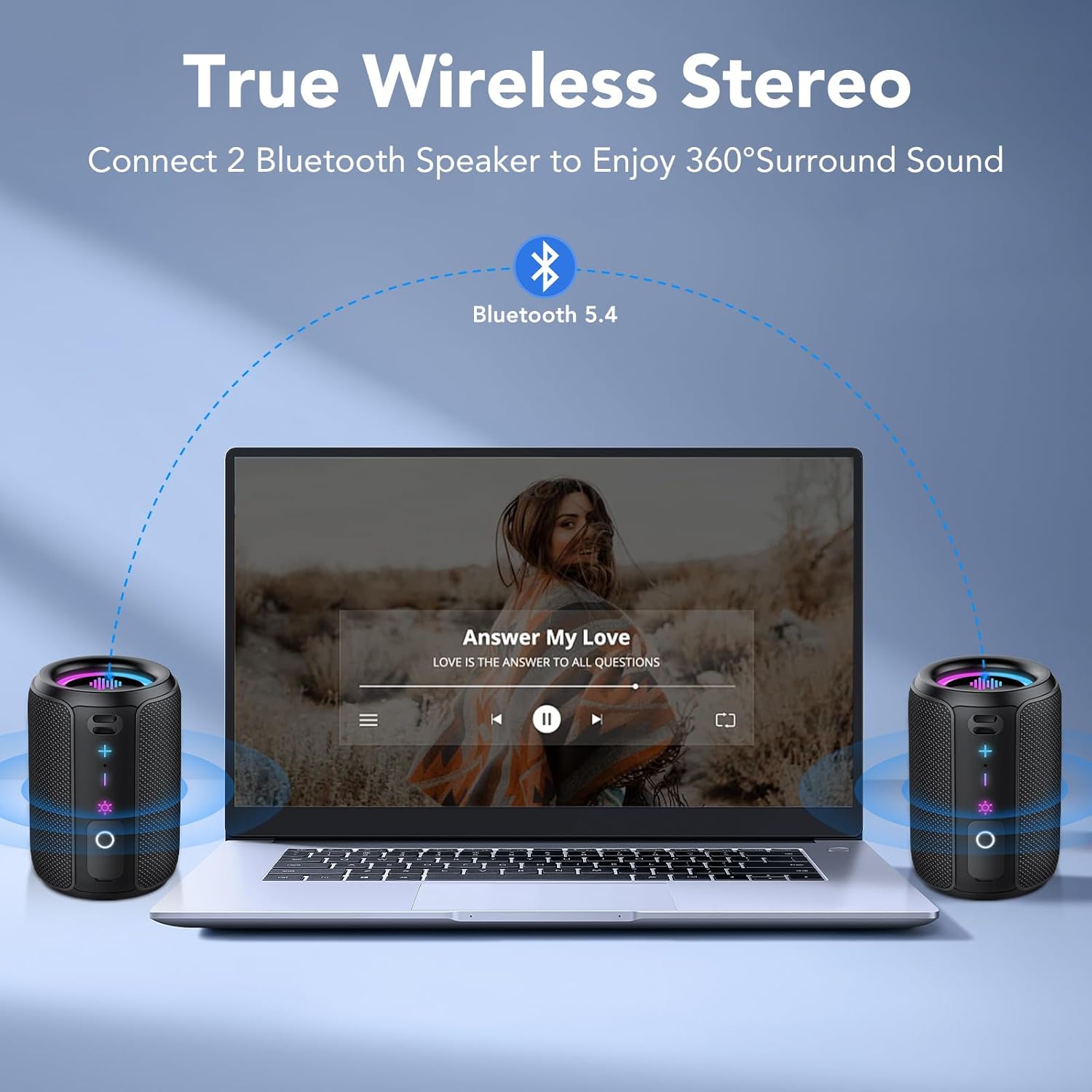
- True Wireless Stereo (TWS) Pairing for 360° Sound
- IPX7 vandtæt klassificering
- Avanceret Bluetooth 5.4-forbindelse
- TF Card Slot and Type-C Fast Charging

2. Pakkens indhold
Tjek venligst pakken for følgende varer:
- Tiksounds S12 Portable Bluetooth Speaker
- Strømkabel (USB Type-C)
- Brugervejledning (dette dokument)
3. Produktet er slutview
Højttalerkomponenter

The speaker features intuitive controls and essential ports for versatile use:
- Power knap: Tryk og hold for at tænde/slukke.
- Lydstyrke op (+): Øger volumen.
- Skrue ned for lyden (-): Reducerer volumen.
- Lyskontrolknap: Skifter mellem lystilstande.
- Afspil/pause knap: Controls music playback and call functions.
- TF-kortslot: Til afspilning af musik direkte fra et hukommelseskort.
- Type-C port: Til opladning og dataoverførsel.
4. Opsætning
4.1 Opladning af højttaleren
- Tilslut det medfølgende Type-C USB-kabel til højttalerens opladningsport.
- Tilslut den anden ende af kablet til en USB-strømadapter (medfølger ikke) eller en computers USB-port.
- The charging indicator light will illuminate. The speaker is fully charged when the light changes or turns off (refer to LED indicator behavior in specifications).
En fuld opladning tager typisk 3-4 timer.
4.2 Tænd/sluk
- For at tænde: Press and hold the Power button for 2 seconds. You will hear an audible prompt, and the indicator lights will activate.
- For at slukke: Press and hold the Power button for 2 seconds. You will hear an audible prompt, and the indicator lights will turn off.
4.3 Bluetooth -parring
- Sørg for, at højttaleren er tændt og i Bluetooth-parringstilstand (Bluetooth-indikatorlampen blinker).
- Aktiver Bluetooth på din enhed (smartphone, tablet, computer) og søg efter tilgængelige enheder.
- Select "Tiksounds S12" from the list of devices.
- Når parringen er aktiveret, hører du en bekræftelseslyd, og Bluetooth-indikatorlampen lyser konstant.
Højttaleren vil automatisk forsøge at genoprette forbindelsen til den sidst parrede enhed, når den tændes.
4.4 Ægte trådløs stereo (TWS) parring
For an enhanced stereo experience, you can pair two Tiksounds S12 speakers together.
- Sørg for, at begge S12-højttalere er tændt og ikke er forbundet til nogen anden Bluetooth-enhed.
- On one speaker (this will be the primary speaker), double-press the TWS button (often integrated with the Play/Pause or Light button, refer to Figure 3.2 for exact button layout). The speaker will enter TWS pairing mode.
- The two speakers will automatically search for and connect to each other. Once connected, you will hear a confirmation sound, and the TWS indicator light on both speakers will become solid.
- Tilslut nu din enhed til den primære højttaler via Bluetooth som beskrevet i afsnit 4.3. Lyden afspilles i stereo gennem begge højttalere.

5. Betjening
5.1 Grundlæggende kontroller
Se figur 3.2 for knappernes placering.
- Lydstyrke op (+): Kort tryk for at øge lydstyrken.
- Skrue ned for lyden (-): Kort tryk for at reducere lydstyrken.
- Afspil/pause knap: Short press to play or pause music. During an incoming call, short press to answer, or press and hold for 1.5 seconds to reject. During a call, short press to end the call.
- Lyskontrolknap: Short press to cycle through the 6 dynamic RGB light modes. Press and hold for 3 seconds to turn the lights off.
5.2 Dynamisk lysshow
The S12 speaker features an integrated RGB light show that synchronizes with your music. There are six distinct light modes:
- Rainbow Cycle
- Alternating Red, Green, and Blue
- Red, Green, and Blue Alternating
- Regnbue vejrtrækning
- Rainbow Stacking
- Slukket
Press the Light Control button to switch between modes. Press and hold for 3 seconds to turn the lights off.
5.3 TF-kortafspilning
Insert a TF card (supports WAV / MP3 formats) into the TF card slot. The speaker will automatically detect the card and begin playing music from it. Use the Play/Pause and Volume buttons to control playback.
5.4 Vandtæthedsfunktionalitet (IPX7)
The Tiksounds S12 speaker is IPX7 rated, meaning it can be immersed in water up to 1 meter (3 feet) for 30 minutes. This makes it suitable for use in showers, by the pool, at the beach, or during outdoor activities without concern for splashes or rain.

Video 5.1: Demonstration of the Tiksounds S12 speaker's waterproof capabilities and dynamic lighting.
6. Vedligeholdelse
6.1 Rengøring
For at rengøre din højttaler skal du bruge en blød,amp cloth. Do not use abrasive cleaners, alcohol, or chemical solvents, as these may damage the surface or internal components. Ensure the charging port cover is securely closed before cleaning or exposing to water.
6.2 Opbevaring
Opbevar højttaleren et køligt, tørt sted væk fra direkte sollys og ekstreme temperaturer. Hvis den opbevares i en længere periode, skal batteriet oplades til cirka 50% hver tredje måned for at forlænge batteriets levetid.
7. Fejlfinding
If you encounter issues with your Tiksounds S12 speaker, please refer to the following common problems and solutions:
| Problem | Mulig årsag | Løsning |
|---|---|---|
| Højttaleren tænder ikke. | Lavt batteri. | Oplad højttaleren i mindst 30 minutter. |
| Kan ikke parres via Bluetooth. | Højttaleren er ikke i parringstilstand eller allerede forbundet til en anden enhed. | Ensure the speaker is in pairing mode (flashing Bluetooth indicator). Disconnect from other devices. Restart both speaker and Bluetooth device. |
| Ingen lyd eller lav lydstyrke. | Lydstyrken på højttaleren eller den tilsluttede enhed er for lav. | Skru op for lydstyrken på både højttaleren og din tilsluttede enhed. |
| TWS-parring mislykkes. | Speakers are too far apart or already paired to a device. | Sørg for, at begge højttalere er tæt på hinanden og ikke er forbundet til nogen anden Bluetooth-enhed, før du starter TWS-parring. |
| Lysene virker ikke. | Lysene er slukket eller i statisk tilstand. | Short press the Light Control button to cycle through modes. If off, press and hold for 3 seconds to reactivate. |
Hvis problemet fortsætter efter at have prøvet disse løsninger, bedes du kontakte kundesupport.
8. Specifikationer
| Feature | Detalje |
|---|---|
| Modelnavn | S12 |
| Mærke | Afkrydsningslyde |
| Højttaler type | Bærbar højttaler |
| Forbindelsesteknologi | Bluetooth |
| Bluetooth version | 5.4 |
| Højttaler Maksimal udgangseffekt | 30 Watts (TWS combined) |
| Frekvensrespons | 20000 Hz |
| Lydudgangstilstand | Omgive |
| Vandtæt vurdering | IPX7 |
| Produktdimensioner | 3.34" D x 4.84" B x 3.34" H |
| Varens vægt | 15.8 ounce |
| Særlige funktioner | Built-in Microphone, Dustproof, LED Light, Lightweight, Shockproof, Stereo Pairing, USB Port, Waterproof |
| Inkluderede komponenter | Power Cable, Speaker |
9. Garanti og support
Tiksounds products are designed for reliability and performance. For warranty information and customer support, please refer to the warranty card included with your purchase or visit the official Tiksounds webHvis du har spørgsmål eller har brug for hjælp, er du velkommen til at kontakte vores supportteam.