
THOMSON 1001W (10.1-inch WiFi)
THOMSON 10.1-inch WiFi Digital Picture Frame User Manual
Model: 1001W
1. Introduktion
Thank you for choosing the THOMSON 10.1-inch WiFi Digital Picture Frame. This device allows you to easily share and display your cherished photos and videos with family and friends from anywhere in the world. This manual provides detailed instructions to help you set up, operate, and maintain your digital picture frame.
Pakkeindhold:
- THOMSON 10.1-inch WiFi Digital Picture Frame
- Strømadapter
- Aftagelig fod
- Brugermanual
2. Produktet er slutview
Gør dig bekendt med komponenterne i din digitale billedramme.
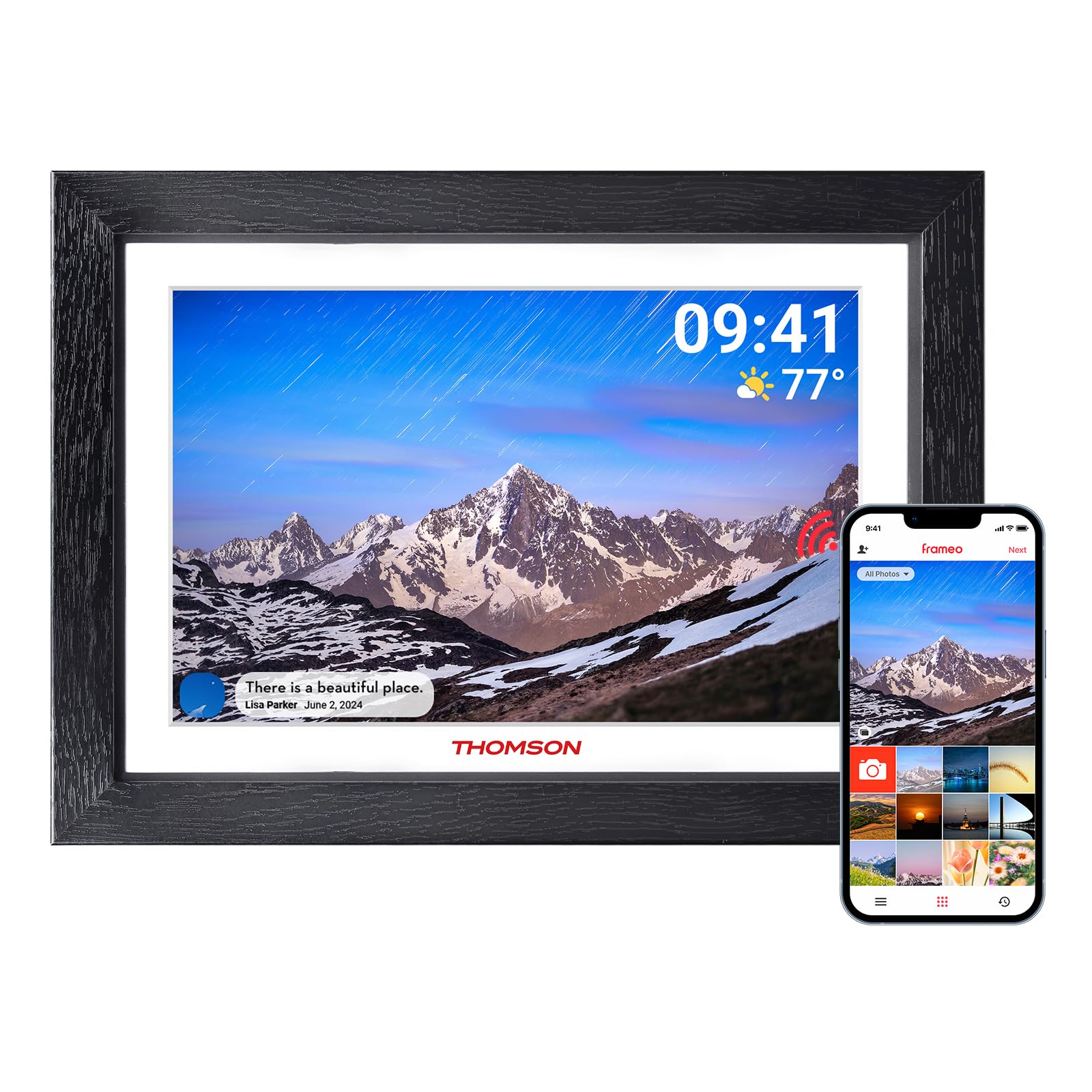
Figur 2.1: Forside view of the digital picture frame.

Figur 2.2: Bagside view with wall mount and stand attachment points.
Nøglekomponenter:
- 10.1-tommer HD IPS-berøringsskærm: For clear display and intuitive navigation.
- Strømport: Tilsluttes strømadapteren.
- SD-kortplads: For expanding storage (supports up to 128GB, SD card not included).
- USB-port: For data transfer (e.g., from a USB flash drive).
- Power knap: Til at tænde/slukke rammen eller sætte den i dvaletilstand.
- Hul til vægophæng: Allows for wall mounting in both landscape and portrait orientations.
- Aftagelig stativ: Til bordplacering.
3. Indledende opsætning
3.1 Tænd
- Attach the detachable stand to the back of the frame if you intend to place it on a surface.
- Tilslut strømadapteren til stellets strømport, og sæt den derefter i en stikkontakt.
- The frame will automatically power on. If not, press and hold the power button on the back of the frame.
3.2 Tilslutning til Wi-Fi
Upon first startup, the frame will guide you through the initial setup wizard.
- Vælg dit foretrukne sprog.
- Vælg din tidszone.
- The frame will scan for available Wi-Fi networks. Select your network from the list.
- Enter your Wi-Fi password and tap "Connect".
- Once connected, the frame will display a unique device code. Make a note of this code.
3.3 Download og parring af appen
To share photos and videos, you need to download the companion app.

Figur 3.1: App-download og parringsproces.
- Download the "Frameo" app from the App Store (iOS) or Google Play Store (Android) on your smartphone or tablet.
- Open the Frameo app and create an account.
- In the app, select "Add Frame" and enter the unique device code displayed on your digital picture frame.
- Når de er parret, kan du begynde at sende billeder og videoer til din ramme.
4. Betjening af din digitale billedramme
4.1 Sending Photos and Videos via App
The Frameo app allows you to send photos and short videos (up to 15 seconds) directly to your frame from anywhere with an internet connection.

Figure 4.1: Sharing photos and videos from a smartphone to the frame.
- Åbn Frameo-appen på din smartphone.
- Vælg de billeder eller videoer, du vil sende.
- Choose your THOMSON frame as the recipient.
- Add a caption if desired and tap "Send". The content will appear on your frame shortly.
4.2 Using an SD Card or USB Drive
You can also display media directly from an SD card or USB flash drive.
- Insert an SD card (up to 128GB) into the SD card slot or a USB flash drive into the USB port.
- The frame will detect the storage device. You can then import photos/videos to the frame's internal memory or view dem direkte.
4.3 Slideshow Settings
Customize how your photos and videos are displayed.
- Vis rækkefølge: Choose between chronological, reverse chronological, or shuffle.
- Fotointerval: Indstil varigheden for visning af hvert foto.
- Overgangseffekter: Select various visual transitions between photos.
- Bind: Adjust the volume for videos.
- Lysstyrke: Juster skærmens lysstyrke.
4.4 Automatisk rotationsfunktion
The frame automatically detects its orientation (landscape or portrait) and adjusts the display accordingly. This feature works whether the frame is on its stand or wall-mounted.
Figure 4.2: Auto-rotate and wall-mount capabilities.
5. Nøglefunktioner

Figur 5.1: Overview of frame features.
- HD IPS Touch Screen: Enjoy vibrant images and videos with a 1280x800 resolution and a wide 180° viewing angle. The touch interface provides easy navigation.
- Wi-Fi-forbindelse: Seamlessly connect to your home Wi-Fi network for instant photo and video sharing.
- Generøs opbevaring: The frame comes with 32GB of built-in memory, capable of storing thousands of photos. Expand storage further with an SD card (up to 128GB).
- Frameo App Sharing: Share moments privately and securely with family and friends from anywhere using the dedicated Frameo app.
- Auto-roter: Photos and videos automatically adjust to the frame's orientation, whether placed horizontally or vertically.
- Sove mode: Conserve energy by setting the frame to automatically turn off during specified hours.
- "React" Feature: Send emoticons back to loved ones in real-time to show your appreciation for the photos they share.
6. Vedligeholdelse
6.1 Rengøring af skærmen
- Always power off the frame and unplug it before cleaning.
- Use a soft, lint-free cloth, such as a microfiber cloth, to gently wipe the screen.
- For genstridige pletter, tør letampRengør kluden med vand eller en skærmrengøringsopløsning, der er specielt designet til elektronik. Sprøjt ikke væske direkte på skærmen.
- Avoid using abrasive cleaners, alcohol, or ammonia-based solutions, as these can damage the screen.
6.2 Softwareopdateringer
The frame may receive periodic software updates to improve performance and add new features. Ensure your frame is connected to Wi-Fi to receive these updates. You will typically be notified on the frame when an update is available.
7. Fejlfinding
| Problem | Mulig årsag | Løsning |
|---|---|---|
| Frame does not turn on. | Ingen problemer med strøm eller strømadapter. | Sørg for, at strømadapteren er korrekt tilsluttet både rammen og en fungerende stikkontakt. Prøv en anden stikkontakt. |
| Kan ikke oprette forbindelse til Wi-Fi. | Forkert adgangskode, uden for rækkevidde eller netværksproblem. | Double-check the Wi-Fi password. Move the frame closer to the router. Restart your router and the frame. Ensure your Wi-Fi network is 2.4GHz compatible. |
| Fotos/videoer vises ikke på rammen. | Frame not connected to internet, app not paired, or incorrect recipient. | Verify the frame is connected to Wi-Fi. Ensure the app is correctly paired with the frame. Confirm you are sending to the correct frame ID in the app. Check if the frame's internal storage or SD card is full. |
| Berøringsskærmen reagerer ikke. | Midlertidig softwarefejl. | Restart the frame by unplugging it and plugging it back in after a few seconds. Ensure the screen is clean and free of debris. |
| Frame is stuck on a logo or screen. | Software fejl. | Perform a hard reset by unplugging the power adapter, waiting 10 seconds, and plugging it back in. If the issue persists, contact customer support. |
8. Specifikationer
| Feature | Detalje |
|---|---|
| Mærke | THOMSON |
| Modelnummer | 1001W |
| Skærmstørrelse | 10.11 tommer |
| Opløsning | 1280 x 800 (HD IPS) |
| Forbindelsesteknologi | Wi-Fi (2.4 GHz) |
| Hukommelseslagringskapacitet | 32 GB (intern) |
| Ekstern opbevaring | SD-kort (maks. 128 GB, medfølger ikke) |
| Kontrolmetode | Touch Screen, App |
| Strømkilde | Elektrisk med ledning |
| Aspektforhold | 16:10 |
| Rammemateriale | Træ |
| Varens vægt | 680 gram |
| Emnedimensioner (L x B) | 16 x 10 cm |
9. Garanti og support
9.1 Garantioplysninger
The THOMSON 10.1-inch WiFi Digital Picture Frame comes with a 24 måneders garanti fra købsdatoen. Denne garanti dækker fabrikationsfejl og sikrer, at produktet fungerer som tilsigtet under normal brug.
9.2 Teknisk support
THOMSON provides livslang teknisk support for this product. If you encounter any issues or have questions not covered in this manual, please refer to the contact information provided with your product packaging or visit the official THOMSON support webwebsted for hjælp.