
boAt Rockerz Trinity Gen 2
boAt Rockerz Trinity Gen 2 Bluetooth Neckband Earphones User Manual
Model: Rockerz Trinity Gen 2
Indledning
Thank you for choosing the boAt Rockerz Trinity Gen 2 Bluetooth Neckband Earphones. This manual provides essential information for setting up, operating, and maintaining your earphones. Please read it carefully to ensure proper use and to maximize your listening experience. These earphones are designed for extended audio playback, high-resolution sound, and clear communication.
Hvad er der i æsken
- boAt Rockerz Trinity Gen 2 Earphones
- Ladekabel
- Brugermanual
The package includes the boAt Rockerz Trinity Gen 2 Earphones, a charging cable, and this user manual.
Produkt overview
The boAt Rockerz Trinity Gen 2 features a flexible neckband design with in-ear earbuds. It includes integrated controls for media playback, call management, and voice assistant activation. The neckband houses the battery and main electronics.
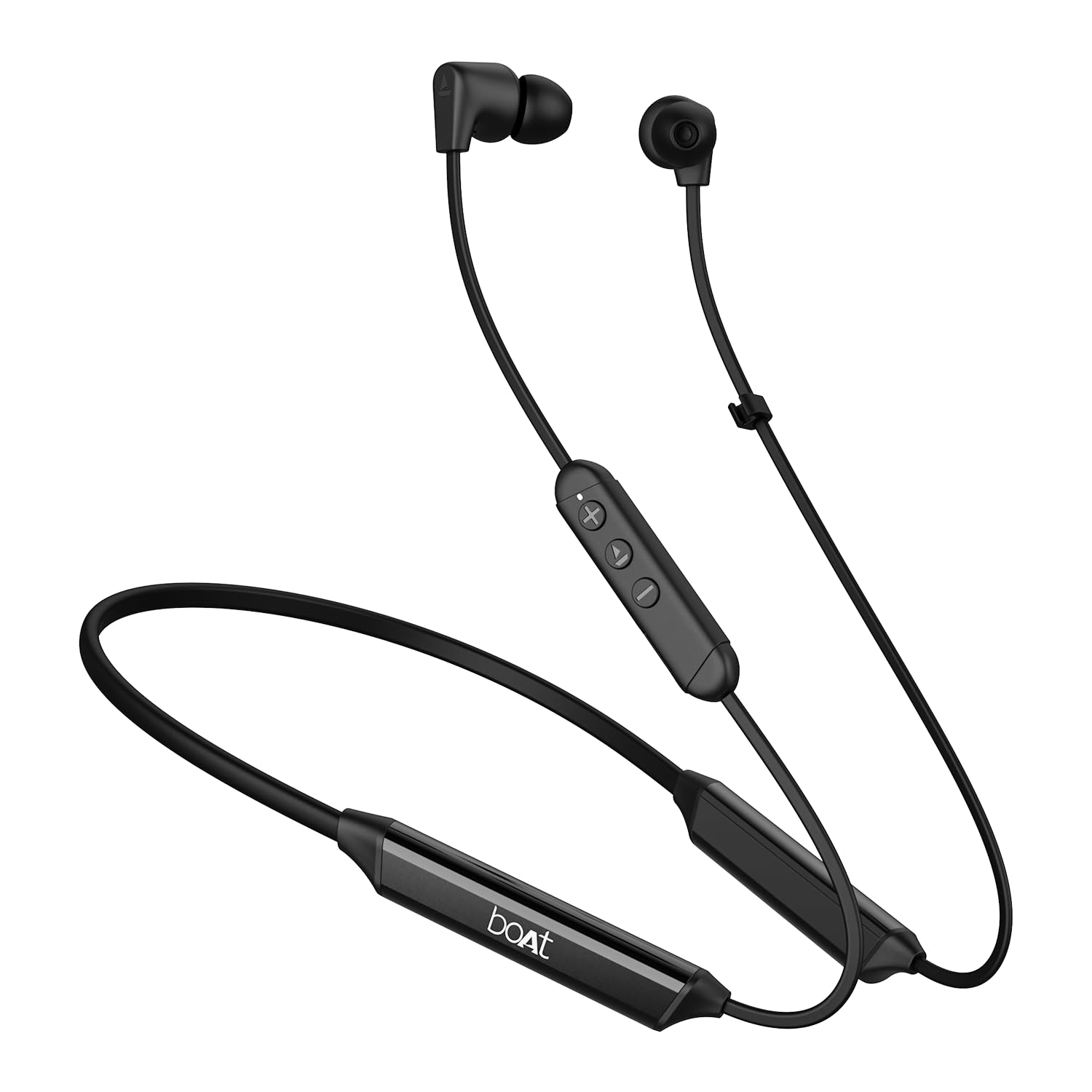
Image: The boAt Rockerz Trinity Gen 2 neckband earphones, highlighting the flexible neckband and in-ear design.

Billede: En detaljeret view of the boAt Rockerz Trinity Gen 2 earbuds and the inline control panel, showing buttons for volume and playback.
Opsætning
1. Opladning af øretelefonerne
Before first use, fully charge your earphones. Connect the provided charging cable to the charging port on the neckband and to a USB power source. The LED indicator will show charging status. A full charge provides up to 150 hours of playback. With ASAP Charge, 10 minutes of charging provides up to 24 hours of playback.
Image: The boAt Rockerz Trinity Gen 2 neckband, illustrating its long battery life with "150 HOURS PLAYBACK" text.
2. Tænd/sluk
- For at tænde: Press and hold the Multi-function button (usually the center button on the inline control) for approximately 3 seconds until the LED indicator flashes blue and you hear a power-on prompt.
- For at slukke: Press and hold the Multi-function button for approximately 5 seconds until the LED indicator flashes red and you hear a power-off prompt.
3. Bluetooth-parring
- Sørg for, at høretelefonerne er slukkede.
- Press and hold the Multi-function button for about 5-7 seconds until the LED indicator flashes red and blue alternately, indicating pairing mode.
- On your device (smartphone, laptop), enable Bluetooth and search for available devices.
- Select "boAt Rockerz Trinity Gen 2" from the list of found devices.
- Når der er oprettet forbindelse, blinker LED-indikatoren langsomt blåt, og du vil høre en bekræftelsestone.

Image: The boAt Rockerz Trinity Gen 2 earphones connected to both a smartphone and a tablet, illustrating the dual pairing feature.
4. Dual Pairing (Multipoint)
The Rockerz Trinity Gen 2 supports dual pairing, allowing connection to two devices simultaneously. After pairing with the first device, disable Bluetooth on that device. Put the earphones back into pairing mode and connect to the second device. Once connected to the second device, re-enable Bluetooth on the first device. The earphones will automatically connect to both devices, allowing seamless switching between them for calls and media.
Betjeningsvejledning
Grundlæggende kontrol
- Afspil/pause: Tryk én gang på multifunktionsknappen.
- Lydstyrke op: Tryk på '+'-knappen.
- Skrue ned for lyden: Tryk på '-' knappen.
- Næste nummer: Tryk på '+'-knappen og hold den nede.
- Forrige nummer: Tryk på '-'-knappen og hold den nede.
- Besvar/afslut opkald: Tryk én gang på multifunktionsknappen.
- Afvis opkald: Tryk og hold multifunktionsknappen nede i 2 sekunder.
- Aktiver stemmeassistent: Tryk to gange på multifunktionsknappen.
Hi-Res-lyd med LDAC
The Rockerz Trinity Gen 2 supports Hi-Res Audio with LDAC codec, providing superior sound quality. Ensure your connected device also supports LDAC for the best audio experience. This feature allows for high-resolution audio transmission over Bluetooth, preserving more detail from your music.

Image: The boAt Rockerz Trinity Gen 2 earphones displaying the "Hi-Res Audio Wireless" and "LDAC" logos, indicating high-resolution audio support.
Dobbelt EQ-tilstande
Switch between different equalizer modes to customize your audio experience. Refer to the product's quick start guide or experiment with button combinations (often a triple-press of the Multi-function button or a combination with volume buttons) to cycle through available EQ presets. This allows you to adjust the sound profile til din præference.

Image: A close-up of the boAt Rockerz Trinity Gen 2 earbuds, highlighting the availability of dual EQ modes for sound customization.
AI-ENx™ Technology for Clear Calls
The earphones feature AI-ENx™ technology, which enhances call clarity by eliminating background noise. This ensures your voice is heard clearly during calls, even in noisy environments.

Image: A close-up of a boAt Rockerz Trinity Gen 2 earbud, emphasizing the AI-ENx™ technology for clear voice calls.
BEAST™ Mode (Low Latency)
Activate BEAST™ Mode for a low-latency gaming experience (65ms). This mode synchronizes audio with visuals, providing a more immersive gaming session. To activate/deactivate BEAST™ Mode, refer to the specific instructions in your quick start guide, usually involving a dedicated button press or a combination.

Image: The boAt Rockerz Trinity Gen 2 earphones with "BEAST™ MODE 65ms Low Latency" text, depicted alongside gaming characters to illustrate its use for gaming.
Opretholdelse
Rensning
- Tør øretelefonerne af med en blød, tør og fnugfri klud.
- Brug ikke skrappe kemikalier, rengøringsopløsningsmidler eller stærke rengøringsmidler.
- Rengør ørepropperne regelmæssigt for at forhindre ophobning af voks, hvilket kan påvirke lydkvaliteten.
Vandtæthed (IPX5)
The earphones are IPX5 rated, meaning they are resistant to sweat and light splashes of water. They are not designed for submersion in water. Avoid exposing them to heavy rain or direct water jets. Ensure the charging port cover is securely closed when not charging to maintain water resistance.

Image: The boAt Rockerz Trinity Gen 2 earbuds with water droplets on them, illustrating their IPX5 water resistance rating.
Opbevaring
Store the earphones in a cool, dry place away from direct sunlight and extreme temperatures. Avoid storing them with sharp objects that could damage the cables or earbuds.
Fejlfinding
Ingen strøm
- Sørg for, at øretelefonerne er fuldt opladede.
- Press and hold the Multi-function button for 3-5 seconds to power on.
Kan ikke parre med enhed
- Ensure the earphones are in pairing mode (LED flashing red and blue alternately).
- Sørg for, at Bluetooth er aktiveret på din enhed, og at den er inden for rækkevidde (typisk 10 meter).
- Forget "boAt Rockerz Trinity Gen 2" from your device's Bluetooth list and try pairing again.
- Genstart både din enhed og øretelefonerne.
Low or Distorted Sound
- Juster lydstyrken på både øretelefonerne og din tilsluttede enhed.
- Ensure the ear tips are clean and properly seated in your ears.
- Prøv ørepropper i forskellige størrelser for at få en bedre forsegling.
- Gå tættere på din tilsluttede enhed for at undgå interferens.
Mikrofon virker ikke
- Sørg for, at øretelefonerne er korrekt tilsluttet din enhed.
- Check your device's audio settings to ensure the earphones are selected as the input device.
- Clean the microphone opening if it appears obstructed.
Specifikationer
| Mærke | båd |
| Modelnavn | Rockerz Trinity Gen 2 |
| Øreplacering | In Ear |
| Formfaktor | In Ear |
| Støjkontrol | AI-ENx™ Technology (for calls) |
| Forbindelsesteknologi | Bluetooth |
| Batteriets gennemsnitlige levetid | 150 timer |
| Batteriopladningstid | 10 Minutes (for 24 hours playback via ASAP Charge) |
| Audio driver type | Dynamic Driver (10mm, inferred from description) |
| Frekvensområde | 20 Hz - 40,000 Hz |
| Vandmodstand | IPX5 |
| Særlige funktioner | Hi-Res Audio with LDAC, Dual EQ Modes, AI-ENx™ Technology, Dual Pairing, BEAST™ Mode (65ms Low Latency), ASAP Charge |
| Kontrolmetode | Stemme, knap |
| Varens vægt | 60 gram |
Garanti og support
Garantioplysninger
The boAt Rockerz Trinity Gen 2 earphones come with a 1 års garanti from the date of purchase. This warranty covers manufacturing defects. Please retain your purchase receipt for warranty claims. The warranty does not cover damage caused by misuse, accidents, unauthorized modifications, or normal wear and tear.
Kundesupport
For technical assistance, warranty claims, or any other inquiries, please contact boAt customer support:
- E-mail: info@imaginemarketingindia.com
- Fabrikant: Imagine Marketing Ltd
Besøg venligst den officielle boAt webwebstedet for de mest opdaterede supportoplysninger og kontaktoplysninger.
Ask a question about this manual
Ask about setup, troubleshooting, compatibility, parts, safety, or missing instructions. Manuals+ will review the question and use this page’s manual context to help answer it.