
1. Introduktion
Den sorteview MP60 Mini PC is a compact and powerful computing solution designed for various applications, including office work, multimedia creation, and home server use. Featuring the Intel Twin Lake N150 processor, 16GB RAM, and a 512GB M.2 SSD, it offers efficient performance in a small form factor. This manual provides essential information for setting up, operating, and maintaining your device.

Billede: Den Sorteview MP60 Mini PC, highlighting its compact design and Intel Twin Lake N150 processor.
2. Hvad er der i æsken
Bekræft at alle varer er til stede i pakken:
- Sortview Mini PC MP60 N150 (x1)
- HDMI-kabel (x1)
- Strømadapter (x1)
- VESA Mount with Screws (x1)
- Garanti- og supportoplysninger
3. Produktet er slutview
Den sorteview MP60 Mini PC features a compact design with essential ports for connectivity and expansion. Its small footprint makes it suitable for various environments.
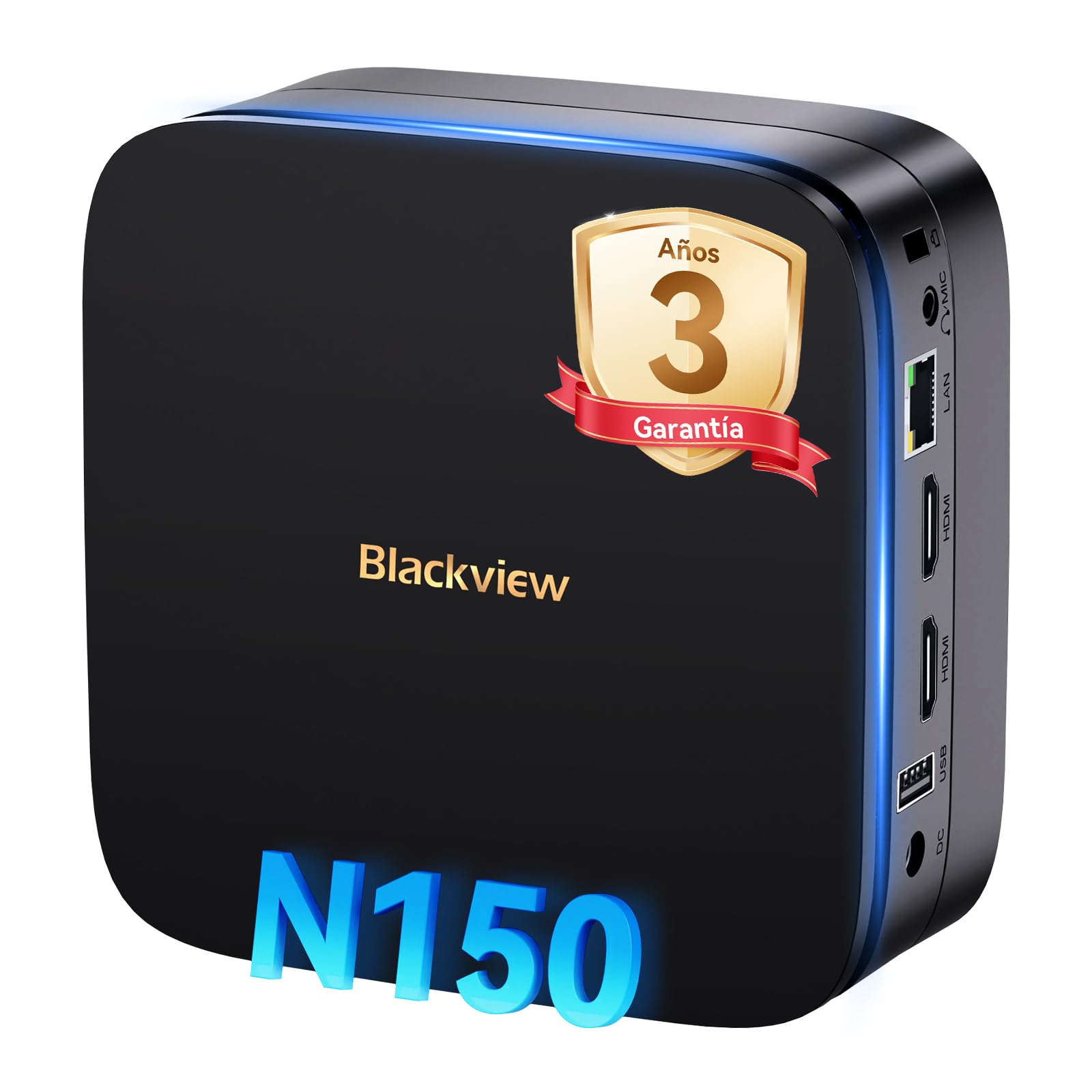
Billede: Foran og bagpå view af den sorteview MP60 Mini PC, illustrating its various ports including USB, HDMI, and Ethernet.
Nøglefunktioner:
- Processor: Intel Twin Lake N150 (up to 3.6 GHz)
- VÆDDER: 16GB DDR4
- Opbevaring: 512GB M.2 SSD (expandable up to 2TB)
- Grafik: Integreret Intel UHD-grafik
- Operativsystem: Windows 11 Pro
- Forbindelse: Dual-band Wi-Fi (2.4Ghz & 5Ghz), Bluetooth 4.2, Gigabit Ethernet (RJ45)
- Video output: 2x HDMI 2.0 (supports dual 4K displays)
- USB-porte: 4x USB ports (USB 2.0 Type A, USB 3.0 Type A)
4. Opsætningsvejledning
Følg disse trin for at konfigurere din Blackview MP60 Mini-pc:
- Tilslut til en skærm: Use the provided HDMI cable to connect the Mini PC to your monitor or TV. The device supports dual 4K displays.
- Tilslut ydre enheder: Tilslut dit USB-tastatur og din mus til de tilgængelige USB-porte.
- Tilslut til strøm: Tilslut strømadapteren til DC-in-porten på mini-pc'en, og sæt derefter adapteren i en stikkontakt.
- Tænd: Press the power button located on the front of the Mini PC. The device will boot up, and you will see the Windows 11 Pro setup screen.
- Første Windows-opsætning: Følg instruktionerne på skærmen for at fuldføre Windows 11 Pro-opsætningen, inklusive sprog, region, netværksforbindelse og oprettelse af brugerkonto.

Billede: Den Sorteview MP60 Mini PC demonstrating its micro size and portability, fitting easily into a bag.
5. Betjeningsvejledning
5.1 Grundlæggende betjening
Once Windows 11 Pro is set up, you can begin using your Mini PC. The Intel Twin Lake N150 processor provides sufficient power for daily tasks, office applications, and multimedia consumption.
- Tænd/sluk: Press the power button to turn the device on. To shut down, go to the Start Menu in Windows and select Power > Shut down.
- Genstart: From the Start Menu, select Power > Restart.
- Sove mode: From the Start Menu, select Power > Sleep.
5.2 Lagerudvidelse
Den sorteview MP60 Mini PC allows for easy storage expansion with a 2.5-inch SSD/HDD. This feature is useful for storing large files, videos, or creating a home NAS.
- Locate the removable base of the Mini PC.
- Carefully remove the base to access the 2.5-inch drive bay.
- Install your 2.5-inch SSD or HDD (up to 2TB, not included) into the bay.
- Fastgør drevet, og sæt basen på igen.
- After booting, you may need to initialize and format the new drive in Windows Disk Management.

Image: Step-by-step illustration of how to install a 2.5-inch SSD into the Blackview MP60 Mini PC for storage expansion.
5.3 Dual 4K Display Setup
The Mini PC supports connecting two 4K displays simultaneously via its two HDMI 2.0 ports, enhancing productivity for tasks requiring multiple screens.
- Connect your primary monitor to one HDMI port.
- Connect your secondary monitor to the second HDMI port.
- Once both monitors are connected and the PC is powered on, Windows will automatically detect them.
- To configure display settings (e.g., extend, duplicate, resolution), right-click on the desktop and select "Display settings."

Billede: Den Sorteview MP60 Mini PC powering two 4K monitors, demonstrating its dual display capability for enhanced productivity.
5.4 Netværk og trådløs forbindelse
The MP60 offers robust connectivity options:
- Wi-Fi: Supports dual-band 2.4GHz and 5GHz Wi-Fi for fast and stable wireless internet access. Connect via Windows network settings.
- Ethernet: A Gigabit RJ45 port provides a wired connection for maximum stability and speed (up to 1000 MB/s).
- Bluetooth: Bluetooth 4.2 allows for easy connection of wireless peripherals like keyboards, mice, and audio devices.
6. Vedligeholdelse
To ensure optimal performance and longevity of your Blackview MP60 Mini PC, follow these maintenance guidelines:
- Hold det rent: Regularly clean the exterior of the Mini PC with a soft, dry cloth. Use compressed air to clear dust from vents to maintain efficient cooling.
- Softwareopdateringer: Hold dit Windows-operativsystem og dine drivere opdateret for at sikre sikkerhed og ydeevne.
- Undgå forhindringer: Sørg for, at ventilationsåbningerne ikke er blokeret for at forhindre overophedning.
- Sikker nedlukning: Always shut down the PC properly through the operating system rather than simply unplugging it.

Billede: En intern view af den sorteview MP60 Mini PC, illustrating its silent heat dissipation system with a cooling fan and heatpipes.
7. Fejlfinding
Hvis du støder på problemer med din Blackview MP60 Mini PC, refer to the following common troubleshooting steps:
- Ingen strøm:
- Sørg for, at strømadapteren er korrekt tilsluttet både mini-pc'en og en fungerende stikkontakt.
- Test stikkontakten med en anden enhed.
- Ingen visning:
- Check HDMI cable connections to both the Mini PC and the monitor.
- Sørg for, at skærmen er tændt og indstillet til den korrekte inputkilde (HDMI).
- Prøv et andet HDMI-kabel eller en anden skærm, hvis det er muligt.
- Ingen internetforbindelse:
- For Wi-Fi, ensure the Wi-Fi adapter is enabled in Windows settings and you are connected to the correct network with the correct password.
- For Ethernet, ensure the cable is securely plugged into both the Mini PC and your router/modem. Check router status.
- Genstart din router/modem og mini-pc'en.
- Langsom ydeevne:
- Luk unødvendige programmer, der kører i baggrunden.
- Søg efter og installer eventuelle ventende Windows-opdateringer.
- Ensure there is sufficient free space on your primary drive.
- Kør en virusscanning.
If problems persist, refer to the warranty and support section for further assistance.
8. Specifikationer
Detaljerede tekniske specifikationer for den sorteview MP60 Mini-pc:
| Feature | Specifikation |
|---|---|
| Processor | Intel Twin Lake N150 (up to 3.6 GHz, 4 Cores, 4 Threads, 6MB Cache) |
| Grafik | Integreret Intel UHD-grafik |
| VÆDDER | 16 GB DDR4 (3200 MHz) |
| Opbevaring | 512GB M.2 SSD (PCIe x4 interface), expandable with 2.5" SSD/HDD up to 2TB |
| Operativsystem | Windows 11 Pro |
| Video output | 2x HDMI 2.0 (supports dual 4K @ 60Hz displays) |
| USB-porte | 4x USB (USB 2.0 Type A, USB 3.0 Type A) |
| Netværk | Gigabit Ethernet (RJ45), Wi-Fi 5G (802.11ac, dual-band 2.4GHz/5GHz) |
| Bluetooth | Bluetooth 4.2 |
| Lydudgang | 3.5mm Audio Jack |
| Afkølingsmetode | Air Cooling (Silent design with fan and heatpipes) |
| Dimensioner | 12.8 x 12.8 x 5.2 cm |
| Vægt | 1.01 kg |
| Strømforsyning | External Power Adapter (Type E/F: 2 pins for EU) |
9. Garanti og support
Sortview er forpligtet til at levere produkter af høj kvalitet og fremragende kundeservice.
Garantioplysninger:
Din sorteview MP60 Mini PC comes with a 3-year official warranty covering parts and labor for manufacturing defects. This ensures prompt replacement or repair in case of product failure.

Billede: Sortview's commitment to customer satisfaction, highlighting a 3-year warranty and lifetime technical support.
Teknisk support:
Sortview tilbud livslang teknisk support. Our expert team is available via email, live chat, or phone to assist you with software updates, troubleshooting, and optimization tips to keep your device running smoothly for years. Please refer to the contact information provided with your product or visit the official Blackview webwebsted for supportdetaljer.


