
1. Produktet er slutview
This document provides instructions for the ZWP replacement remote control, designed for use with HOWHAI Walking Pad Treadmill models QK3002 and QK3016. This remote offers a comfortable grip and durable construction for reliable operation of your treadmill.

Billede: Forside view of the ZWP replacement remote control, black with white buttons for power, mode, speed adjustment, and mute.
2. Opsætning og batteriinstallation
The remote control requires two 1.5V AAA batteries (not included). No programming is required for initial use; simply install the batteries, and the remote should function with compatible treadmills.
2.1 Batteriinstallation
- Find batterirummet på bagsiden af fjernbetjeningen.
- Skub batteridækslet op.
- Isæt to AAA-batterier, og sørg for at polariteten (+ og - terminaler) er korrekt.
- Luk batteridækslet forsvarligt.

Billede: Detaljeret view of the remote control's battery compartment, illustrating the insertion of two AAA batteries.
2.2 Pairing the Remote (If Necessary)
While typically no programming is required, some treadmills may need a pairing process. Refer to your treadmill's manual for specific pairing instructions. A common pairing method involves:
- Ensure the treadmill is powered off.
- Turn on the treadmill's power switch.
- Immediately long-press the right button (often a speed increase or mode button) on the remote control and do not release it until the treadmill display confirms pairing.
Video: Demonstration of a common remote pairing process for a treadmill, showing how to long-press a button on the remote while powering on the treadmill.
3. Betjeningsvejledning
The ZWP replacement remote control provides intuitive control over your HOWHAI Walking Pad Treadmill. Familiarize yourself with the button layout and functions:

Billede: Detaljeret view of the remote control's button layout, indicating functions for speed adjustment, mode selection, mute, and power.
3.1 Knapfunktioner
- Tænd/sluk-knap (⏻): Tænder eller slukker løbebåndet.
- Speed Increase Button (+): Increases the treadmill's speed.
- Speed Decrease Button (-): Decreases the treadmill's speed.
- Mode-knap (M): Cycles through different workout modes or display options (refer to your treadmill manual for specific modes).
- Mute knap (🔇): Mutes or unmutes audio feedback from the treadmill (if applicable).
3.2 Operational Range
The remote control operates effectively within an approximate distance of 8 meters (26 feet) from the treadmill, allowing for convenient control during your workout.
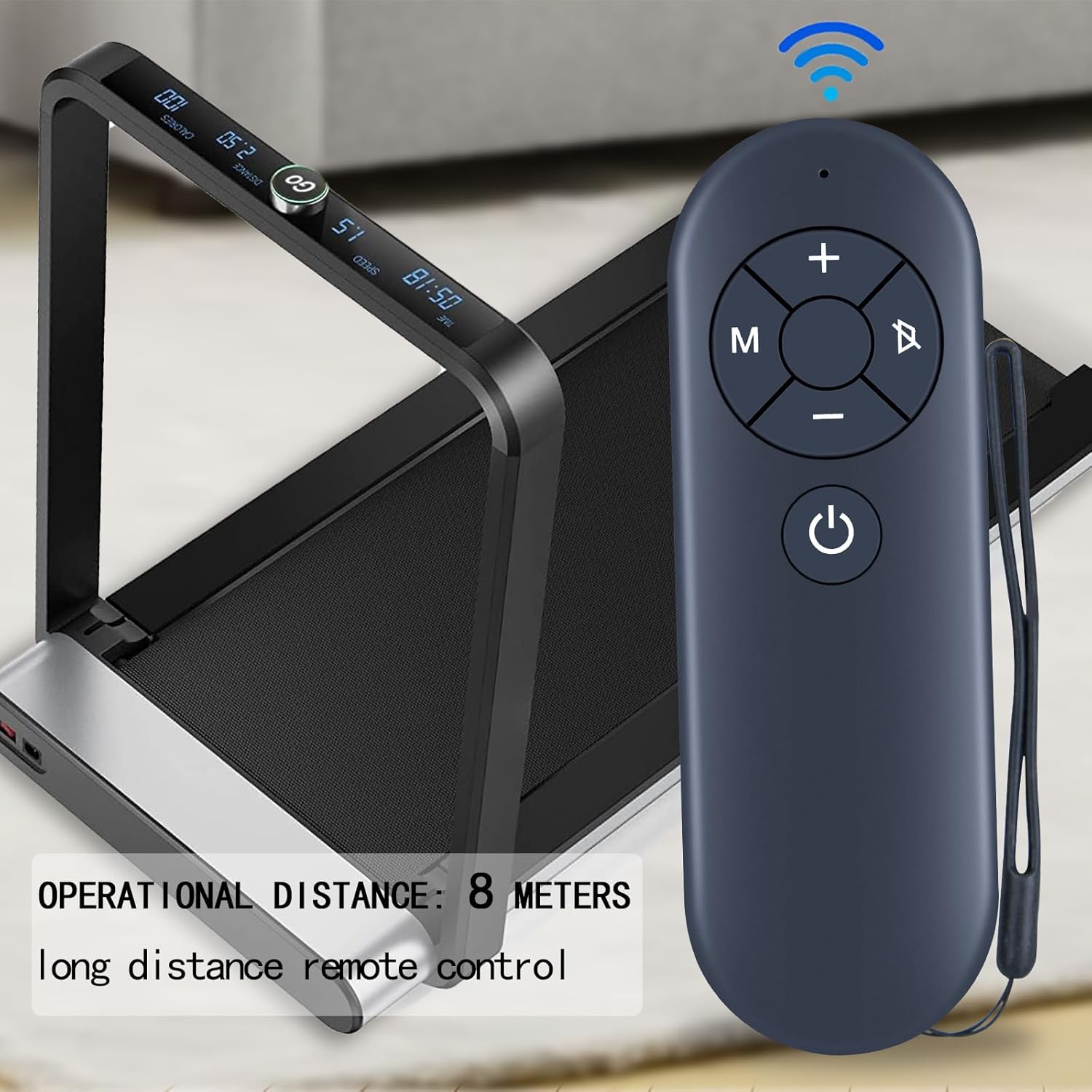
Image: The remote control positioned near a treadmill, illustrating its effective operational range.
3.3 Basic Operation Demonstration
Video: A short demonstration of the remote control being used to adjust the speed and incline of a walking pad treadmill.
4. Vedligeholdelse
For at sikre din fjernbetjenings levetid og optimale ydeevne skal du følge disse enkle vedligeholdelsesretningslinjer:
- Keep the remote clean by wiping it with a soft, dry cloth. Avoid using abrasive cleaners or solvents.
- Protect the remote from moisture and extreme temperatures.
- Hvis fjernbetjeningen ikke skal bruges i længere tid, skal du fjerne batterierne for at forhindre lækage.
- Undgå at tabe fjernbetjeningen eller udsætte den for hårde stød.
5. Fejlfinding
Hvis du støder på problemer med din fjernbetjening, kan du prøve følgende fejlfindingstrin:
- Fjernbetjeningen reagerer ikke:
- Kontroller, om batterierne er korrekt installeret og har tilstrækkelig opladning. Udskift dem om nødvendigt.
- Sørg for, at der ikke er nogen forhindringer mellem fjernbetjeningen og løbebåndets modtager.
- Verify that the remote is within the operational range (approximately 8 meters).
- Attempt to re-pair the remote with the treadmill using the instructions in Section 2.2.
- Intermitterende funktionalitet:
- Udskift batterierne med nye.
- Clean the remote's infrared emitter (the small LED at the front) and the treadmill's receiver window with a soft cloth.
6. Specifikationer
| Feature | Detalje |
|---|---|
| Mærke | ZWP |
| Compatible Treadmill Models | HOWHAI Walking Pad Treadmill QK3002, QK3016 |
| Pakkedimensioner | 7.3 x 2.6 x 1.2 tommer |
| Varens vægt | 2.24 ounce |
| Strømkilde | 2 x 1.5V AAA-batterier (medfølger ikke) |
| Speciel funktion | Ergonomisk design |
| Farve | Sort |
| Maks. antal understøttede enheder | 1 |
7. Garanti og support
For any questions or assistance with your ZWP replacement remote control, please contact our customer support. We are committed to helping you resolve any issues you may encounter.
Se venligst din købsdokumentation for specifikke garantioplysninger.