
1. Produktet er slutview
The Yakry Automatic Cat Feeder with Camera (Model C2) is designed to provide convenient and reliable feeding for your cats and small dogs. Featuring a high-definition camera with night vision, app control, and 5G WiFi support, this feeder allows you to monitor and manage your pet's meals remotely. Its large capacity and fresh-keeping design ensure your pet receives timely and healthy nutrition.
Nøglefunktioner:
- HD Camera with Night Vision: Monitor your pet's feeding process with a 1080P HD camera and night vision for clear visuals day or night.
- Easy-to-Use App Control & 5G WiFi Support: Set customized feeding schedules remotely via an intuitive mobile app. Compatible with both 5GHz and 2.4GHz WiFi networks.
- Stor 4L kapacitet: Holds approximately 17 cups of dry food, sufficient for an adult cat for up to 20 days. Designed for indoor cats and small dogs.
- Twist-Lock Lid & Desiccant: Keeps food fresh and dry, supporting your pet's well-being.
- Food-Grade Stainless Steel Bowl: Provides healthy and hygienic feeding, reducing the risk of chin acne.
- SD Card Video Storage & Motion Detection: Supports SD card recording (4-128GB) and advanced motion detection for playback of events.
- Tovejs lyd: Kommuniker med dit kæledyr i realtid.
- Precise Portion Control: Dispenses food in 10-gram portions (approximately 1/12 cup). Suitable for kibble sizes less than 0.5 inch.
Hvad er der i æsken:
- Cat Feeder with Camera x 1
- Food Storage Bucket x 1
- Lid and Desiccant x 1
- Skål i rustfrit stål x 1
- USB Cable and Adapter x 1
2. Opsætningsvejledning
2.1 Montering
- Attach Food Storage Bucket: Align the food storage bucket with the main feeder unit and rotate to lock it securely in place.
- Insert Desiccant: Open the desiccant compartment in the lid and insert the provided desiccant packet to maintain food freshness. Close the compartment.
- Place Stainless Steel Bowl: Position the stainless steel bowl liner into the feeder's base.

Figure 2.1: Assembled Yakry Automatic Cat Feeder with Camera.
2.2 Strømforsyning til enheden
The feeder can be powered via the included USB cable and adapter or by batteries (not included) for backup power.
- USB Strøm: Tilslut USB-kablet til føderen, og sæt adapteren i en stikkontakt.
- Batteri-sikkerhedskopi: For uafbrudt drift under strømafbrydelsetagIsæt 3 D-cellebatterier (medfølger ikke) i batterirummet i bunden af føderen.
2.3 Appinstallation og Wi-Fi-forbindelse
- Download the companion app (e.g., Smart Life or Tuya Smart) from your device's app store.
- Registrer eller log ind på din konto.
- Add the device by following the in-app instructions. Ensure your smartphone is connected to a 2.4GHz or 5GHz Wi-Fi network during setup.
- The feeder supports both 2.4GHz and 5GHz Wi-Fi for flexible connectivity.
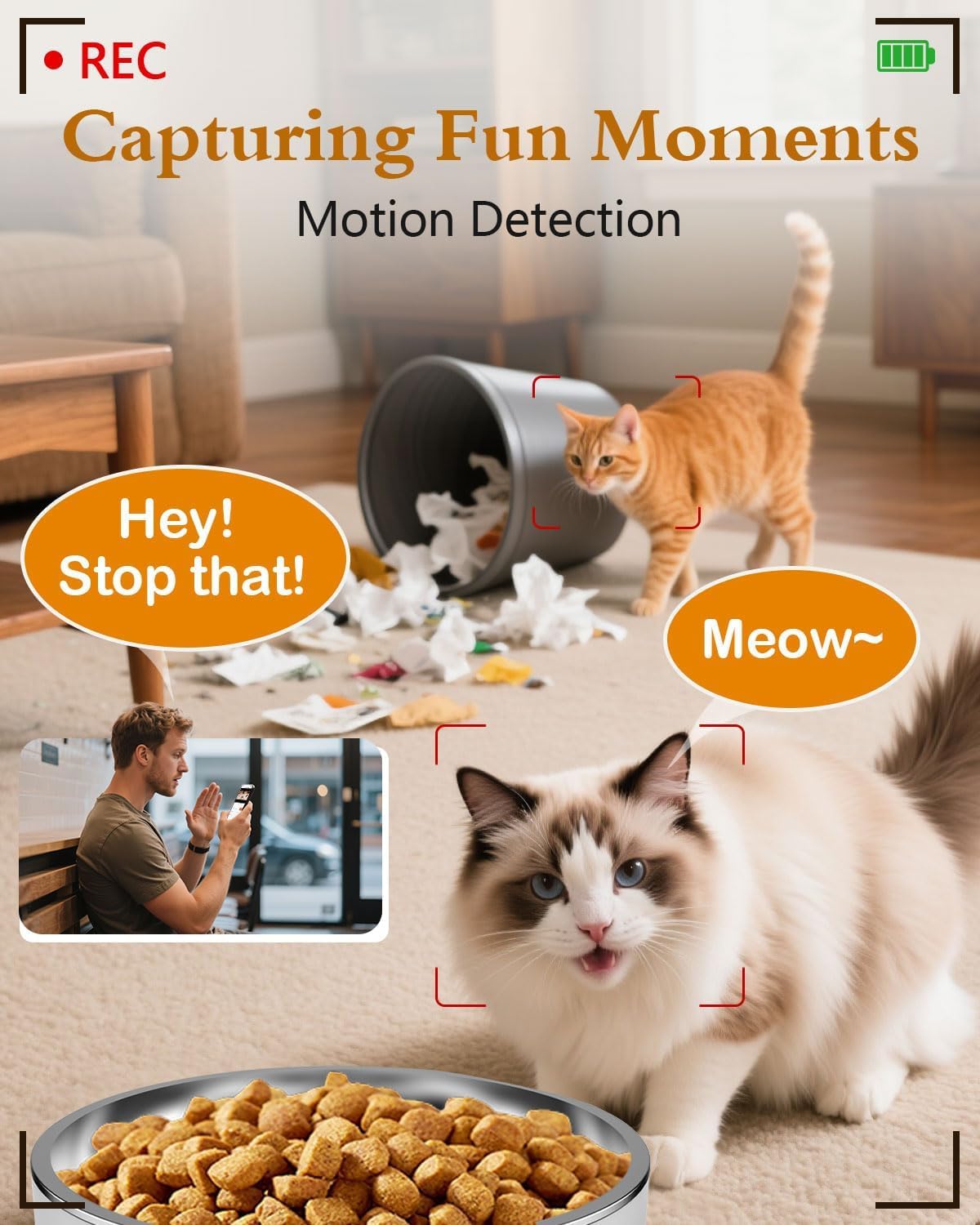
Figure 2.2: App interface for Wi-Fi setup.
3. Betjeningsvejledning
3.1 Manuel fodring
You can dispense food manually at any time using the app or the physical 'Feed' button on the device.
- Via app: Open the app, navigate to your feeder, and tap the 'Feed' button. You can select the number of portions to dispense.
- Via enhed: Press the 'Feed' button on the feeder once to dispense one portion.
Video 3.1: Official Yakry video demonstrating the features of the Automatic Cat Feeder with Camera, including manual feeding and app control.
3.2 Planlægning af automatiske feeds
Set up a personalized feeding schedule through the app to ensure your pet is fed consistently.
- In the app, go to the 'Schedule' section.
- Tap 'Add' to create a new feeding event.
- Select the desired time, days of the week, and number of portions (1 portion ≈ 10 grams).
- Gem tidsplanen.
3.3 Stemmeoptagelse
Record a custom voice message that plays during feeding times to call your pet.
- In the app, navigate to the 'Record' option.
- Follow the prompts to record your message.
- The message will play automatically when food is dispensed according to the schedule.
3.4 Kamerafunktioner
- Levende View: Access the 1080P HD camera feed through the app to see your pet in real-time.
- Nattesyn: The camera automatically switches to infrared night vision in low-light conditions, providing clear images.
- Bevægelsesdetektion: Receive alerts on your phone when motion is detected near the feeder. Recordings can be stored on an SD card (4-128GB, not included).
- Tovejs lyd: Use the app's microphone feature to speak to your pet and hear their responses.

Figure 3.1: Live monitoring with 1080P HD camera.

Figure 3.2: Two-way audio communication with your pet.
4. Vedligeholdelse
4.1 Rengøring
Regelmæssig rengøring sikrer hygiejne og korrekt funktion af foderautomaten.
- Skål i rustfrit stål: The bowl is removable and dishwasher-safe or can be hand-washed with mild soap and water.
- Food Storage Bucket: Detach the bucket and wash it with mild soap and water. Ensure it is completely dry before refilling with food.
- Hovedenhed: Tør ydersiden af hovedenheden af med enamp klæde. Nedsænk ikke hovedenheden i vand.

Figure 4.1: Detachable design for easy cleaning.
4.2 Udskiftning af tørremiddel
Replace the desiccant packet every 1-2 months, or as needed, to maintain optimal food freshness and prevent moisture buildup.
5. Fejlfinding
5.1 Forbindelsesproblemer
- Feeder not connecting to Wi-Fi: Ensure your router supports 2.4GHz or 5GHz networks and that the feeder is within range. Restart your router and the feeder, then attempt to reconnect via the app.
- Appen svarer ikke: Close and reopen the app. Check for app updates. Ensure your phone has a stable internet connection.
5.2 Feeding Issues
- Mad udleveres ikke: Check if the food hopper is empty. Ensure kibble size is less than 0.5 inch to prevent blockages. Clean the dispensing mechanism if necessary.
- Incorrect portion size: Verify the portion settings in the app. Recalibrate if needed.
5.3 Kameraproblemer
- Intet kamerafeed: Check Wi-Fi connection. Restart the feeder. Ensure the camera lens is clean.
- Dårlig billedkvalitet: Ensure adequate lighting. Clean the camera lens.
6. Produktspecifikationer
| Feature | Specifikation |
|---|---|
| Modelnummer | C2 |
| Varens vægt | 3.69 pund |
| Produktmål (LxBxH) | 7.5 x 10.6 x 7.5 tommer |
| Madkapacitet | 4 liter / 17 kopper |
| Kibble Size Limit | Less than 0.5 inch |
| Kameraopløsning | 1080P HD |
| Nattesyn | Infrarød |
| Wi-Fi-forbindelse | 2.4 GHz og 5 GHz |
| Opbevaring | SD Card (4-128GB, not included) |
| Strømkilde | USB Cable & Adapter, D-cell Batteries (backup) |
| Målarter | Dogs & Cats |
| Anbefalet brug | Indendørs |
7. Garanti og support
7.1 Garantioplysninger
The Yakry Automatic Cat Feeder with Camera (Model C2) comes with a To års garanti fra købsdatoen, dækker fabrikationsfejl og funktionsfejl ved normal brug.
7.2 Kundesupport
For any questions, technical assistance, or warranty claims, please contact our 24/7 online support. Refer to the contact information provided with your product packaging or visit the official Yakry webwebsted for supportdetaljer.