
1. Produktet er slutview
The SUNITEC BC920C Bluetooth Car Hands-Free Kit is designed to provide clear, hands-free communication and audio streaming in your vehicle. It features automatic power on/off, CVC8.0 noise cancellation technology for crystal-clear calls and high-volume music, and supports connection with two phones simultaneously. This device is compatible with cars, SUVs, trucks, vans, minivans, pickups, and buses, especially older vehicles without built-in hands-free phone capabilities.
Nøglefunktioner:
- Clear Hands-Free Calling with CVC8.0 Noise Cancellation
- Automatisk tænd / sluk
- Dual Phone Connection Support
- High-Quality Stereo Speaker for Calls and Music
- Voice Assistant Support (Siri/Google Assistant)
2. Sikkerhedsoplysninger
Please read and understand all safety information before using this product. Failure to follow these instructions may result in injury or damage.
- Avoid using the device in a manner that distracts you from driving. Always prioritize road safety.
- Keep the device away from heat sources, direct sunlight, and extreme temperatures.
- Udsæt ikke enheden for vand eller overdreven fugt.
- Bortskaf batterier ansvarligt i henhold til lokale regler.
- Forsøg ikke selv at skille ad, reparere eller ændre enheden. Kontakt kvalificeret servicepersonale for at få hjælp.
3. Pakkens indhold
Bekræft at alle varer er til stede i din pakke:
- SUNITEC BC920C Bluetooth Car Hands-Free Kit
- USB-C ladekabel
- Bilopladeradapter
- Brugermanual

4. Opsætning og installation
Follow these steps to set up your BC920C device:
- Oplad enheden: Before first use, fully charge the BC920C using the provided USB-C cable and car charger adapter or a computer USB port. The charging indicator light will show the charging status.
- Montering: Clip the device onto your car's sun visor using the integrated clip. Ensure it is securely attached and does not obstruct your view.
- Tænd: The device features automatic power on. Once paired and connected, it will automatically power on and reconnect to your phone when you open the car door or start the engine.
- Parring med din telefon:
- Turn on the BC920C. It will automatically enter pairing mode (indicated by a flashing LED).
- Gå til Bluetooth-indstillinger på din smartphone, og aktiver Bluetooth.
- Søg efter available devices and select "BC920C" from the list.
- Når den er tilsluttet, vil LED-indikatoren stoppe med at blinke og forblive konstant.
- Dobbelt forbindelse: The BC920C supports connecting two phones simultaneously. After pairing the first phone, repeat the pairing process for the second phone. The device will manage calls from both phones.


5. Betjeningsvejledning
Learn how to use your BC920C for calls, music, and voice commands.
5.1 Foretage og modtage opkald
- Besvare et opkald: When a call comes in, press the green phone button once to answer.
- Afslutning af et opkald: Press the green phone button once during a call to end it.
- Afvisning af et opkald: Press and hold the green phone button for 2 seconds to reject an incoming call.
- Genopkald: Double-press the green phone button to redial the last number.
5.2 Volume Control and Music Playback
- Justering af lydstyrke: Use the '+' and '-' buttons on the device to increase or decrease the volume during calls or music playback.
- Musikstreaming: Once connected, audio from your smartphone, including music and GPS navigation instructions, will stream through the BC920C's speaker.

5.3 Stemmeassistent (Siri/Google Assistent)
Activate your phone's voice assistant for hands-free control:
- Press the dedicated voice command button (often marked with a microphone icon) to activate Siri or Google Assistant on your connected smartphone.
- You can then use voice commands for navigation, making calls, sending messages, and more.
6. Opladning af enheden
The BC920C is powered by a rechargeable Lithium-ion battery. To charge:
- Tilslut det medfølgende USB-C-kabel til opladningsporten på enheden.
- Plug the other end of the USB-C cable into the car charger adapter or a standard USB port (e.g., on a computer).
- Opladningsindikatorlampen lyser under opladning og slukker, når den er fuldt opladet.
- En fuld opladning tager typisk cirka 2 timer.
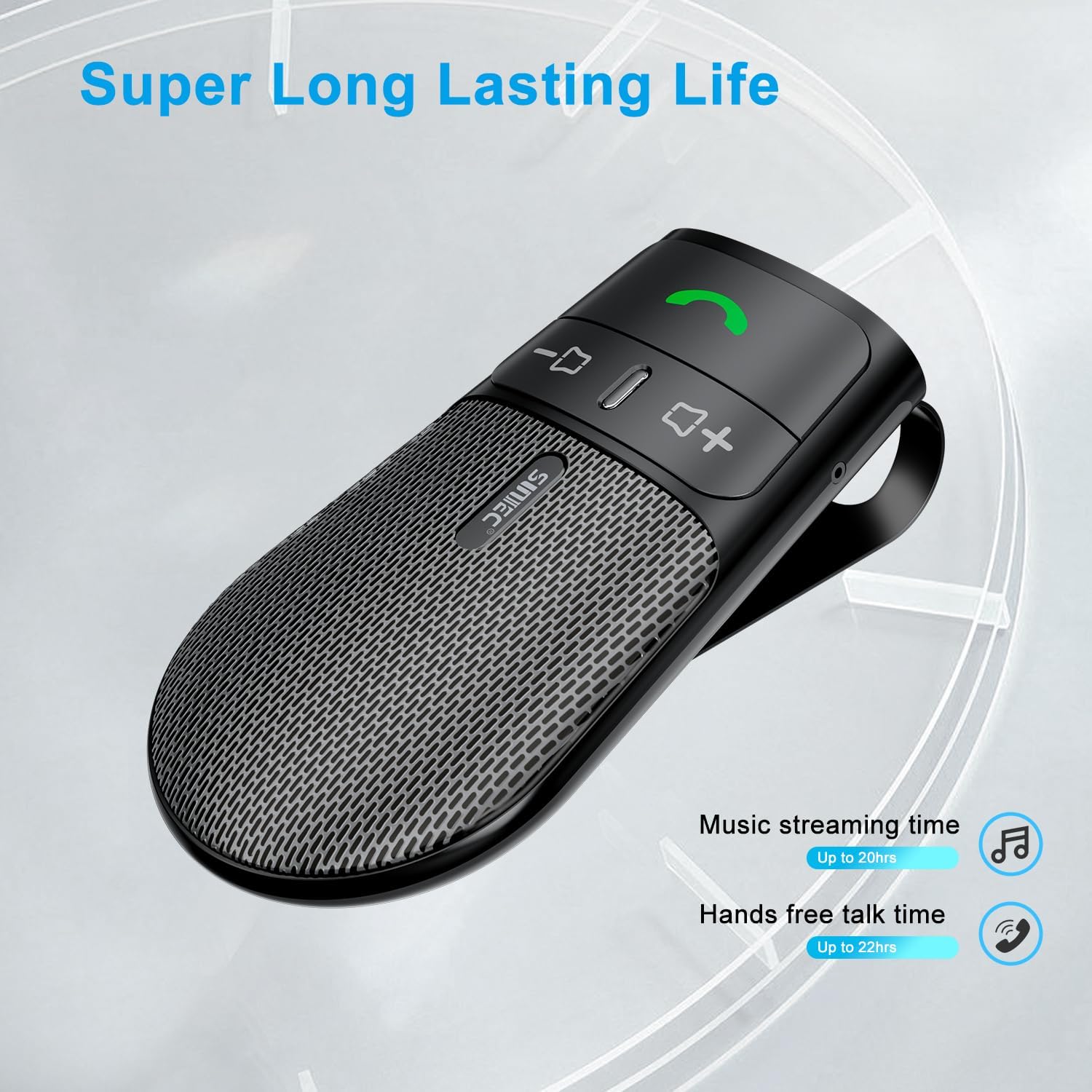
The device offers a long-lasting battery life, with up to 20 hours of music streaming time and up to 22 hours of hands-free talk time.
7. Specifikationer
| Mærke | SUNITEC |
| Model | BC920C |
| Forbindelsesteknologi | Bluetooth |
| Hardware-interface | USB-C |
| Kompatible enheder | Car stereo, Smartphones |
| Særlige funktioner | Automatic Power On/Off, Noise Cancellation (CVC8.0), Hands-Free Calling |
| Lydudgangstilstand | Stereoanlæg |
| Strømkilde | Batteridrevet (lithium-ion) |
| Varens vægt | 95 gram |
| Produktdimensioner | 15 x 11.6 x 5 cm |
8. Fejlfinding
If you encounter issues with your SUNITEC BC920C, try the following solutions:
- Enheden tænder ikke: Sørg for, at enheden er fuldt opladet. Tilslut den til en strømkilde, og kontroller opladningsindikatoren.
- Kan ikke parres med telefon: Make sure Bluetooth is enabled on your phone and the BC920C is in pairing mode (flashing LED). Try restarting both the device and your phone.
- Poor audio quality/echo: Ensure the device is positioned correctly on the sun visor and not obstructed. Adjust the volume on both the device and your phone. Move closer to the device if possible.
- Automatic connection not working: Verify that the device was successfully paired previously. Check your phone's Bluetooth settings to ensure it's set to automatically connect to known devices.
- Stemmekommandoer reagerer ikke: Ensure your phone's voice assistant (Siri/Google Assistant) is enabled and configured correctly. Make sure the device is connected and the voice command button is pressed correctly.
9. Vedligeholdelse
To ensure the longevity and optimal performance of your BC920C:
- Rengør enheden regelmæssigt med en blød, tør klud. Brug ikke skrappe kemikalier eller slibende rengøringsmidler.
- Opbevar enheden på et køligt, tørt sted, når det ikke er i brug.
- Undgå at tabe enheden eller udsætte den for kraftige stød.
10. Garanti og support
SUNITEC products are warranted to be free from defects in materials or workmanship for 12-24 months from the date of purchase. Please retain your proof of purchase for warranty claims.
For technical support or warranty inquiries, please contact SUNITEC customer service. Contact information can typically be found on the product packaging or the official SUNITEC webwebsted.
Sold by: Sunitec