
1. Introduktion
This manual provides detailed instructions for the setup, operation, and maintenance of your Facmogu M10 Home Audio Amplifier. Please read thoroughly to ensure optimal performance and longevity of your device.
2. Produktet er slutview
The Facmogu M10 is a compact and powerful 2.0 channel stereo amplifier designed for home audio systems. It features Bluetooth 5.4 connectivity and a TI TPA3255 Class D audio chip, delivering 300W+300W output (4~8 Ohm).
Nøglefunktioner
- 300W+300W dual channel stereo output with upgraded TI TPA3255 Class D audio chip.
- Superior Signal-to-Noise Ratio (SNR) >110 dB for clear audio without audible noise.
- Minimalist design with volume, play/pause, bass, and treble controls on the front panel.
- Two input options: Bluetooth 5.4 and AUX.
- Includes a DC 36V 5A power supply.
- Super compatibility with various devices (tablet PC, TV, smartphone, laptop with Bluetooth).
Diagram over front- og bagpanel
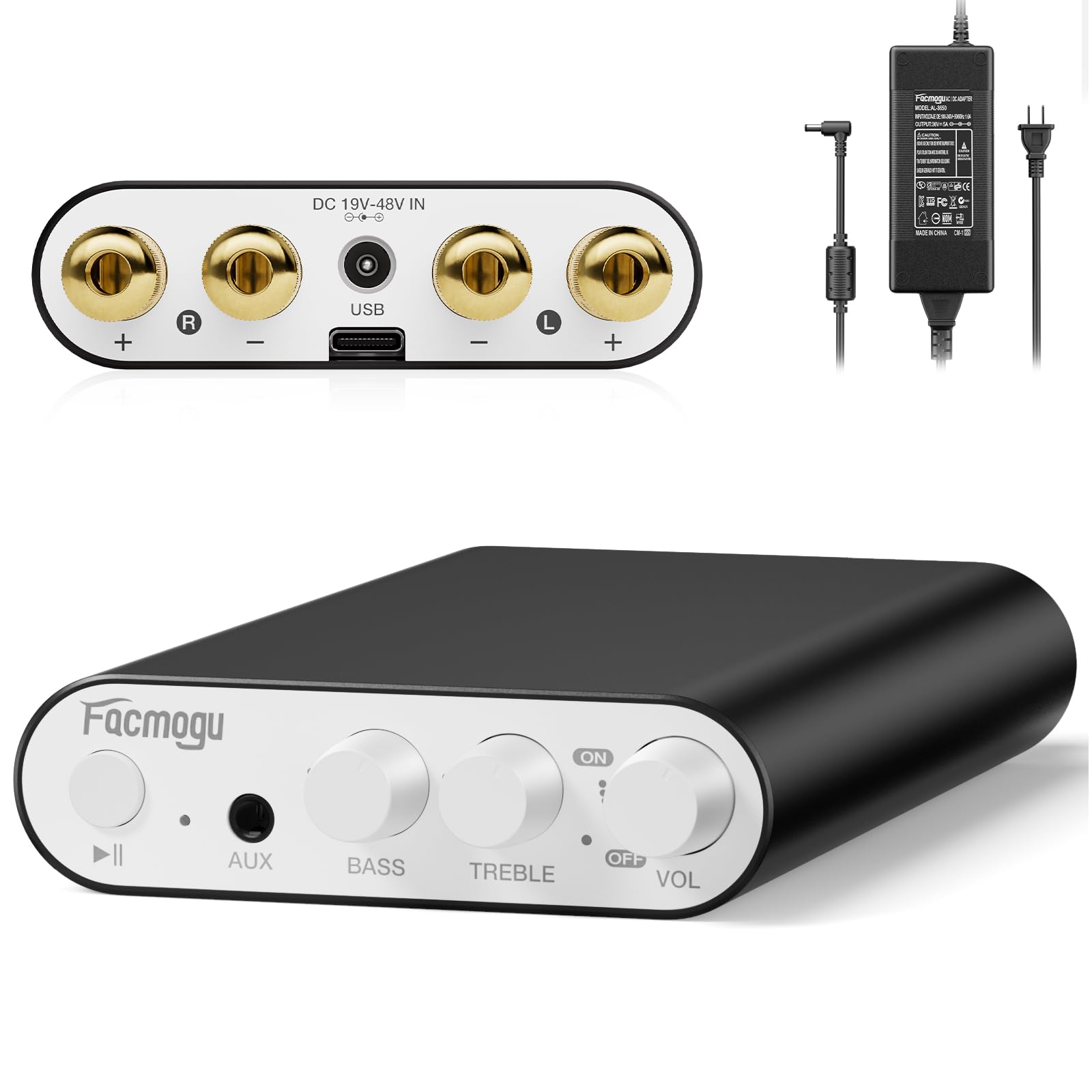
This image displays the front and rear panels of the Facmogu M10 amplifier, highlighting all input/output ports and control knobs for easy identification.
3. Opsætning
Hvad er der i æsken
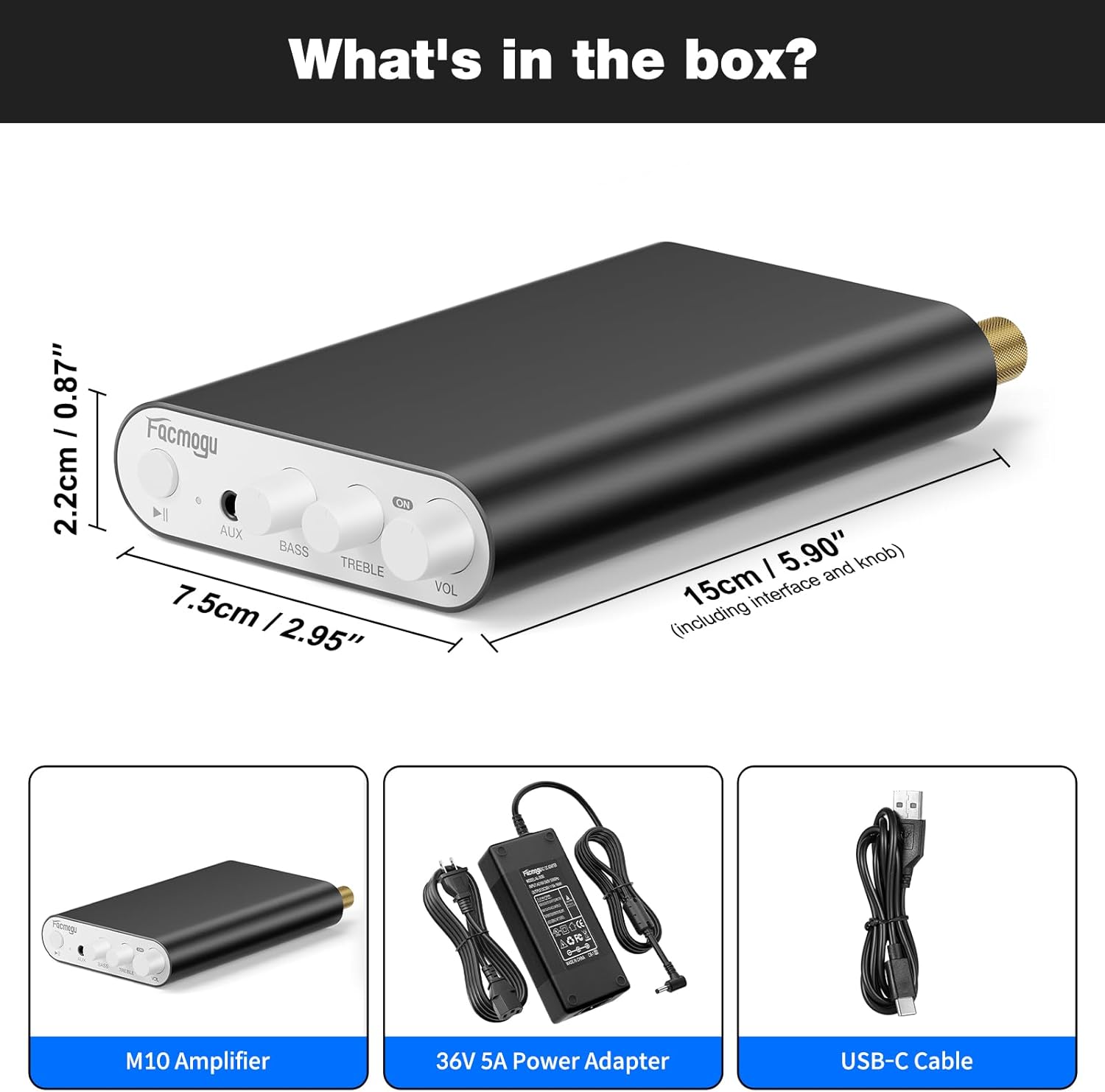
The package includes the M10 Amplifier unit, a DC 36V 5A power adapter, and a USB-C cable.
Tilslutning af højttalere
The Facmogu M10 amplifier supports passive speakers with 4-8 Ohm impedance.
- Connect your speakers to the "OUTPUT" terminals on the rear panel. Ensure correct polarity (+ to + and - to -) for each channel (Left and Right).
- Spænd bindingsstolperne forsvarligt.
Strømtilslutning
- Connect the included DC 36V 5A power adapter to the "DC 19V-48V IN" port on the rear panel.
- Sæt strømadapteren i en passende stikkontakt.
Audio Input Options
Bluetooth 5.4 forbindelse
- Tænd for amplifier by rotating the VOL knob. The indicator light will illuminate.
- On your source device (smartphone, tablet, laptop), enable Bluetooth and search for "Facmogu M10".
- Select "Facmogu M10" to pair. The indicator light will change to solid blue once connected.
- To clear all Bluetooth pairing history, press and hold the "Play/Pause" button for 6 seconds.
- Note: Maintain a distance of 16.4ft/5m for general devices and 6.5ft/2m for PC devices without obstructions for optimal Bluetooth performance.
AUX-indgangstilslutning
- Connect your audio source (PC, media player, TV) to the "AUX" input port on the front panel using a 3.5mm audio cable.
- De ampLydgiveren skifter automatisk til AUX-indgang, når der registreres et kabel.
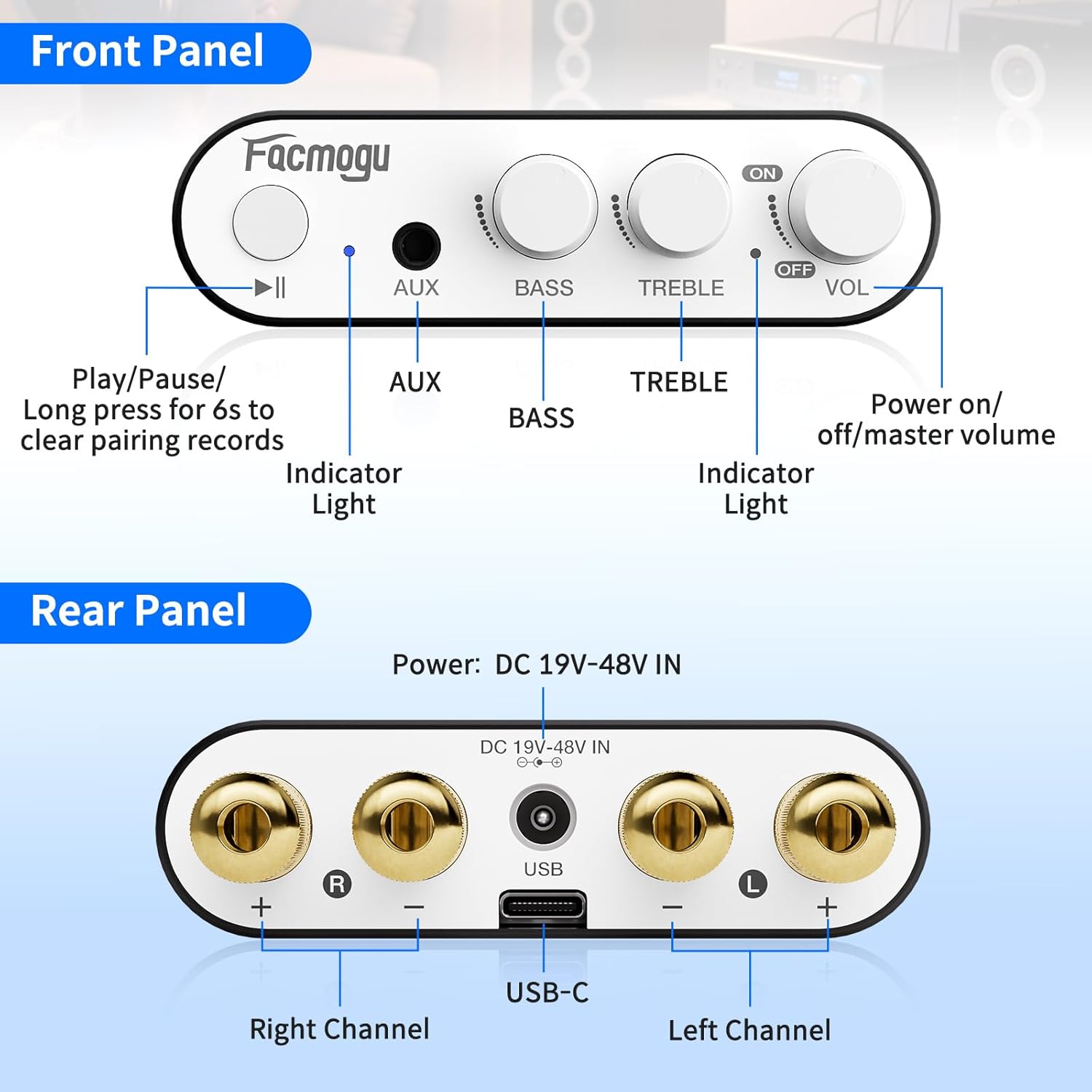
This diagram illustrates the various connection points on the front and rear panels, including speaker outputs, power input, and audio inputs.
4. Betjeningsvejledning
Kontrolelementer
- VOL (lydstyrke)-knap: Rotate clockwise to increase volume, counter-clockwise to decrease. Also acts as the power ON/OFF switch.
- BAS knap: Justerer lavfrekvensudgangen.
- TREBLE knap: Justerer højfrekvent udgang.
- Afspil/pause knap: Controls media playback. Long press for 6 seconds to clear Bluetooth pairing records.
- AUX-indgang: 3.5 mm jackstik til kablede lydkilder.
- Indikatorlys: Viser strøm- og Bluetooth-status.
Grundlæggende betjening
- Ensure all connections (speakers, power, audio source) are secure.
- Tænd for amplifier by rotating the VOL knob clockwise.
- Select your desired input source (Bluetooth or AUX).
- Adjust the volume, bass, and treble to your preference.

The image shows the Facmogu M10 amplifier connected to speakers and a laptop, demonstrating a typical usage scenario.
5. Vedligeholdelse
To ensure the longevity and optimal performance of your Facmogu M10 ampLifier, følg disse enkle vedligeholdelsesretningslinjer:
- Keep the device in a dry, well-ventilated area away from direct sunlight, heat sources, and moisture.
- Rengør ydersiden med en blød, tør klud. Undgå at bruge skrappe kemikalier eller slibende rengøringsmidler.
- Sørg for tilstrækkelig luftgennemstrømning omkring enheden for at forhindre overophedning.
- Afbryd strømmen før rengøring, eller hvis enheden ikke skal bruges i længere tid.
6. Fejlfinding
Fælles problemer og løsninger
| Problem | Mulig årsag | Løsning |
|---|---|---|
| Ingen lydudgang | Incorrect speaker connections; Volume too low; Incorrect input selected; Source device not playing. | Check speaker wire polarity and secure connections. Increase volume. Ensure correct input (Bluetooth/AUX) is selected. Verify audio playback on source device. |
| Poor Bluetooth Connection/Range | Obstructions between device and amplifier; Device too far from ampbefrier; interferens. | Reduce distance between devices. Remove obstructions. Avoid placing near other wireless devices. Clear Bluetooth pairing history by long-pressing Play/Pause button. |
| Forvrænget lyd | Volume too high; Speaker impedance mismatch; Faulty cables. | Reduce volume. Ensure speakers are 4-8 Ohm. Try different audio cables. |
| Enheden tændes ikke | Power adapter not connected; Faulty power adapter/outlet. | Check power adapter connection to unit and wall outlet. Try a different power outlet. |
Yderligere support
If you encounter issues not listed here, please refer to the official Facmogu support channels or webwebsted for yderligere hjælp.
7. Specifikationer
| Feature | Detalje |
|---|---|
| Model | M10 |
| Mærke | Facmogu |
| Udgangseffekt | 300W + 300W (4~8 Ohm) |
| Lydchip | TI TPA3255 Class D |
| Signal-støj-forhold (SNR) | >110 dB |
| Bluetooth version | 5.4 |
| Indtastningsmuligheder | Bluetooth 5.4, AUX (3.5mm) |
| Strømforsyning | DC 36V 5A (included) |
| Dimensioner | Approx. 15cm x 7.5cm x 2.2cm (5.90" x 2.95" x 0.87") |
| Varens vægt | 3.2 ounce |
| Fabrikant | Facmogu |
8. Garanti og support
For warranty information and customer support, please visit the official Facmogu webwebstedet eller kontakt deres kundeservice direkte. Gem din købskvittering til garantikrav.
9. Officielle produktvideoer
Facmogu M10 Amplifier Overview
Denne video giver en kort gennemgangview of the Facmogu M10 amplifier, demonstrating its compact size and basic functionality. It highlights the ease of connecting the device to speakers and a power source.
Facmogu M10 Amplifier Setup and Sound Test
This video demonstrates the simple setup process of the Facmogu M10 amplifier, including connecting speakers and an audio source. It also showcases the sound output quality.