
1. Introduktion
This manual provides essential information for the installation, operation, and maintenance of your Hikvision IDS-7208HQHI-M1/XT 8-Channel 5MP Turbo HD DVR. Please read this manual thoroughly before using the product to ensure correct and safe operation. Keep this manual for future reference.
The Hikvision IDS-7208HQHI-M1/XT is an advanced 8-channel Digital Video Recorder designed for high-definition surveillance systems. It supports various video input formats, including Turbo HD, AHD, CVI, CVBS, and IP cameras, offering versatile compatibility. Key features include 5MP recording capability, H.265+ video compression for efficient storage, AcuSense technology for intelligent motion detection, and remote access via the Hik-Connect app.
2. Pakkens indhold
Verify that all items are present and in good condition upon unpacking. If any items are missing or damaged, contact your supplier immediately.
- DVR main unit
- Strømadapter
- USB-mus
3. Produktfunktioner
The Hikvision IDS-7208HQHI-M1/XT DVR offers a range of features designed for effective surveillance:
- 8-Channel DVR with 5MP HD Support: Supports multiple analog HD camera formats and up to 8 channels of real-time video monitoring and recording.
- Two-Way Audio Support: Enables audio communication through compatible cameras.
- Built-In AcuSense Technology: Smart analysis minimizes false alarms by focusing on human and vehicle-based motion detection.
- Remote Access via Hik-Connect App: View live video, playback recordings, and receive alerts anytime on your smartphone.
- Efficient Storage with H.265+ Compression: Saves bandwidth and hard disk space while maintaining clear video quality.
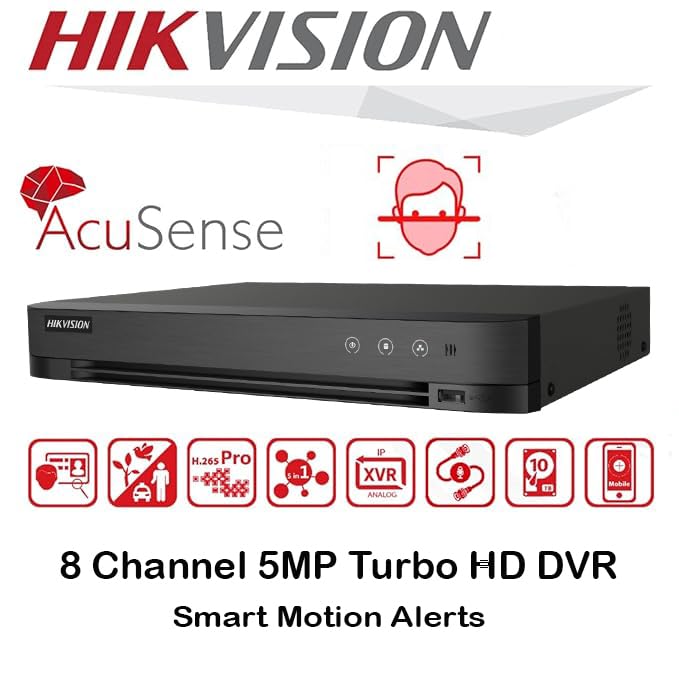
Billede: Overview of key features including AcuSense, H.265+ compression, and 5MP resolution support.
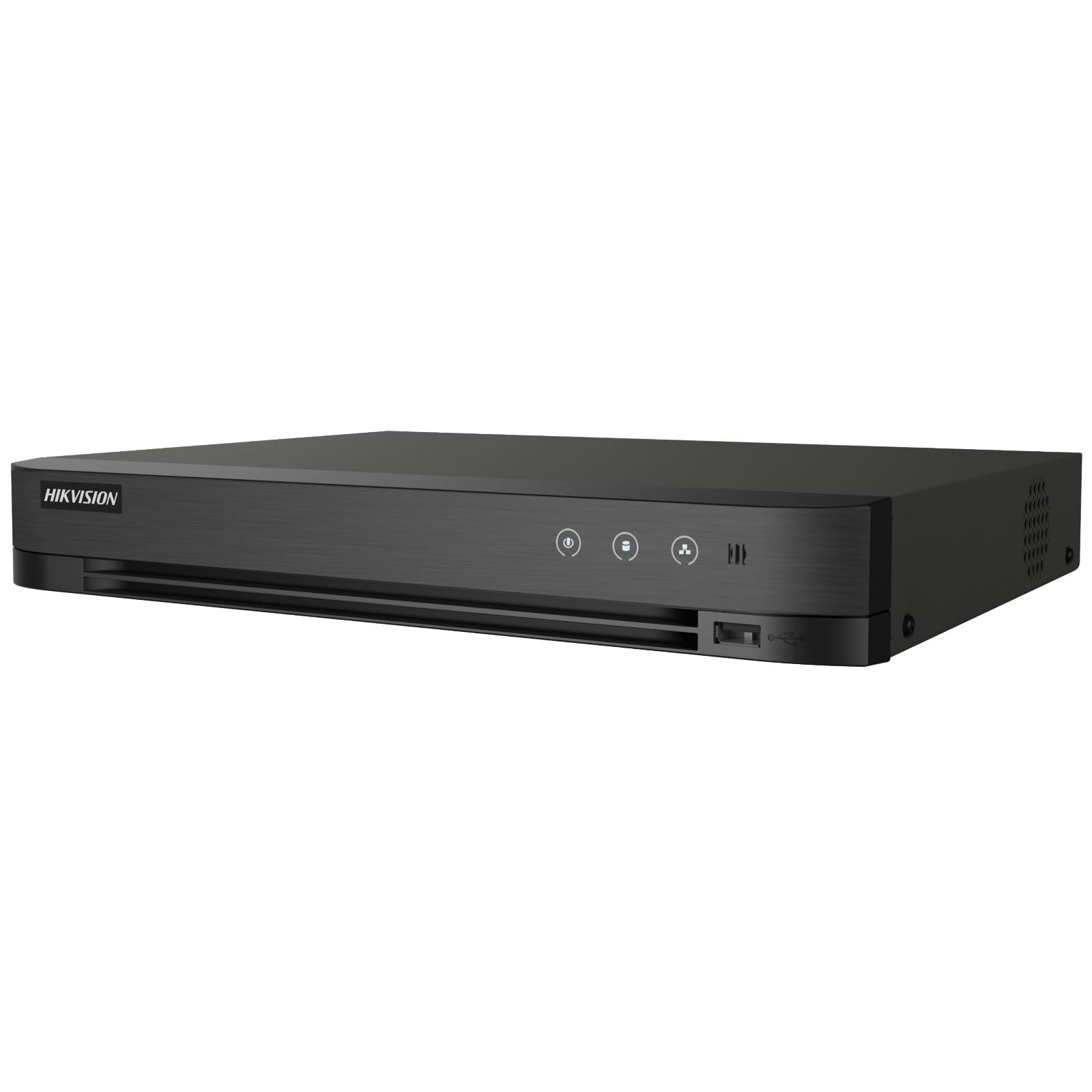
Image: The Hikvision Turbo HD DVR highlighting its support for two-way audio cameras, enabling interactive communication.
4. Fysisk grænseflade
Familiarize yourself with the ports and indicators on the DVR unit. The following diagram illustrates the rear panel of the Hikvision IDS-7208HQHI-M1/XT DVR:

Image: Rear panel connections of the DVR, showing video inputs, audio ports, network, and power.
- Videoindgang (BNC): Connect analog HD cameras (Turbo HD, AHD, CVI, CVBS).
- Video Out (BNC): Connect to a monitor for local display.
- Lydindgang (RCA): Connect external audio input devices.
- HDMI udgang: Connect to an HDMI-compatible monitor or TV for high-definition video output.
- VGA udgang: Connect to a VGA-compatible monitor.
- Lydudgang (RCA): Connect to external audio output devices.
- USB-porte: Connect a USB mouse, USB flash drive for backup, or external storage.
- LAN-port (RJ45): Connect to your network for remote access and IP camera integration.
- RS-485: For PTZ camera control (if supported).
- 12V DC strømindgang: Tilslut den medfølgende strømadapter.
- Jordterminal: Til jordforbindelse af enheden.
5. Opsætning
Follow these steps for initial setup of your DVR system:
5.1 Installation af harddisk (hvis ikke forudinstalleret)
- Skru DVR'ens topdæksel af og fjern det.
- Tilslut SATA-datakablet og strømkablet til harddisken.
- Fastgør harddisken til DVR-kabinettet med de medfølgende skruer.
- Sæt topdækslet på igen, og fastgør det med skruer.
5.2 Tilslutning af eksterne enheder
- Connect your cameras to the Video ind (BNC) ports.
- Connect a monitor to the HDMI or VGA udgangsport.
- Connect the USB mouse to a USB-port.
- Connect the DVR to your network router using an Ethernet cable plugged into the LAN-port.
- Tilslut strømadapteren til 12V DC strømindgang and then plug it into a power outlet.
5.3 Indledende konfiguration
- Ved første opstart vil DVR'en guide dig gennem en opsætningsguide.
- Set a strong password for the administrator account.
- Konfigurer netværksindstillinger (DHCP er normalt tilstrækkeligt til de fleste hjemmenetværk).
- Initialize the hard drive if prompted. This will format the drive for recording.
- Adjust date, time, and other system preferences as needed.
6. Betjening
Once the DVR is set up, you can begin monitoring and recording.
6.1 Live View
Efter login vil DVR'en vise live-indholdet. view fra tilsluttede kameraer på skærmen. Du kan skifte mellem enkeltkamera-visning view og multikameragitter view ved hjælp af skærmkontrollerne eller musen.
6.2 Optagelse
The DVR is typically configured to record continuously or based on motion detection. You can adjust recording schedules and settings through the DVR's menu system (Konfiguration > Optagelse > Planlægning).
6.3 Afspilning
Til review optaget footage, navigate to the Afspilning menu. Select the date, time, and camera channel to view recordings. Use the playback controls (play, pause, fast forward, rewind) to navigate through the footage.
6.4 Remote Access (Hik-Connect App)
The Hik-Connect app allows you to access your DVR remotely from a smartphone or tablet.
- Download Hik-Connect-appen fra din enheds appbutik.
- Create a Hik-Connect account and log in.
- Add your DVR by scanning the QR code on the DVR's label or by manually entering its serial number.
- Follow the in-app instructions to complete the device addition.
- Når du har tilføjet det, kan du view live feeds, play back recordings, and receive push notifications for events.

Image: Illustration of the Hik-Connect mobile application interface, demonstrating remote access to live video and recordings.
7. Vedligeholdelse
Regelmæssig vedligeholdelse sikrer optimal ydeevne og levetid for dit DVR-system.
- Clean the DVR: Periodically clean the exterior of the DVR with a soft, dry cloth. Ensure ventilation openings are free from dust to prevent overheating.
- Firmwareopdateringer: Tjek den officielle Hikvision website for firmware updates. Updating firmware can improve performance, add features, and fix bugs. Follow update instructions carefully.
- Harddiskens tilstand: Monitor the health of your hard drive through the DVR's system menu (HDD-styring). Replace the hard drive if it shows signs of failure.
- Sikkerhedskopier vigtige fødevarertage: Sikkerhedskopier regelmæssigt kritiske videofilertage til et eksternt USB-drev eller netværkslager.
- Adgangskodesikkerhed: Change your DVR and Hik-Connect passwords periodically to maintain security.
8. Fejlfinding
Dette afsnit omhandler almindelige problemer, du kan støde på.
8.1 Ingen videoudgang på skærmen
- Kontroller, om skærmen er tændt og korrekt tilsluttet DVR'ens HDMI- eller VGA-port.
- Sørg for, at den korrekte inputkilde er valgt på din skærm.
- Prøv at tilslutte til en anden skærm eller bruge et andet kabel.
8.2 Kameraer viser ikke
- Verify that cameras are powered on and properly connected to the DVR's BNC inputs.
- Check camera power supplies.
- Ensure the camera type (TVI, AHD, CVI, CVBS) is compatible with the DVR and configured correctly in the DVR settings.
8.3 Remote Access Not Working
- Ensure the DVR is connected to the internet via the LAN port.
- Check network settings on the DVR (Configuration > Network).
- Verify that the Hik-Connect service is enabled on the DVR.
- Sørg for, at din smartphone har en aktiv internetforbindelse.
- Re-add the device to the Hik-Connect app if necessary.
8.4 Ingen optagelse
- Check if a hard drive is installed and properly initialized (Configuration > HDD).
- Verify recording schedules are set correctly (Konfiguration > Optagelse > Planlægning).
- Ensure there is sufficient free space on the hard drive.
9. Specifikationer
Detailed technical specifications for the Hikvision IDS-7208HQHI-M1/XT DVR:
| Feature | Specifikation |
|---|---|
| Modelnummer | IDS-7208HQHI-M1/XT |
| Video input | 8-Channel (Turbo HD/AHD/CVI/CVBS/IP) |
| Videokomprimering | H.265+/H.265/H.264+/H.264 |
| Optagelsesopløsning | Op til 5 MP |
| Video output | HDMI, VGA, BNC |
| Audio input/output | 2-Way Audio Support |
| Network interface | 1 RJ45 10M/100M Ethernet Interface |
| USB interface | 2 x USB 2.0 |
| HDD-understøttelse | 1 SATA interface (up to 10 TB capacity per HDD) |
| Strømforsyning | 12V DC |
| Dimensioner (L x B x H) | 19.7 x 19.2 x 4.1 cm |
| Vægt | 1.5 kg |
| Fabrikant | HIKVISION, Prama Hikvision India Pvt. Ltd. |
10. Garanti og support
For warranty information and technical support, please refer to the warranty card included with your product or visit the official Hikvision webwebsted. Behold din købskvittering som købsbevis i tilfælde af garantikrav.
For further assistance, contact Hikvision customer support or your authorized dealer.