
1. Introduktion
This manual provides detailed instructions for the JTEMAN L41 Cell Phone Stand, which integrates a Bluetooth speaker and wireless charging functionality. Please read this manual thoroughly before use to ensure proper operation and to maximize the product's features.
2. Pakkens indhold
Bekræft, at alle nedenstående varer er inkluderet i din pakke:
- Audio Wireless Charger (Main Unit)
- USB-C Adapter (Power Adapter)
- USB-C til USB-C kabel
- Brugermanual
3. Produktet er slutview
The JTEMAN L41 is a versatile 3-in-1 device designed to streamline your desktop. It combines a stable phone stand, a wireless charging station, and a Bluetooth speaker into one compact unit.
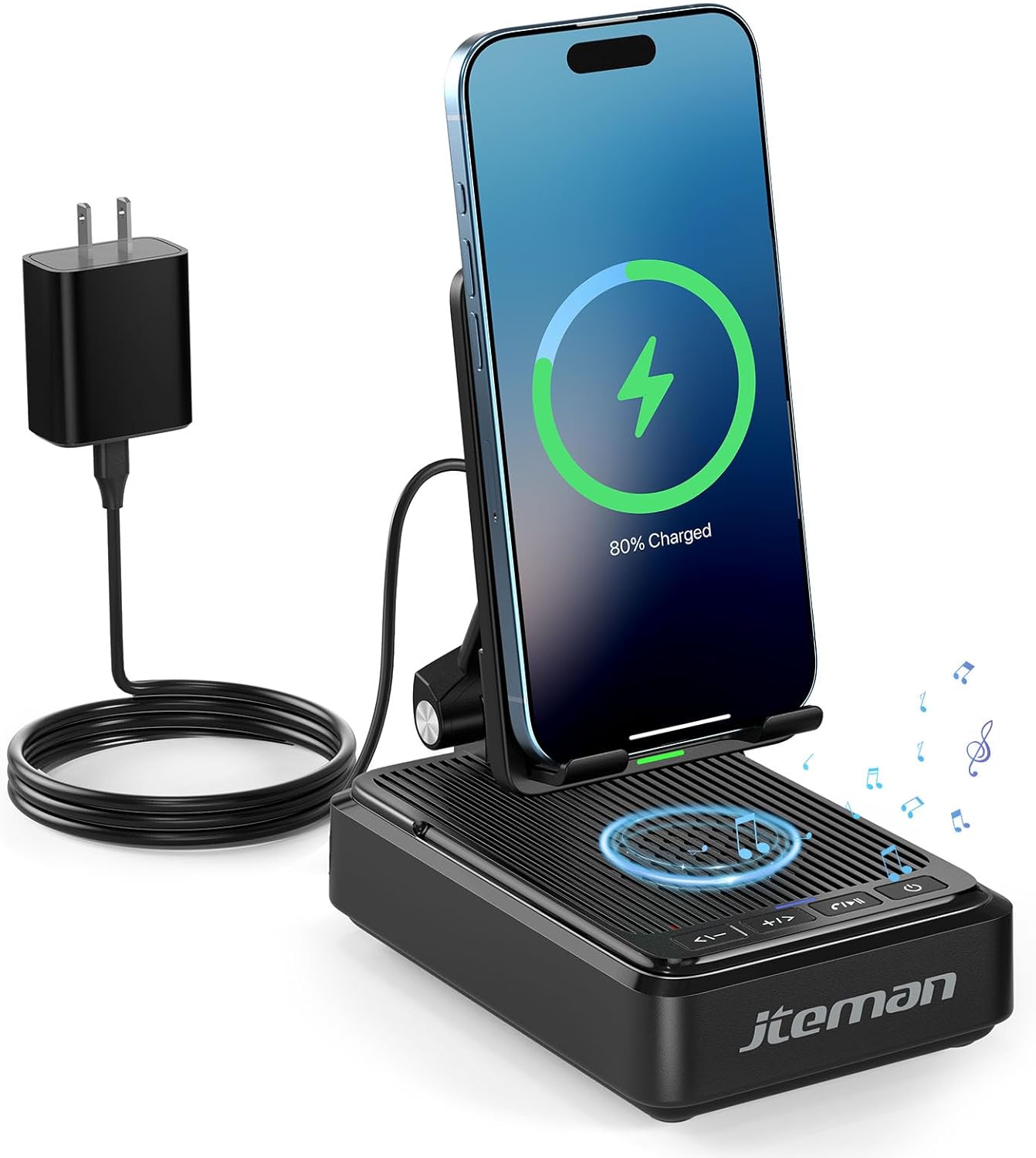
Figur 1: JTEMAN L41 Main Unit with Phone Charging
This image displays the JTEMAN L41 device in black, with a smartphone placed vertically on its stand, actively wirelessly charging. The device is connected to a power adapter via a USB-C cable. Musical notes are depicted around the speaker area, indicating its audio function.
Nøglefunktioner:
- 3-i-1 funktionalitet: Integrates a phone stand, wireless charger, and Bluetooth speaker.
- Justerbar telefonholder: Allows for optimal viewing angles and supports both horizontal and vertical phone placement.
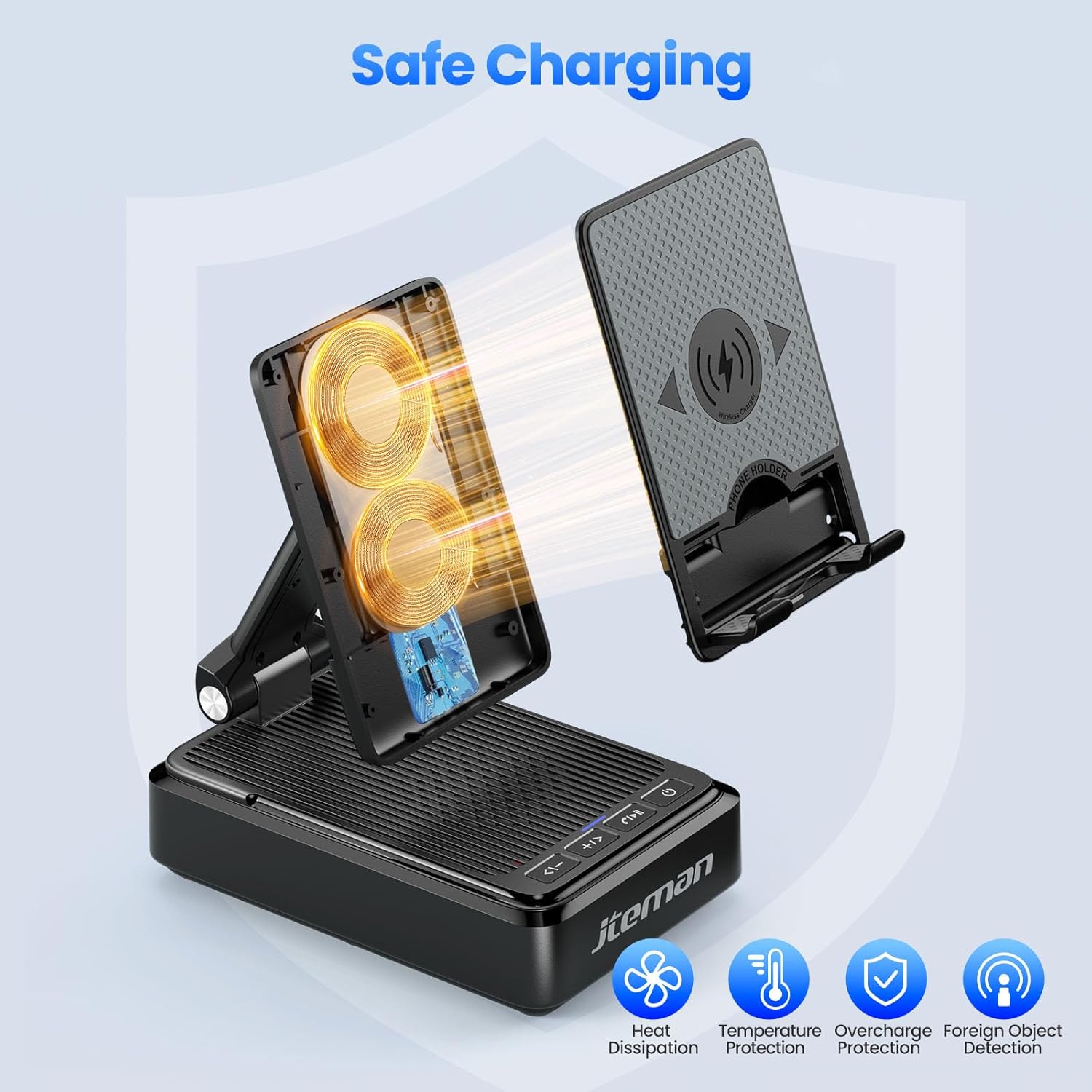
- Stable Wireless Charging: Features dual-coil design for flexible phone positioning and multiple safety protections.
- Bluetooth 5.3 højttaler: Provides clear sound quality and stable connection for audio playback and hands-free calls.
- Sammenfoldeligt design: Enhances portability and saves space.
4. Opsætningsvejledning
- Pak enheden ud: Fjern forsigtigt alle komponenter fra emballagen.
- Tilslut strøm:
- Connect one end of the provided USB-C to USB-C cable to the USB-C port on the back of the JTEMAN L41 unit.
- Connect the other end of the USB-C cable to the provided USB-C power adapter.
- Sæt strømadapteren i en almindelig stikkontakt.
Note: For optimal wireless charging performance, always use the included 9V2A adapter and USB-C cable.
- Adjust Phone Stand: Unfold the phone stand to your desired viewing angle. The stand is designed to be adjustable for comfortable viewing.
5. Betjeningsvejledning
5.1 Trådløs opladning
- Ensure the JTEMAN L41 is connected to a power source.
- Place your wireless charging-compatible smartphone onto the phone stand. The phone can be placed either horizontally or vertically.
- Align your phone's wireless charging coil with the charging area on the stand. Charging will begin automatically, indicated by a charging icon on your phone's screen.

Figur 2: Trådløs opladning kompatibilitet
This image illustrates the wireless charging function and its compatibility. It shows a smartphone in a case being wirelessly charged on the stand. Important notes indicate that cases should be ≤ 0.15 inches thick, and cases with metal rings, pockets, or magnets should be avoided for proper charging.
Important Notes for Wireless Charging:
- Supports phone cases with a thickness of ≤ 0.15 inches (approximately 3.8mm).
- Avoid using cases with metal rings, pop sockets, credit cards, or magnets, as these can interfere with wireless charging.
- The dual-coil design allows for flexible placement, but ensure proper alignment for efficient charging.
5.2 Betjening af Bluetooth-højttaler
- Tænd: Tryk og hold tænd/sluk-knappen (⏻) on the front of the unit to turn on the speaker. A voice prompt or indicator light will confirm it's in pairing mode.
- Parring:
- Gå til Bluetooth-indstillingerne på din smartphone eller anden Bluetooth-aktiveret enhed.
- Søg efter available devices and select "JTEMAN41" (or similar name) from the list.
- Once connected, a confirmation sound will be heard.
- Lydafspilning: Play music or audio from your connected device. Use the volume controls on the JTEMAN L41 or your device to adjust the sound level.
- Håndfri opkald: When a call comes in, press the Play/Pause button (⏸) to answer. Press again to end the call.

Figur 3: Enjoying Music with the Bluetooth Speaker
This image shows a woman in a kitchen setting, holding a mug and smiling while a smartphone plays music on the JTEMAN L41 stand. Musical notes emanate from the speaker, highlighting its audio playback capability.
5.3 Telefonholderens funktionalitet
The integrated phone stand is adjustable to provide optimal viewvinkler til forskellige aktiviteter.
- Justerbar vinkel: Gently pivot the phone rest up or down to achieve your preferred viewvinkel.
- Orientering: The stand supports both vertical and horizontal placement of your smartphone, ideal for video calls, watching movies, or browsing.
- Stabilitet: The stable, non-slip base and weighted structure prevent tipping, ensuring your device remains secure.
Figur 4: Adjustable Desktop Charging Stand
This image depicts a man sitting at a desk, interacting with a smartphone placed on the JTEMAN L41 stand. The stand is shown with an adjustable angle feature, and a diagram illustrates how the USB-C charging cable connects to the phone while on the stand.
5.4 Knapfunktioner
The control buttons are located on the front of the unit:
| Knap ikon | Fungere |
|---|---|
| <- | Lydstyrke ned / forrige nummer |
| + / > | Lydstyrke op / næste spor |
| ⏸ | Afspil / Pause / Besvar opkald / Afslut opkald |
| ⏻ | Tænd/sluk |
6. Vigtige sikkerhedsoplysninger
- Udsæt ikke enheden for vand eller overdreven fugt.
- Undgå ekstreme temperaturer, direkte sollys eller varmekilder.
- Enheden må ikke skilles ad, repareres eller ændres. Dette vil ugyldiggøre garantien.
- Opbevares utilgængeligt for børn.
- Use only the provided power adapter and cable to prevent damage and ensure safe operation.
- Sørg for tilstrækkelig ventilation omkring enheden under brug.
7. Vedligeholdelse
- Rensning: Tør enheden af med en blød, tør klud. Brug ikke slibende rengøringsmidler eller opløsningsmidler.
- Opbevaring: When not in use for extended periods, store the device in a cool, dry place. The foldable design allows for compact storage.
8. Fejlfinding
| Problem | Mulig årsag | Løsning |
|---|---|---|
| Enheden tænder ikke. | Not connected to power; Power button not pressed. | Ensure the power adapter is securely plugged into the unit and a working outlet. Press and hold the Power button. |
| Trådløs opladning virker ikke. | Phone not aligned; Case too thick; Foreign object; Phone not wireless charging compatible. | Re-align phone; Remove thick/metal cases; Remove foreign objects; Verify phone supports wireless charging. Use the included power adapter. |
| Bluetooth-højttaleren opretter ikke forbindelse. | Speaker not in pairing mode; Bluetooth off on device; Device too far. | Ensure speaker is on and in pairing mode; Enable Bluetooth on your device; Move device closer to the speaker (within 10 meters). |
| Dårlig lydkvalitet. | Lavt batteri; Enhed for langt væk; Forhindringer. | Ensure the unit is powered; Move device closer; Remove obstructions between device and speaker. |
9. Specifikationer
| Feature | Detalje |
|---|---|
| Modelnummer | L41 |
| Produktdimensioner | 5.59 x 3.78 x 2.32 tommer |
| Varens vægt | 14.9 ounce |
| Input bindtage | 9 volt |
| Udgangsstrøm | 2 Amps |
| Connector Type | USB Type C |
| Bluetooth version | 5.3 |
| Materiale | Acrylonitril-butadienstyren |
| Kompatible enheder | Smartphones, Tablets (with wireless charging capability) |
| Wireless Charging Case Thickness | ≤ 0.15 inches (3.8mm) |
10. Garanti og support
JTEMAN provides the following support for this product:
- 12-måneders udskiftning: The product is covered by a 12-month replacement policy from the date of purchase.
- 24-timers support: For any inquiries or assistance, please contact JTEMAN customer support.
To contact support, please refer to the contact information provided on the product packaging or the official JTEMAN webwebsted.