
1. Introduktion
Thank you for choosing the MOJOGEAR NovaMag All-in-1 Power Bank. This device is designed to provide convenient and versatile charging for your mobile devices, featuring 10,000 mAh capacity, Qi2 wireless fast charging, and integrated USB-C and Lightning cables. Please read this manual carefully before use to ensure optimal performance and safety.
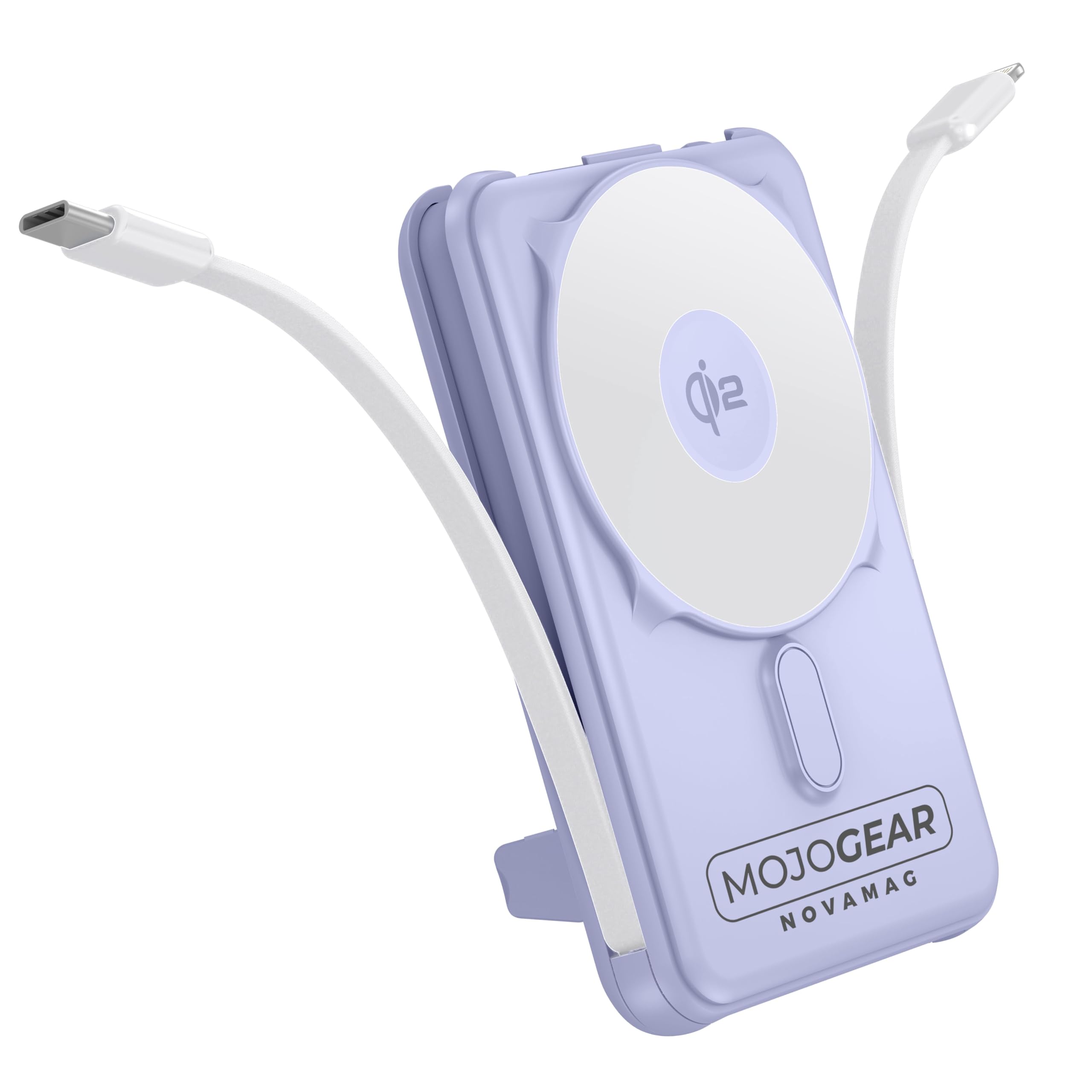
Image 1.1: MOJOGEAR NovaMag All-in-1 Power Bank with connected devices.
2. Sikkerhedsoplysninger
- Do not expose the power bank to extreme temperatures (above 45°C or below -10°C), direct sunlight, or fire.
- Do not disassemble, modify, or repair the device yourself. Contact qualified service personnel for repairs.
- Hold powerbanken væk fra vand, fugt og ætsende stoffer.
- Undgå at tabe eller udsætte powerbanken for kraftige stød.
- Brug ikke powerbanken, hvis den er beskadiget, hævet eller utæt.
- Opbevares utilgængeligt for børn.
- Brug kun certificerede opladningskabler og adaptere.
- Bortskaf powerbanken ansvarligt i henhold til lokale regler.
3. Pakkens indhold
Tjek venligst pakken for følgende varer:
- 1x MOJOGEAR NovaMag All-in-1 Power Bank (MG-PB10)
- 1x Brugermanual (dette dokument)
- 1x Mag Safe Qi2 Ring (integrated)
- 1x Integrated USB-C Cable
- 1x Integrated Lightning Cable

Image 3.1: Power Bank and its packaging.
4. Produktet er slutview
The MOJOGEAR NovaMag Power Bank features a compact design with multiple charging options.
- Qi2 Wireless Charging Pad: For fast wireless charging of compatible devices (e.g., iPhone 12 and newer).
- Integreret USB-C-kabel: For charging Android devices, other USB-C accessories, or recharging the power bank itself.
- Integreret Lightning-kabel: Til opladning af Apple-enheder (iPhone, AirPods).
- USB-C-port (Input/Output): For charging devices or recharging the power bank with your own cable.
- LED display: Viser batteriprocenttage og ladestatus.
- Power knap: Activates the LED display and initiates charging.
- Sammenfoldelig støtte: Allows you to prop up your smartphone while charging.

Image 4.1: Power Bank attached to a smartphone, highlighting its compact form.

Billede 4.2: Dimensioner og diverse views of the power bank.
5. Opsætning
5.1 Første opladning af powerbanken
Before first use, fully charge your NovaMag Power Bank. This ensures optimal battery performance.
- Connect the integrated USB-C cable from the power bank to a USB-C power adapter (not included).
- Alternatively, use your own USB-C to USB-C cable and connect it to the USB-C port on the bottom of the power bank and a USB-C power adapter.
- LED-displayet viser opladningsstatus og angiver batteriprocententage. A green flash symbol confirms the charging process.
- Powerbanken er fuldt opladet, når LED-displayet viser 100%.

Image 5.1: LED display showing battery percentage.
6. Betjeningsvejledning
6.1 Charging Devices Wirelessly (Qi2 / MagSafe)
The NovaMag supports Qi2 wireless fast charging and MagSafe compatibility for iPhone 12 and newer models.
- Tryk én gang på tænd/sluk-knappen for at aktivere powerbanken.
- Align your MagSafe-compatible iPhone (or other Qi2-compatible device) with the wireless charging pad on the power bank. The strong magnet will ensure a secure connection.
- Wireless charging will begin automatically. The LED display may show a charging indicator.

Image 6.1: Attaching a smartphone for wireless charging.
6.2 Charging Devices via Integrated Cables
The power bank includes built-in USB-C and Lightning cables for convenient wired charging.
- Gently pull out the integrated USB-C or Lightning cable from its storage slot.
- Tilslut det relevante kabel til din enhed.
- Charging will start automatically. Press the power button once if charging does not initiate.
6.3 Charging Devices via USB-C Port
An additional USB-C port is available for charging devices with your own cable.
- Connect your device to the USB-C port on the power bank using a compatible USB-C to USB-C cable (not included).
- Press the power button once to begin charging.
6.4 Genopladning af powerbanken
You can recharge the power bank using its integrated USB-C cable or the dedicated USB-C input port.
- Using Integrated USB-C Cable: Connect the integrated USB-C cable to a USB-C power adapter.
- Brug af USB-C-port: Connect a USB-C to USB-C cable from a power adapter to the USB-C port on the power bank.
- LED-displayet viser opladningsstatus og batteriprocenttage.
6.5 Using the Foldable Kickstand
The integrated kickstand allows for hands-free viewing while your device charges.
- Locate the kickstand on the back of the power bank.
- Gently pull it out until it locks into position.
- Place your wirelessly charging smartphone onto the power bank, utilizing the kickstand to prop it up.

Image 6.2: Power Bank with kickstand in use.
6.6 Pass-through-opladning
The NovaMag supports pass-through charging, allowing you to charge your devices while the power bank itself is being recharged.
- Connect the power bank to a power source for recharging (as described in 6.4).
- Simultaneously connect your device(s) to the power bank using wireless charging, integrated cables, or the USB-C output port.
- The power bank will intelligently manage power distribution to charge both itself and your connected devices.
7. Vedligeholdelse
- Rensning: Tør powerbanken af med en blød, tør klud. Brug ikke skrappe kemikalier eller slibende rengøringsmidler.
- Opbevaring: Store the power bank in a cool, dry place away from direct sunlight and extreme temperatures. For long-term storage, it is recommended to charge the power bank to about 50-70% every three months to preserve battery health.
- Kabelpleje: Ensure integrated cables are properly stored when not in use to prevent damage.
8. Fejlfinding
| Problem | Mulig årsag | Løsning |
|---|---|---|
| Powerbanken oplader ikke enheder. | Powerbankens batteri er afladet. Power bank is not activated. Forkert kabeltilslutning. Device is not compatible with wireless charging. |
Genoplad powerbanken. Press the power button once to activate. Sørg for, at kablerne er tilsluttet sikkert. Check device compatibility for Qi2/MagSafe. |
| Powerbanken oplades ikke. | Opladningskablet eller adapteren er defekt. Problem med strømkilde. |
Prøv et andet USB-C-kabel og en anden strømadapter. Sørg for, at stikkontakten fungerer. |
| Trådløs opladning er langsom eller intermitterende. | Forkert justering af enheden. Tykt telefoncover. Device not Qi2 compatible. |
Sørg for, at enheden er centreret på opladningspad'en. Remove thick phone cases. Confirm device supports Qi2 for optimal speed. |
| LED-display er slukket. | Powerbanken er i standbytilstand. | Tryk én gang på tænd/sluk-knappen for at aktivere skærmen. |
9. Specifikationer
| Modelnummer | MG-PB10 |
| Kapacitet | 10,000 mAh (37 Wh) |
| Trådløs udgang | 15W (Qi2) |
| USB-C udgang | 20W |
| USB-C indgang | 18W |
| Lightning kabeludgang | 12W |
| USB-C kabeludgang | 20W |
| Effektivitet | 85 % |
| Dimensioner (L x B x H) | 10.62 x 6.96 x 1.86 cm |
| Vægt | 202 gram |
| Batteritype | Lithium-ion |
| Farve | Lilla |
| Materiale | Plast |
| Sikkerhedsfunktioner | Overcharge protection, tested safety |
| Flyselskab godkendt | Yes (10,000 mAh / 37 Wh meets carry-on requirements) |
Bemærk: Specifikationerne kan ændres uden varsel.
10. Garanti og support
The MOJOGEAR NovaMag All-in-1 Power Bank comes with a 2 års garanti fra købsdatoen. Denne garanti dækker fabrikationsfejl og udførelse under normal brug.
Garantien dækker ikke:
- Skader forårsaget af forkert brug, misbrug, ulykke eller forsømmelse.
- Uautoriseret reparation eller ændring.
- Almindelig slitage.
For warranty claims or technical support, please contact MOJOGEAR customer service through the retailer where you purchased the product or visit the official MOJOGEAR webwebsted for kontaktoplysninger.