
1. Introduktion
This manual provides essential information for the safe and efficient use of your SHARP SIM-Free Tablet SH-T04C. Please read this manual thoroughly before using the device and keep it for future reference.
2. Produktet er slutview
The SHARP SH-T04C is a 10.1-inch SIM-free tablet designed for versatile use. It features a durable build and a sleek design.
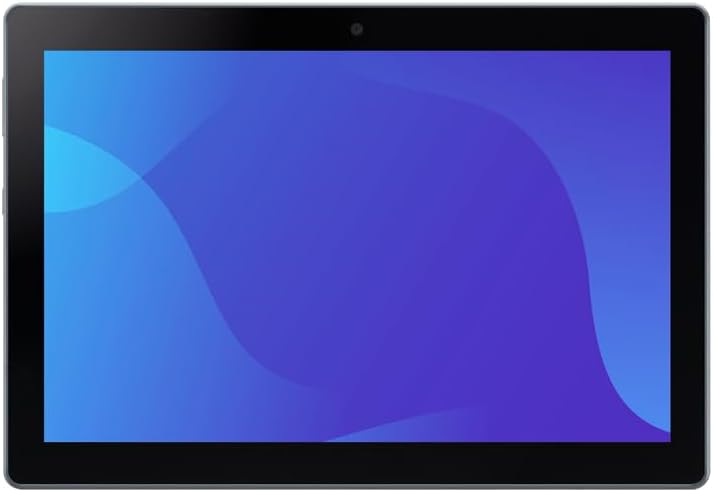
Figur 2.1: Forside view of the SHARP SH-T04C tablet, showcasindens 10.1-tommer skærm.

Figur 2.2: Multiple views of the SHARP SH-T04C tablet, illustrating its slim profile og knapplacering.
3. Opsætning
3.1 Indledende tænding
- Press and hold the power button located on the side of the tablet until the SHARP logo appears.
- Følg instruktionerne på skærmen for at fuldføre den indledende opsætning, herunder valg af sprog, Wi-Fi-forbindelse og opsætning af Google-konto.
3.2 Opladning af tabletten
To charge the tablet, connect a compatible AC adapter (SH-AC05, sold separately) to the USB Type-C port on the device. A full charge takes approximately 160 minutes with the recommended adapter.
3.3 Inserting a SIM Card (eSIM)
This tablet supports eSIM functionality. Please refer to your mobile carrier's instructions for activating and setting up the eSIM. Physical SIM cards are not supported.
4. Betjeningsvejledning
4.1 Grundlæggende navigation
- Røre: Tap the screen to select items, open apps, or type.
- Stryg: Træk fingeren hen over skærmen for at rulle eller navigere mellem skærme.
- Knib-for-at-zoome: Brug to fingre til at zoome ind eller ud på billeder og web sider.
4.2 Sikkerhedsfunktioner
The SH-T04C includes fingerprint authentication for secure access to your device and data.

Figure 4.1: The tablet features a fingerprint sensor for enhanced security.
5. Nøglefunktioner
5.1 Large 10.1-inch Display
Nyd en fordybende viewing experience with the tablet's approximately 10.1-inch TFT WUXGA (1920x1200) display, ideal for documents, videos, and web gennemsyn.

Figure 5.1: The large 10.1-inch screen makes it easy to view documents and videos, suitable for web konferencer.
5.2 Durable Design: Waterproof and Dustproof
The SH-T04C is built to withstand various environments, featuring IPX5/8 waterproof and IP6X dustproof ratings. This ensures reliable performance even in challenging conditions.
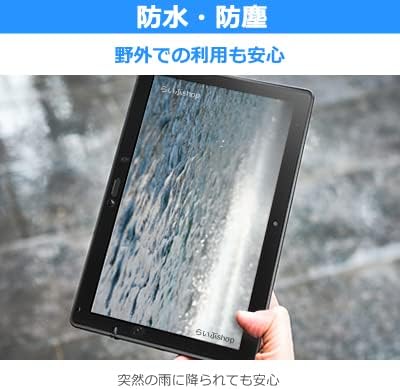
Figure 5.2: The tablet's waterproof design provides peace of mind even when exposed to sudden rain.
5.3 High-Speed 5G Connectivity
Experience fast and stable internet with 5G connectivity, optimized for tablet use. This allows for efficient data transfer and smooth online experiences.

Figure 5.3: The tablet's stable 5G antenna performance, leveraging its size, expands the communication area by approximately 10% compared to smartphones.
5.4 Langtidsholdbart batteri
Equipped with a 6,680mAh battery, the tablet offers extended usage. Intelligent charging helps maintain battery health over time.

Figure 5.4: The large 6,680mAh battery and intelligent charging support ensure long-term performance with reduced battery degradation.
5.5 Noise Canceling Function
The tablet features a 2-microphone noise canceling function, reducing ambient noise during calls for clearer communication.

Figure 5.5: The 2-microphone noise canceling function reduces surrounding noise during calls, ensuring clear audio.
6. Vedligeholdelse
6.1 Rengøring af tabletten
The SH-T04C can be cleaned using alcohol disinfectant sheets. This allows for maintaining hygiene, especially in environments where cleanliness is crucial. For detailed cleaning instructions, please refer to the official product webwebsted eller kontakt kundesupport.
7. Fejlfinding
If you encounter any issues with your SHARP SH-T04C tablet, please refer to the following general troubleshooting steps:
- Genstart enheden: En simpel genstart kan ofte løse mindre softwarefejl.
- Tjek forbindelser: Ensure all cables and accessories are properly connected.
- Opdater software: Make sure your tablet's operating system and applications are up to date.
- Fabriksindstilling: Som en sidste udvej kan du udføre en fabriksnulstilling. Sikkerhedskopier alle vigtige data, før du fortsætter, da dette vil slette alle data på enheden.
For more specific issues or persistent problems, please contact SHARP customer support or an authorized service center.
8. Specifikationer
| Feature | Beskrivelse |
|---|---|
| Modelnavn | SH-T04C |
| Operativsystem | Android 14 |
| Dimensioner (H×B×D) | Approx. 170mm × 246mm × 8.3mm (excluding protrusions) |
| Vægt | Ca. 481 g |
| SIM-type | eSIM |
| CPU | Snapdragon 695 5G Mobile Platform 2.2GHz + 1.8GHz Octa-core |
| Intern hukommelse | RAM 4GB / ROM 64GB |
| Vise | Approx. 10.1-inch / TFT WUXGA 1,920×1,200 |
| Bagkamera | Approx. 8 million effective pixels CMOS |
| Forreste kamera | Approx. 8 million effective pixels CMOS |
| Wi-Fi | IEEE802.11a/b/g/n/ac |
| Bluetooth | Ver.5.1 |
| Batterikapacitet | 6,680mAh (built-in battery) |
| Vandtæt / Støvtæt | IPX5・8 (bath waterproof compatible) / IP6X |
| Biometrisk autentificering | Fingeraftryksgodkendelse |
| Kommunikationsfunktioner | 5G・LTE・Wi-Fi |
| Tethering | Bluetooth (4 devices), USB (1 device) |
| Opladningstid | Approx. 160 minutes (using SH-AC05 [sold separately]) |
9. Tilbehør
The following accessory is available for the SHARP SH-T04C:
- AC Adapter SH-AC05: Sold separately, this adapter is recommended for optimal charging performance.
10. Garanti og support
For warranty information and customer support, please refer to the documentation provided with your purchase or contact your authorized SHARP dealer. Ensure you retain your proof of purchase for warranty claims.