
Indledning
Thank you for choosing the ILIFE V5s Plus Robot Vacuum and Mop. This device is designed to provide efficient cleaning for your home, combining both vacuuming and mopping functions. It features smart navigation, app control, and automatic self-charging for convenience. Please read this manual thoroughly before use to ensure proper operation and maintenance.
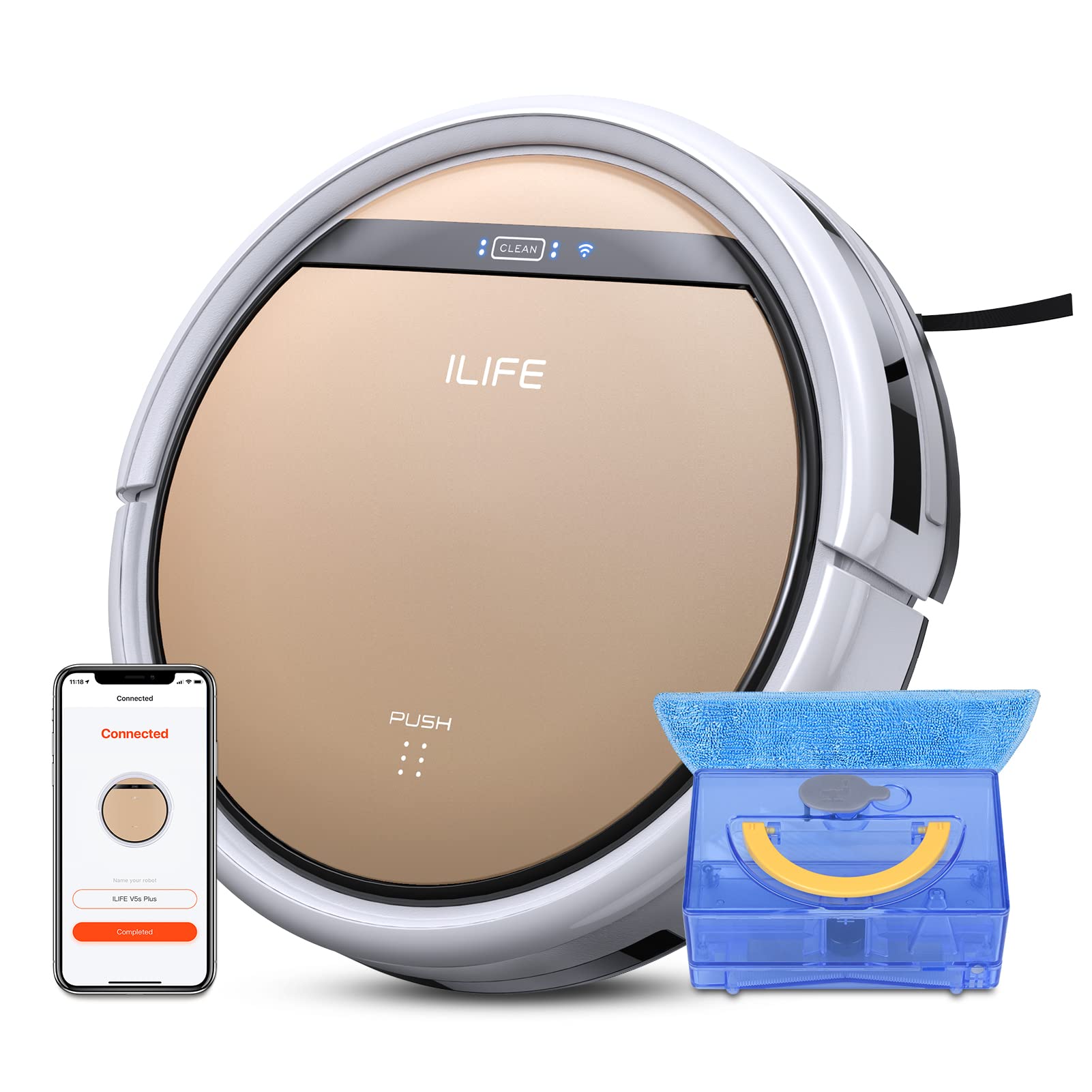
The ILIFE V5s Plus Robot Vacuum and Mop, ready for use.
Sikkerhedsinstruktioner
Before operating the ILIFE V5s Plus, please observe the following safety precautions:
- Læs alle instruktioner omhyggeligt, før du bruger apparatet.
- Keep the robot and its accessories out of reach of children.
- Brug ikke robotten i våde omgivelser eller i nærheden af vand.
- Sørg for, at opladningsdokken er placeret på en plan overflade mod en væg med fri plads omkring den.
- Fjern løse kabler, små genstande eller skrøbelige genstande fra rengøringsstien for at forhindre sammenfiltring eller beskadigelse.
- Brug ikke robotten til at opsamle stort snavs, skarpe genstande eller andre væsker end vand til mopping.
- Brug kun den originale strømadapter og opladningsdock, der fulgte med robotten.
Hvad er der i æsken
Bekræft at alle komponenter er til stede i pakken:
- Hoveddel (batteri inkluderet)
- Oplader dock
- Fjernbetjening (batteri medfølger ikke)
- AC adapter
- Rengøringsværktøj
- Moppe klud
- Vandtank
- Brugermanual
- Højtydende filter
- Ekstra sidebørster
Opsætning
1. Første opladning
Place the charging dock against a wall in an open area. Connect the AC adapter to the charging dock and plug it into a power outlet. Place the robot onto the charging dock, ensuring the charging pins align. The robot will begin charging automatically. Allow for a full charge before first use (approximately 3-5 hours).
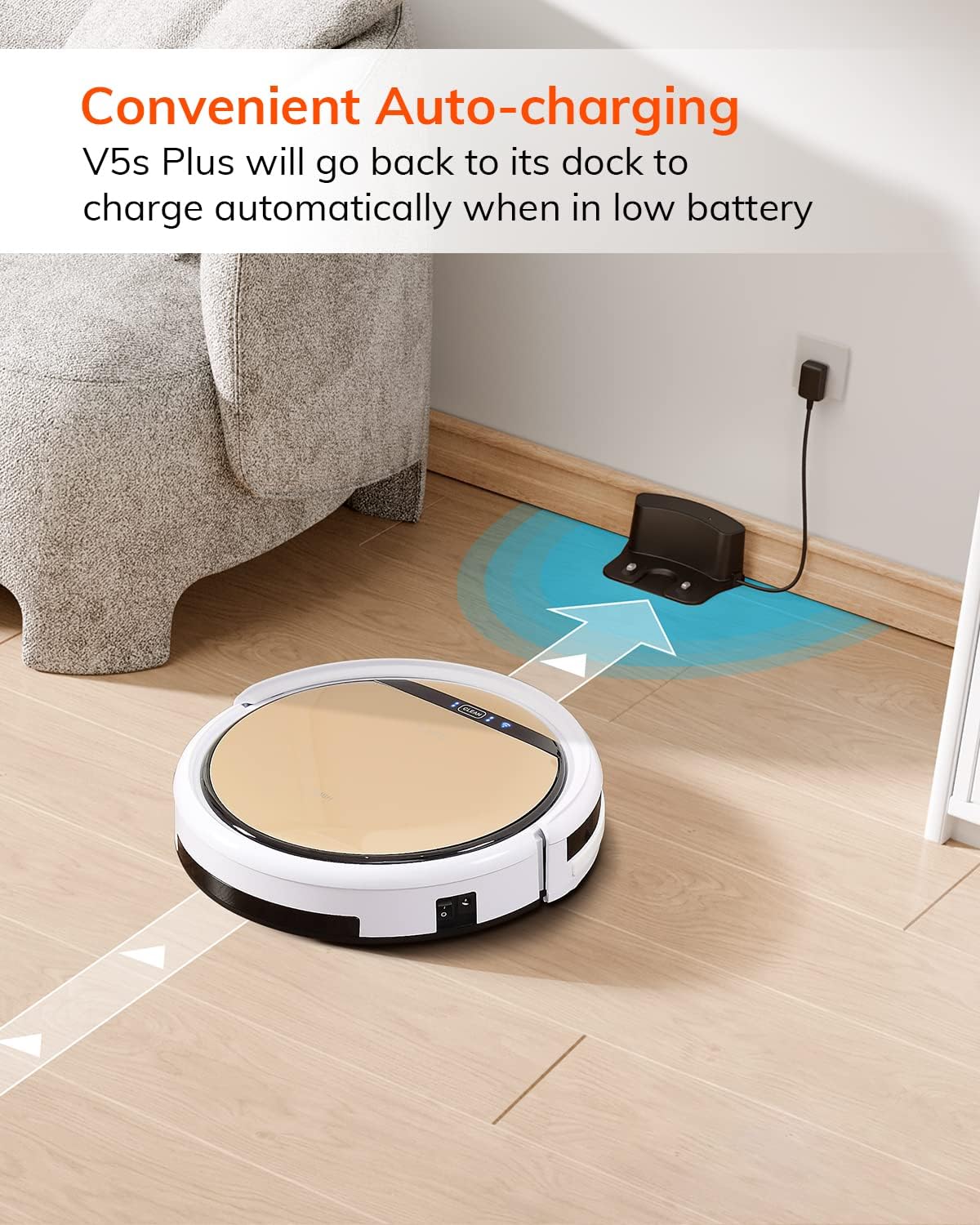
Robotten vender automatisk tilbage til sin opladningsstation, når batteriet er lavt.
2. Download af app og WiFi-forbindelse
Download the 'ILIFEHOME' app from your smartphone's app store. Follow the in-app instructions to connect your robot to your home WiFi network. Ensure your WiFi is 2.4GHz, as the app does not support 5G WiFi.

Control the robot and schedule cleaning via the ILIFEHOME app.
3. Forberedelse af rengøringsområdet
Before each cleaning cycle, clear the floor of any obstacles such as cables, toys, or small rugs that could entangle the robot. For mopping, ensure the water tank is filled and the mop cloth is attached.
Betjeningsvejledning
1. Tænd/sluk
To power on the robot, press the 'CLEAN' button on the robot or use the remote control/app. To power off, press and hold the 'CLEAN' button until the indicator lights turn off, or use the app.
2. Rengøringstilstande
The ILIFE V5s Plus offers multiple cleaning modes:
- Automatisk tilstand: The robot automatically cleans the area, adjusting its path as needed.
- Spot-tilstand: Fokuserer på et specifikt snavset område og rengør i et spiralmønster.
- Kanttilstand: Rengør langs vægge og møbelkanter.
- Max tilstand: Øger sugekraften for dybere rengøring.
- Planlægning af rengøringstilstand: Set a cleaning schedule via the app for automated cleaning.

The robot utilizes various cleaning modes to suit different needs.
3. Støvsugning og mopping
The V5s Plus functions as both a vacuum and a mop. For vacuuming, ensure the dustbin is installed. For mopping, replace the dustbin with the water tank and attach a clean mop cloth. The intelligent control water tank offers three-level water outlet: gentle, standard, and strong, which can be controlled by the App.

The ILIFE V5s Plus offers both vacuuming and mopping capabilities.
4. Stemmekontrol
The ILIFE V5s Plus is compatible with Amazon Alexa and Google Assistant. Connect your robot to your smart home system to start or stop cleaning tasks using voice commands.

Control your robot with voice commands through Alexa or Google Assistant.
5. Automatisk opladning
When the battery is low or a cleaning cycle is complete, the robot will automatically return to its charging dock. Ensure the charging dock is accessible and free from obstructions.

The robot automatically returns to its charging base when power is low.
Opretholdelse
Regular maintenance ensures optimal performance and extends the lifespan of your ILIFE V5s Plus.
1. Tømning og rengøring af skraldespanden
Open the top cover of the robot and remove the dustbin. Empty the dustbin into a trash receptacle. Clean the dustbin and filter with the provided cleaning tool or a soft brush. Rinse the dustbin with water if necessary, ensuring it is completely dry before reinstallation.
2. Filling and Cleaning the Water Tank
Remove the water tank from the robot. Open the water tank cap and fill it with clean water. Securely close the cap and reinsert the water tank into the robot. After mopping, empty any remaining water and rinse the tank. Allow it to air dry.

The water tank for the mopping function.
3. Rengøring af sidebørster
Regularly check the side brushes for tangled hair or debris. Remove any obstructions using the cleaning tool or scissors. Replace worn-out side brushes with new ones.
4. Rengøring af sensorer
Wipe the anti-drop sensors and anti-collision sensors on the robot's underside and front bumper with a clean, dry cloth to ensure proper navigation.
Fejlfinding
If you encounter issues with your ILIFE V5s Plus, refer to the following common problems and solutions:
- Robotten tænder ikke: Ensure the battery is charged. Check if the power switch on the side of the robot is turned on.
- Robotten oplader ikke: Verify the charging dock is powered and the robot is correctly aligned with the charging pins. Clean the charging contacts on both the robot and the dock.
- Robotten sidder ofte fast: Clear the cleaning area of obstacles. Check for tangled hair in the side brushes or wheels.
- Dårlig rengøringsevne: Empty the dustbin and clean the filter. Clean the side brushes. Ensure the water tank is properly filled for mopping.
- Unable to connect to App:
- Make sure to select the correct Wi-Fi and login with the correct Wi-Fi password.
- The ILIFE Robot does not support 5G Wi-Fi. Make sure to use a 2.4G Wi-Fi connection.
- Make sure the Wi-Fi signal is covered and strong.
- Allow the ILIFEHOME APP to have access to your location services and wireless data.
Specifikationer
| Feature | Detalje |
|---|---|
| Mærke | ILIFE |
| Modelnavn | V5s Plus |
| Overfladeanbefaling | Hårdt Gulv |
| Sugekraft | 2 kpa |
| Brugstid | Op til 110 minutter |
| Vandtankkapacitet | 300 ml |
| Støvkasse Kapacitet | 300 ml |
| Støvboksfiltertype | Højeffektivt filter + nylonnet |
| Rengøringstilstande | Auto/Spot/Kant/Maks. |
| Kontroltype | Fjernbetjening/ App-styring/ Alexa/ Google Assistant |
| Produktdimensioner | 30L x 30W x 8.1H centimeter |
| Batteritype | Lithium Ion |
| Voltage | 110 volt |
Garanti
The ILIFE V5s Plus Robot Vacuum and Mop comes with a 1 års producentgarantiGem venligst din købsbevis i tilfælde af garantikrav. Garantien dækker defekter i materialer og udførelse ved normal brug. Den dækker ikke skader forårsaget af misbrug, ulykker, uautoriserede ændringer eller normal slitage.
Støtte
For further assistance, technical support, or warranty inquiries, please contact ILIFE customer service:
- E-mail: service_us_ca@iliferobot.com
Produkt overview Video
Se denne video for en generel oversigtview of the ILIFE V5s Plus features and operation.
Officielt produkt overståetview of the ILIFE V5s Plus Robot Vacuum and Mop.