
Produkt overview
The CHIGEE MFP0191 is a crossbar mount base designed for securely attaching CHIGEE AIO-5 and AIO-6 series smart monitors to motorcycles. It is compatible with 22mm crossbars and offers a straightforward installation process. This mount ensures your smart monitor, including models like AIO-5 LITE, AIO-5 PLAY, AIO-6 LTE, and AIO-6 Max, remains stable and accessible during your rides.
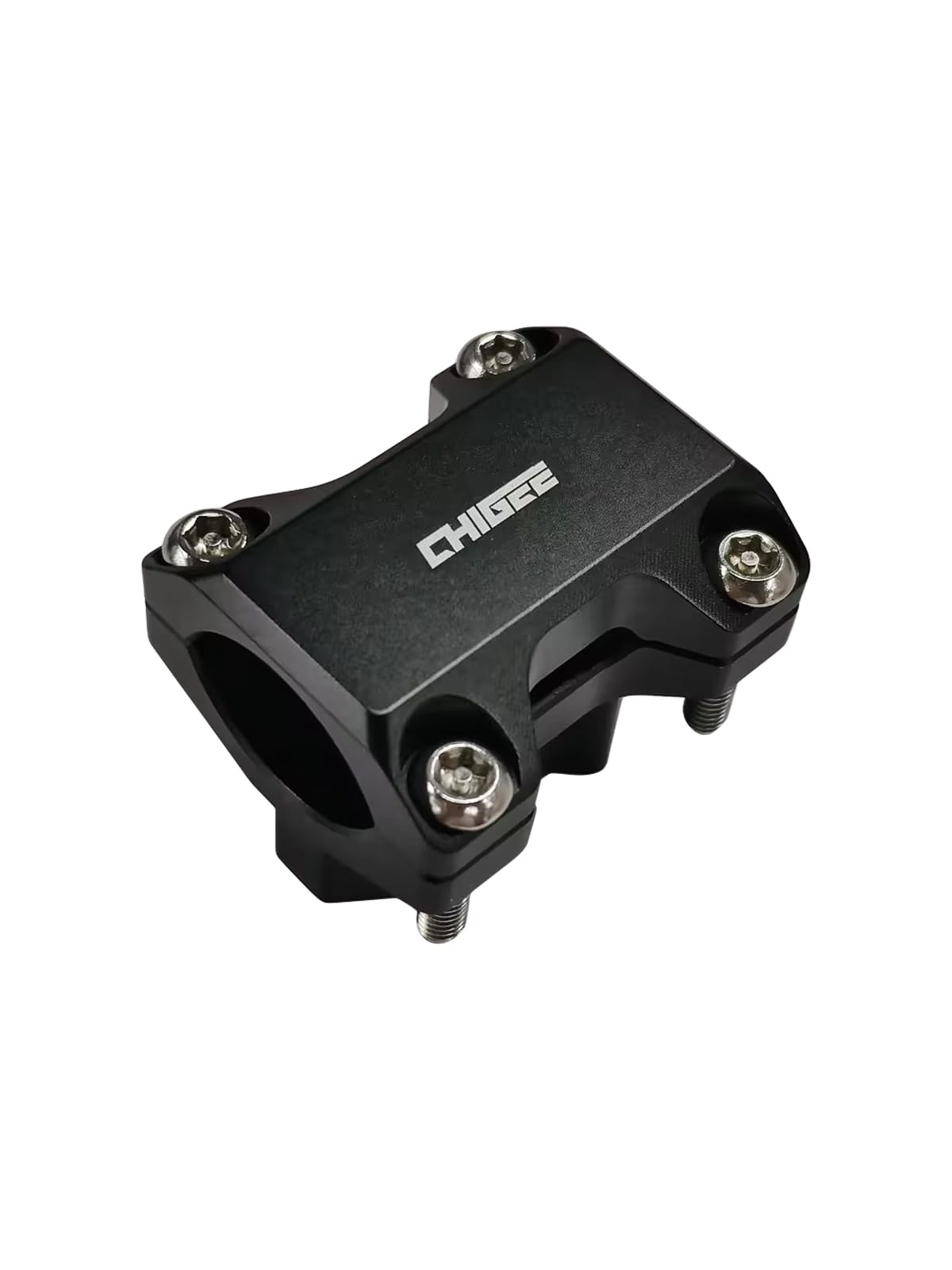
Image: The CHIGEE MFP0191 Crossbar Mount Base, designed for secure attachment of smart monitors.
Pakkens indhold
- CHIGEE MFP0191 Crossbar Mount Base (1 piece)
- (Additional components like screws or tools may be included. Please refer to the actual product packaging.)
Opsætning og installation
This section guides you through the process of installing the CHIGEE MFP0191 Crossbar Mount Base onto your motorcycle's 22mm crossbar and attaching your compatible smart monitor.
- Identify the Crossbar: Locate a suitable 22mm diameter crossbar on your motorcycle's handlebars where you intend to mount the device.
- Placer monteringen: Place the two halves of the crossbar mount base around the 22mm crossbar. Ensure proper alignment.
- Fastgør monteringen: Use the provided screws to firmly fasten the two halves of the mount base together around the crossbar. Tighten the screws evenly until the mount is secure and does not rotate freely. Do not overtighten.
- Attach the Smart Monitor: Align the back of your CHIGEE AIO-5 or AIO-6 series smart monitor with the mounting plate on the crossbar mount base. Slide or click the monitor into place until it is securely locked.
- Bekræft stabilitet: Gently tug on the installed monitor to ensure it is firmly attached to the mount and the mount is stable on the crossbar.

Image: A CHIGEE smart monitor securely mounted on a motorcycle's crossbar using a compatible mount.
Installationsvideo Eks.ample (AIO-6 Smart Monitor)
Video: This video demonstrates the installation process of an AKEEYO AIO-6 smart monitor, which utilizes a similar crossbar mounting mechanism. It shows how to attach the monitor to the mount and secure it on the motorcycle.
Mounting and Usage Example (AIO-5 Play Smart Monitor)
Video: This video illustrates the quick release and attachment of an AKEEYO AIO-5 Play smart monitor to its mount, showcasing the ease of use and secure fit.
Betjeningsvejledning
Once the CHIGEE MFP0191 Crossbar Mount Base is installed, operating it primarily involves attaching and detaching your compatible CHIGEE smart monitor.
- Attaching the Monitor: Gently slide the smart monitor onto the mount until you hear or feel a click, indicating it is locked into place.
- Detaching the Monitor: To remove the monitor, locate the release mechanism (if present on your specific monitor model) and activate it while sliding the monitor off the mount. Refer to your smart monitor's manual for specific detachment instructions.
AIO-6 Smart Monitor Overview og brug
Video: Denne video giver et overblikview of the AKEEYO AIO-6 smart monitor, demonstrating its features and how it functions when mounted, including navigation and interface interaction.
Opretholdelse
Regular maintenance ensures the longevity and reliable performance of your crossbar mount base.
- Rensning: Tør holderen af med en blød kludamp klud til at fjerne støv og snavs. Undgå slibende rengøringsmidler eller opløsningsmidler, der kan beskadige overfladen.
- Inspektion: Periodically check all screws and mounting points for tightness. Vibrations from riding can sometimes loosen fasteners. Retighten as necessary.
- Skadetjek: Inspect the mount for any signs of wear, cracks, or damage. If any damage is observed, replace the mount immediately to prevent potential failure.
Fejlfinding
If you encounter issues with your CHIGEE MFP0191 Crossbar Mount Base, refer to the following common problems and solutions:
| Problem | Mulig årsag | Løsning |
|---|---|---|
| Mount is loose or rotates on the crossbar. | Skruerne er ikke spændt tilstrækkeligt. | Ensure the mount is correctly positioned on a 22mm crossbar and tighten all screws firmly and evenly. |
| Smart monitor does not attach securely. | Incorrect alignment or debris in the mounting mechanism. | Check for any obstructions in the mounting slot. Ensure the monitor is aligned correctly before attempting to slide it into place. Verify compatibility with your specific CHIGEE smart monitor model. |
| Mount appears damaged. | Fysisk påvirkning eller materialetræthed. | Discontinue use immediately. Replace the mount with a new one to ensure safety and secure attachment of your device. |
Specifikationer
| Feature | Detalje |
|---|---|
| Mærke | CHIGEE |
| Modelnummer | MFP0191 |
| Materiale | Aluminium |
| Produktmål (L x B x H) | 40 x 34 x 41 mm |
| Monteringstype | Crossbar Mount (22mm compatible) |
| Kompatible enheder | CHIGEE AIO-5 Series (AIO-5 Play, AIO-5 Lite), CHIGEE AIO-6 Series (AIO-6 LTE, AIO-6 Max) |
| Inkluderede komponenter | Crossbar mounting base (1 piece) |
Garantioplysninger
Specific warranty details for the CHIGEE MFP0191 Crossbar Mount Base are not available in this document. Please refer to the product packaging, the manufacturer's official webwebstedet eller dit købssted for at få omfattende garantioplysninger.
Kundesupport
For further assistance, technical support, or inquiries regarding the CHIGEE MFP0191 Crossbar Mount Base, please contact CHIGEE customer service through their official website or the contact information provided with your product. Ensure you have your product model number (MFP0191) ready when contacting support.