
1. Introduktion
Thank you for choosing the Genérico PD8-02AE Intelligent Dehumidifier. This appliance is designed to efficiently remove excess moisture from your indoor environment, creating a healthier and more comfortable living or working space. Please read this manual thoroughly before operating the dehumidifier to ensure safe and optimal performance. Keep this manual for future reference.
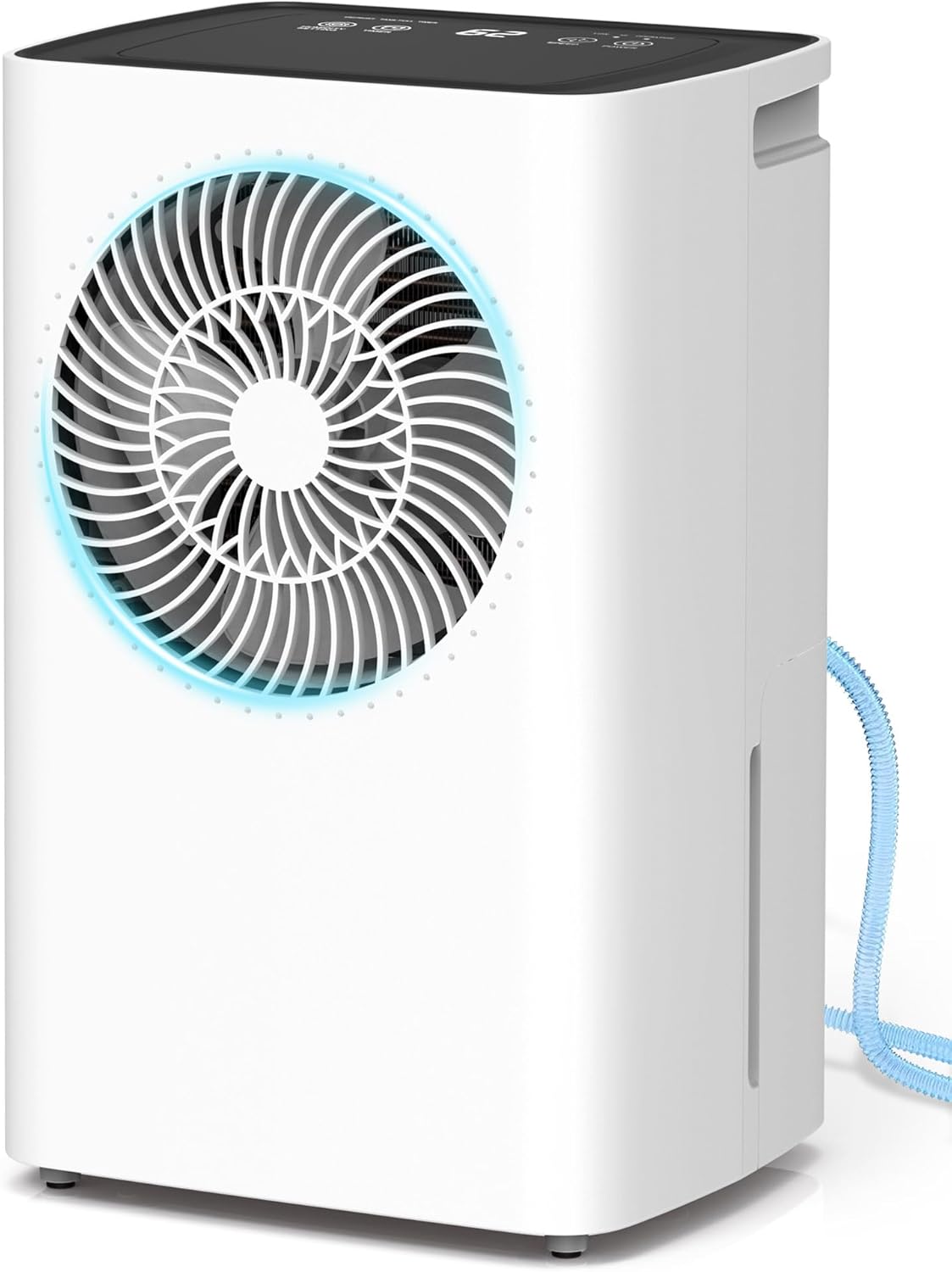
Billede 1.1: Forside view of the Genérico PD8-02AE Intelligent Dehumidifier, showcasing its compact design and front air outlet.
2. Sikkerhedsinstruktioner
For at forhindre skade på brugeren eller andre samt materielle skader skal følgende instruktioner følges. Forkert betjening på grund af ignorering af instruktioner kan forårsage personskade eller beskadigelse.
- Brug altid enheden på en stabil, plan overflade.
- Bloker ikke luftindtaget eller -udtaget. Hold mindst 20 cm afstand til vægge eller andre genstande.
- Stik ikke fingre eller fremmedlegemer ind i luftindtaget/-udtaget.
- Sørg for, at strømforsyningen matcher voltagsom angivet på typeskiltet (220V).
- Do not use the unit in wet environments such as bathrooms without proper ventilation.
- Tag stikket ud af enheden, før du rengør eller udfører vedligeholdelse.
- Hold enheden væk fra varmekilder og direkte sollys.
- Lad ikke børn lege med affugteren.
- Hvis netledningen er beskadiget, skal den udskiftes af producenten, dennes serviceagent eller lignende kvalificerede personer for at undgå en fare.
3. Produktkomponenter
Gør dig bekendt med hoveddelene i din affugter:
- Kontrolpanel (øverst)
- Luftudtag (foran)
- Luftindtag (bag)
- Water Tank (Bottom Front)
- Continuous Drainage Outlet (Rear)
- Ergonomic Handles (Sides)
- Washable Air Filter (Behind Air Inlet)

Billede 3.1: Detaljeret view of key components including the ventilation valve, continuous drainage hose connection, and ergonomic handle.
4. Opsætning
- Udpakning: Tag forsigtigt affugteren ud af emballagen. Gem emballagen til senere opbevaring eller transport.
- Placering: Place the unit upright on a firm, level surface in the desired room. Ensure there is at least 20 cm (8 inches) of space around the unit for proper airflow. Avoid placing it near heat sources or in direct sunlight.
- Strømtilslutning: Sæt netledningen i en jordet 220V stikkontakt.
- Dræningsmulighed: Decide between manual or continuous drainage.
- Manuel dræning: Ensure the water tank is correctly inserted. The unit will collect water in the 2L tank and automatically shut off when full.
- Kontinuerlig dræning: Connect the provided drainage hose to the continuous drainage outlet at the rear of the unit. Route the hose to a suitable drain, ensuring it is sloped downwards to allow water to flow freely.

Image 4.1: Illustration of the two drainage methods: manual drainage using the 2L water tank and continuous drainage via the included 2-meter hose.
5. Betjeningsvejledning
The Genérico PD8-02AE features an intelligent control panel for easy operation.

Image 5.1: Close-up of the intelligent control panel, showing buttons for Humidity Setting, Timer, Speed (fan), and Power, along with indicators for Defrost, Tank Full, and Operation.
5.1 Tænd/sluk
Tryk på MAGT button to turn the dehumidifier on or off. The unit will start operating in its last used mode.
5.2 Intelligent Humidity Control
The dehumidifier monitors ambient humidity and operates automatically to maintain your desired level. When the set humidity is reached, the unit pauses to save energy and restarts if humidity levels rise again.
- Tryk på INDSTILLING AF FUGTIGHED button to adjust the target humidity level. The range is typically between 30% and 80% Relative Humidity (RH) in 10% increments.
- The display will show the current humidity level and the set target.
5.3 driftstilstande
The unit offers two intelligent operating modes:
- Comfort Mode (RU): In this mode, the dehumidifier automatically adjusts the humidity level based on the ambient temperature to provide optimal comfort and efficiency.
- Continuous Mode (CO): Allows manual adjustment of the humidity level between 30% and 80% RH, in 10% intervals. This mode is ideal for specific situations or environments with persistently high humidity where precise control is desired.
5.4 24-timers timer
The adjustable timer allows you to program the dehumidifier to turn on or off automatically within a 1 to 24-hour period.
- Tryk på TIMER button to set the desired operating duration.
- Each press increases the time by one hour.
- This function helps save energy by ensuring the unit operates only when needed.
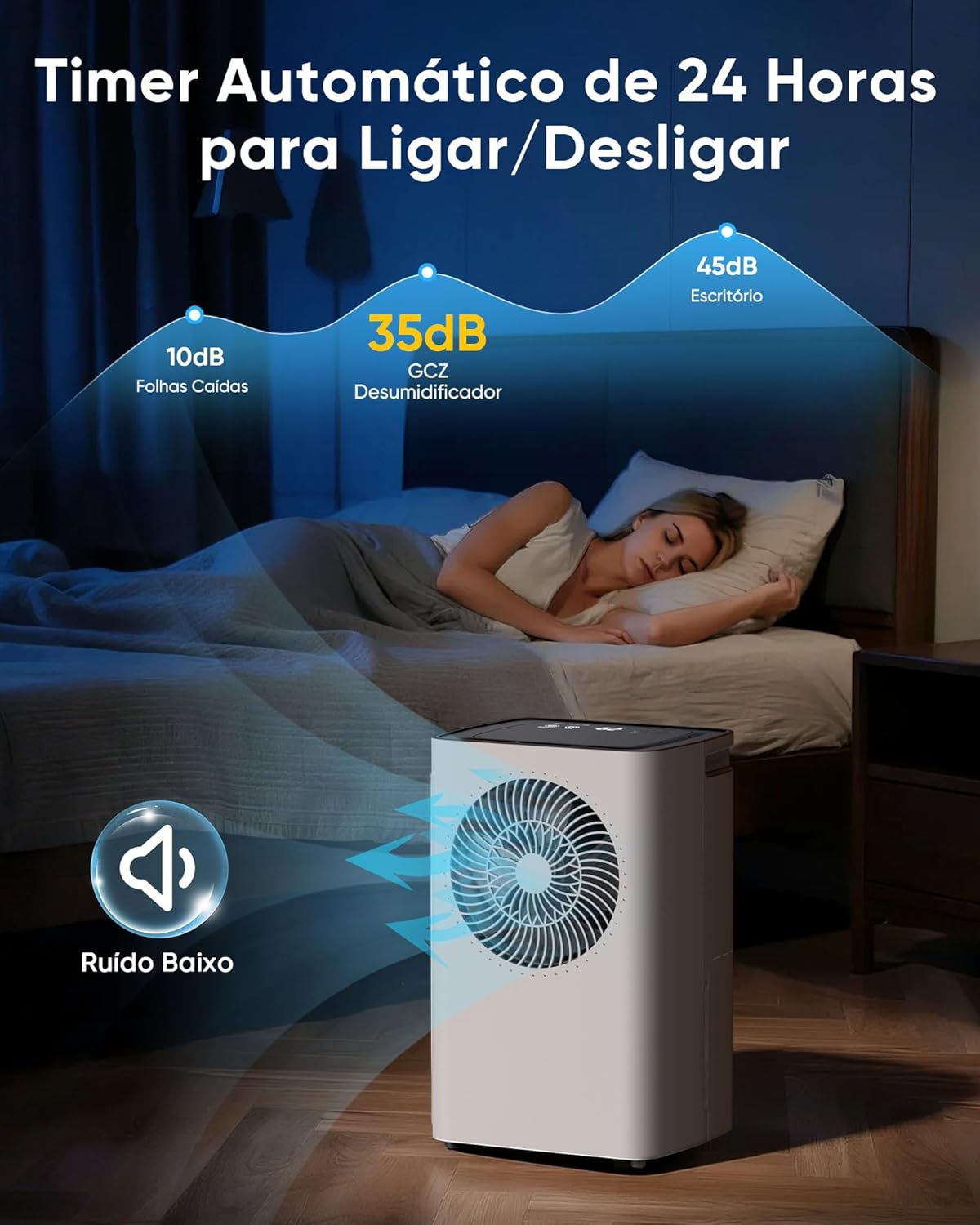
Image 5.2: The dehumidifier operating quietly at 35dB, suitable for bedrooms, highlighting the 24-hour automatic timer for convenience.
5.5 Automatisk afrimning
The unit features an intelligent automatic defrost function to prevent ice buildup on the coils, ensuring efficient operation in cooler environments.
- When the defrost indicator light illuminates, the dehumidification function temporarily pauses.
- The fan continues to operate to circulate air and melt any ice.
- Between 5°C and 12°C: The unit operates for 30 minutes, then defrosts for 10 minutes.
- Between 12°C and 16°C: The unit operates for 45 minutes, then defrosts for 10 minutes.
- Once defrosting is complete, normal dehumidification resumes automatically.
5.6 Water Tank Full Indicator & Auto Shut-off
The dehumidifier is equipped with an intelligent level sensor. When the 2L water tank is full, the unit will automatically shut off to prevent overflow, and the 'Tank Full' indicator light will illuminate.

Image 5.3: Visual guide demonstrating the automatic shut-off when the tank is full, the process of removing the tank, emptying the collected water, and reinserting the tank.
6. Vedligeholdelse
Regelmæssig vedligeholdelse sikrer din affugters levetid og effektivitet.
6.1 Rengøring af luftfilteret
The removable and washable air filter traps dust and particles, improving air quality and unit performance. Clean it regularly, especially if the unit is used frequently.
- Sluk: Tag stikket til affugteren ud af stikkontakten.
- Fjern filter: Locate the air filter at the rear of the unit and carefully pull it out.
- Rens filter: Rinse the filter under running water (not hot) or use a vacuum cleaner to remove dust. For stubborn dirt, use a mild detergent and soft brush.
- Tørt filter: Allow the filter to air dry completely before reinserting. Do not expose to direct sunlight or use a dryer.
- Geninstaller filter: Skub det tørre filter tilbage i dets åbning.
6.2 Rengøring af vandtanken
Rengør vandtanken med jævne mellemrum for at forhindre vækst af skimmelsvamp og bakterier.
- Sluk: Træk stikket ud af affugteren.
- Fjern tanken: Træk forsigtigt vandbeholderen ud.
- Rengør tanken: Vask tanken med varmt vand og et mildt rengøringsmiddel. Skyl grundigt.
- Tørtank: Sørg for, at tanken er helt tør, før du sætter den tilbage i enheden.
7. Fejlfinding
Hvis du støder på problemer med din affugter, kan du se følgende tabel for almindelige problemer og løsninger.
| Problem | Mulig årsag | Løsning |
|---|---|---|
| Affugteren tænder ikke. | No power supply. Power cord not plugged in. | Ensure the unit is plugged into a working 220V outlet. Check circuit breaker. |
| Enheden kører, men opsamler ikke vand. | Ambient humidity is too low. Temperature is too low. Air filter is clogged. | Check the set humidity level. Ensure room temperature is above 5°C. Clean the air filter. |
| Unit stops operating and 'Tank Full' light is on. | Water tank is full. Water tank is not properly inserted. | Empty the water tank. Reinsert the water tank correctly. |
| Enheden er støjende. | Unit is not on a level surface. Air filter is clogged. | Place the unit on a flat, stable surface. Clean the air filter. |
| Defrost indicator is on frequently. | Rumtemperaturen er lav. | This is normal operation in cooler environments (below 16°C). The unit will automatically defrost. |
8. Specifikationer
| Mærkenavn | Genérico |
| Model | PD8-02AE |
| Farve | Hvid |
| Særlige funktioner | Adjustable Humidity Control, Automatic Defrost, 24H Timer |
| Voltage | 220 volt |
| Energimærke (ENCE) | A+ |
| Wattage | 120 watt |
| Strømkildetype | Elektrisk strøm |
| Produktmål (L x B x H) | 23.5 x 28.6 x 44.6 cm |
| Produktets vægt | 5.3 kg |
| Dækning af gulvareal | Op til 120 m² |
| Affugtningskapacitet | 6 liter/dag (ved 30°C, 80% RF) |
| Vandtankkapacitet | 2 liter |
9. Garanti og support
Your Genérico PD8-02AE Intelligent Dehumidifier comes with a 1 års garanti against manufacturing defects from the date of purchase. This warranty ensures your peace of mind and covers any issues related to product manufacturing.
For any questions, technical assistance, or warranty claims, please contact our customer support team. Our dedicated team is available to provide guidance and prompt solutions to ensure your continued satisfaction with our product.
Gem venligst din købsbevis for at validere garantien.