
Indledning
This manual provides detailed instructions for the setup, operation, and maintenance of your HyperGear FIT X2 Smartwatch + Fitness Tracker. Please read this manual thoroughly before using the device to ensure proper function and to maximize your user experience.
Hvad er der i æsken
- HyperGear FIT X2 Smartwatch
- Magnetisk opladningskabel
- Brugervejledning (dette dokument)
Opsætning
1. Opladning af enheden
Before initial use, fully charge your HyperGear FIT X2 Smartwatch. Connect the magnetic charging cable to the charging contacts on the back of the watch and plug the USB end into a power source (e.g., computer USB port or a 5V/1A USB wall adapter). The watch display will indicate charging status.

Image: The HyperGear FIT X2 Smartwatch connected to its magnetic charging cable, showing a 'Fully Charged' notification on its screen.
A full charge typically takes approximately 2.5 hours. The watch offers up to 5+ days of typical use and up to 15 days of basic use on a single charge.
2. Tænd/sluk
- Tænd: Press and hold the side button until the HyperGear logo appears on the screen.
- Sluk: From the watch face, swipe down to access the quick settings, then tap the power icon. Confirm power off. Alternatively, navigate to Settings > System > Power Off.
3. Appinstallation og parring
The HyperGear FIT X2 requires the 'Da Fit' companion app for full functionality and data synchronization. The app is compatible with iOS 9.0+ and Android 5.0+ devices.
- Download appen: Søg efter 'Da Fit' in the Apple App Store (for iOS) or Google Play Store (for Android) and install it on your smartphone.
- Aktiver Bluetooth: Sørg for, at Bluetooth er aktiveret på din smartphone.
- Åbn Da Fit-appen: Launch the 'Da Fit' app and follow the on-screen instructions to create an account or log in.
- Tilføj enhed: In the app, navigate to the 'Device' section and tap 'Add Device'. The app will search for nearby devices. Select 'FIT X2' from the list to pair.
- Bekræft parring: Der vises muligvis en parringsanmodning på dit ur og din telefon. Bekræft på begge enheder for at fuldføre forbindelsen.

Image: A smartphone screen showing the 'Da Fit' app download options and the HyperGear FIT X2 Smartwatch, illustrating the companion app integration.
Betjeningsvejledning
1. Navigering i grænsefladen
The FIT X2 features a 2-inch ultra-large touchscreen LCD display and a side button for navigation.
- Stryg op: Adgang til notifikationer.
- Stryg ned: Access quick settings (e.g., brightness, DND, battery saver).
- Stryg til venstre/højre: Cycle through widgets (e.g., activity, heart rate, weather, music control).
- Tryk på sideknappen: Return to the watch face from any screen, or open the app menu from the watch face.
- Tryk på: Vælg et element, eller åbn et program.
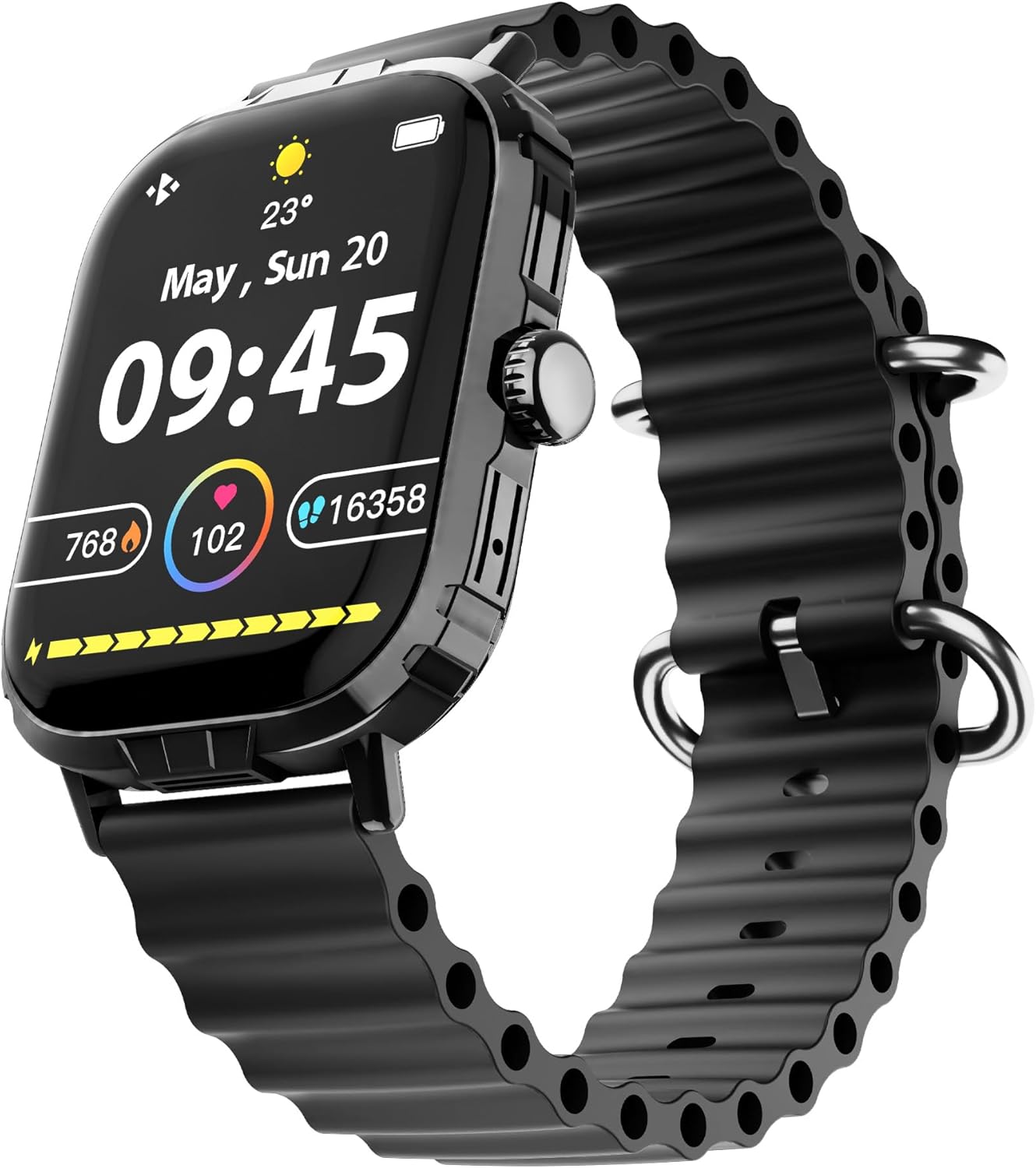
Image: The HyperGear FIT X2 Smartwatch showing its main watch face with current time, date, and various health metrics.
2. Funktioner til sundhedsovervågning
The FIT X2 provides 24-hour health monitoring capabilities.
- Puls: Access the Heart Rate app on the watch or swipe to the Heart Rate widget. The watch will automatically measure your heart rate. For continuous monitoring, enable it in the Da Fit app settings.
- Blodilt (SpO2): Open the SpO2 app on the watch. Keep your arm still during measurement.
- Blodtryk: Open the Blood Pressure app on the watch. Follow on-screen instructions for accurate readings.
- Stressniveauer: The watch can estimate stress levels. Access this feature via the dedicated app.
All health metrics can be viewed in detail and tracked over time within the Da Fit companion app.

Image: A visual representation of the HyperGear FIT X2's 24-hour health monitoring features, including heart rate, blood pressure, blood oxygen, and stress levels.
3. Fitnesstracking
The FIT X2 supports over 100 exercise and sport modes.
- Aktivitetssporing: The watch automatically records daily step count, calories burned, and total minutes of moderate or high physical activity. View these metrics on the watch or in the Da Fit app.
- Træningstilstande: From the app menu, select 'Exercise' to choose from various sport modes. The watch will track relevant data for your chosen activity.
- GPS Route Mapping: When connected to your smartphone, the Da Fit app can utilize your phone's GPS to map your outdoor exercise routes.

Image: The HyperGear FIT X2 Smartwatch displaying fitness tracking data, including step count, calories burned, and minutes exercised, with an individual engaged in physical activity.
4. Søvnregistrering
Wear your FIT X2 to bed to monitor your sleep patterns.
- Sleep Time & Quality: The watch tracks your total sleep duration and analyzes sleep stages (Vågen, REM, Lys, Hvilende).
- Guidede åndedrætssessioner: Access guided breathing exercises on the watch to help improve relaxation before sleep.
Detailed sleep analysis and scores are available in the Da Fit app.

Image: The HyperGear FIT X2 Smartwatch showing sleep tracking features, including sleep duration, quality, and guided breathing, with a person sleeping in the background.
5. Kommunikationsfunktioner
Stay connected with your smartphone via Bluetooth.
- On-Wrist Calls: With the built-in microphone and speaker, you can make and receive phone calls directly from your watch when connected to your phone.
- Smarte meddelelser: Receive notifications for texts, social media apps, emails, and more directly on your watch. Manage notification settings in the Da Fit app.
- Musik kontrol: Styr musikafspilning på din smartphone (afspil, sæt på pause, spring numre over) fra dit ur.

Image: The HyperGear FIT X2 Smartwatch highlighting its connectivity features, including Bluetooth pairing, on-wrist call functionality, smart notifications, and music control.
6. Andre anvendelser
The FIT X2 includes over 15 easy-to-use applications:
- Stopur
- Timer
- Alarm
- Vejr
- Kalkulator
- Fjernbetjent kameraudløser
- AI stemmeassistent
- Find telefon
- Lommelygte
- And more, accessible via the app menu.
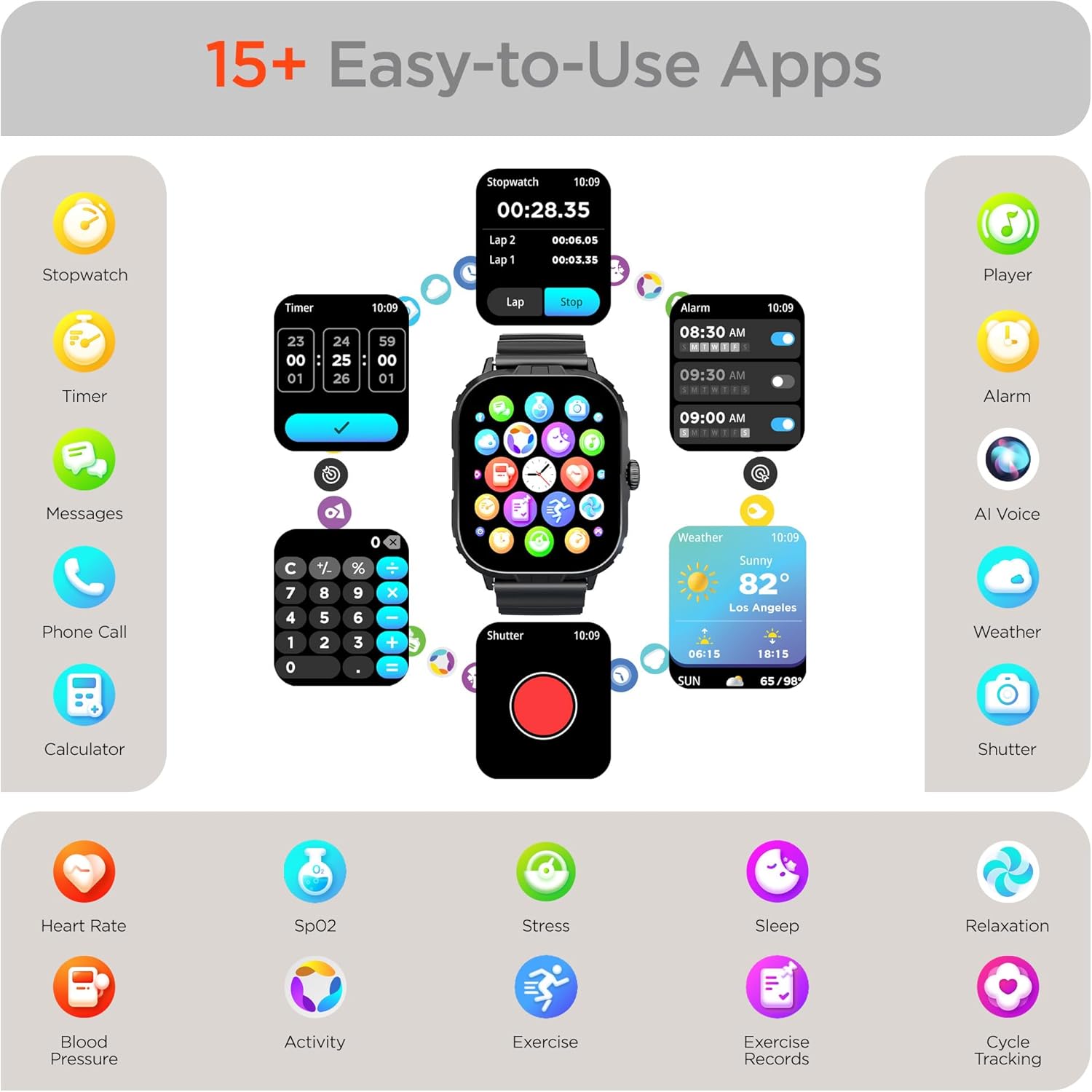
Image: The HyperGear FIT X2 Smartwatch showcasing its array of built-in applications, such as stopwatch, timer, alarm, weather, calculator, and various health monitoring tools.
Opretholdelse
1. Rensning
Regularly clean your smartwatch and strap to prevent skin irritation and maintain device performance.
- Wipe the screen and watch body with a soft, lint-free cloth. If necessary, slightly dampen klud med vand.
- For the silicone strap, wash with mild soap and water, then rinse thoroughly and dry completely before reattaching to your wrist.
- Undgå at bruge skrappe kemikalier, slibende rengøringsmidler eller opløsningsmidler, da disse kan beskadige enheden.
2. Vandafvisende
The HyperGear FIT X2 is IP65 rated, meaning it is dustproof and water-resistant. It is certified sweatproof, splashproof, and rainproof. It is not recommended for swimming, showering, or submersion in water.
3. Udskiftning af rem
The FIT X2 uses universally compatible 22mm-wide watch straps with quick-release spring bars. To replace the strap:
- Locate the quick-release lever on the underside of the strap where it connects to the watch body.
- Pull the lever inward to release the spring bar and gently detach the strap.
- Align the new 22mm strap with the watch lugs, insert one end of the spring bar, then pull the quick-release lever to slide the other end into place. Release the lever to secure.
Fejlfinding
- Uret tænder ikke: Sørg for, at uret er fuldt opladet. Tilslut det til det magnetiske opladningskabel og en strømkilde i mindst 10 minutter.
- Kan ikke parres med smartphone:
- Sørg for, at Bluetooth er aktiveret på din smartphone og uret.
- Make sure the watch is within Bluetooth range of your phone (typically 10 meters).
- Genstart både dit ur og din smartphone.
- Check if the 'Da Fit' app has necessary permissions enabled on your phone.
- If previously paired, try unpairing from your phone's Bluetooth settings and the Da Fit app, then re-pair.
- Unøjagtige sundhedsaflæsninger:
- Sørg for, at uret sidder tæt på dit håndled, cirka en fingers bredde over din håndledsknogl.
- Hold din arm stille under målingerne.
- Rengør sensoren på bagsiden af uret.
- Notifikationer vises ikke:
- Verify the watch is connected to your phone via Bluetooth.
- Check notification settings within the 'Da Fit' app to ensure desired apps are enabled.
- Ensure your phone's notification settings allow the 'Da Fit' app to display notifications.
- Kort batterilevetid:
- Reducer skærmens lysstyrke.
- Deaktiver kontinuerlig pulsmåling, hvis det ikke er nødvendigt.
- Limit frequent use of power-intensive features like calls or GPS tracking.
- Sørg for, at uret er fuldt opladet hver gang.
Specifikationer
| Feature | Specifikation |
|---|---|
| Model | FIT X2 |
| Skærmstørrelse | 2 Inches IPS LCD |
| Forbindelse | Bluetooth 5.2 |
| Batterikapacitet | 250 mioamp Timer |
| Typisk batterilevetid | 5+ dage |
| Basic Battery Life | Op til 15 dage |
| Genopladningstid | 2.5 Hours (Rapid Recharge) |
| Vandmodstand | IP65 (Dustproof, Sweatproof, Splashproof, Rainproof) |
| Operativsystemkompatibilitet | Android 5.0+ / iOS 9.0+ |
| Etui materiale | Zinc Alloy (11mm thick) |
| Strap Compatibility | 22mm Quick-Release |
| Varens vægt | 4.8 ounce |
Garantioplysninger
HyperGear products are designed and manufactured to the highest quality standards. For specific warranty details, including coverage period and terms, please refer to the warranty card included with your product or visit the official HyperGear webwebsted. Gem din købsbevis til garantikrav.
Støtte
If you encounter any issues or have questions not covered in this manual, please contact HyperGear customer support:
- Online support: Visit the official HyperGear webwebsted med ofte stillede spørgsmål, fejlfindingsvejledninger og kontaktformularer.
- E-mail support: Refer to your product packaging or the HyperGear webwebsted for kundeservice-e-mailadressen.