Indledning
This manual provides detailed instructions for the operation and maintenance of your Generic GT826 Gaming Headset. Please read this manual thoroughly before using the product to ensure proper functionality and to maximize your gaming experience.
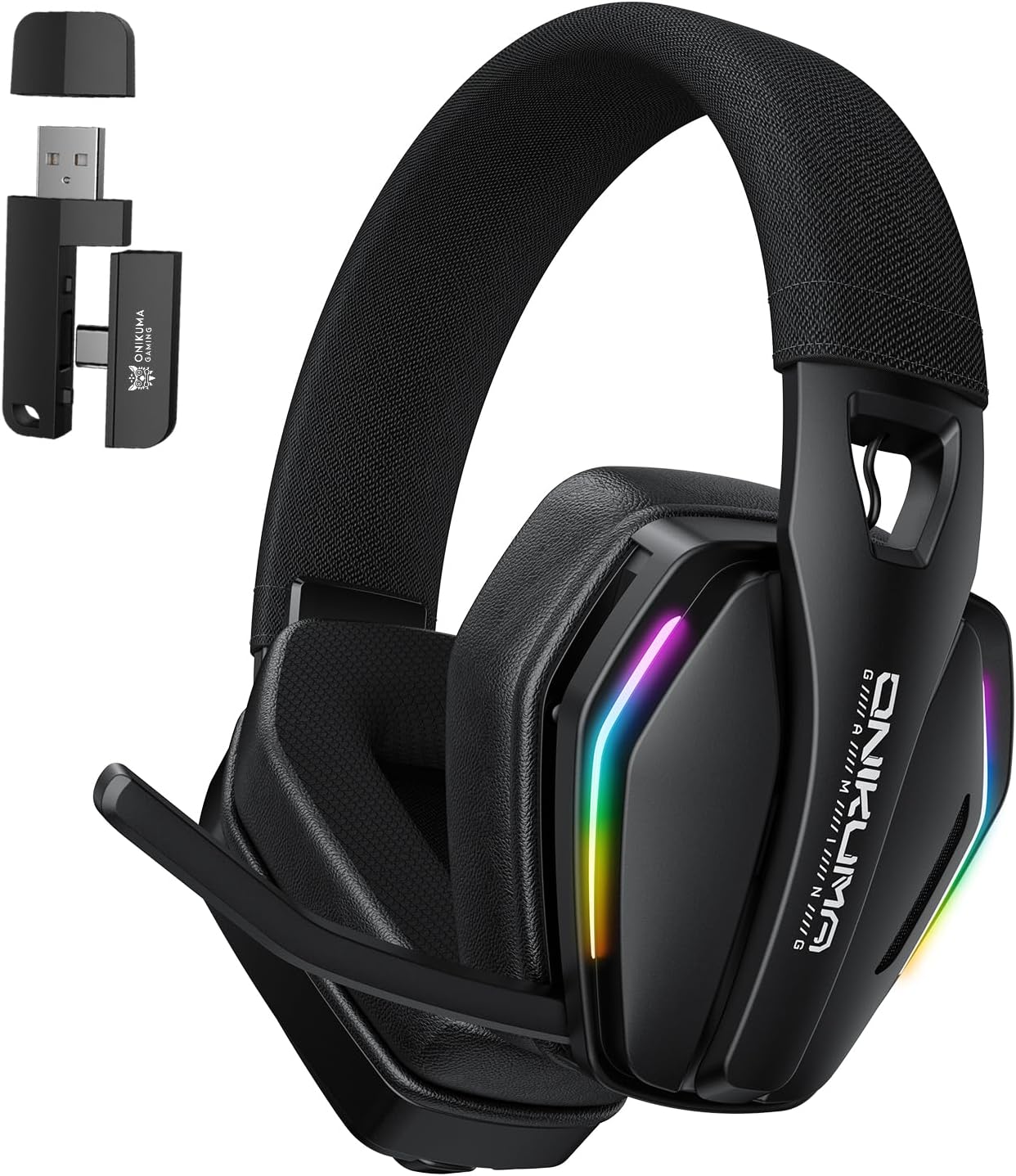
Image: The GT826 Gaming Headset, showcasing its design with RGB lighting on the earcups and the adjustable microphone.
Pakkens indhold
Ved udpakning skal du kontrollere, at alle følgende varer er inkluderet:
- GT826 Gaming Headset
- USB Type-C opladerkabel
- 2.4 GHz trådløs USB-dongle
- Brugermanual

Image: The GT826 headset laid out with its accessories: a USB-C charging cable, a 2.4GHz wireless dongle, and the instruction manual.
Opsætning
1. Opladning af headsettet
Oplad headsettet helt inden første brug.
- Connect the supplied USB Type-C charging cable to the charging port on the headset.
- Tilslut den anden ende af kablet til en USB-strømkilde (f.eks. en computers USB-port eller en USB-vægadapter).
- LED-indikatoren på headsettet viser opladningsstatus (f.eks. rød for opladning, slukket eller blå for fuldt opladet).
- En fuld opladning tager typisk cirka 2 timer.
2. Tilslutning af headsettet
The GT826 headset supports three connectivity modes: 2.4GHz Wireless, Bluetooth 5.4, and Wired (via USB Type-C).
2.1. 2.4 GHz trådløs forbindelse (anbefales til spil)
- Insert the 2.4GHz USB dongle into an available USB port on your PC, PlayStation, or other compatible device.
- Power on the headset by pressing and holding the Power button.
- The headset will automatically attempt to connect to the dongle. A successful connection is indicated by a stable LED light (refer to LED indicator section for details).
- On your device, select "GT826" as the audio output and input device.

Image: The GT826 headset demonstrating its 2.4GHz wireless connectivity with the USB dongle plugged into a device, alongside a smartphone showing Bluetooth connectivity.
2.2. Bluetooth 5.4-forbindelse
- Sørg for, at headsettet er tændt.
- Press and hold the Mode button (or a dedicated Bluetooth button if available) until the LED indicator flashes, indicating pairing mode.
- On your mobile device, tablet, or computer, enable Bluetooth and search for available devices.
- Select "GT826" from the list of found devices to pair.
- Once paired, the LED indicator will become stable.
2.3. Kablet forbindelse (USB Type-C)
- Connect the USB Type-C cable directly from the headset to your device's USB-C port.
- Headsettet fungerer som en kablet lydenhed. Der forbruges ikke batteristrøm i denne tilstand.
Betjeningsvejledning
Tænd/sluk
- Tænd: Tryk på tænd/sluk-knappen og hold den nede i cirka 3 sekunder, indtil LED-indikatoren lyser.
- Sluk: Tryk på tænd/sluk-knappen og hold den nede i cirka 3 sekunder, indtil LED-indikatoren slukker.
Lydstyrkekontrol
Use the volume roller or buttons located on the earcup to adjust the audio output level.
Mikrofonbrug
The GT826 features a 120-degree adjustable microphone for clear communication.
- Justering af mikrofonen: Gently pivot the microphone boom to position it optimally near your mouth. The microphone can rotate up to 120 degrees.
- Slå lyden fra/til: Use the dedicated microphone mute button on the earcup to toggle the microphone on or off. An LED indicator on the microphone or headset may show its status.
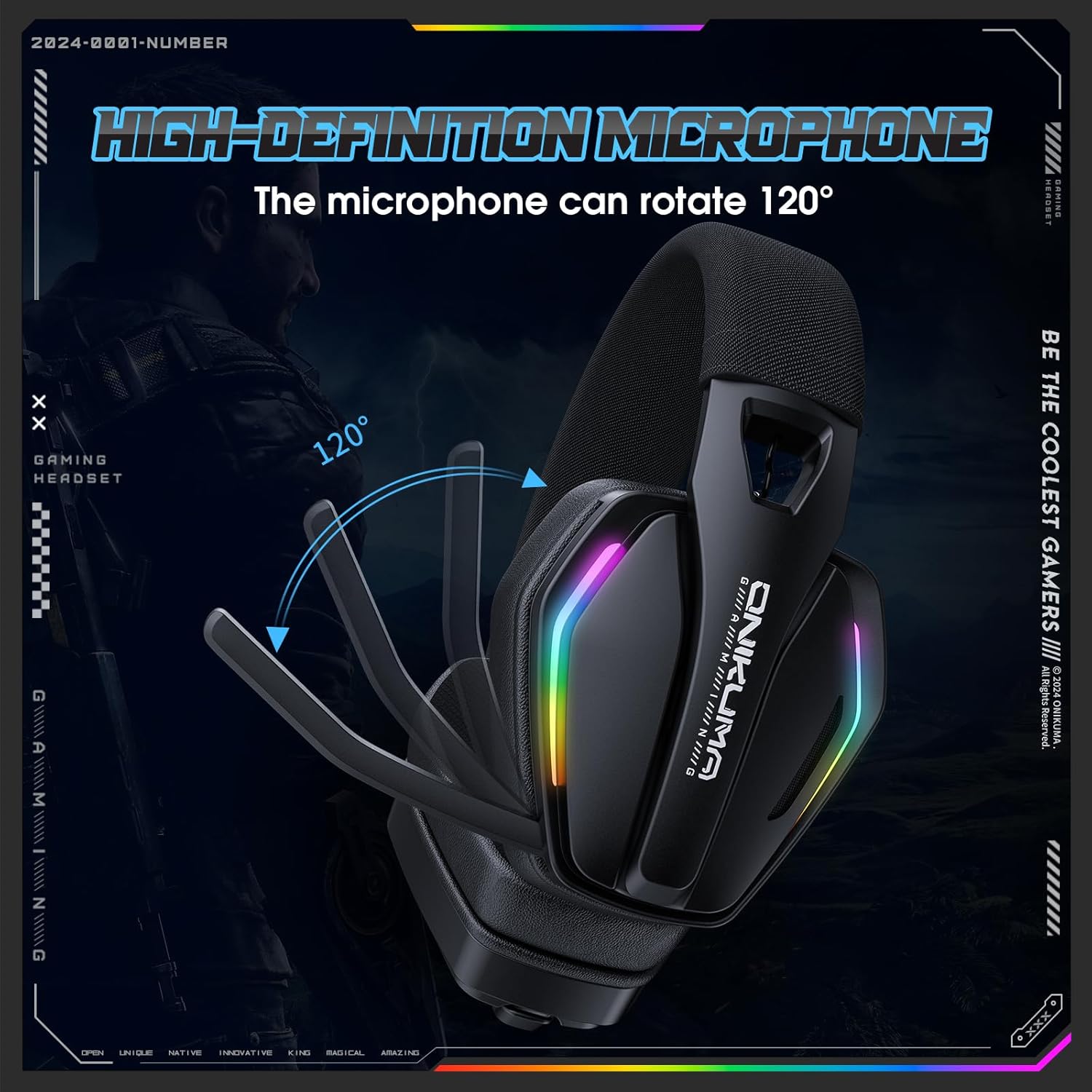
Image: The GT826 headset with its microphone boom rotated to demonstrate the 120-degree adjustment capability.
RGB lysstyring
The headset features vibrant RGB lighting effects on the earcups.
- Toggle RGB: Press the RGB lighting button (if available) or a combination of buttons to cycle through lighting modes or turn the lighting on/off.
- Note that using RGB lighting will reduce battery life.

Image: The GT826 headset illuminated with its dynamic RGB lighting effects, positioned on a desk.
Switching Connectivity Modes
To switch between 2.4GHz Wireless and Bluetooth modes, press the Mode button on the headset. The LED indicator will change to reflect the active mode.
Opretholdelse
Rensning
- Use a soft, dry cloth to clean the headset's surfaces.
- For earcups, a slightly damp cloth with mild soap can be used, but ensure no moisture enters the speaker grilles.
- Undgå at bruge skrappe kemikalier, opløsningsmidler eller slibende materialer.
Opbevaring
- Opbevar headsettet et køligt, tørt sted væk fra direkte sollys og ekstreme temperaturer.
- When not in use, it is recommended to store the headset in its original packaging or a protective case to prevent damage.
Batteripleje
- For at forlænge batteriets levetid bør du undgå at aflade headsettet helt ofte.
- Oplad headsettet regelmæssigt, selvom det ikke er i konstant brug.
- Udsæt ikke batteriet for høje temperaturer.
Fejlfinding
| Problem | Mulig årsag | Løsning |
|---|---|---|
| Ingen lyd fra headsettet |
|
|
| Mikrofon virker ikke |
|
|
| Headsettet opretter ikke trådløs forbindelse |
|
|
| Kort batterilevetid |
|
|
Specifikationer
| Feature | Detalje |
|---|---|
| Modelnavn | GT826 |
| Forbindelsesteknologi | 2.4GHz Wireless, Bluetooth 5.4, Wired (USB Type-C) |
| Audio driver størrelse | 40 mm |
| Frekvensrespons | 20Hz - 20KHz |
| Følsomhed | 117 ± 3dB |
| Impedans | 32 Ohm |
| Mikrofon | 120° Adjustable, Detachable |
| Batterikapacitet | 1000mAh |
| Usage Time (No RGB) | Op til 60 timer |
| Usage Time (With RGB) | Op til 20 timer |
| Opladningstid | Cirka 2 timer |
| Wireless Range | Op til 49 fod (15 meter) |
| Vægt | 12.8 ounce |
| Materiale | Memory Foam, Mesh, Plastic |
| Støjkontrol | Passiv støjreduktion |
Garanti og support
For garantioplysninger eller teknisk support henvises til den dokumentation, der fulgte med dit køb, eller kontakt forhandleren/producenten direkte. Gem din købsbevis til garantikrav.
For further assistance, you may visit the manufacturer's official webwebsted eller kontakt deres kundeserviceafdeling.
