
WEMAX Nova-Pro
WEMAX Nova Pro 4K Ultra Short Throw Projektor Brugermanual
Model: Nova-Pro
1. Introduktion
This manual provides essential information for the safe and effective use of your WEMAX Nova Pro 4K Ultra Short Throw Projector. The Nova Pro features ALPD laser technology, 4K UHD resolution, integrated Google TV, 2100 ISO lumens brightness, and Dolby Audio DTS-HD for an immersive home cinema experience. Please read this manual thoroughly before operating the device and retain it for future reference.

Image 1.1: The WEMAX Nova Pro 4K Ultra Short Throw Projector, a sleek black device designed for home entertainment.
2. Hvad er der i æsken
Sørg for, at alle følgende ting er til stede ved udpakning:
- WEMAX Nova Pro Projector
- Fjernbetjening
- Strømledning
- Garantikort
- Brugervejledning (dette dokument)
- Rengøringssæt
3. Opsætningsvejledning
3.1 Projektorplacering
The WEMAX Nova Pro is an Ultra Short Throw (UST) projector, designed to project a large image from a very short distance. For optimal viewing, place the projector on a flat, stable surface directly below the projection screen or wall. The 0.23:1 throw ratio allows for a 150-inch screen from approximately 19 inches (49 cm) away.

Image 3.1: Diagram illustrating the ultra-short throw capability, showing screen sizes from 80 to 150 inches based on projection distance.
3.2 Strømtilslutning
Connect the provided power cord to the projector's power input and then to a suitable electrical outlet. Ensure the power source meets the projector's voltage krav.
3.3 Tilslutning af eksterne enheder
The projector offers various connectivity options for external devices:
- HDMI 2.1: For high-definition video and audio sources like gaming consoles, Blu-ray players, or set-top boxes.
- USB: Til afspilning af medier fra USB-drev.
- AUDIO (3.5mm): Til tilslutning af eksterne lydsystemer.
- OPTISK: For digital audio output to soundbars or receivers.
- LAN: Til kablet internetforbindelse.
- Trådløs: Wi-Fi 6 for internet and Bluetooth for audio devices.
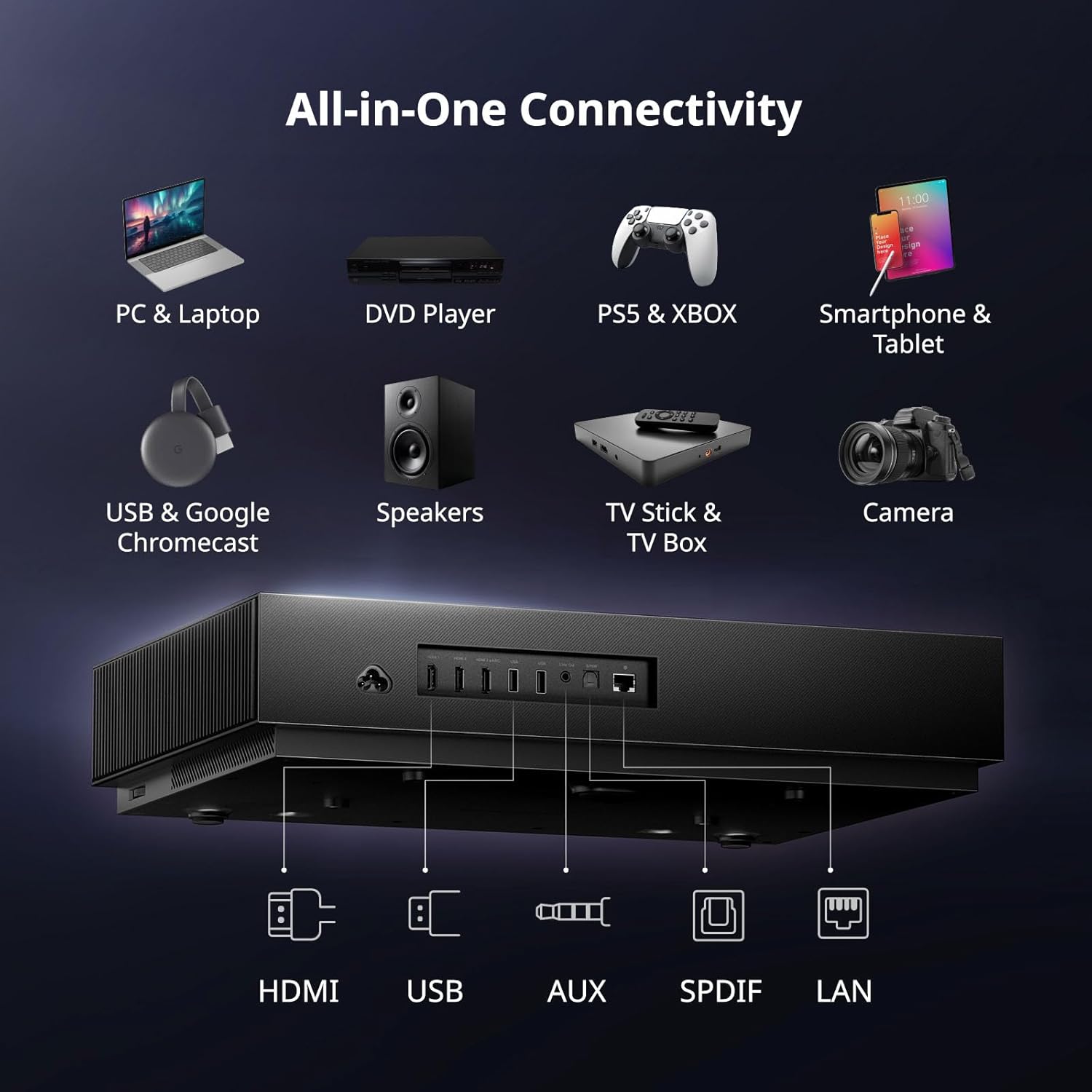
Billede 3.2: Bagside view of the WEMAX Nova Pro showing various input and output ports including HDMI, USB, Audio, Optical, and LAN.
3.4 Første opstart og netværksopsætning
Press the power button on the projector or remote control to turn on the device. Follow the on-screen instructions to complete the initial setup, including language selection, Wi-Fi network connection, and Google account login for Google TV features.
3.5 Billedjustering
After initial placement, adjust the image for clarity and geometry:
- Elektrisk fokus: Use the remote control to fine-tune the image focus until it is sharp and clear.
- 8-punkts keystone-korrektion: If the projected image appears distorted (trapezoidal), use the keystone correction feature to adjust each corner of the image independently, ensuring a perfectly rectangular display.

Image 3.3: On-screen display showing the electric focus adjustment interface for sharpening the projected image.

Image 3.4: Visual representation of 8-point keystone correction, demonstrating how to adjust image corners for a perfect rectangular shape.
4. Betjeningsvejledning
4.1 Fjernbetjeningsfunktioner
The included remote control provides full functionality for navigating the projector's interface. Key features include:
- Power knap: Tænder eller slukker for projektoren.
- Navigationsplade: Til menu navigation.
- Google Assistent-knap: Aktiverer stemmestyring.
- Lydstyrkekontrol: Justerer lydudgangen.
- Dedikerede app-knapper: Quick access to popular streaming services like Netflix.

Image 4.1: Illustration of the remote control with Google Assistant functionality, demonstrating voice commands for app control and playback.
4.2 Navigering i Google TV
The WEMAX Nova Pro integrates Google TV, providing access to over 700,000 movies and shows across 10,000+ applications. The interface offers personalized recommendations, multi-user profiles, and a dedicated kids mode.

Image 4.2: Screenshot of the Google TV home screen, displaying various streaming apps and content recommendations.

Image 4.3: Depiction of the personalized content hub within Google TV, showing watchlists and tailored recommendations.
4.3 Lydfunktioner
The projector features built-in dual 15W speakers supporting Dolby Audio and DTS-HD, delivering a rich and immersive sound experience. For enhanced audio, connect external sound systems via the available audio ports or Bluetooth.

Image 4.4: Graphic highlighting the 30W Dolby Audio and DTS-HD sound system, showing sound waves emanating from the projector.

Billede 4.5: Udskæring view of the projector illustrating the internal speaker placement and the immersive sound field created by Dolby Audio and DTS-HD.
4.4 Visuelle funktioner
The Nova Pro utilizes ALPD laser technology for true 4K UHD resolution, offering 110% Rec.709 wide color gamut and 1.07 billion colors. HDR10 and HLG support ensure superior contrast and color accuracy. The projector also includes MEMC motion compensation for smooth visuals and supports Active 3D content.
- ALPD Laser Technology: Provides high color accuracy, enhanced brightness, and deep contrast.
- 2100 ISO-lumen: Delivers bright, vibrant images suitable for various lighting conditions.
- Eye-Friendly Low Blue Light: Reducerer øjenbelastning under længerevarende brug viewing.
- MEMC: Motion Estimation, Motion Compensation for smooth display of fast-moving content.
- 3D funktion: Supports Active 3D for an immersive viewoplevelse.

Image 4.6: Diagram explaining ALPD laser technology, highlighting its benefits for color accuracy, brightness, and contrast.
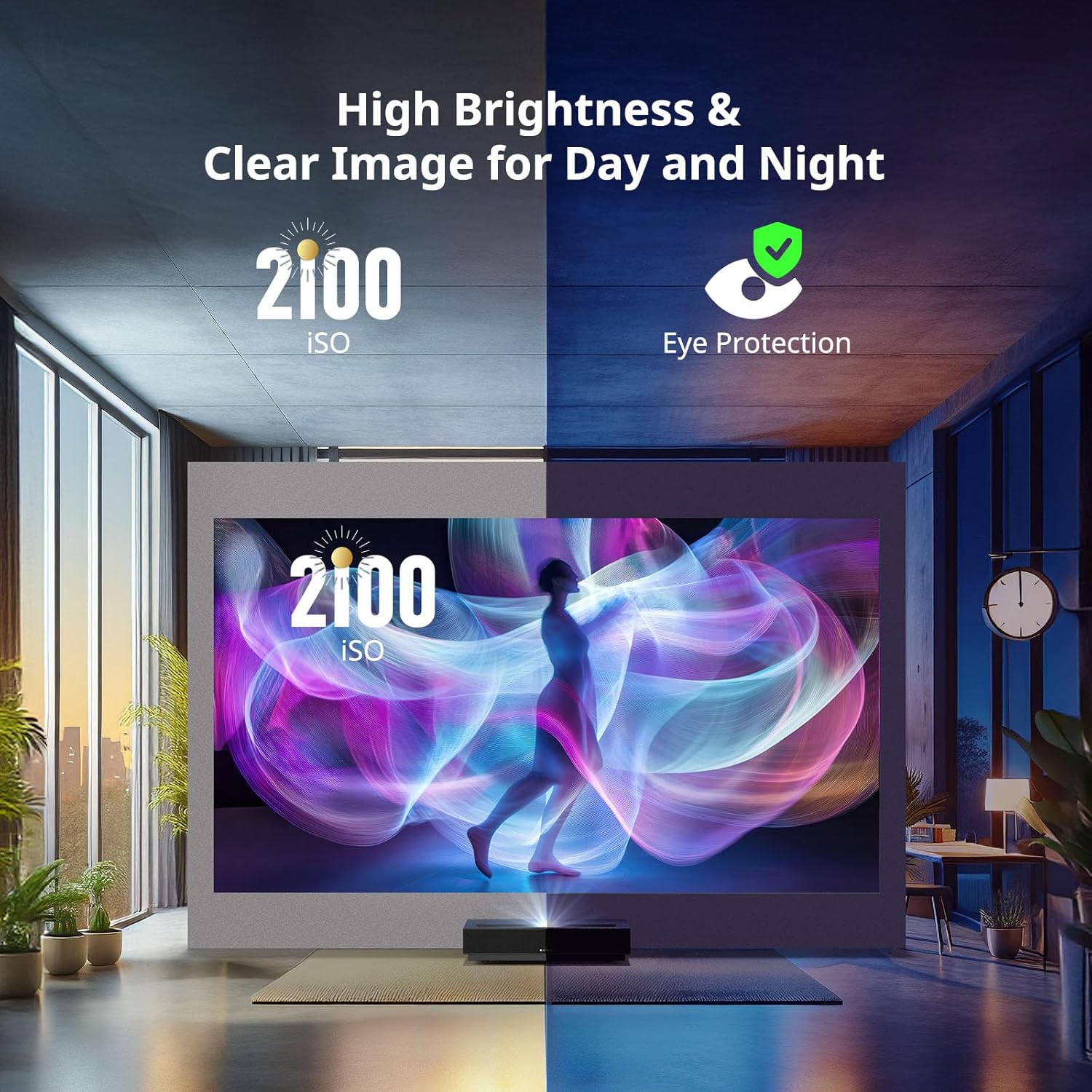
Image 4.7: Split image demonstrating 2100 ISO lumens brightness in both bright and dim environments, alongside an icon for eye protection.

Image 4.8: Visual comparison showing the enhanced colors and contrast provided by HDR10 and HLG technologies.

Image 4.9: Comparison image showing the difference in motion clarity with and without MEMC technology during a sports scene.

Image 4.10: A living room scene depicting a large projected 3D image of a dinosaur, emphasizing the immersive 3D experience.
5. Vedligeholdelse
5.1 Rengøring af projektoren
Regular cleaning helps maintain optimal performance and image quality. Use the provided cleaning kit for best results.
- Linse: Gently wipe the projector lens with a soft, lint-free cloth from the cleaning kit. Avoid abrasive materials or harsh chemicals.
- Ydre: Wipe the projector's exterior surfaces with a dry, soft cloth. Do not use liquid cleaners directly on the device.
- Vents: Ensure the ventilation openings are clear of dust and obstructions to prevent overheating. Use a soft brush or compressed air if necessary.
Always ensure the projector is powered off and unplugged before cleaning.
6. Fejlfinding
If you encounter issues with your WEMAX Nova Pro projector, refer to the following common problems and solutions:
| Problem | Mulig årsag | Løsning |
|---|---|---|
| Ingen strøm | Netledningen er frakoblet; stikkontakten er defekt | Kontroller strømkablets forbindelse; prøv en anden stikkontakt |
| Intet billede | Input source not selected; External device off; Cable loose | Select correct input source; Ensure external device is on; Check HDMI/USB cable connections |
| Sløret billede | Focus not adjusted; Lens dirty | Adjust electric focus using remote; Clean the projector lens |
| Forvrænget billede | Keystone ikke justeret | Perform 8-point keystone correction |
| Ingen lyd | Volume too low; Muted; External audio device issue | Increase volume; Unmute; Check external audio connections/settings |
| Fjernbetjeningen reagerer ikke | Lave/døde batterier; Blokering mellem fjernbetjening og projektor | Replace batteries; Remove obstructions; Ensure line of sight |
| Problemer med Wi-Fi-forbindelse | Incorrect password; Router issues; Signal interference | Verify Wi-Fi password; Restart router; Reduce interference |
Hvis problemet fortsætter efter at have forsøgt disse løsninger, bedes du kontakte kundesupport.
7. Specifikationer
Detailed technical specifications for the WEMAX Nova Pro Projector:
| Feature | Detalje |
|---|---|
| Mærke | WEMAX |
| Model | Nova-Pro |
| Skærmopløsning | 3840 x 2160 (4K UHD) |
| Lysstyrke | 2100 ISO Lumen |
| Kontrastforhold | 3000:1 |
| Lyskilde | ALPD laser |
| Lyskildeliv | 25,000+ timer |
| Kasteforhold | 0.23:1 (Ultrakort projektion) |
| Skærmstørrelse | 80" - 150" |
| Farveskala | 110% Rec.709 |
| HDR-understøttelse | HDR10, HLG |
| Operativsystem | Google TV (with Netflix built-in) |
| CPU | MT9629 |
| VÆDDER | 2 GB |
| eMMC-lagring | 32 GB |
| Lyd | Dual 15W Speakers, Dolby Audio, DTS-HD |
| Forbindelse | HDMI 2.1, USB, AUDIO, OPTICAL, LAN, Wi-Fi 6 (2.4G/5GHz), Bluetooth 5.0 |
| Særlige funktioner | Google Assistant, Google Cast, MEMC, 3D Function, Eye Safety |
| Produktdimensioner | 12.13 x 3.58 x 18 tommer |
| Varens vægt | 15.4 pund |
| Støjniveau | ≤32dB |
| Strømforbrug | ≤300W (Operating), <0.5W (Standby) |
| Arbejdstemperatur | 0-40°C |
| Opbevaringstemperatur | -20-55°C |
8. Garantioplysninger
The WEMAX Nova Pro Projector comes with a warranty. Please refer to the included Warranty Card for specific terms, conditions, and duration of your product's warranty. This card contains important details regarding coverage and how to claim warranty services.
The ALPD laser light source is designed for longevity, offering over 25,000 hours of reliable entertainment, which translates to over a decade of typical use.

Image 8.1: Graphic indicating the projector's laser light source lifespan of over 25,000 hours.
9. Kundesupport
For further assistance, technical support, or inquiries regarding your WEMAX Nova Pro Projector, please contact our customer support team:
E-mail: support@wemax.com
Our support team aims to provide quick responses to all inquiries.

Image 9.1: Customer support contact information, including the support email address.