
Indledning
The Keenetic Roamer 4G is a portable mobile hotspot designed to provide secure and fast internet access on the go. It supports 4G LTE connectivity and Wi-Fi 6, allowing up to 10 devices to connect simultaneously. This manual provides essential information for setting up, operating, and maintaining your device.
Hvad er der i æsken
Upon unboxing your Keenetic Roamer 4G, please ensure all the following components are present:
- Roamer 4G Mobile Wi-Fi hotspot
- Aftageligt litium-ion-batteri
- Hurtig start guide
- USB-A til USB Type-C-kabel
Note: A SIM card and internet subscription are not included and must be acquired separately.
Produkt overview

Figur 1: Front view of the Keenetic Roamer 4G, highlighting the color display that shows signal strength, data volume, battery status, and network information.
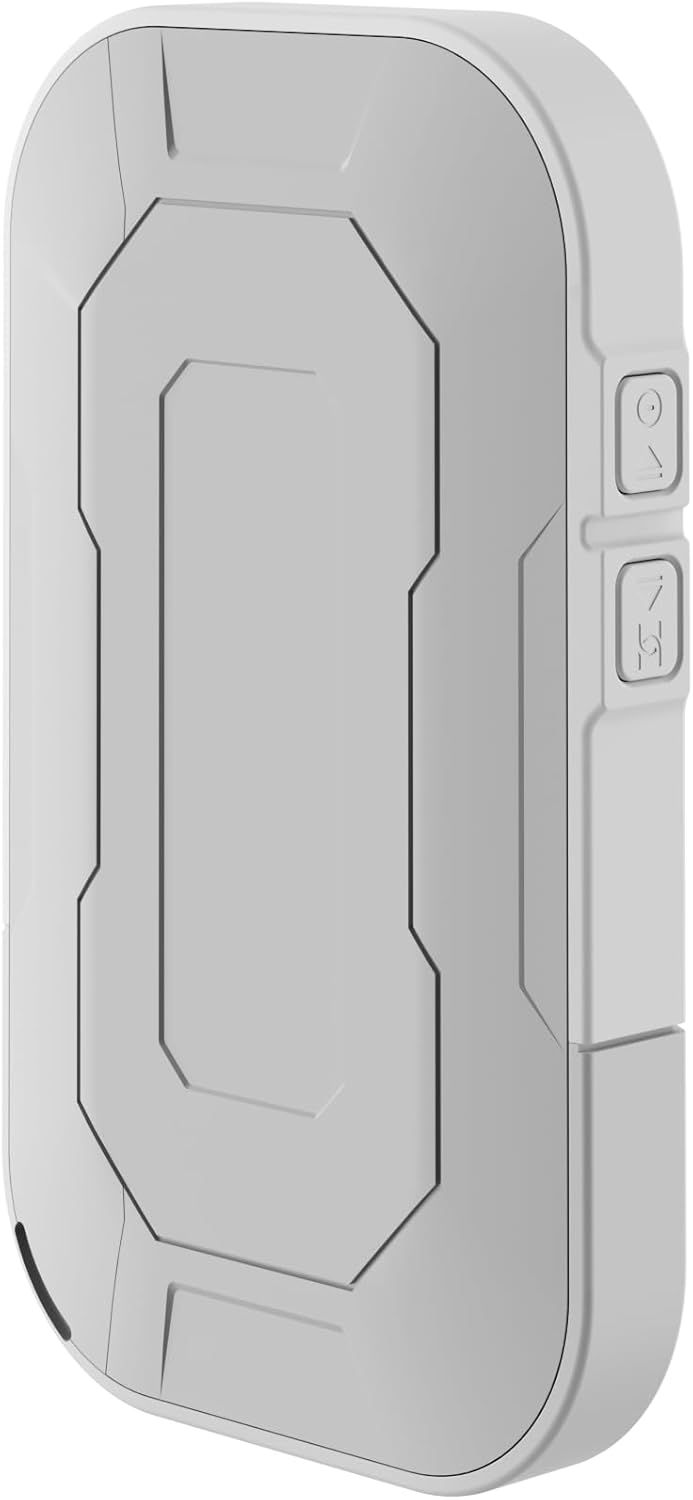
Figur 2: Bag view of the device, illustrating its compact and portable design.

Figur 3: Side view displaying the USB Type-C port for charging and data transfer.

Figur 4: Side view illustrating the physical buttons for power and navigation.
Opsætning
1. Isætning af SIM-kortet
- Locate the SIM card slot, typically found under the battery cover.
- Carefully remove the back cover and the battery.
- Insert your standard-sized SIM card into the designated slot with the gold contacts facing down, ensuring it clicks into place.
- Reinsert the battery and replace the back cover.
2. Opladning af enheden
- Connect the provided USB-A to USB Type-C cable to the device's charging port.
- Plug the other end into a USB power adapter (not included) or a computer's USB port.
- The battery indicator on the display will show charging status. Fully charge the device before first use.
3. Tænd/sluk
- To power on, press and hold the Power button (refer to Figure 4) until the display lights up.
- To power off, press and hold the Power button until the shutdown prompt appears on the screen, then confirm.
Betjeningsvejledning
Tilslutning af enheder via Wi-Fi
- Ensure the Roamer 4G is powered on and has established a 4G connection (indicated on the display).
- Søg efter tilgængelige Wi-Fi-netværk på din Wi-Fi-aktiverede enhed (smartphone, tablet, bærbar computer).
- Locate the network name (SSID) displayed on the Roamer 4G's screen.
- Enter the Wi-Fi password (Key) also shown on the Roamer 4G's screen. Alternatively, you can scan the QR code displayed on the device's screen for quick connection.
- Your device should now be connected to the internet via the Roamer 4G hotspot.
Forstå skærmen
The color display provides real-time information about your hotspot's status:
- Signalstyrke: Indicates the strength of the 4G cellular signal.
- Batteriniveau: Viser den resterende batteriopladning.
- Dataforbrug: Displays current upload/download speeds and total data consumed.
- Netværksoplysninger: Provides details like SSID, password, and connected devices count.
Opretholdelse
Batteripleje
- To maximize battery lifespan, avoid exposing the device to extreme temperatures.
- Oplad batteriet regelmæssigt, men undgå at lade det være helt afladet i længere perioder.
- Hvis enheden ikke skal bruges i længere tid, skal den oplades til ca. 50%, før den opbevares.
Rensning
- Use a soft, dry, lint-free cloth to clean the device's exterior.
- Brug ikke flydende rengøringsmidler, aerosoler eller opløsningsmidler.
Fejlfinding
| Problem | Mulig årsag | Løsning |
|---|---|---|
| Ingen internetforbindelse | No SIM card inserted, SIM card not activated, no signal, data plan exhausted. | Ensure SIM is correctly inserted and active. Check signal strength on display. Verify data plan with your mobile operator. Try restarting the device. |
| Kan ikke oprette forbindelse til Wi-Fi | Incorrect password, device too far from hotspot, Wi-Fi disabled on hotspot. | Verify Wi-Fi password. Move closer to the hotspot. Ensure Wi-Fi is enabled on the Roamer 4G. |
| Enheden tænder ikke | Battery is depleted, battery not inserted correctly. | Charge the device for at least 30 minutes. Ensure the battery is properly seated. |
Specifikationer
| Feature | Detalje |
|---|---|
| Mærke | Keenetisk |
| Model | KN-5110-01-EU |
| Dimensioner | 12.1 x 8.2 x 4.7 cm |
| Vægt | 200 gram |
| Batteritype | Lithium-ion (1 påkrævet, inkluderet) |
| Trådløs type | 802.11b (Wi-Fi 6 compatible) |
| Forbindelsesteknologi | LTE |
| Kompatible enheder | PC (and other Wi-Fi enabled devices) |
| Særlige funktioner | LED Indicator, Color Display |
Garantioplysninger
For detailed warranty information, please refer to the warranty card included with your product or visit the official Keenetic webwebsted. Gem din købsbevis til garantikrav.
Kundesupport
If you encounter any issues not covered in this manual or require further assistance, please contact Keenetic customer support. Visit the official Keenetic webwebsted for kontaktoplysninger og supportressourcer.
Du kan også besøge Keenetic Store on Amazon for mere information.