
1. Introduktion
This manual provides detailed instructions for the proper use and maintenance of your ANYSECU W63-US 4G Network Radio. The W63-US is an intelligent handheld transceiver operating on Android 9.0, designed for Push-to-Talk (PTT) communication over 4G networks. It supports popular platforms like Zello and RealPTT, offering features such as GPS, Bluetooth, Wi-Fi, and a flashlight function. Its robust design includes IP68 waterproof and dustproof ratings, making it suitable for various environments.
2. Pakkens indhold
Please verify that all items listed below are included in your product package. If any items are missing or damaged, contact your vendor.
- ANYSECU W63-US Radio Body (x1)
- Antenne (x1)
- Batteri (x1)
- Strømkabel (x1)
- Strømadapter (x1)
- Bælteclips (x1)
- Brugervejledning (x1)
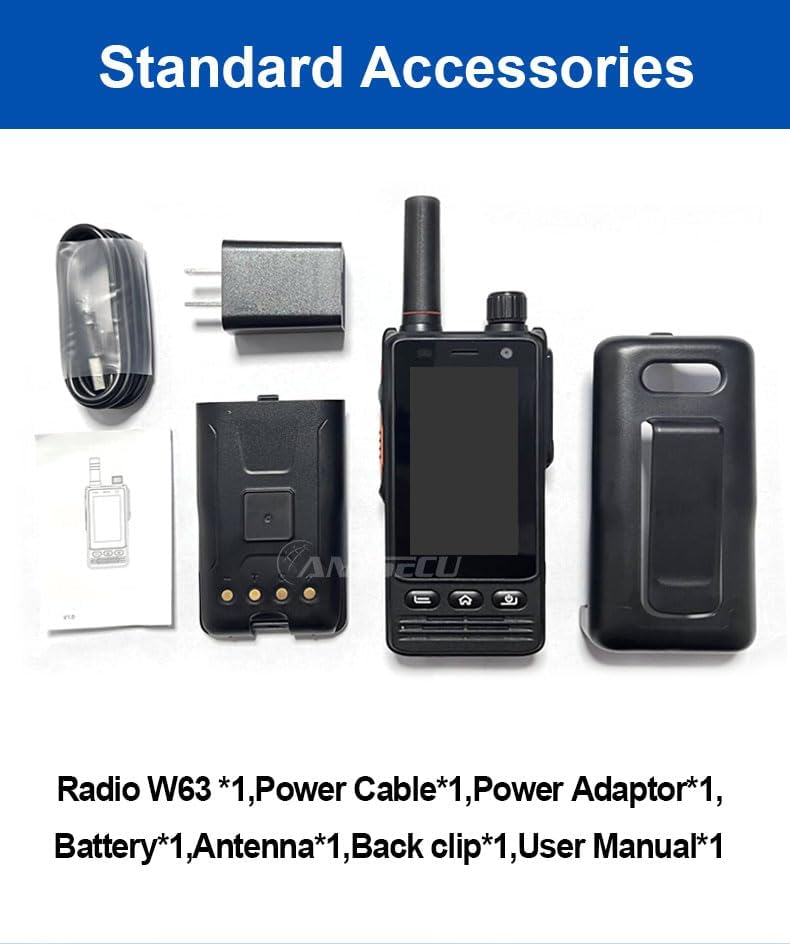
Image: Standard accessories included with the ANYSECU W63-US radio.
3. Produktet er slutview
The ANYSECU W63-US features a compact design with a 2.95-inch high-definition touch screen and physical buttons for intuitive operation. It is equipped with both front and rear cameras, and a high-capacity battery for extended use.

Billede: Forside view of the ANYSECU W63-US radio highlighting Android 9, touch screen, GPS/BT/WiFi, and flashlight function.

Billede: Bagside view of the ANYSECU W63-US radio, showing the 5MP front and 13MP rear cameras with built-in flash.
Nøglekomponenter:
- Antenne: Til signalmodtagelse og -transmission.
- Lydstyrkeknap: Justerer lydudgangsniveauet.
- SOS knap: For emergency alerts.
- PTT knap: Push-to-Talk button for communication.
- Vise: 2.95-inch touch screen (854*480 pixels).
- Navigationsknapper: Home, Back, and Power buttons.
- USB-C-port: Til opladning og dataoverførsel.
- Bælteklips: For praktisk transport.

Image: The ANYSECU W63-US radio shown with its high-quality waist clip for portability.
4. Opsætning
4.1 Batteriinstallation
- Sørg for, at enheden er slukket.
- Find batteridækslet på bagsiden af radioen.
- Fjern forsigtigt dækslet.
- Insert the provided 4000mAh 3.8V battery, aligning the contacts.
- Replace the battery compartment cover, ensuring it is securely latched.

Image: The ANYSECU W63-US radio highlighting its 4000mAh high-capacity battery.
4.2 SIM Card / SD Card Installation
The W63-US supports 4G network connectivity. Insert your SIM card into the designated slot. If desired, an SD card can also be installed for additional storage.
4.3 Indledende tænding
- Tryk og hold tænd/sluk-knappen nede, indtil skærmen lyser.
- Følg vejledningen på skærmen for den første opsætning, herunder valg af sprog og netværkskonfiguration.
Video: Demonstration of the ANYSECU W63-US radio's physical features and initial power-on sequence.
5. Betjeningsvejledning
5.1 Grundlæggende navigation
- Berøringsskærm: Navigate menus and applications by tapping and swiping on the 2.95-inch display.
- Hjemknappen: Vender tilbage til hovedskærmen.
- Tilbage knap: Vender tilbage til den forrige skærm.
- Power knap: Short press to lock/unlock screen, long press to power off/restart.

Image: A hand interacting with the 2.95-inch high-definition touch screen of the ANYSECU W63-US radio.
5.2 PTT Communication (Zello/RealPTT)
The W63-US is compatible with Zello and RealPTT applications for Push-to-Talk communication. Ensure you have an active account and are logged into your preferred application.
- Open the Zello or RealPTT application from the home screen.
- Select your desired contact or channel.
- Tryk og hold den dedikerede TOT-knap on the side of the radio to transmit your voice.
- Slip PTT-knappen for at lytte.
5.3 Netværksforbindelse
The device supports global 4G networks, Wi-Fi, and Bluetooth for versatile connectivity.
- 4G-netværk: Automatically connects if a valid SIM card is inserted and configured.
- Wi-Fi: Access Wi-Fi settings through the Android interface to connect to available networks.
- Bluetooth: Pair with compatible Bluetooth accessories like headsets.
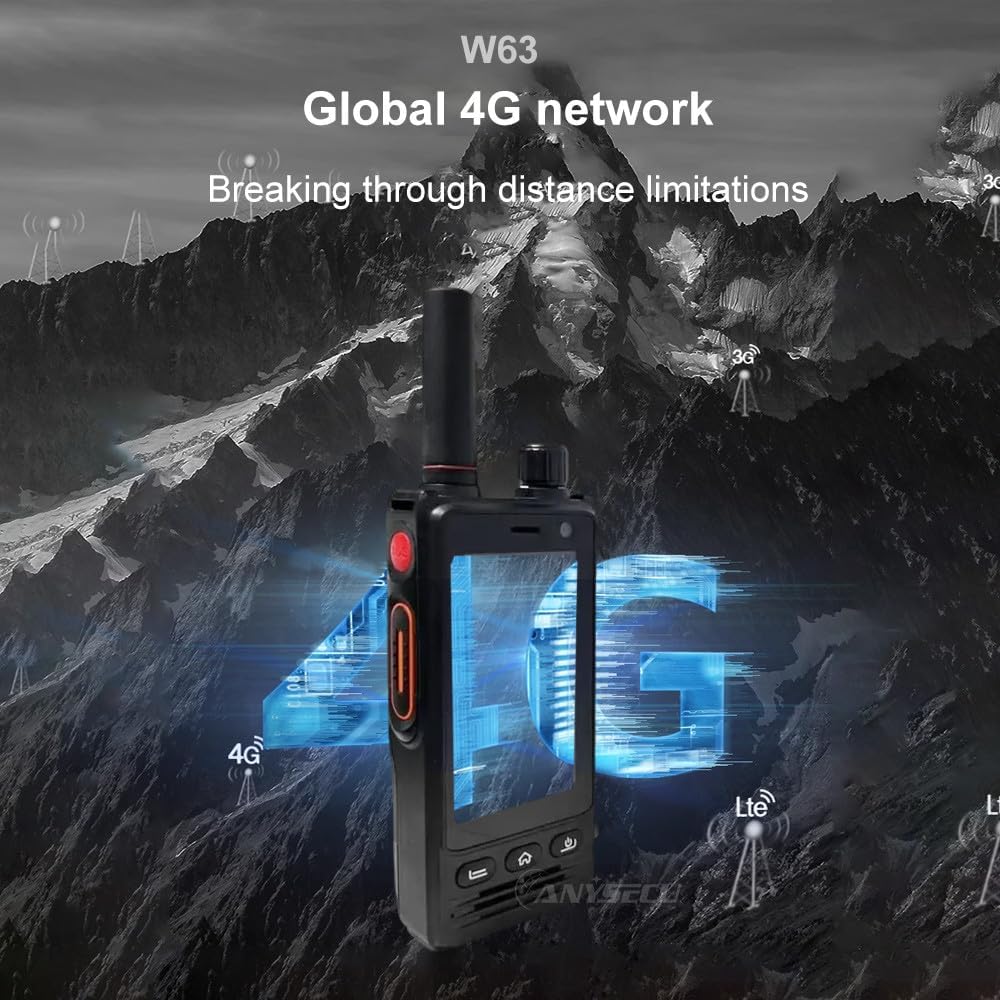
Image: The ANYSECU W63-US radio demonstrating its global 4G network capabilities.
6. Vedligeholdelse
6.1 Rengøring af enheden
Brug en blød, damp cloth to clean the exterior of the radio. Avoid using harsh chemicals or abrasive materials that could damage the device or screen.
6.2 Pleje af batterier
- Oplad batteriet helt inden første brug.
- Undgå at overoplade eller helt dræne batteriet for at forlænge dets levetid.
- Opbevar radioen og batteriet et køligt og tørt sted, når de ikke er i brug i længere perioder.
6.3 Vand- og støvafvisende
The W63-US is rated IP68 waterproof and dustproof. This means it can withstand immersion in water up to 1.5 meters for 30 minutes and is protected against dust ingress. Ensure all ports and covers are securely closed before exposing the device to water or dust.

Image: The ANYSECU W63-US radio demonstrating its IP68 waterproof and dustproof features. An optional explosion-proof version may also be available.
7. Fejlfinding
If you encounter issues with your ANYSECU W63-US radio, refer to the following common problems and solutions:
- Enheden tænder ikke:
Ensure the battery is correctly installed and charged. Connect the radio to the charger and attempt to power on again. - Ingen netværksforbindelse:
Verify that your SIM card is properly inserted and active. Check network settings to ensure 4G is enabled. If using Wi-Fi, confirm you are connected to a valid network. - PTT-funktionen virker ikke:
Ensure you are logged into your Zello or RealPTT account. Check the application settings to confirm the PTT button is correctly mapped. Verify you have an active internet connection. - Audio issues (no sound/distorted sound):
Adjust the volume knob. Check if a headset is connected and properly functioning. Restart the device. - Berøringsskærmen reagerer ikke:
Restart the device. If the issue persists, ensure the screen is clean and free from debris.
8. Specifikationer
| Feature | Detalje |
|---|---|
| Mærke | ANYSECU |
| Modelnummer | W63-US |
| Farve | Sort |
| Operativsystem | Android 9.0 |
| Forbindelsesprotokol | 4G |
| Tuner type | 4G |
| Vise | 2.95 inch High-definition (854*480 pixels) Touch Screen |
| Vandmodstandsniveau | IP68 vandtæt |
| Batteri | 4000mAh 3.8V (1 AA battery required, included) |
| Antal kanaler | 1000 |
| Maksimal talerækkevidde | 10 Mil |
| Særlige funktioner | Long Range, GPS, Bluetooth, Wi-Fi, Flashlight |
| Kompatible enheder | Zello, RealPTT |
| Kameraer | Front 5MP, Rear 13MP with Built-in Flash |
9. Garanti og support
9.1 Garantioplysninger
The ANYSECU W63-US radio body is covered by a 1 års garanti from the date of purchase. This warranty covers manufacturing defects under normal use. Please retain your proof of purchase for warranty claims. The warranty does not cover damage caused by misuse, accidents, unauthorized modifications, or normal wear and tear.
9.2 Kundesupport
For technical assistance, troubleshooting beyond this manual, or warranty inquiries, please contact your authorized ANYSECU dealer or visit the official ANYSECU webwebsted for supportressourcer.