1. Introduktion
Thank you for choosing the RONGJI Android 13 Car Stereo. This manual provides essential information for the proper installation, operation, and maintenance of your new car stereo system. Please read this manual thoroughly before use to ensure optimal performance and safety.
This unit is designed specifically for Mazda CX-7 models manufactured between 2008 and 2015. It features an Android 13 operating system, a capacitive touch screen, built-in Car-Play and Android Auto, GPS navigation, Bluetooth, FM radio, and Wi-Fi connectivity.
2. Sikkerhedsoplysninger
- Always operate the vehicle safely. Distraction from the stereo system can lead to accidents.
- Do not attempt to install or service the unit yourself if you are not qualified. Refer to a professional installer.
- Ensure all wiring connections are secure and properly insulated to prevent short circuits and damage.
- Hold lydstyrken på et niveau, der gør det muligt at høre trafiklyde udefra.
- Undgå at udsætte enheden for ekstreme temperaturer, direkte sollys i længere perioder eller for høj fugtighed.
3. Pakkens indhold
Bekræft, at alle nedenstående varer er inkluderet i din pakke. Hvis der mangler eller er beskadigede varer, bedes du kontakte kundesupport.

Image: Package contents for both 4 Core and 8 Core radio versions. The 4 Core package includes the main machine, plastic bezel, power plug, RCA cable, reversing camera cable, USB cable, microphone, and GPS antenna.
For the 4 Core radio (your model), the package typically includes:
- Hovedmaskine (hovedenhed)
- Plastramme
- Strømstik
- RCA-kabel
- Kabel til bakkamera
- USB kabel
- Mikrofon
- GPS antenne
4. Opsætning og installation
This unit is designed for a plug-and-play installation for Mazda CX-7 (2008-2015). However, professional installation is highly recommended to ensure correct wiring and functionality. Incorrect installation can damage the unit or your vehicle's electrical system.
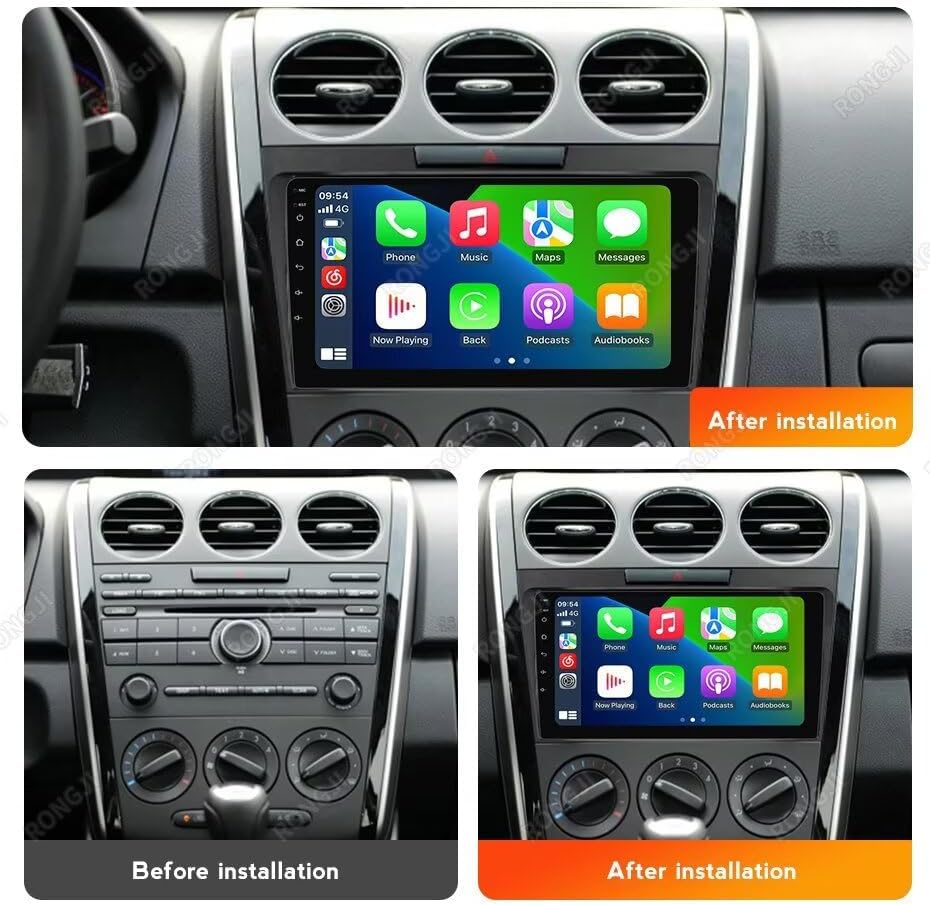
Image: Visual comparison showing the original Mazda CX-7 dashboard and the dashboard with the RONGJI Android stereo installed.
4.1 Kontrol før installation
- Confirm vehicle compatibility: This unit is for Mazda CX-7 2008-2015.
- Frakobl køretøjets batteri, inden installationen påbegyndes, for at undgå kortslutninger.
- Sørg for, at alle nødvendige værktøjer er tilgængelige.
4.2 Installationstrin (generel vejledning)
- Fjern forsigtigt den originale fabriksradio og instrumentbrætbeklædningen.
- Connect the power harness, RCA cables, USB cables, GPS antenna, and microphone to the new head unit.
- Connect the vehicle-specific harness to the car's wiring.
- Route the GPS antenna and microphone to suitable locations (e.g., dashboard, A-pillar).
- Test the unit's basic functions (power on, radio, touch screen) before fully reassembling the dashboard.
- Secure the new head unit into the dashboard opening and reattach the trim.
- Tilslut køretøjets batteri igen.
For detailed vehicle-specific instructions, consult a professional installer or an automotive service manual for your Mazda CX-7.
5. Betjeningsvejledning
5.1 Grundlæggende betjening
- Tænd/sluk: Enheden tændes typisk med køretøjets tænding. Tryk og hold tænd/sluk-knappen nede (hvis tilgængelig) for manuel styring.
- Lydstyrkekontrol: Juster lydstyrken ved hjælp af skærmknapperne eller rattets knapper.
- Berøringsskærm: Navigate through menus and applications by tapping, swiping, and pinching on the capacitive touch screen.
5.2 Main Menu & User Interface
The system offers 61 different user interfaces (UIs) to personalize your experience. You can select your preferred UI from the settings menu.

Billede: Eksamples of the 61 different main menu user interfaces available for selection.
5.3 CarPlay og Android Auto
The unit supports both wireless and wired Car-Play and Android Auto, allowing seamless integration with your smartphone for navigation, music, calls, and other apps.

Image: Visual representation of the Car-Play and Android Auto interfaces on the stereo screen, highlighting wired and wireless connection options.
- Forbindelse: Connect your iPhone via USB or wirelessly for Car-Play. Connect your Android phone via USB or wirelessly for Android Auto.
- Funktioner: Access phone calls, messages, music, maps, and compatible third-party applications directly from the stereo display.
5.4 Opdelt skærmfunktion
Utilize the split-screen feature to display two applications simultaneously, such as navigation and music, or a web browser and FM radio.

Image: The top portion shows the split-screen function displaying a music player and a map application. The bottom portion illustrates the steering wheel control learning interface.
5.5 Ratbetjening (SWC)
The unit supports steering wheel controls, allowing you to manage audio functions (volume, track change) and answer calls without taking your hands off the wheel. This enhances driving safety.
- Opsætning: Access the SWC settings in the system menu to program the buttons on your vehicle's steering wheel. Follow the on-screen instructions to assign functions.
5.6 FM RDS-radio
Enjoy stable FM radio reception with RDS (Radio Data System) support. The system allows for automatic and manual station searching.

Image: The top section displays the FM RDS radio interface with station frequency and presets. The bottom section shows the Bluetooth calling interface with a dial pad and contact options.
- Søger: Brug skærmknapperne til at søge efter stationer eller manuelt stille ind på en bestemt frekvens.
- Presets: Gem dine yndlingsstationer for hurtig adgang.
5.7 Bluetooth-funktion
Tilslut din mobiltelefon via Bluetooth for håndfri opkald og lydstreaming.
- Parring: Enable Bluetooth on your phone and search for the car stereo. Select the stereo from your phone's device list and confirm pairing.
- Håndfri opkald: Make and receive calls directly through the stereo. The unit has a built-in microphone and supports an external microphone for improved call quality.
- Bluetooth musik: Stream lyd fra din telefon til bilens stereoanlæg.
5.8 GPS-navigation
The unit includes a built-in GPS module and an external GPS antenna for accurate navigation. You can use online or offline map applications.
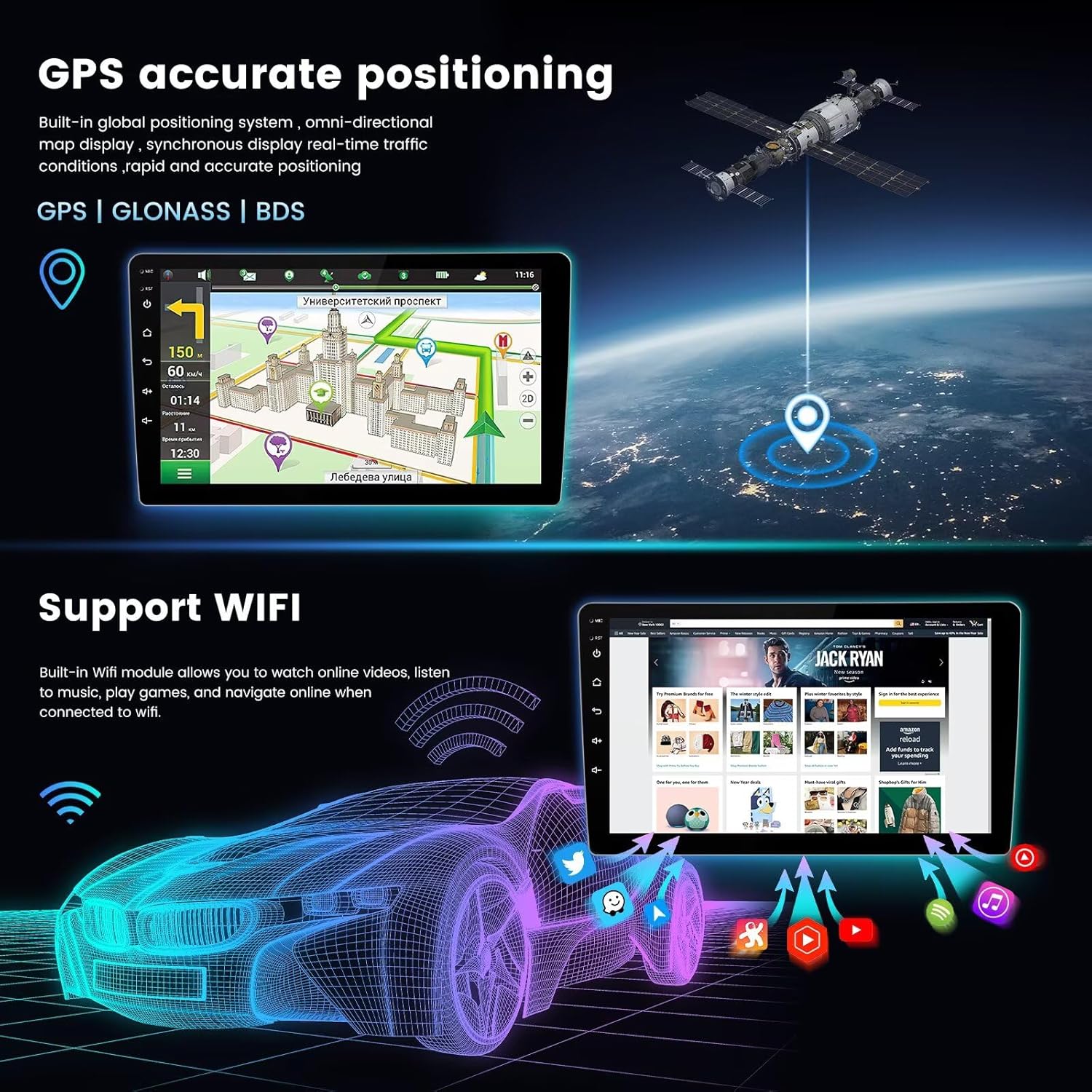
Image: The top section displays the GPS navigation interface with a map and route information. The bottom section illustrates the Wi-Fi connectivity feature with various app icons.
- Map Download: Connect to Wi-Fi to download maps for any region for offline use.
- Trafik i realtid: With an internet connection, receive real-time traffic updates.
5.9 Wi-Fi-forbindelse
The built-in Wi-Fi module allows you to connect to the internet via a Wi-Fi hotspot or your phone's tethering. This enables online navigation, app downloads, and media streaming.
- Forbindelse: Go to Wi-Fi settings, turn on Wi-Fi, and select your desired network. Enter the password if required.
- Ansøgninger: Access online content, download apps from the app store, and update system software.
6. Vedligeholdelse
- Rengøring af skærm: Brug en blød, fnugfri klud til forsigtigt at tørre berøringsskærmen af. Brug ikke slibende rengøringsmidler eller opløsningsmidler.
- Softwareopdateringer: Tjek regelmæssigt for systemsoftwareopdateringer via Wi-Fi-forbindelsen for at sikre optimal ydeevne og adgang til nye funktioner.
- Generel pleje: Hold enheden fri for støv og snavs. Undgå at spilde væsker på enheden.
7. Fejlfinding
| Problem | Mulig årsag | Løsning |
|---|---|---|
| Enheden tænder ikke. | Løs strømforbindelse, sprunget sikring, problem med bilbatteri. | Check power cables and fuse. Ensure vehicle battery is charged. Consult an installer. |
| Ingen lyd. | Lydstyrken er for lav, lydløs aktiveret, problem med højttalerledningerne. | Skru op for lydstyrken. Kontroller, om lydløs er aktiv. Kontroller højttalerforbindelser. |
| Berøringsskærmen reagerer ikke. | Systemfryser, snavs på skærmen. | Restart the unit. Clean the screen. |
| GPS-signal mistet eller unøjagtigt. | GPS antenna obstruction, faulty antenna. | Sørg for, at GPS-antennen har en fri view af himlen. Kontroller antenneforbindelsen. |
| Problemer med Bluetooth-forbindelse. | Device not paired, Bluetooth off on phone/unit. | Ensure Bluetooth is enabled on both devices. Re-pair the device. |
If the problem persists after attempting these solutions, please contact RONGJI customer support.
8. Specifikationer
- Modelnavn: For Mazda CX-7 CX7 2008-2015
- Operativsystem: Android 13.0
- CPU: 4 Kerne
- VÆDDER: 2 GB
- ROM (intern lagring): 32 GB
- Skærmstørrelse: 9 tommer
- Skærmtype: IPS kapacitiv berøringsskærm
- Opløsning: 1080*600
- Forbindelse: Built-in 5G Wi-Fi, Bluetooth (BT), GPS
- Særlige funktioner: Built-in Wireless/Wired Car-Play, Built-in Wireless/Wired Android Auto, FM RDS Radio, Steering Wheel Control (SWC), AHD Camera Support, Split Screen Function, Multiple UI options (61 kinds).
- Fabrikant: Shenzhen Rongji Electronics Co., Ltd
9. Garantioplysninger
RONGJI products are manufactured to high-quality standards. This product is covered by a limited warranty against defects in materials and workmanship from the date of purchase. The warranty period and terms may vary by region. Please retain your proof of purchase for warranty claims.
The warranty does not cover damage caused by improper installation, misuse, accidents, unauthorized repairs, or normal wear and tear. For specific warranty details, please refer to the warranty card included with your product or contact RONGJI customer support.
10. Support
For technical assistance, troubleshooting, or any questions regarding your RONGJI Android 13 Car Stereo, please contact our customer support team.
- Online support: Visit the official RONGJI webwebsted med ofte stillede spørgsmål, softwareopdateringer og kontaktoplysninger.
- E-mail support: Se din produktemballage eller garantikort for at finde kundeservice-e-mailadressen.
- Professionel installation: If you encounter complex installation issues, it is recommended to seek assistance from a certified automotive electronics installer.