1. Introduktion
Thank you for choosing the Generic M10 Bluetooth 5.3 Wireless Earbuds. This manual provides detailed instructions for setting up, operating, and maintaining your earbuds to ensure optimal performance and longevity. Please read this manual thoroughly before using the product.
2. Pakkens indhold
- M10 Bluetooth 5.3 Wireless Earbuds (Left and Right)
- High-Capacity Charging Case
- USB opladningskabel
- Brugermanual
- Multiple sizes of Eartips (S, M, L)

Image: M10 Bluetooth Earbuds product packaging, showing the earbuds and charging case on the box.
3. Produktfunktioner
- Bluetooth 5.3-teknologi: Ensures fast, stable, and low-latency wireless connection up to 10 meters.
- Digital LED-skærm: Clearly shows battery levels for both earbuds and the charging case.
- High-Capacity Charging Case: Extends playtime significantly.
- IPX5 vandtæt bedømmelse: Modstandsdygtig over for sved og let regn, velegnet til sport og udendørsaktiviteter.
- Ergonomisk design: Provides a comfortable and secure fit for extended wear.
- Touch Control: Intuitive controls for music playback, call management, and voice assistant activation.
- Adaptiv støjreduktion: Enhances audio experience by reducing ambient noise.
- Bred kompatibilitet: Understøtter A2DP/HFP/HSP/AVRCP profiles for various devices.
4. Opsætning
4.1 Opladning af øretelefoner og etuiet
- Oplad ørepropperne og opladningsetuiet helt inden første brug.
- Placer ørepropperne i opladningsetuiet. Sørg for, at de er korrekt isat.
- Tilslut USB-opladerkablet til opladningsporten på etuiet og til en strømkilde (f.eks. USB-vægadapter, computerens USB-port).
- Det digitale LED-display på opladningsetuiet viser den aktuelle batteriprocent.tage and charging status of the earbuds.
- Charging typically takes about 1.5 hours for a full charge.

Image: The M10 charging case connected to a USB-C charging cable, displaying battery information on its LED screen.
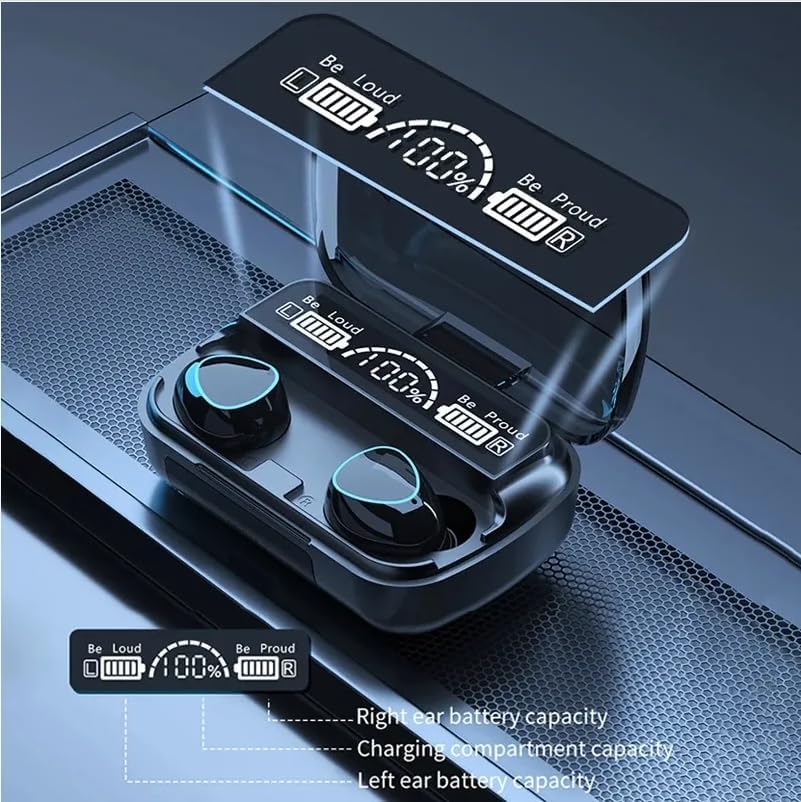
Image: Close-up of the M10 charging case's digital LED display, showing battery levels for the left earbud, right earbud, and the charging compartment.
4.2 Parring med en enhed
- Åbn opladningsetuiet. Ørepropperne tændes automatisk og går i parringstilstand.
- Aktiver Bluetooth på din enhed (smartphone, tablet osv.).
- Søg efter tilgængelige Bluetooth-enheder, og vælg "M10" fra listen.
- Når der er forbindelse, hører du en bekræftelsestone, og øreproppernes indikatorlamper slukker eller blinker langsomt.
- Ørepropperne genopretter automatisk forbindelse til den sidst parrede enhed, når de tages ud af etuiet, hvis Bluetooth er aktiveret på enheden.
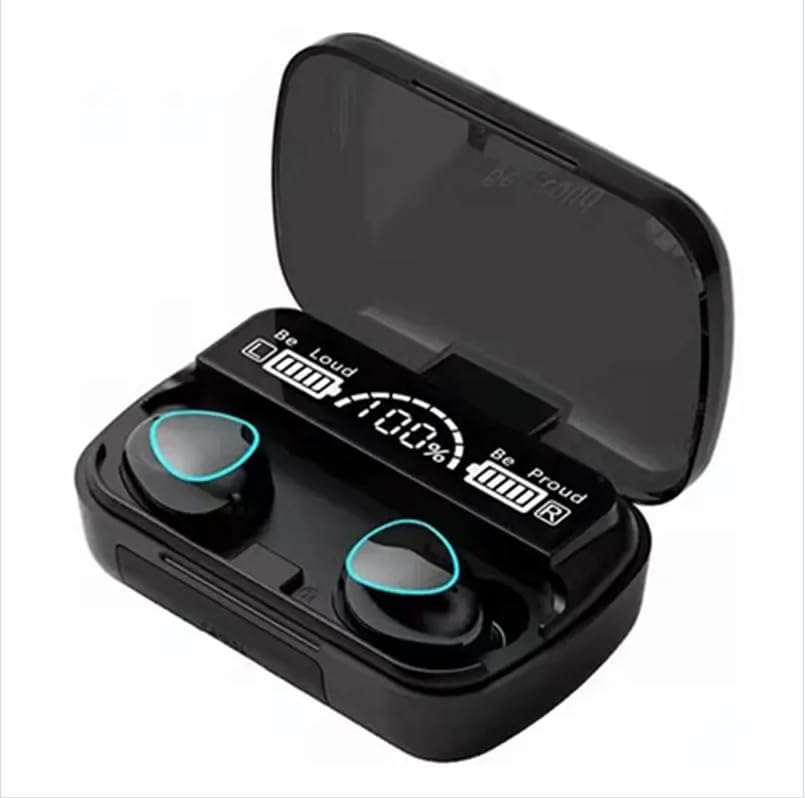
Image: The M10 Bluetooth earbuds resting in their open charging case, with the digital LED display showing "Be Loud" and "Be Proud" along with battery percentages.
5. Betjeningsvejledning
5.1 Sådan tager du ørepropperne på
- Identificér venstre (V) og højre (H) ørepropper.
- Gently insert the earbud into your ear canal and rotate it slightly to find a comfortable and secure fit.
- Choose the correct size of eartips for optimal sound quality and comfort.
5.2 Tryk på kontrolelementer
The M10 earbuds feature intuitive touch controls on each earbud. The specific functions are:
| Handling | Fungere |
|---|---|
| Enkelt tryk (venstre/højre) | Afspil/pause musik, besvar/afslut opkald |
| Dobbelttryk (højre) | Næste spor |
| Dobbelttryk (venstre) | Forrige spor |
| Tredobbelt tryk (venstre/højre) | Aktiver Voice Assistant |
| Langt tryk (venstre/højre) | Afvis opkald |
5.3 Tænd/sluk
- Tænd: Open the charging case, and the earbuds will automatically power on. Alternatively, long-press the touch area on both earbuds for 3 seconds.
- Sluk: Place the earbuds back into the charging case and close the lid. Alternatively, long-press the touch area on both earbuds for 5 seconds.
6. Vedligeholdelse
- Rengør ørepropperne og opladningsetuiet regelmæssigt med en blød, tør klud.
- Undgå at bruge skrappe kemikalier eller slibende materialer.
- Keep the charging contacts on the earbuds and inside the case clean to ensure proper charging.
- Store the earbuds in their charging case when not in use to protect them and conserve battery.
- Undgå ekstreme temperaturer og direkte sollys.
- Do not immerse the earbuds or case in water, despite their IPX5 rating, as this rating is for splashes and sweat, not submersion.
7. Fejlfinding
| Problem | Mulig løsning |
|---|---|
| Øretelefoner parrer ikke | Ensure earbuds are charged. Turn off and on Bluetooth on your device. Forget "M10" from your device's Bluetooth list and re-pair. |
| Kun én øretelefon virker | Sæt begge ørepropper tilbage i opladningsetuiet, luk låget, og åbn det derefter igen. Sørg for, at begge ørepropper er opladet. |
| Lav lydstyrke eller dårlig lydkvalitet | Adjust volume on your device and earbuds. Ensure eartips are the correct size and fit securely. Clean any debris from the earbud speakers. |
| Ladeetui oplader ikke | Kontroller USB-kablet og strømadapteren. Sørg for, at opladningsporten er ren og fri for snavs. |
| Ørepropper falder ud | Try different sizes of eartips to find the best fit for your ears. Ensure earbuds are inserted and twisted correctly. |
8. Specifikationer
| Feature | Detalje |
|---|---|
| Modelnavn | M10 |
| Bluetooth version | 5.3 |
| Bluetooth rækkevidde | Op til 10 meter (33 fod) |
| Vandmodstand | IPX5 (sved- og stænkbestandig) |
| Spilletid for øretelefoner | Cirka 5 timer |
| Opladningstid | Cirka 1.5 timer |
| Standby tid | Cirka 280 timer |
| Kontrolmetode | Tryk på kontrol |
| Støjkontrol | Adaptiv støjreduktion |
| Materiale | Plast |
| Kompatibel Profiles | A2DP/HFP/HSP/AVRCP |
9. Produktvideo
Video: A short demonstration of the M10 game headset, showcasindens funktioner og design.
10. Garanti og support
The Generic M10 Bluetooth 5.3 Wireless Earbuds come with a standard manufacturer's warranty. Please refer to the product packaging or contact your retailer for specific warranty terms and conditions.
For technical support or customer service inquiries, please contact the seller or manufacturer through the platform where you purchased the product.


