
1. Introduktion
Thank you for choosing the Cillso H97 Wireless Earbuds. This manual provides detailed instructions on how to set up, operate, and maintain your earbuds to ensure optimal performance and longevity. Please read this manual carefully before using the product.

Image: The Cillso H97 Wireless Earbuds in their charging case, displaying the LED battery indicator.
2. Hvad er der i æsken
Sørg for, at alle nedenstående varer er til stede ved udpakning:
- Cillso H97 Wireless Earbuds (L/R)
- Opladningsetui
- USB-C ladekabel
- Brugervejledning (dette dokument)

Image: A visual representation of the items included in the product packaging: earbuds, user manual, charging case, and USB-C charging cable.
3. Produktet er slutview
The Cillso H97 Wireless Earbuds are designed for comfort and high-quality audio. Key features include:
- Bluetooth 5.4-teknologi: Provides a stable connection, longer transmission range, lower power consumption, and reduced latency.
- Immersive Hi-Fi Stereo Sound: Equipped with 13mm dynamic drivers for deep bass, clear mids, and crisp highs.
- ENC støjreducerende mikrofoner: Four built-in microphones enhance call clarity by reducing background noise.
- Forlænget batterilevetid: Up to 8 hours of playback per charge, with a total of 40 hours using the charging case.
- LED digitalt display: The charging case features an independent LED display to show battery levels for both the case and individual earbuds.
- IPX7 vandtæt bedømmelse: Protects against sweat, rain, and splashes, making them suitable for various activities.
- Sensitive Touch Controls: Manage playback, calls, and voice assistants with simple taps.
- Ergonomisk og let design: Each earbud weighs 3.5 grams, and the case weighs 32 grams, ensuring comfortable wear and portability.
3.1 Komponenter og indikatorer
Familiarize yourself with the main components and indicators:
- høretelefoner Left (L) and Right (R) earbuds with touch control areas and earbud lights.
- Opladningsetui: Houses and charges the earbuds, features a USB-C charging port and an LED digital display.
- LED digitalt display: Shows the charging case's battery percentage and individual earbud charging status (L/R battery bars).

Billede: En overview of the Cillso H97 Wireless Earbuds highlighting key features like Bluetooth 5.4, clear calls, Hi-Fi sound, comfort, IPX7 waterproof, 40H playtime, USB-C charging, and LED display.

Image: The earbuds and charging case with their dimensions and weight, illustrating their compact and lightweight design.
4. Opsætning
4.1 Indledende opladning
Oplad ørepropperne og opladningsetuiet helt inden første brug.
- Placer begge ørepropper i opladningsetuiet.
- Connect the USB-C charging cable to the charging port on the case and a standard 5V/1A or 5V/2A USB power adapter.
- LED-displayet på etuiet viser opladningsstatus. En fuld opladning af etuiet tager cirka 1.5 time.
- The earbud battery indicators on the LED display will show charging status for each earbud.
Note: Please use a standard 5V/1A or 5V/2A charger. Using non-standard chargers may cause charging issues or damage.
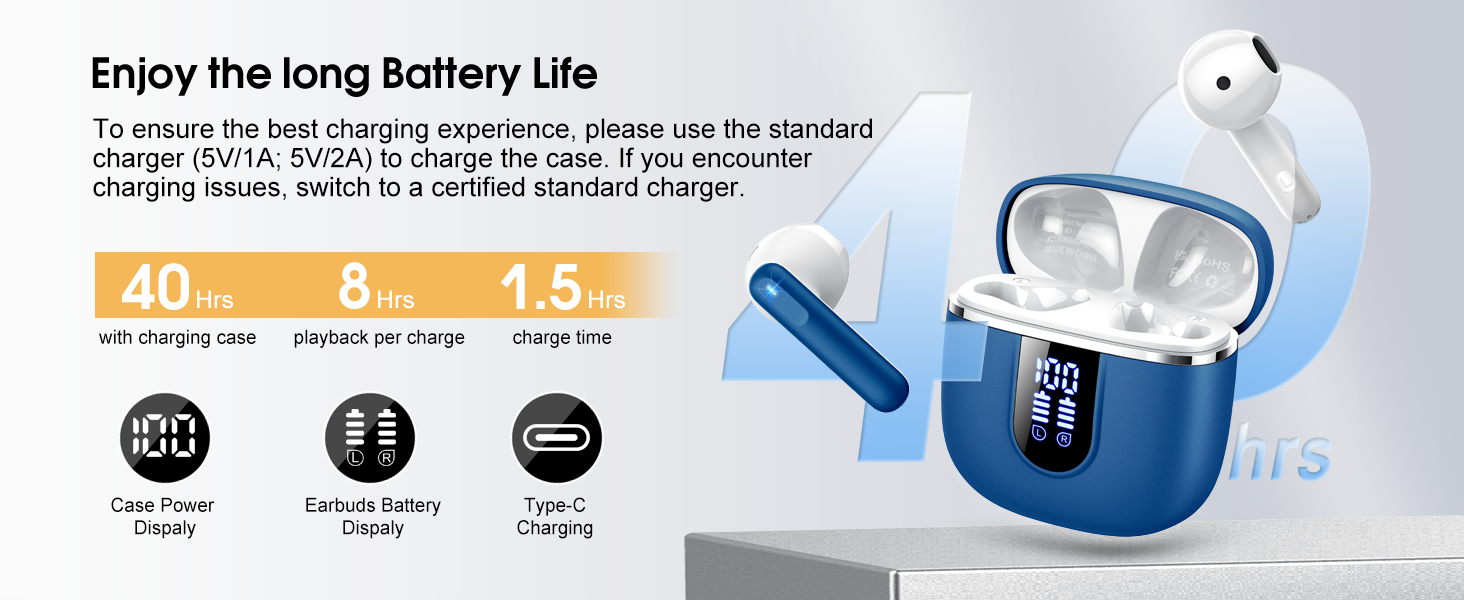
Image: Details on battery life (40 hours with case, 8 hours per charge) and charging time (1.5 hours), along with the LED display for battery status.
4.2 Bluetooth -parring
The earbuds feature a Hall sensor for automatic pairing.
- Første gangs parring: Åbn opladningsetuiet. Ørepropperne tændes automatisk og går i parringstilstand.
- Aktiver Bluetooth på din enhed (smartphone, tablet, bærbar computer), og søg efter tilgængelige enheder.
- Select "H97" from the list of devices to connect. Once connected, you will hear a confirmation tone.
- Automatisk genforbindelse: After the initial pairing, the earbuds will automatically connect to the last paired device when the charging case is opened (within 15 meters).
- Enkelt ørepropstilstand: You can use either the left or right earbud independently. Simply take one earbud out of the case, and it will connect. If you take out the other earbud, they will automatically switch to binaural mode. To use a single earbud, place the other back into the charging case.

Image: An illustration explaining how to use the earbuds in single earbud mode or binaural (stereo) mode, and how they automatically switch.
5. Betjeningsvejledning
5.1 Tryk på kontrolelementer
The Cillso H97 earbuds feature sensitive touch controls on each earbud. The functions are as follows:
| Handling | Fungere |
|---|---|
| Dobbelttryk (V/H) | Afspil/pause musik |
| One Tap (L/R) | Besvar/afslut opkald |
| Langt tryk i 2 sekunder (V/H) | Afvis opkald |
| Long Tap 2s (R) | Næste sang |
| Long Tap 2s (L) | Forrige sang |
| One Tap (R) | Lydstyrke op |
| One Tap (L) | Lydstyrke ned |
| Tredobbelt tryk (R) | Aktiver Voice Assistant |

Image: A diagram illustrating the various touch control gestures for managing music playback, calls, and voice assistant functions.
5.2 Sådan tager du ørepropperne på
For optimal lydkvalitet og komfort skal du sørge for, at ørepropperne sidder korrekt i dine ører.
- Identificér venstre (V) og højre (H) ørepropper.
- Før forsigtigt hver øreprop ind i din øregang.
- Adjust the angle until it feels secure and comfortable. The ergonomic design is intended to fit the contours of most ear canals.

Image: Diagrams showing the ergonomic design and recommended angles for wearing the earbuds for a secure and comfortable fit.
5.3 Bred kompatibilitet
The Cillso H97 Wireless Earbuds are compatible with a broad range of Bluetooth-enabled devices.
- Operativsystemer: Android 4.4+ og iOS 8.0+
- Bluetooth version: Bluetooth 4.0 eller nyere
- Enheder: Smartphones (iPhone, Samsung Galaxy, Huawei, Xiaomi, etc.), tablets, and laptops.

Image: Icons representing compatibility with phones, tablets, laptops, and desktops, showing the earbuds connected to a smartphone.
6. Vedligeholdelse og pleje
6.1 Rengøring
- Rengør regelmæssigt ørepropperne og opladningsetuiet med en blød, tør og fnugfri klud.
- Brug ikke slibende rengøringsmidler, alkohol eller kemiske spraymidler.
- Ensure charging contacts on both earbuds and case are clean and dry for proper charging.
6.2 Opbevaring
- Når ørepropperne ikke er i brug, skal de opbevares i deres opladningsetui for at beskytte dem og holde dem opladede.
- Opbevares køligt og tørt, væk fra ekstreme temperaturer og direkte sollys.
6.3 Vandtæthed (IPX7)
The earbuds are rated IPX7 waterproof, meaning they can withstand immersion in water up to 1 meter for 30 minutes. This protects them from sweat, rain, and splashes.
- Nedsænk ikke opladningsetuiet med vilje, da det ikke er vandtæt.
- Sørg for, at ørepropperne er helt tørre, før du sætter dem tilbage i opladningsetuiet, for at forhindre beskadigelse af opladningskontakterne.
- Avoid using the earbuds in saunas, steam rooms, or during diving.

Image: An earbud with water splashing on it, illustrating its IPX7 waterproof capability.
6.4 Overstrømsbeskyttelse (OCP)
The charging case is equipped with Over Current Protection technology to prevent issues such as overheating, melting, or fire caused by prolonged high current from an external power source. When the current exceeds the power limit, the power source will immediately cut off output to protect the circuitry and device.
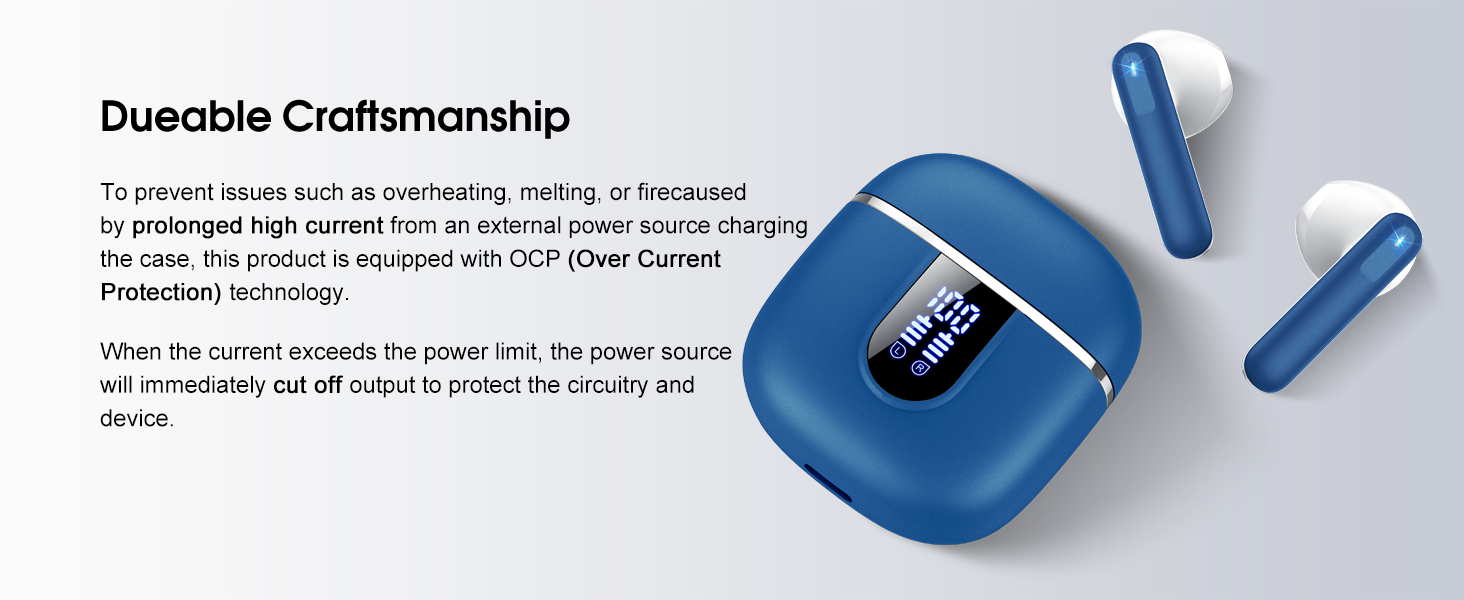
Image: The charging case and earbuds, highlighting the durable craftsmanship and Over Current Protection (OCP) technology.
7. Fejlfinding
If you encounter any issues with your Cillso H97 Wireless Earbuds, please refer to the following common problems and solutions:
- Ingen lyd / Afbrydelse:
- Sørg for, at ørepropperne er opladet.
- Check if Bluetooth is enabled on your device and if "H97" is selected.
- Gå tættere på din enhed for at sikre, at du er inden for Bluetooth-rækkevidden på 15 meter.
- Prøv at ophæve parringen af ørepropperne med din enhed og parre dem igen.
- Øretelefoner oplader ikke:
- Sørg for, at opladningsetuiet er opladet.
- Check that the earbuds are correctly seated in the charging case and the charging contacts are clean.
- Verify the USB-C cable and power adapter are working correctly and meet the 5V/1A or 5V/2A standard.
- Kun én øreprop virker:
- Placer begge ørepropper tilbage i opladningsetuiet, luk låget, vent et par sekunder, åbn derefter låget, og tag dem ud sammen.
- Sørg for, at begge øretelefoner er opladet.
- If the issue persists, try resetting the earbuds (refer to the full user manual if a specific reset procedure is available, otherwise, unpair and re-pair).
- Berøringsknapper reagerer ikke:
- Sørg for, at dine fingre er rene og tørre.
- Prøv at genstarte ørepropperne ved at lægge dem i etuiet og tage dem ud igen.
Hvis disse trin ikke løser dit problem, bedes du kontakte kundesupport.
8. Specifikationer
| Feature | Detalje |
|---|---|
| Modelnavn | H97 |
| Mærke | Cillso |
| Forbindelsesteknologi | Trådløs (Bluetooth) |
| Bluetooth version | 5.4 |
| Bluetooth rækkevidde | 15 meter |
| Audio driver størrelse | 13mm (from description, spec says 14.2mm, using 13mm as it's consistent with marketing) |
| Frekvensrespons | 20Hz - 20kHz (from description) |
| Følsomhed | 110 dB |
| Impedans | 32 Ohm |
| Øretelefon batterilevetid | Op til 8 timer |
| Samlet afspilningstid (med etui) | Op til 40 timer |
| Opladningstid (etui) | Ca. 1.5 timer |
| Opladningsport | USB-C |
| Vandmodstandsvurdering | IPX7 (øretelefoner) |
| Earbud vægt | 3.5 gram (hver) |
| Vægt af opladningsetui | 32 gram |
| Kompatible enheder | iOS 9.0+/Android 5.0+ with Bluetooth 4.0+ |
| Kontrolmetode | Røre |
9. Garanti og support
Cillso products are designed for reliability and performance. For warranty information and customer support, please refer to the warranty card included in your product packaging or visit the official Cillso webwebsted.
If you have any questions or require assistance, please do not hesitate to contact our customer service team.