
1. Introduktion
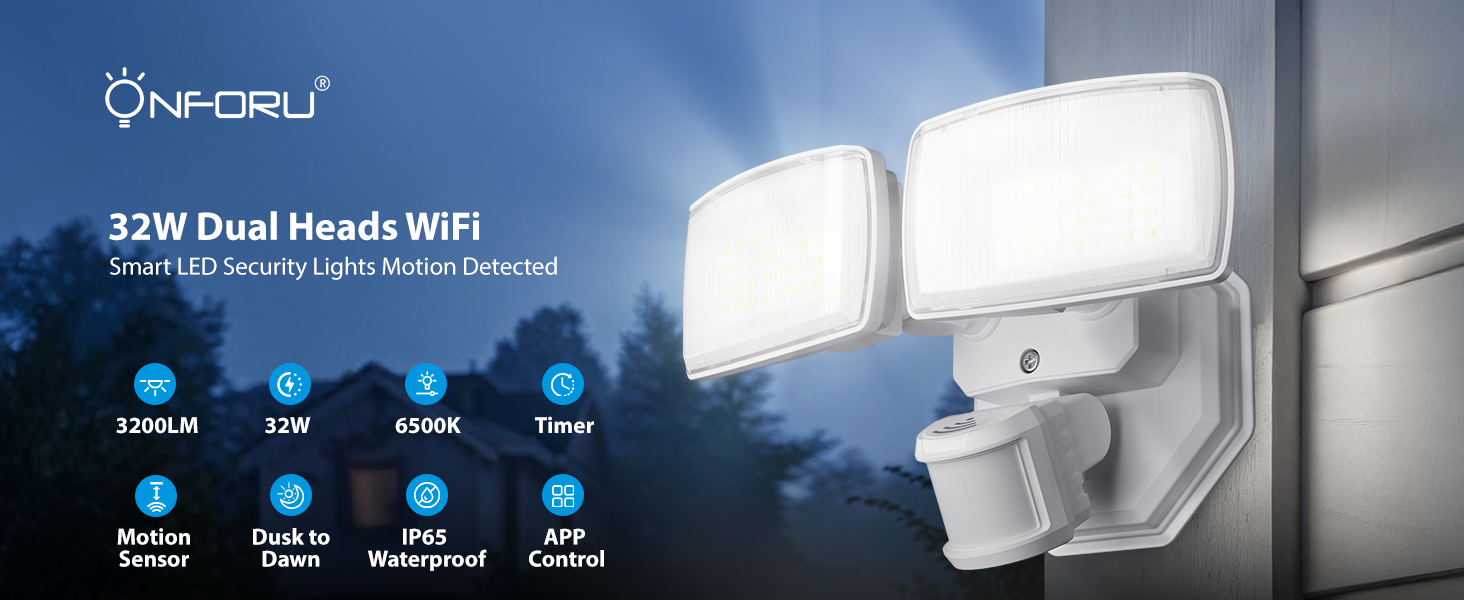
Thank you for choosing the Onforu 32W 2 Head Smart LED Security Light. This manual provides essential information for the safe installation, effective operation, and proper maintenance of your new security light. Please read these instructions thoroughly before installation and retain them for future reference.
2. Produktet er slutview
Nøglefunktioner
- WiFi App & Voice Control: Supports 2.4GHz WiFi for control via the 'Onforu' App, Alexa, or Google Assistant. Features include color temperature adjustment, motion sensor distance setting, motion-off delay, stepless dimming, dim light brightness control, and group control.
- Avanceret bevægelsesdetektion: 180° detection angle with a range of 19–72 ft, covering up to 1,150 sq ft.
- Justerbar farvetemperatur og lysstyrke: Stepless dimming with 3 basic color temperatures (warm white, daylight, cold white) and 5-level brightness settings (2700K-6500K). Includes a memory function.
- Smart timing: Two timing options for automatic on/off schedules and varied light settings.
- IP65 Vejrbestandig: Designed to withstand harsh outdoor weather conditions.

Overview of the Onforu Smart LED Security Light's key features and capabilities.
Hvad er der i æsken
- 1 x WiFi Motion Sensor Light
3. Sikkerhedsoplysninger
Please observe the following safety precautions before installing or operating the light fixture:
- Elektrisk sikkerhed: Always turn off power at the circuit breaker before installation or servicing. Consult a qualified electrician if you are unsure about wiring.
- Jording: Sørg for, at armaturet er korrekt jordforbundet for at undgå elektrisk stød.
- Installation placering: Install the light in a location suitable for outdoor use, away from flammable materials. Ensure the mounting surface is sturdy enough to support the fixture.
- Ledningsføring: Use appropriate wire connectors and ensure all connections are secure and insulated.
- Driftstemperatur: Brug ikke armaturet uden for det angivne temperaturområde.
4. Opsætning og installation
This security light is designed for hardwired installation. It is not solar or battery powered and does not include a camera.
Monteringsmuligheder
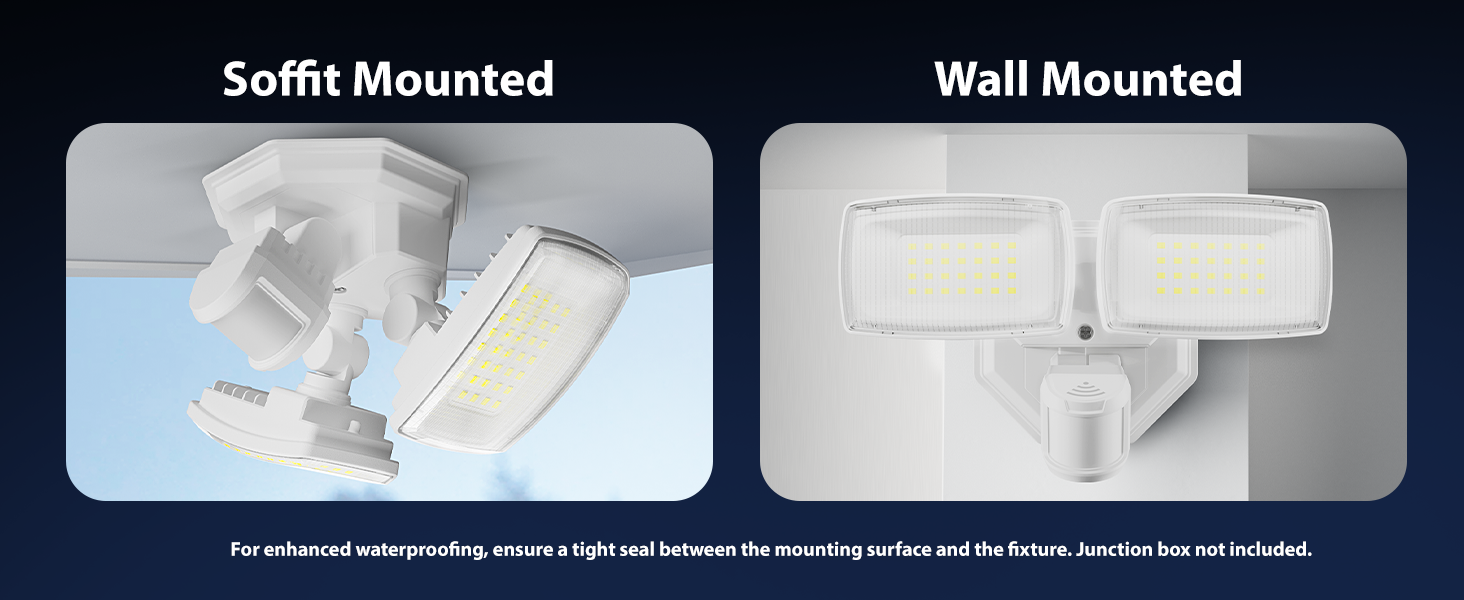
The fixture can be mounted on a wall or soffit. For enhanced waterproofing, ensure a tight seal between the mounting surface and the fixture. A junction box is not included.

Illustration of soffit and wall mounting configurations.
Ledningsinstruktioner
Follow these steps for hardwired installation:
- Sluk for strømmen: Før du starter, skal du sørge for, at strømmen til installationsområdet er afbrudt ved afbryderen.
- Forbered ledningsføring: Connect the Live Wire (L), Neutral Wire (N), and Ground Wire to the corresponding wires from your electrical supply. Refer to the wiring diagram below.
- Sikker armatur: Mount the fixture securely to the desired surface using appropriate hardware.
- Tætningsforbindelser: Sørg for, at alle elektriske forbindelser er sikre og beskyttet mod fugt.
- Gendan strøm: Når installationen er færdig og verificeret, skal strømmen til afbryderen genoprettes.
Detaljeret view of the hardwired installation process and wiring connections.
Dimensions of the light fixture and wiring color codes.
5. Betjeningsvejledning
5.1 App Control and WiFi Connection
To unlock the full smart features of your Onforu security light, download the 'Onforu' App from your smartphone's app store. Follow the in-app instructions to pair the light with your 2.4GHz WiFi network (5GHz WiFi is not supported).
5.2 Stemmekontrol
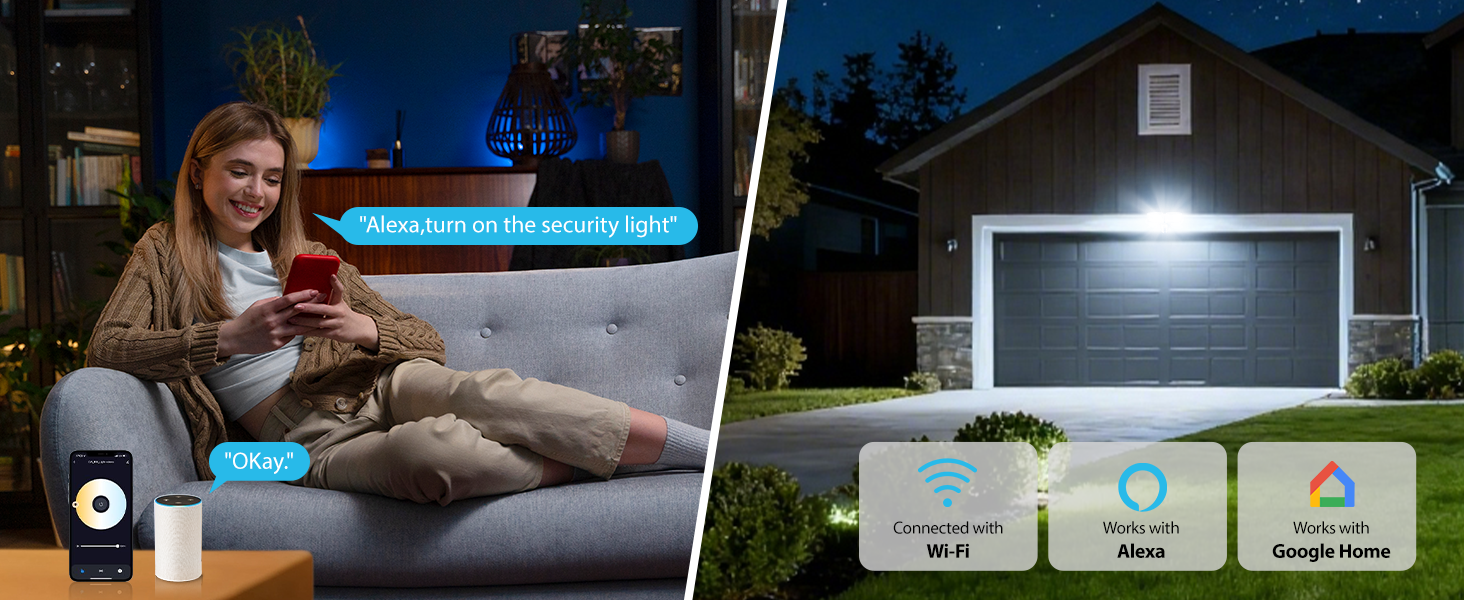
Once connected to the 'Onforu' App, you can link your light to Alexa or Google Assistant for convenient voice control. Use commands such as "Alexa, turn on the security light" to operate your device.

Voice control functionality with smart home assistants.
5.3 Bevægelsesdetektion
The integrated motion sensor offers a 180° detection angle and a range of 19–72 feet. You can adjust the sensitivity and detection area within the 'Onforu' App. The app also provides activity records of detected motion.

Motion detection in action, showing detection angle and activity logs.
5.4 Justerbar farvetemperatur og lysstyrke
Customize your lighting with stepless dimming and a broad range of color temperatures from 2700K (warm white) to 6500K (cold white). Brightness can be adjusted from 1% to 100%. The light retains your last settings with its memory function.
Adjusting color temperature and brightness via the app.
5.5 Smart Timing and Dusk to Dawn Mode
Set specific schedules for your light to turn on/off automatically. You can also configure different color temperatures or brightness levels for specific hours. The Dusk to Dawn mode allows the light to automatically turn on at dusk and off at dawn.

Dusk to Dawn mode operation.
Overview of smart lighting modes including motion sensor, dimmed light, time schedule, and adjustable color temperature.
5.6 Networking (Group Control)
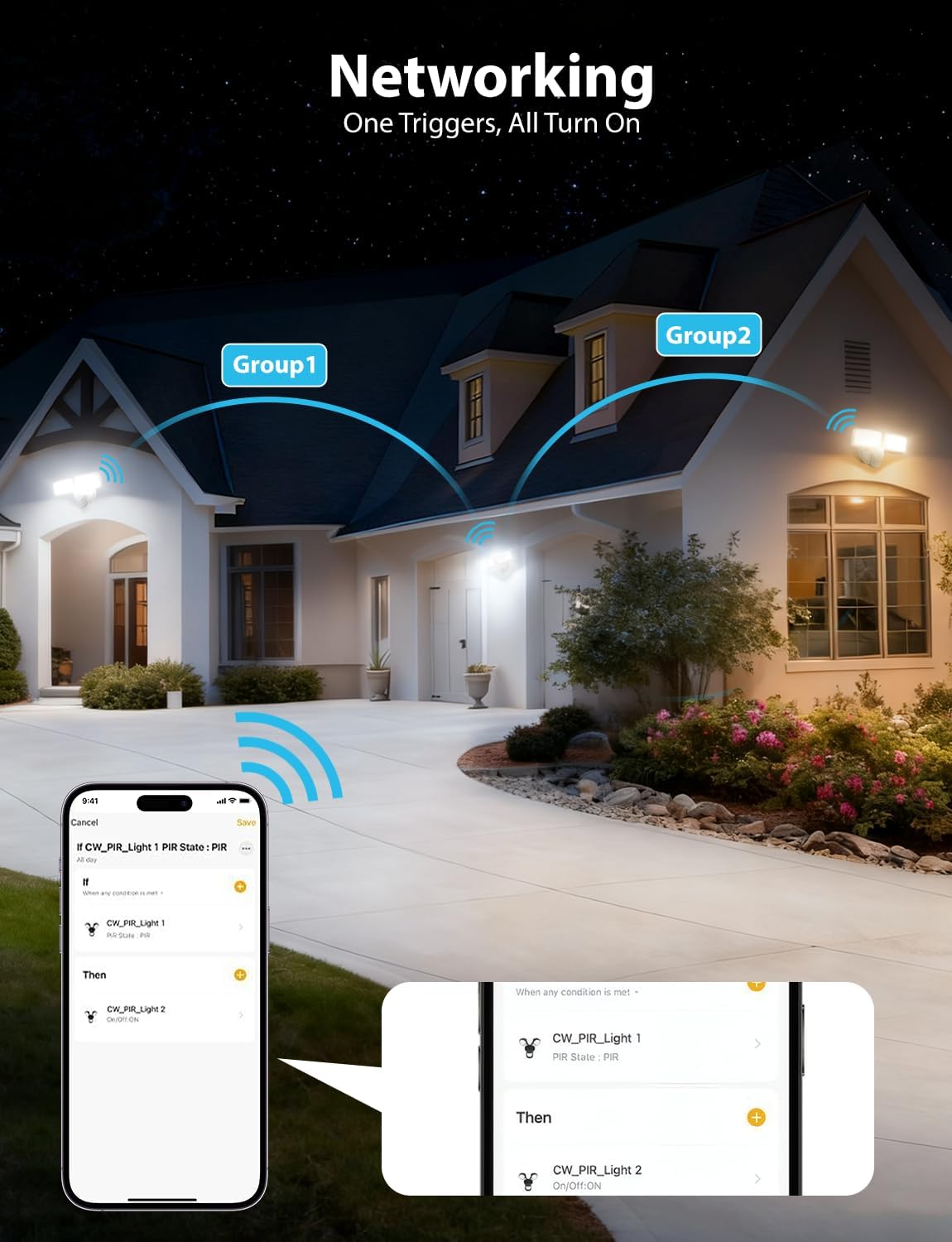
Utilize the networking feature to group multiple Onforu smart lights. When one light in a group triggers, all linked lights can be set to turn on, providing broader coverage and enhanced security.

Networking multiple lights for group control.
6. Vedligeholdelse
Regelmæssig vedligeholdelse sikrer optimal ydeevne og levetid for din sikkerhedslampe.
- Rensning: Rengør lampen med jævne mellemrum med en blød kludamp klud. Brug ikke slibende rengøringsmidler eller opløsningsmidler. Sørg for, at strømmen er slukket, før rengøring.
- Inspektion: Annually inspect the wiring and mounting hardware for any signs of wear, damage, or loosening. Tighten connections as needed.
- Sensorlinse: Hold bevægelsessensorens linse ren og fri for forhindringer (f.eks. snavs, edderkopwebs) for at sikre nøjagtig detektion.
7. Fejlfinding
If you encounter issues with your Onforu security light, refer to the following common troubleshooting steps:
| Problem | Mulig årsag | Løsning |
|---|---|---|
| Lyset tændes ikke. | No power, loose wiring, faulty sensor, incorrect settings. | Check circuit breaker. Verify wiring connections. Check app settings for schedules or motion sensor mode. |
| Bevægelsessensor registrerer ikke. | Sensor obstructed, incorrect sensitivity setting, outside detection range. | Clear sensor lens. Adjust sensitivity in the app. Ensure motion occurs within the 19-72 ft range. |
| Kan ikke oprette forbindelse til WiFi. | Incorrect WiFi band (5GHz), weak signal, incorrect password. | Ensure you are connecting to a 2.4GHz WiFi network. Move router closer or use a WiFi extender. Double-check WiFi password. |
| Lyset flimrer eller dæmpes uventet. | Unstable power supply, loose connection, faulty unit. | Check power supply stability. Inspect wiring connections. If problem persists, contact customer support. |
If these steps do not resolve the issue, please contact Onforu customer support for further assistance.
8. Specifikationer
| Feature | Detalje |
|---|---|
| Mærke | Onforu |
| Modelnummer | BDR32WF-2 |
| Strømkilde | Elektrisk med ledning |
| Wattage | 32 watt |
| Lysstyrke | 3200 lumen |
| Farvetemperatur | 2700K-6500K (Justerbar) |
| Bevægelsesdetekteringsvinkel | 180° |
| Rækkevidde for bevægelsesdetektering | 19-72 fod |
| Forbindelse | Wi-Fi (kun 2.4 GHz) |
| Kontrolmetode | App, Stemme (Alexa, Google Assistant) |
| Vandmodstandsniveau | IP65 vandtæt |
| Materiale | Plast |
| Dimensioner (L x B x H) | 8.77 cm L x 5.27 cm B x 4.96 cm H |
| Monteringstype | Vægmontering, overflademontering |
9. Garanti og support
Garantioplysninger
This Onforu product comes with a 2-year manufacturer's warranty. Please retain your proof of purchase for warranty claims.
Kundesupport
For technical assistance, troubleshooting, or warranty inquiries, please contact Onforu customer support. Refer to the product packaging or the official Onforu webhjemmeside for de seneste kontaktoplysninger.