
Micool BT-X LINE
Micool BT-X LINE Open-Ear Headphones User Manual
Model: BT-X LINE
1. Produktet er slutview
The Micool BT-X LINE Open-Ear Headphones are designed for comfort and high-quality audio, featuring a unique clip-on ear hook design. These wireless earbuds utilize Bluetooth 6.0 for stable connectivity and offer extended playtime, making them ideal for various activities including sports, gym, and daily commutes. The open-ear design allows for situational awareness while enjoying your audio.

Figure 1: Micool BT-X LINE Open-Ear Headphones and Charging Case.
This image shows the velvet purple Micool BT-X LINE open-ear headphones resting inside their matching charging case. The case is open, revealing both earbuds, which are designed with a sleek, metallic finish and the "BT-X LINE" branding visible on each. A small LED indicator light is visible on the front of the charging case.
2. Pakkens indhold
Kontroller venligst, at alle varer er til stede i din pakke:
- Micool BT-X LINE Open-Ear Headphones (Left and Right)
- Trådløs opladningsetui
- USB-C ladekabel
- Brugervejledning (dette dokument)
3. Opsætningsvejledning
3.1. Opladning af hovedtelefoner og etuiet
Before first use, it is recommended to fully charge both the headphones and the charging case.
- Opladning af etuiet: Tilslut det medfølgende USB-C-kabel til opladningsporten på etuiet og den anden ende til en USB-strømadapter (medfølger ikke). LED-indikatoren på etuiet viser opladningsstatus.
- Opladning af øretelefoner: Place the earbuds into their respective slots in the charging case. Ensure they are properly seated. The earbuds will begin charging automatically. The case's LED indicator will confirm charging.
A full charge provides up to 8 hours of music playtime for the earbuds, with the charging case extending total playtime to up to 36 hours.

Figure 2: Compact Charging Case for On-the-Go Power.
This image shows a hand placing the sleek, velvet purple Micool BT-X LINE charging case into a pocket, emphasizing its compact and portable design. The case is open, revealing the earbuds inside, ready for charging or use.
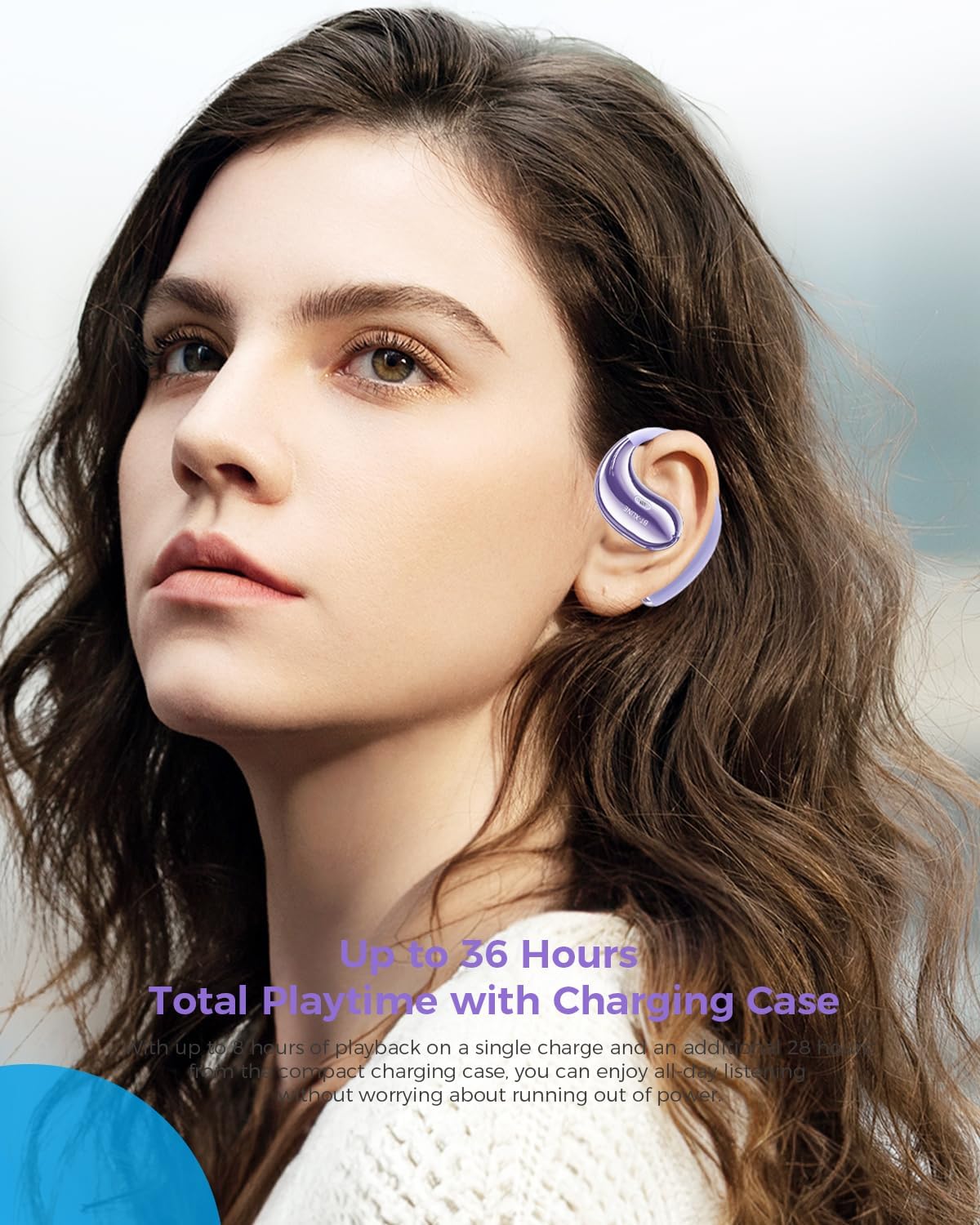
Figure 3: Extended Playtime and Comfortable Wear.
This image features a woman wearing the Micool BT-X LINE open-ear headphones, highlighting their comfortable and secure fit. The text overlay indicates "Up to 36 Hours Total Playtime with Charging Case," emphasizing the long battery life suitable for extended use.
3.2. Tænd/sluk
- Tænd: Ørepropperne tændes automatisk, når de tages ud af opladningsetuiet.
- Sluk: Placer ørepropperne tilbage i opladningsetuiet for automatisk at slukke dem og begynde opladningen.
3.3. Bluetooth-parring
The Micool BT-X LINE headphones feature one-step auto-pairing for seamless connection using Bluetooth 6.0 technology.
- Parring første gang:
- Åbn opladningsetuiet. Ørepropperne tændes automatisk og går i parringstilstand.
- Aktiver Bluetooth på din enhed (smartphone, tablet, bærbar computer), og søg efter tilgængelige enheder.
- Select "BT-X LINE" from the list of found devices.
- Når der er oprettet forbindelse, vil du høre en bekræftelse med en hørbar lyd.
- Genforbindelse: After the initial pairing, the earbuds will automatically reconnect to the last paired device when removed from the charging case, provided Bluetooth is enabled on your device.

Figure 4: One-Step Pairing Feature.
This image displays the Micool BT-X LINE earbuds inside their open charging case, with text highlighting the "ONE-STEP PAIRING" feature. It visually reinforces the ease of connection by simply opening the case.

Figure 5: Next-Gen Bluetooth 6.0 and Extended Battery Life.
Dette billede viser et set ovenfra og ned view of the Micool BT-X LINE earbuds and their charging case, emphasizing the advanced Bluetooth 6.0 technology for stable connections and the impressive battery life of up to 36 hours.
4. Betjeningsvejledning
4.1. Brug af hovedtelefoner
The BT-X LINE headphones feature an open-ear design with soft silicone memory ear hooks for a secure and comfortable fit. Gently place the earbud over your ear, ensuring the ear hook rests comfortably behind your ear. Adjust for optimal comfort and sound.

Figure 6: Ergonomic Design for All-Day Comfort.
Dette billede giver en detaljeret view of the Micool BT-X LINE earbud positioned on an ear model, illustrating its ergonomic design and how the clip-on ear hook ensures a secure and comfortable fit for extended wear.

Figure 7: Comfort Comparison.
This image compares the Micool BT-X LINE's open-ear design to traditional earbuds that can cause discomfort (heavy, painful, stuffy). It visually demonstrates how the BT-X LINE offers a lightweight, ergonomically designed fit that stays secure without blocking the ear canal.

Figure 8: Memory Wire Ear Hook with Soft Silicone.
This close-up image focuses on the Micool BT-X LINE earbud, specifically showcasing the flexible memory wire ear hook covered in soft silicone. This design ensures an adjustable, secure, and sweat-resistant fit for various ear sizes and activities.
4.2. Tryk på Kontrolelementer
The earbuds feature intuitive touch controls for managing audio playback and calls. The touch sensitive area is located on the outer surface of each earbud.
| Handling | Fungere |
|---|---|
| Enkelt tryk (V/H) | Afspil/pause musik, besvar/afslut opkald |
| Dobbelttryk (højre) | Næste spor |
| Dobbelttryk (venstre) | Forrige spor |
| Tredobbelt tryk (højre) | Lydstyrke op |
| Tredobbelt tryk (venstre) | Lydstyrke ned |
| Langt tryk (2 sekunder) (V/H) | Afvis opkald, aktivér stemmeassistent |

Figure 9: Touch Controls for Easy Operation.
This image shows a woman engaged in an activity (drinking water) while wearing the Micool BT-X LINE headphones, with the charging case visible. The accompanying text highlights the convenience of touch controls for managing music, calls, and volume without needing to access the phone.
5. Vedligeholdelse og pleje
- Rensning: Tør forsigtigt ørepropperne og opladningsetuiet af med en blød, tør og fnugfri klud. Brug ikke skrappe kemikalier eller slibende materialer.
- Vandtæthed: The headphones are water-resistant. Avoid submerging them in water or exposing them to excessive moisture for prolonged periods. Dry them thoroughly if they get wet.
- Opbevaring: Når hovedtelefonerne ikke er i brug, skal de opbevares i deres opladningsetui for at beskytte dem mod støv og skader. Opbevares køligt og tørt.
- Batteripleje: To prolong battery life, avoid fully discharging the battery frequently. Charge regularly, even if not used for a long time.
6. Fejlfinding
If you encounter any issues with your Micool BT-X LINE headphones, please refer to the following common solutions:
| Problem | Mulig løsning |
|---|---|
| Hovedtelefoner parres ikke |
|
| Ingen lyd fra et ørepropp |
|
| Ladeetui oplader ikke |
|
| Dårlig lydkvalitet |
|
7. Specifikationer
Detailed technical specifications for the Micool BT-X LINE Open-Ear Headphones:
| Feature | Detalje |
|---|---|
| Modelnavn | BT-X LINE |
| Forbindelsesteknologi | Trådløs |
| Trådløs kommunikationsteknologi | Bluetooth 6.0 |
| Øreplacering | Åbent øre |
| Formfaktor | On Ear |
| Støjkontrol | Active Noise Cancellation (for calls via dual-mic) |
| Driver størrelse | 14.2 mm dynamiske drivere |
| Spilletid (øretelefoner) | Op til 8 timer |
| Samlet spilletid (med etui) | Op til 36 timer |
| Opladningsport | USB-C |
| Materiale | Acrylonitril Butadien Styren (ABS) |
| Vandmodstandsniveau | Vandtæt |
| Varens vægt | 5.6 g (samlet pakke) |
| Farve | Velvet Purple |
| UPC | 783429666100 |
8. Garanti og support
Micool products are designed and manufactured to the highest quality standards. For information regarding warranty coverage, technical support, or service inquiries, please refer to the warranty card included in your package or visit the official Micool website. You may also contact Micool customer support directly for assistance.
Fabrikant: MICOOL
Ask a question about this manual
Ask about setup, troubleshooting, compatibility, parts, safety, or missing instructions. Manuals+ will review the question and use this page’s manual context to help answer it.