
Produkt overview
The ASTRO Gaming A20 Gen 2 Wireless Headset provides a high-quality audio experience for gaming across multiple platforms. Designed for comfort and performance, it features low-latency wireless connectivity and a convenient flip-to-mute microphone.
Nøglefunktioner:
- Next-Gen Compatibility: Seamlessly works with PlayStation 5, PlayStation 4, Windows, and Mac OS.
- Lag-Free Wireless Audio: 2.4GHz USB wireless transmitter ensures low-latency, high-quality sound.
- Langtidsholdbart batteri: Up to 15 hours of wireless gaming on a single charge.
- Flip-to-mute-mikrofon: Flexible boom mic with an intuitive flip-to-mute function for instant control.
- Komfort hele dagen: Lightweight design with padded headband and ear cushions for extended wear.
Hvad er der i æsken
- A20 Trådløst headset
- USB sender
- USB-C til USB-A opladningskabel
Opsætningsinstruktioner
Follow these steps to set up your ASTRO Gaming A20 Gen 2 Wireless Headset:
- Oplad headsettet: Connect the headset to a power source using the provided USB-C to USB-A charging cable. Ensure the headset is fully charged before first use for optimal battery life.
- Connect the USB Transmitter: Plug the USB transmitter into an available USB port on your PlayStation console (PS5 or PS4) or your Windows/Mac computer. The transmitter facilitates the 2.4GHz wireless connection.
- Tænd: Turn on your ASTRO Gaming A20 Gen 2 Wireless Headset. The headset should automatically pair with the USB transmitter. Refer to your device's audio settings to ensure the headset is selected as the input and output device.
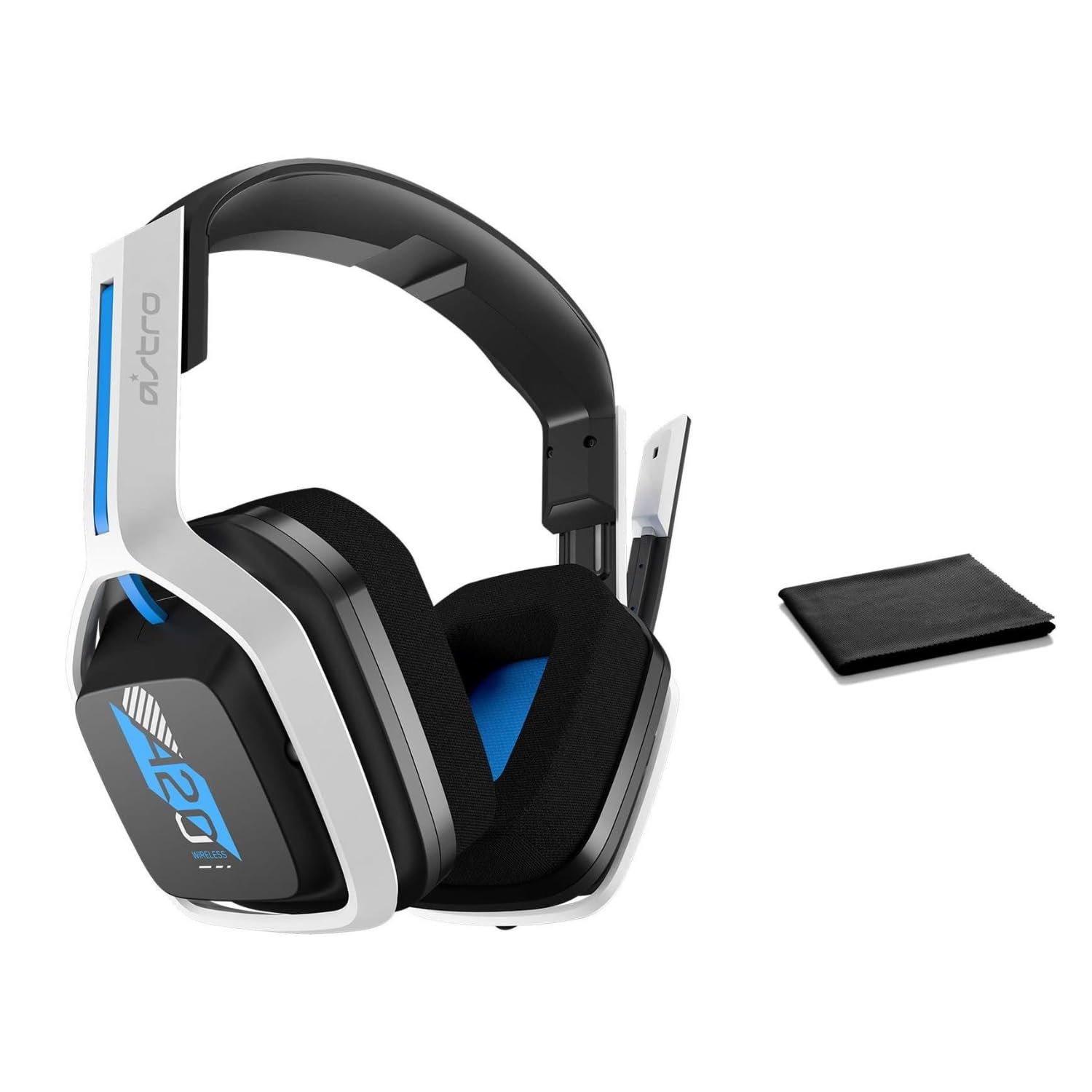
Image: The ASTRO Gaming A20 Gen 2 Wireless Headset, ready for use.
Betjeningsvejledning
Mikrofon funktionalitet
The headset features a flexible boom microphone with a flip-to-mute function. To mute your microphone, simply flip the boom arm upwards. To unmute and activate the microphone, flip the boom arm back down to its original position.
Lydstyrkekontrol
Adjust the audio volume using the dedicated volume control located on the headset. Rotate the dial or press the buttons (depending on the specific model variant) to increase or decrease the sound output.
Opretholdelse
For at sikre dit headsets lange levetid og optimale ydeevne:
- Rensning: Use the included premium microfiber cloth to gently wipe down the headset and accessories. This helps keep your headset dust-free and smudge-free.
- Opbevaring: Opbevar headsettet et rent, tørt sted væk fra ekstreme temperaturer og direkte sollys, når det ikke er i brug.
- Batteripleje: For best battery health, avoid fully discharging the headset frequently. Charge it regularly.
Fejlfinding
If you encounter issues with your ASTRO Gaming A20 Gen 2 Wireless Headset, consider the following:
- Ingen lyd/mikrofon virker ikke: Ensure the USB transmitter is securely plugged into your device and the headset is powered on and paired. Check your device's audio settings to confirm the headset is selected as the default input/output. For the microphone, ensure it is not in the 'flipped-up' (muted) position.
- Forbindelsesproblemer: Try unplugging and re-plugging the USB transmitter. If issues persist, try connecting to a different USB port.
- Batteri oplades ikke: Verify the charging cable is properly connected to both the headset and the power source. Try a different USB port or power adapter.
- Firmwareopdatering: Visit the official ASTRO Gaming support website for any available firmware updates for your headset, as these can resolve various performance issues.
Specifikationer
| Feature | Detalje |
|---|---|
| Modelnavn | 939-001876 |
| Mærke | ASTRO spil |
| Forbindelsesteknologi | Trådløs |
| Trådløs kommunikation | 2.4GHz Wireless |
| Kompatible enheder | Mac OS, PlayStation 4, Playstation 5, Windows |
| Batterilevetid | 15 timer |
| Opladningstid | 15 timer |
| Mikrofon | Vend for at lyde |
| Øreplacering | Over Ear |
| Varens vægt | 11.2 ounces (318 gram) |
| Materiale | Plast |
| Inkluderede komponenter | A20 Wireless Headset, USB transmitter, USB-C to USB-A charging cable |
Garanti og support
For detailed warranty information and technical support, please refer to the official ASTRO Gaming webwebstedet eller kontakt deres kundeservice. Gem din købsbevis til garantikrav.