
GOBOULT B0FCSBLK42
GOBOULT Crown Smart Watch brugermanual
Model: B0FCSBLK42
1. Introduktion
Thank you for choosing the GOBOULT Crown Smart Watch. This manual provides essential information for setting up, operating, and maintaining your device. The GOBOULT Crown Smart Watch features a 1.95-inch HD display, Bluetooth calling, a functional rotating crown, and comprehensive health monitoring capabilities.
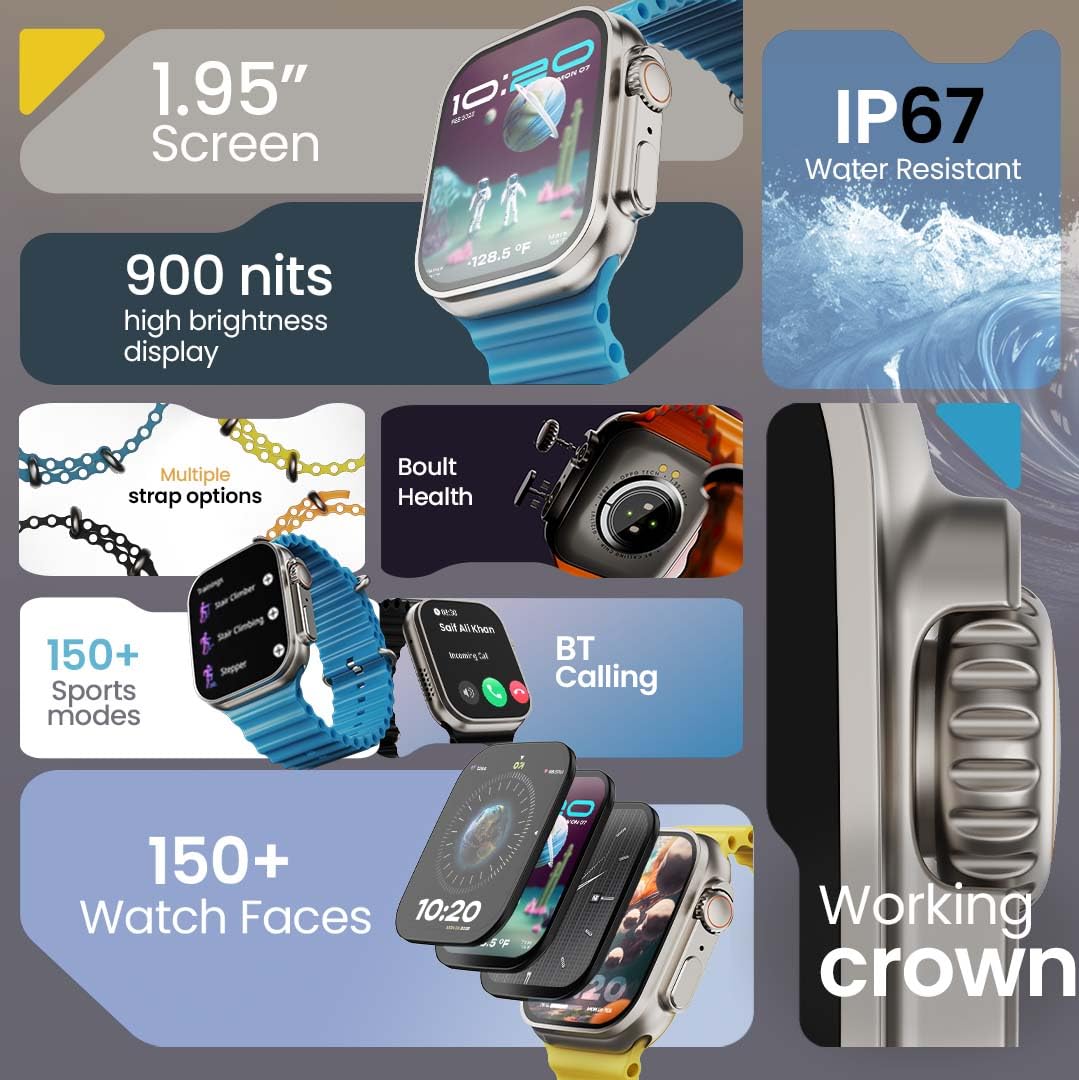
Billede 1.1: Overview of the GOBOULT Crown Smart Watch highlighting its 1.95-inch screen, 900 nits brightness, IP67 rating, multiple strap options, Boult Health features, Bluetooth calling, 150+ sports modes, 150+ watch faces, and working crown.
2. Hvad er der i æsken
Sørg for, at alle følgende varer er til stede i din produktemballage:
- GOBOULT Crown Smart Watch
- Ladekabel
- Brugermanual
- Garantikort
3. Produktet er slutview
The GOBOULT Crown Smart Watch is designed with a premium zinc alloy frame and a vibrant 1.95-inch HD display. It features a functional rotating crown for intuitive navigation and a dedicated button for sports modes.
3.1 nøglekomponenter
- 1.95-tommer HD-skærm: Offers clear visuals with up to 900 nits brightness for excellent outdoor visibility.
- Arbejdende roterende krone: Used for scrolling, zooming, and navigating menus.
- Side knap: Often dedicated for quick access to sports modes or other functions.
- Zinc Alloy Frame: Giver holdbarhed og en førsteklasses fornemmelse.
- Sensorer: Located on the back for heart rate, SpO2, and other health monitoring.
- Mikrofon og højttaler: Integrated for Bluetooth calling and voice assistant functions.
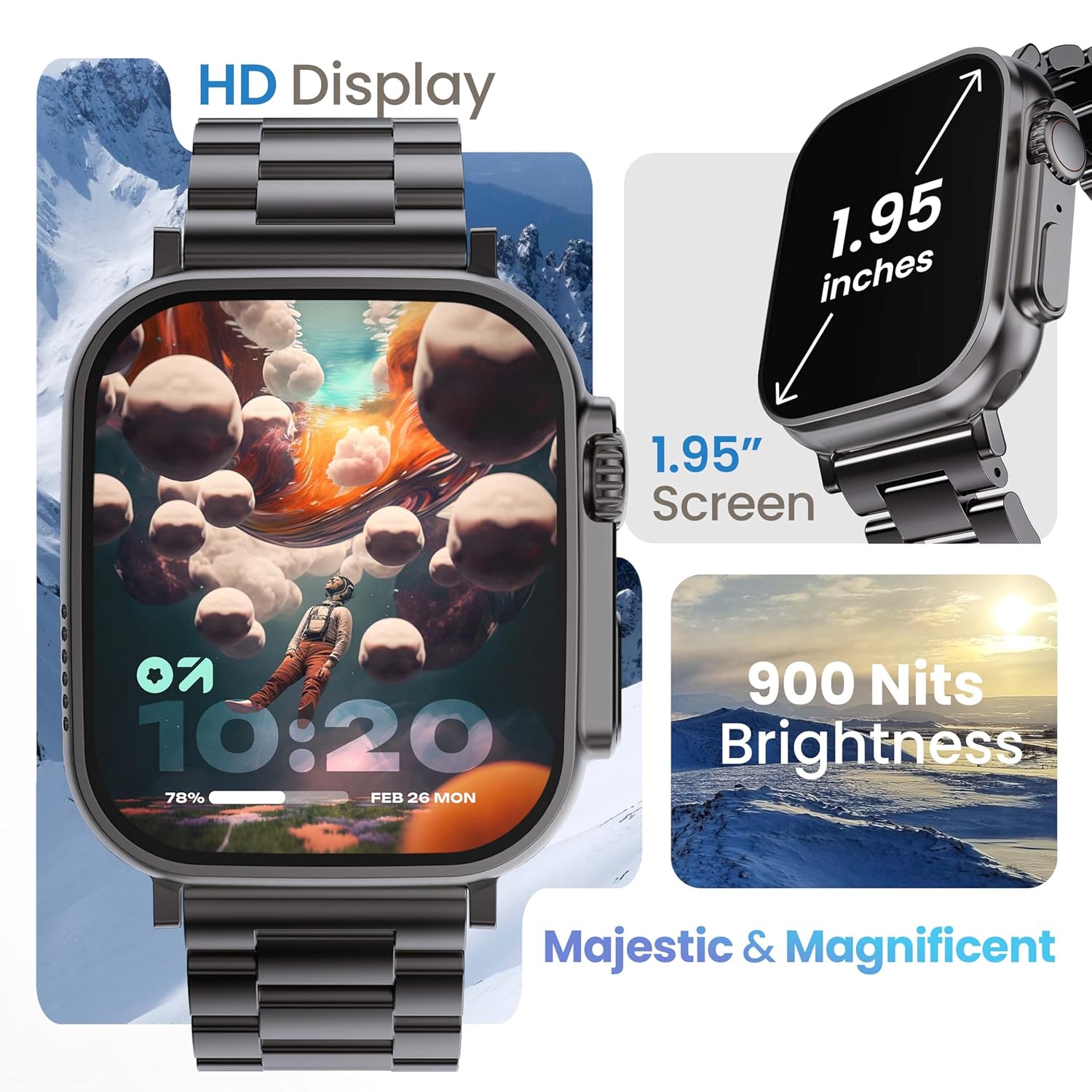
Image 3.1: The 1.95-inch HD display of the GOBOULT Crown Smart Watch, emphasizing its size and 900 Nits brightness for clear visibility.
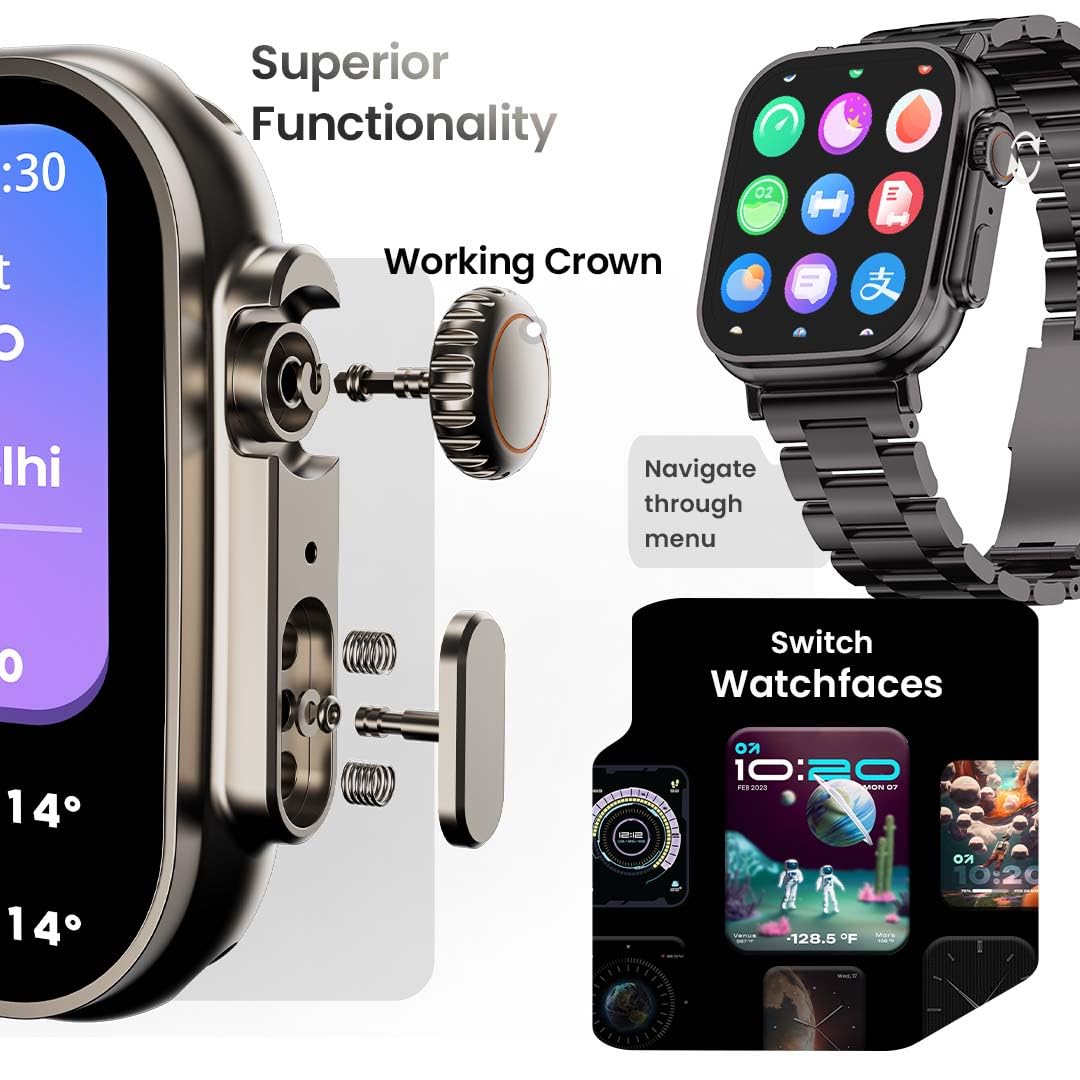
Billede 3.2: Detaljeret view of the working crown on the GOBOULT Crown Smart Watch, illustrating its use for navigating menus and switching watch faces.
4. Opsætning
4.1 Opladning af smarturet
- Connect the magnetic charging cable to the charging pins on the back of the watch.
- Sæt USB-enden af kablet i en standard USB-strømadapter (medfølger ikke) eller en computers USB-port.
- Urets display viser opladningsstatus. En fuld opladning tager cirka 150 minutter.
Note: Sørg for, at opladningsbenene er rene og tørre inden opladning for at forhindre korrosion.
4.2 Parring med din smartphone
To unlock all features, pair your GOBOULT Crown Smart Watch with the companion app on your smartphone.
- Download the official GOBOULT companion app from your smartphone's app store (compatible with iOS and Android devices).
- Sørg for, at Bluetooth er aktiveret på din smartphone.
- Åbn GOBOULT-appen, og følg instruktionerne på skærmen for at oprette en konto eller logge ind.
- Vælg 'Tilføj enhed' eller 'Par ny enhed' i appen.
- The app will search for available devices. Select 'GOBOULT Crown' from the list.
- Bekræft parringsanmodningen på både dit ur og din smartphone.
Når uret er parret, synkroniserer det data med din telefon, og du kan tilpasse indstillingerne via appen.
5. Betjeningsvejledning
5.1 Grundlæggende navigation
- Touchskærm: Stryg til venstre, højre, op eller ned for at navigere gennem menuer og notifikationer. Tryk for at vælge elementer.
- Arbejdskrone: Rotate the crown to scroll through lists, zoom in/out, or switch watch faces. Press the crown to return to the home screen or access the app menu.
- Side knap: Press to quickly access the sports mode menu.
5.2 Bluetooth-opkald
The GOBOULT Crown Smart Watch supports Bluetooth calling (BT 5.2) with a built-in speaker and microphone.
- Sørg for, at dit ur er parret med din smartphone via Bluetooth.
- To make a call, access the dial pad on your watch or select a contact from your synchronized phonebook.
- To answer an incoming call, tap the green icon on the watch screen. To reject, tap the red icon.
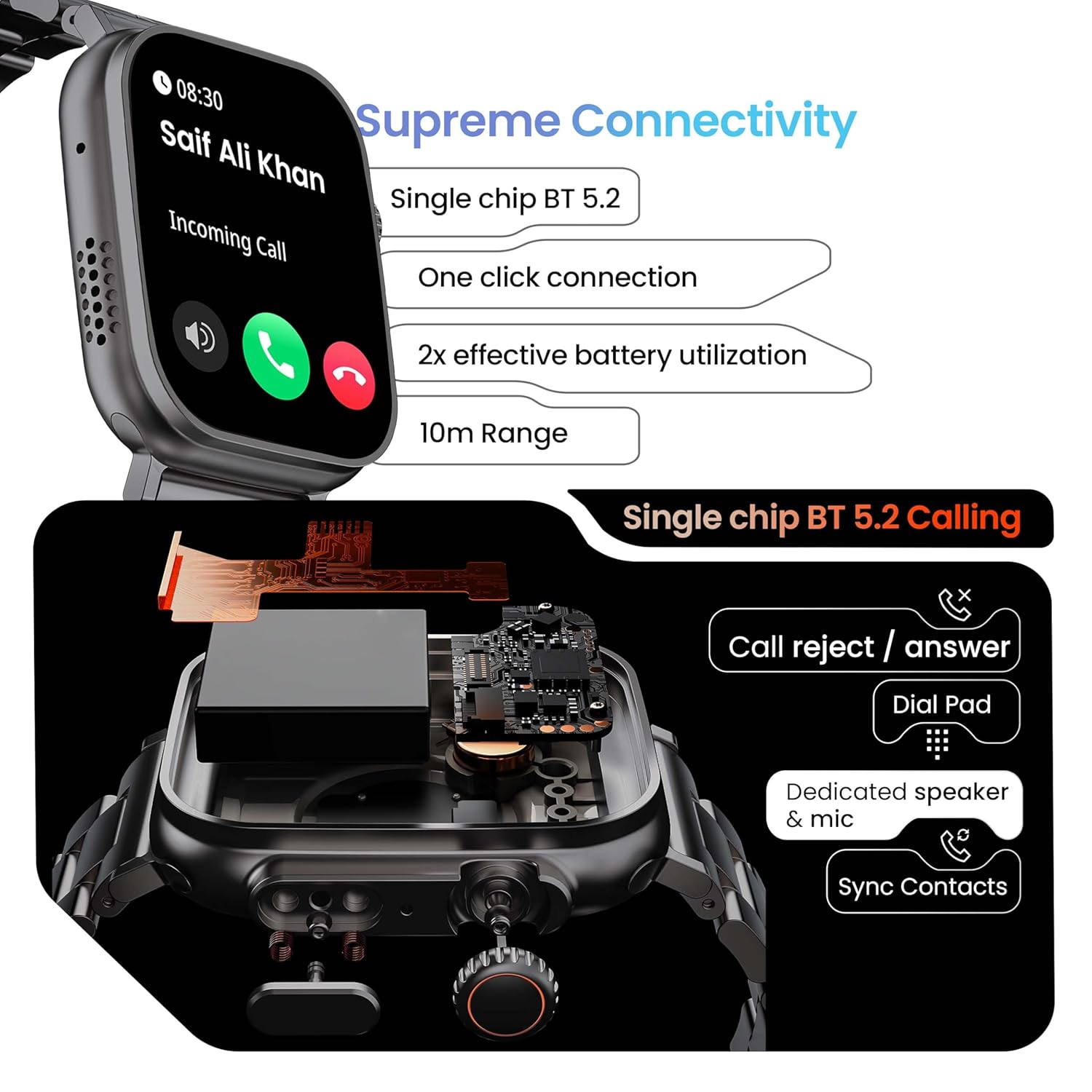
Image 5.1: Illustration of the Bluetooth 5.2 calling functionality on the GOBOULT Crown Smart Watch, including call reject/answer, dial pad, dedicated speaker & mic, and contact synchronization.
5.3 sportstilstande
The watch offers over 120 sports modes to track various physical activities.
- Press the dedicated side button or navigate through the app menu to access 'Sports Modes'.
- Select your desired activity (e.g., Running, Cycling, Yoga, HIIT).
- The watch will begin tracking metrics such as duration, heart rate, calories burned, and steps.
- End the workout by following the on-screen prompts. Data will be synchronized with the app.

Image 5.2: The GOBOULT Crown Smart Watch actively tracking a workout, showing real-time data for heart rate, calories, and steps, with a dedicated button for sports modes.
5.4 Sundhedsovervågning
The watch provides continuous health tracking features.
- Heart Rate Monitoring: Sporer din puls 24/7.
- SpO2-overvågning: Måler blodets iltmætning.
- Søvnanalyse: Overvåger søvnmønstre og -kvalitet.
- Aktivitetssporing: Records steps, distance, and calories burned throughout the day.
- Stillesiddende advarsler: Minder dig om at bevæge dig efter perioder med inaktivitet.
- Kvindelig menstruationscyklussporing: Available through the companion app.
- Åndedrætstræning: Guidede åndedrætsøvelser til afslapning.
Access detailed health data and trends in the GOBOULT companion app.
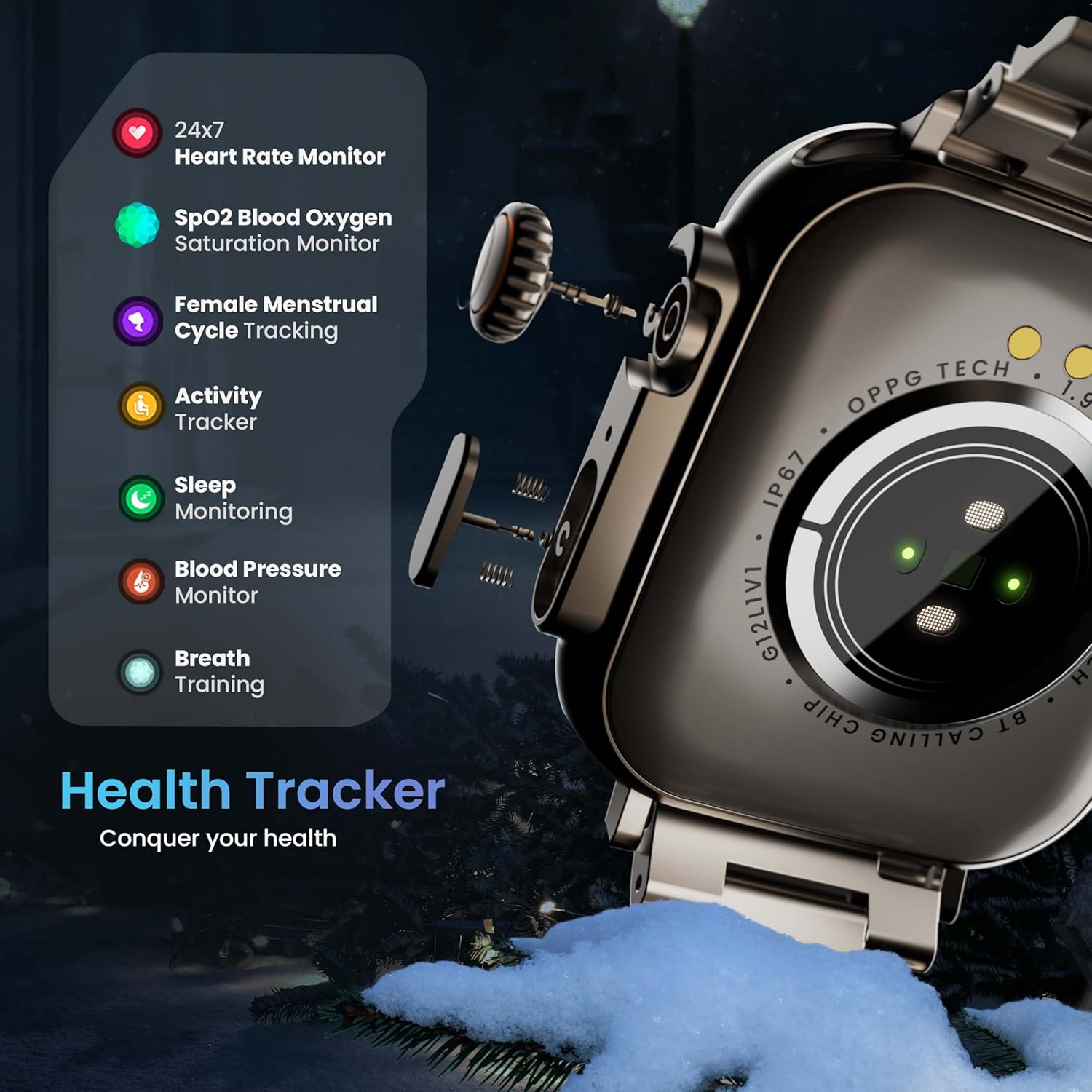
Image 5.3: The GOBOULT Crown Smart Watch highlighting its comprehensive health tracker capabilities, including 24x7 Heart Rate Monitor, SpO2 Blood Oxygen Saturation Monitor, Female Menstrual Cycle Tracking, Activity Tracker, Sleep Monitoring, Blood Pressure Monitor, and Breath Training.
5.5 AI-stemmeassistent
Interact with your watch using voice commands for quick tasks.
- Activate the AI Voice Assistant by a specific gesture or button press (refer to in-app settings for configuration).
- Speak your command clearly, such as "Hey Siri" or "Ok Google" (if connected to a compatible phone).
- The watch will process your request, allowing you to set reminders, check weather, or control smart home devices.
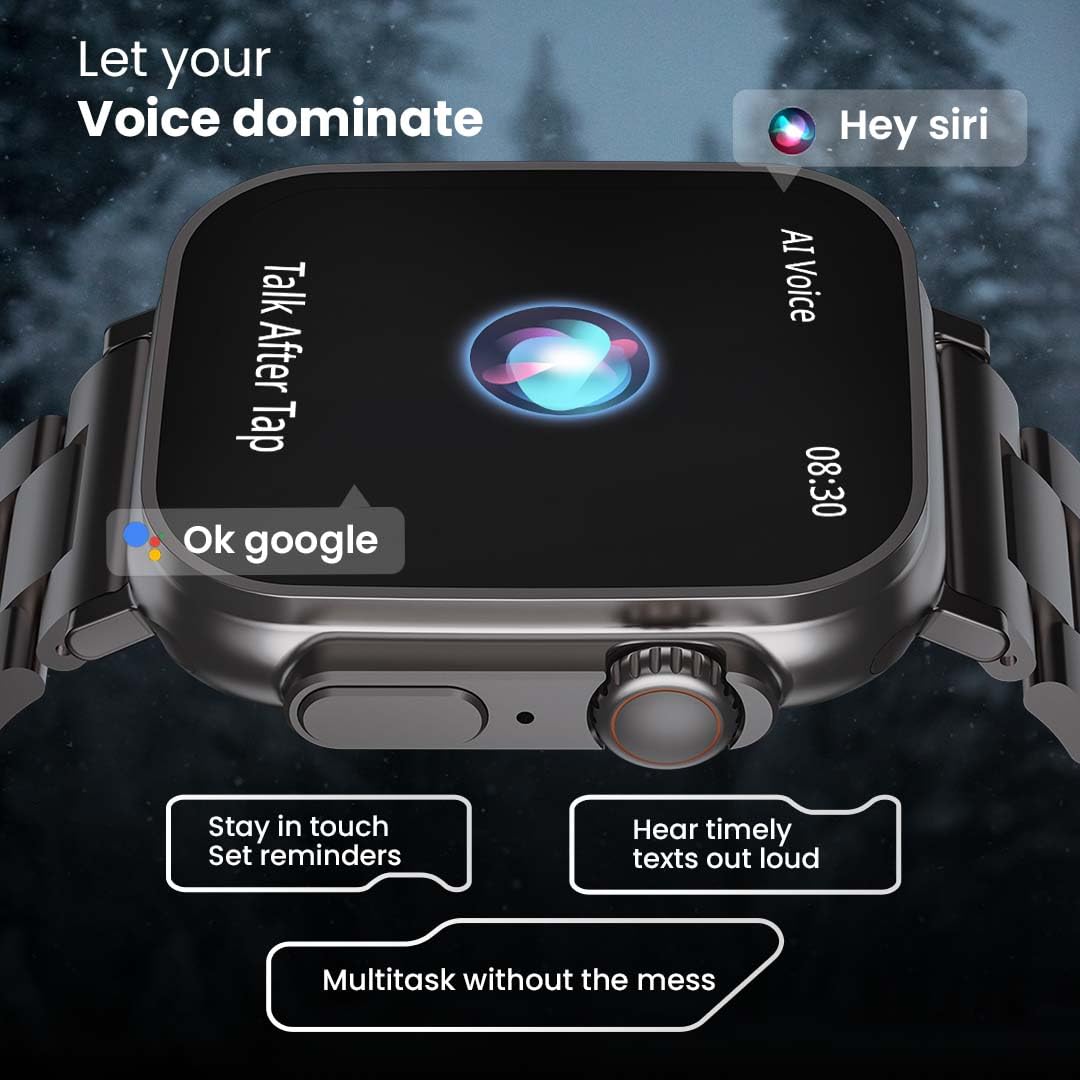
Image 5.4: The GOBOULT Crown Smart Watch interacting with AI Voice Assistants like Hey Siri and Ok Google, enabling users to stay in touch, set reminders, and hear timely texts aloud.
5.6 Watch Faces & Customization
Personalize your watch with over 100 cloud-based watch faces.
- Long-press the watch face on the home screen to quickly switch between pre-loaded faces.
- For more options, open the GOBOULT app and browse the 'Watch Faces' library.
- Download and apply new watch faces directly from the app.
5.7 Minispil
The watch includes several mini-games for entertainment.
- Navigate to the 'Games' section in the app menu.
- Select a game (e.g., Young Bird, Hamster, Battleships, 2048) and follow the on-screen instructions to play.
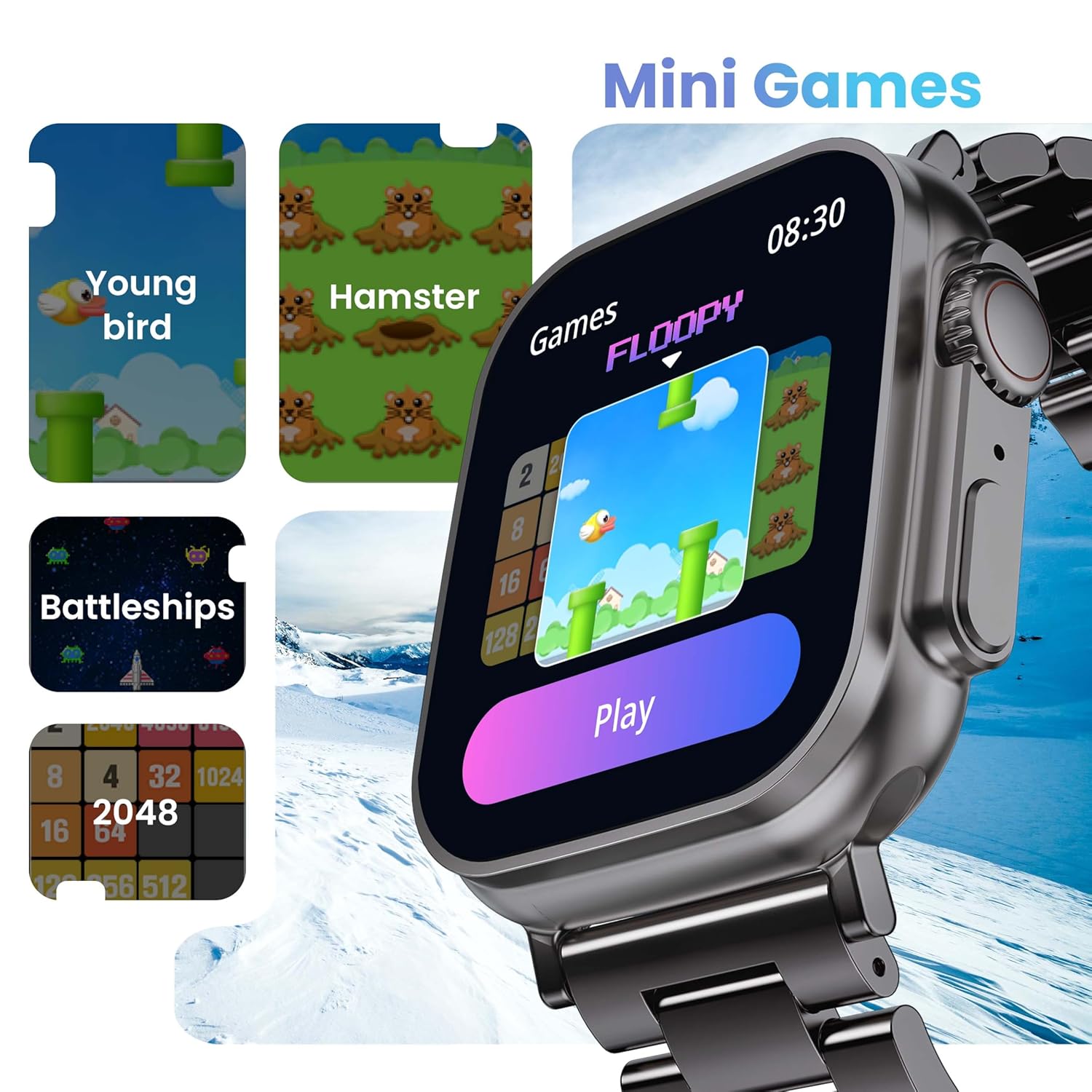
Image 5.5: The GOBOULT Crown Smart Watch showcasing its mini-games feature, including 'Young bird', 'Hamster', 'Battleships', and '2048'.
5.8 Find min telefon
Locate your paired smartphone using the watch.
- Go to the watch menu.
- Select the "Find Phone" option.
- The connected phone will ring or vibrate, helping you locate it.
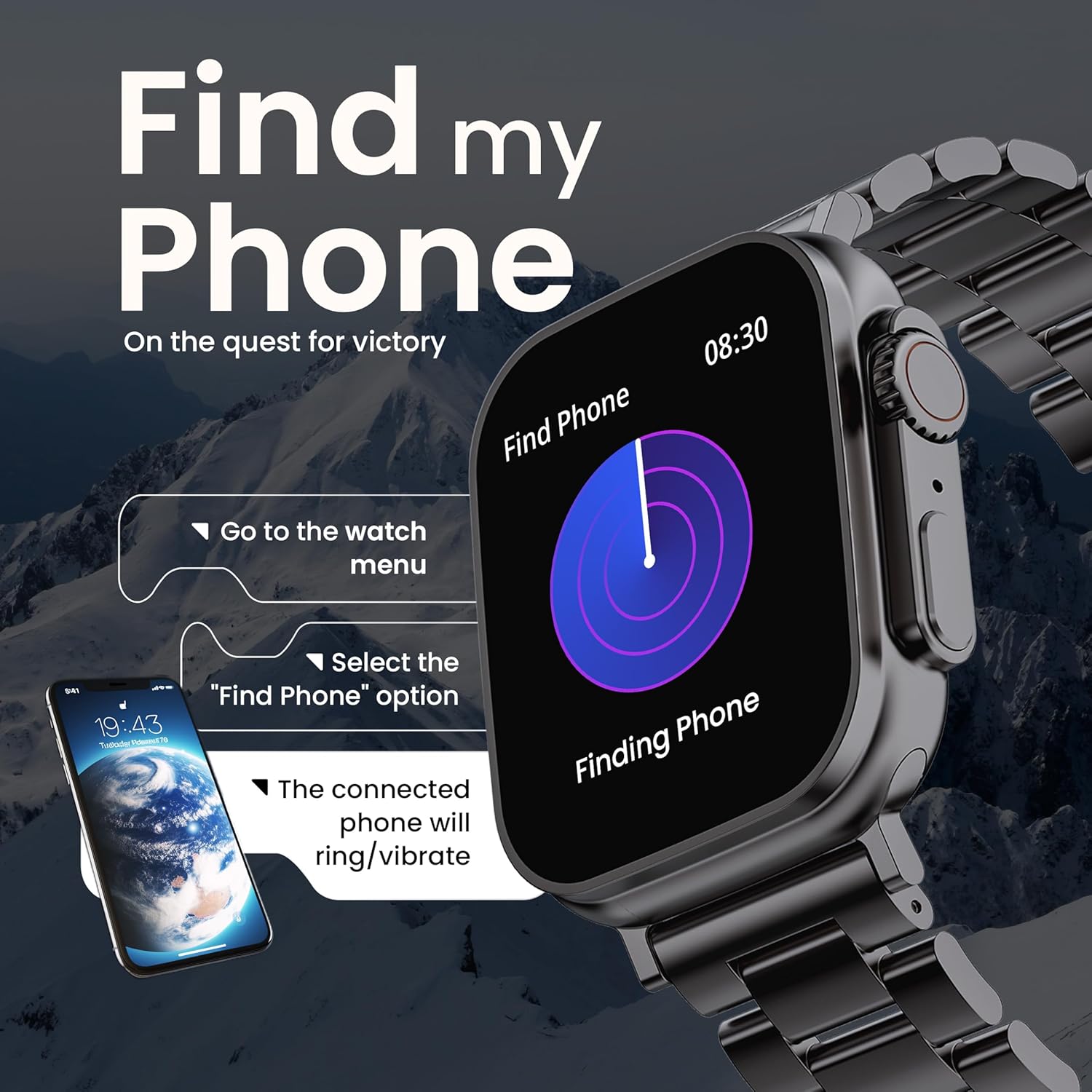
Image 5.6: The GOBOULT Crown Smart Watch illustrating the 'Find my Phone' feature, showing the steps to activate it and how the connected phone will respond.
6. Vedligeholdelse
6.1 Rengøring af dit smartwatch
- Tør urets skærm og kabinet af med en blød, fnugfri klud.
- Ved genstridige pletter, dampRengør kluden let med vand. Undgå at bruge skrappe kemikalier eller slibende materialer.
- Clean the charging pins regularly to ensure proper connection.
- If your watch has a stainless steel band, use the provided strap adjustment tool for any modifications.
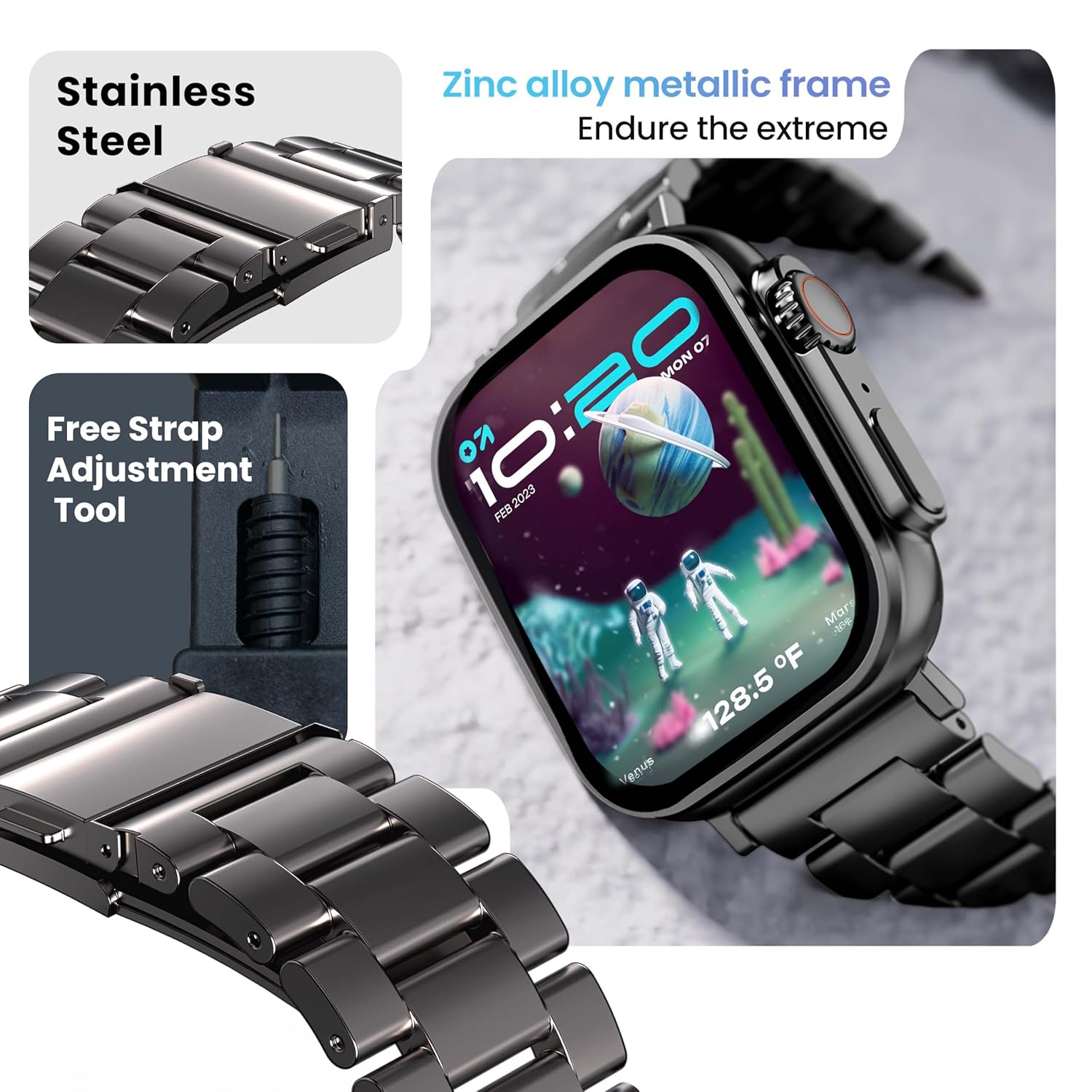
Image 6.1: The GOBOULT Crown Smart Watch featuring its stainless steel band and the included free strap adjustment tool for maintenance.
6.2 Vandtæthed
The GOBOULT Crown Smart Watch has an IP67 waterproof rating.
- IP67-klassificering: This means the watch is dust-proof and can withstand submersion in water up to 1.5 meters for 30 minutes.
- It is suitable for daily use, such as washing hands or light rain.
- Avoid using the watch during swimming, diving, or in hot water (e.g., showers, saunas) as steam and high pressure can compromise the seal.
- Tryk ikke på knapperne under vandet.
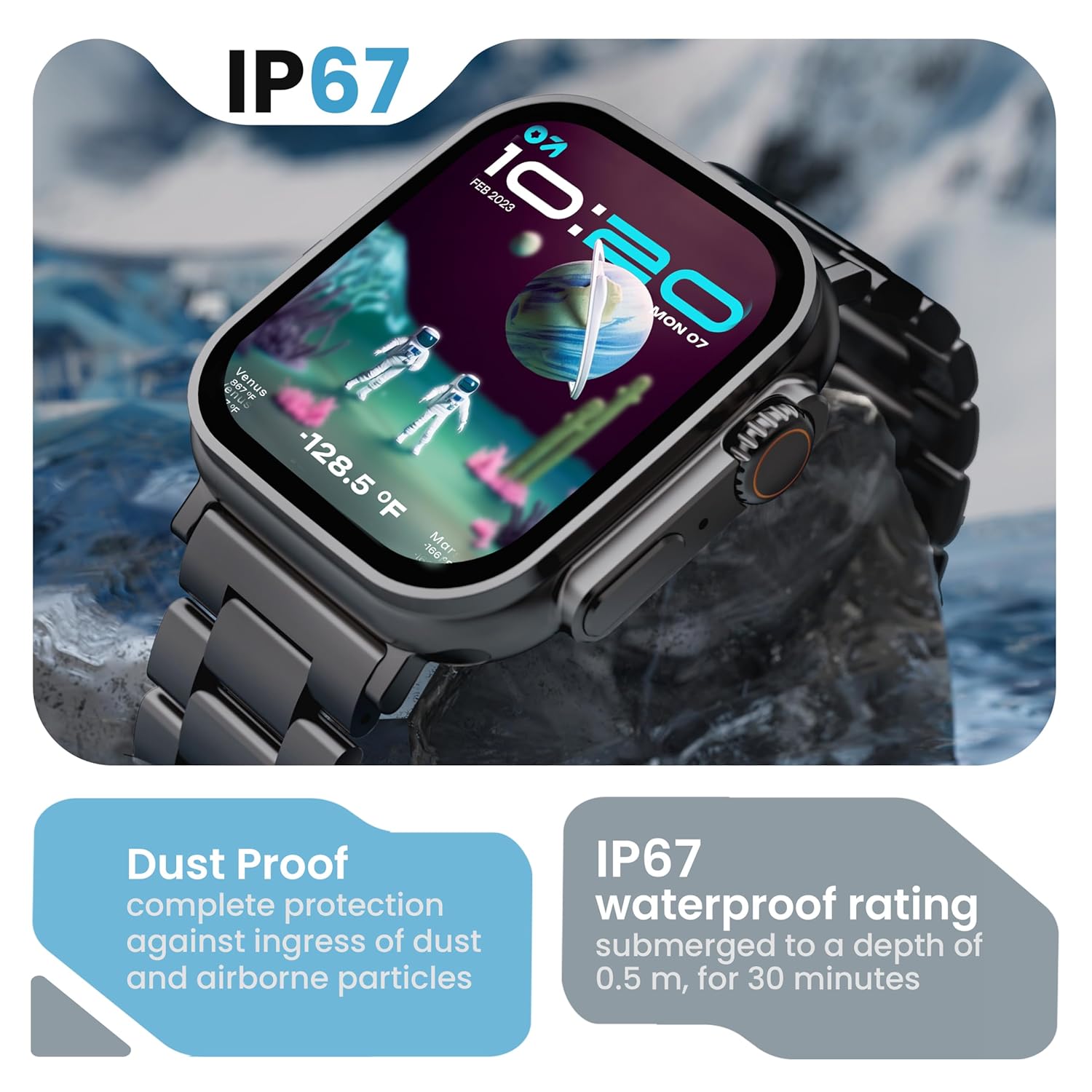
Image 6.2: The GOBOULT Crown Smart Watch emphasizing its IP67 rating, indicating complete protection against dust ingress and water submersion up to 0.5 meters for 30 minutes.
7. Fejlfinding
If you encounter issues with your GOBOULT Crown Smart Watch, refer to the following common solutions:
| Problem | Mulig løsning |
|---|---|
| Uret tænder ikke | Sørg for, at uret er fuldt opladet. Tilslut det til opladeren i mindst 30 minutter. |
| Kan ikke parres med smartphone | Ensure Bluetooth is enabled on your phone. Restart both the watch and phone. Make sure the watch is within Bluetooth range. Check the app for pairing instructions. |
| Unøjagtige sundhedsdata | Sørg for, at uret sidder tæt på dit håndled, ikke for stramt eller for løst. Rengør sensorområdet på bagsiden af uret. |
| Problemer med Bluetooth-opkald | Verify the watch is connected for both data and call audio in your phone's Bluetooth settings. Ensure microphone and speaker are not obstructed. |
| Skærmen reagerer ikke | Genstart uret. Hvis problemet fortsætter, skal du sørge for, at skærmen er ren og tør. |
| Kort batterilevetid | Reducer skærmens lysstyrke, deaktiver unødvendige notifikationer, og begræns kontinuerlig pulsmåling, hvis det ikke er nødvendigt. |
Hvis problemet fortsætter efter at have prøvet disse løsninger, bedes du kontakte kundesupport.
8. Specifikationer
Below are the technical specifications for the GOBOULT Crown Smart Watch (Model: B0FCSBLK42):
| Feature | Detalje |
|---|---|
| Modelnummer | B0FCSBLK42 |
| Skærmstørrelse | 1.95 tommer |
| Display Type | TFT |
| Maximum Display Brightness | 900 nit |
| Forbindelsesteknologi | Bluetooth 5.2 |
| Operativsystemkompatibilitet | Android Wear 1.0, iOS |
| Batterikapacitet | 300 mioamp Timer (lithiumpolymer) |
| Batteriets gennemsnitlige levetid | Op til 7 dage |
| Batteriopladningstid | 150 minutter |
| Vandmodstandsvurdering | IP67 (Water Resistant up to 1.5 meters depth) |
| Båndmaterialetype | Rustfrit stål |
| Varens vægt | 40 gram |
| Varedimensioner (D x B x H) | 40D x 38B x 6H Millimeter |
| Målte metrikker | Blood Oxygen (SpO2), Distance, Heart Rate, Step Count |
| Understøttede applikationer | Voice Assistant, Communication, Notifications |
| Controller type | Google Assistant, Siri |
9. Garanti og support
9.1 Garantioplysninger
The GOBOULT Crown Smart Watch comes with a 1 års fabriksgaranti fra købsdatoen. Denne garanti dækker fabrikationsfejl. Gem venligst din købskvittering i tilfælde af garantikrav.
9.2 Kundesupport
For technical assistance, warranty claims, or any other inquiries, please contact:
- Fabrikant: Boult Audio
- Importør: Exotic Mile Pvt. Ltd.
- Importørens kontaktoplysninger: B67 Wazirpur Industriområde, New Delhi 110052
Please refer to the warranty card included in your box for specific terms and conditions.