
Insignia NS-24F201CA26
Insignia NS-24F201CA26 24-inch 720p HD HDR LED Fire TV Smart TV User Manual
Model: NS-24F201CA26
Indledning
Tak for købetasing the Insignia NS-24F201CA26 24-inch 720p HD HDR LED Fire TV Smart TV. This manual provides essential information for the safe and efficient use of your television. Please read these instructions thoroughly before operating your new TV and retain them for future reference.
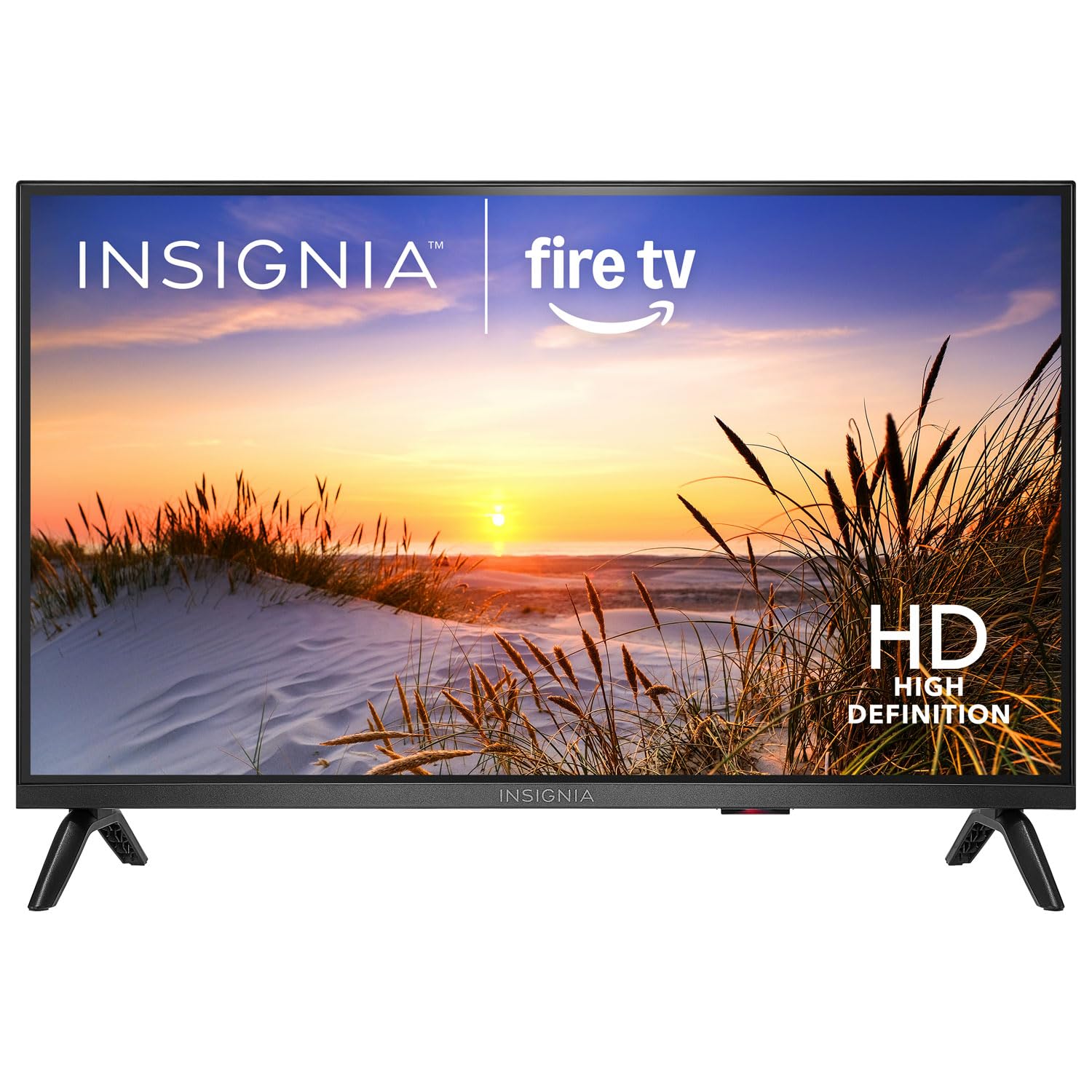
Billede: Forside view of the Insignia NS-24F201CA26 24-inch Fire TV Smart TV, showcasing its slim bezel and screen.
Vigtige sikkerhedsoplysninger
Always follow these basic safety precautions when using your television to reduce the risk of fire, electric shock, and injury:
- Udsæt ikke TV'et for regn eller fugt.
- Åbn ikke tv-skabet. Overlad al service til kvalificeret servicepersonale.
- Sørg for tilstrækkelig ventilation. Bloker ikke ventilationsåbningerne.
- Beskyt netledningen mod at blive trådt på eller klemt.
- Tag stikket ud af tv'et under tordenvejr eller når det ikke bruges i længere perioder.
- Hold tv'et væk fra varmekilder såsom radiatorer, varmeapparater, komfurer eller andre apparater, der producerer varme.
- Brug kun tilbehør/tilbehør specificeret af producenten.
Hvad er der i æsken
Carefully unpack your new product and ensure all items are present:
- Insignia NS-24F201CA26 24-inch Fire TV Smart TV
- Stemmefjernbetjening med Alexa
- AAA-batterier (2)
- Strømledning
- TV-bord (2 stk.)
- Skruer til TV-stativ
- Hurtig installationsvejledning
- Important Safety Information Sheet
Opsætning
1. Montering af stativet eller vægmonteringen
You can either attach the included stand or mount the TV to a wall. If wall mounting, refer to the instructions provided with your wall mount kit. For stand attachment:
- Place the TV face-down on a clean, cushioned surface to prevent screen damage.
- Juster stativstykkerne med skruehullerne i bunden af tv'et.
- Fastgør hvert stativstykke med de medfølgende skruer. Sørg for, at de er spændt godt fast.
Image Description: An illustration showing the process of attaching the two stand feet to the bottom of the television using screws. (Specific image not available in provided data)
2. Tilslutning af enheder
Connect your external devices (e.g., cable box, Blu-ray player, gaming console) to the TV's HDMI ports. The TV has 2 HDMI ports.
- HDMI: Til high-definition video og lyd.
- USB: Til tilslutning af USB-lagerenheder.
- Antenne/kabel: Til tilslutning af en antenne eller kabel-tv-tilførsel.
- Optisk digital lydudgang: Til tilslutning til en soundbar eller lydmodtager.
- Magt: Tilslut netledningen til tv'et og derefter til en stikkontakt.
Image Description: A diagram illustrating the various input/output ports on the back of the television, including HDMI, USB, and power connections. (Specific image not available in provided data)
3. Første opstart og førstegangsopsætning
- Sæt netledningen i en stikkontakt.
- Tryk på MAGT knappen på fjernbetjeningen.
- Follow the on-screen instructions to complete the initial setup, which includes selecting your language, connecting to a Wi-Fi network, and signing in to your Amazon account for Fire TV features.
Betjening af dit tv
Fjernbetjening overview
The included Voice Remote with Alexa allows you to navigate the Fire TV interface, control playback, and use voice commands.
Image Description: A detailed diagram of the Voice Remote with Alexa, highlighting each button and its function. (Specific image not available in provided data)
- Power knap: Tænder eller slukker for tv'et.
- Stemmeknap (Alexa): Tryk og hold nede for at aktivere Alexa-stemmekommandoer.
- Navigationsring: Bruges til at navigere gennem menuer og vælge elementer.
- Hjemknappen: Vender tilbage til Fire TV-startskærmen.
- Tilbage knap: Vender tilbage til den forrige skærm.
- Lydstyrke op/ned: Justerer tv-lydstyrken.
- Mute-knap: Slår lyden fra eller til.
- App-knapper: Hurtig adgang til populære streamingapps.
Grundlæggende funktioner
- Tænd/sluk: Tryk på MAGT knappen på fjernbetjeningen.
- Lydstyrkekontrol: Brug VOL+ or VOL - knapper.
- Valg af input: From the Fire TV home screen, navigate to the "Inputs" section to switch between HDMI inputs, live TV, or other sources.
Smart TV-funktioner (Fire TV)
Your Insignia Fire TV provides access to a vast library of streaming content, apps, and live TV options.
- Startskærm: Displays recommended content, recently used apps, and input options.
- Apps: Download and manage streaming applications from the Amazon Appstore.
- Alexa stemmestyring: Press and hold the Voice button on your remote and speak commands to search for content, launch apps, control smart home devices, and more.
Forældrekontrol
To manage content access for children, you can set up parental controls:
- From the Fire TV home screen, navigate to Indstillinger.
- Vælge Præferencer, så Forældrekontrol.
- Follow the on-screen prompts to enable parental controls and set a PIN. You can restrict purchases, app launches, and content based on ratings.
Opretholdelse
Rengøring af skærmen
- Tag altid stikket ud af tv'et inden rengøring.
- Brug let en blød, fnugfri klud damprengøres med vand eller en specialiseret skærmrenser.
- Wipe the screen gently. Do not apply excessive pressure.
- Never use abrasive cleaners, waxes, or solvents.
Almen pleje
- Opbevar tv'et et sted med god ventilation.
- Undgå at placere genstande oven på tv'et.
- Udsæt ikke tv'et for direkte sollys eller ekstreme temperaturer.
Fejlfinding
Før du kontakter support, kan du prøve disse almindelige løsninger:
| Problem | Mulig løsning |
|---|---|
| Ingen strøm | Sørg for, at netledningen er korrekt tilsluttet tv'et og en fungerende stikkontakt. Prøv en anden stikkontakt. |
| Intet billede, men der er lyd | Kontrollér inputkilden. Sørg for, at den tilsluttede enhed er tændt og fungerer korrekt. |
| Ingen lyd, men der er billede | Check the volume level and ensure the TV is not muted. Verify audio cables are connected correctly. |
| Fjernbetjening virker ikke | Replace the batteries (2 AAA batteries). Ensure there are no obstructions between the remote and the TV. |
| Kan ikke oprette forbindelse til Wi-Fi | Sørg for, at din Wi-Fi-router er tændt og inden for rækkevidde. Indtast Wi-Fi-adgangskoden igen. Genstart tv'et og routeren. |
Specifikationer
| Feature | Detalje |
|---|---|
| Modelnummer | NS-24F201CA26 |
| Skærmstørrelse | 24 inches (Display Size Class) |
| Opløsning | 720p HD |
| Displayteknologi | LED |
| Opdateringshastighed | 60 Hz |
| Picture Quality Enhancement | HDR |
| Operativsystem | FireOS |
| Forbindelsesteknologi | Wi-Fi |
| Total HDMI-porte | 2 |
| Produktmål (D x B x H) | 17.7D x 53.7W x 36.3H cm (with stand) |
| Wattage | 35 W |
| Batterier påkrævet | 2 AAA-batterier (medfølger til fjernbetjening) |
| Særlige funktioner | Parental Controls, Smart Home Compatible |
Garanti og support
This Insignia product is covered by a limited warranty. For specific warranty terms and conditions, please refer to the warranty card included with your product or visit the official Insignia webwebsted.
For technical support, troubleshooting assistance, or service inquiries, please contact Insignia Customer Support. Contact information can typically be found on the manufacturer's webwebstedet eller i den hurtige installationsvejledning.
- Online support: Besøg www.insigniaproducts.com/support (eksamp(linket, det faktiske link kan variere).
- Telefonsupport: Refer to your product documentation for regional phone numbers.
Ask a question about this manual
Ask about setup, troubleshooting, compatibility, parts, safety, or missing instructions. Manuals+ will review the question and use this page’s manual context to help answer it.