
Indledning
This manual provides essential instructions for the setup, operation, maintenance, and troubleshooting of your Insignia 32-inch 1080p HD HDR LCD Fire TV Smart TV, model NS-32F401CA26. Please read this manual thoroughly before using your television to ensure proper and safe operation.
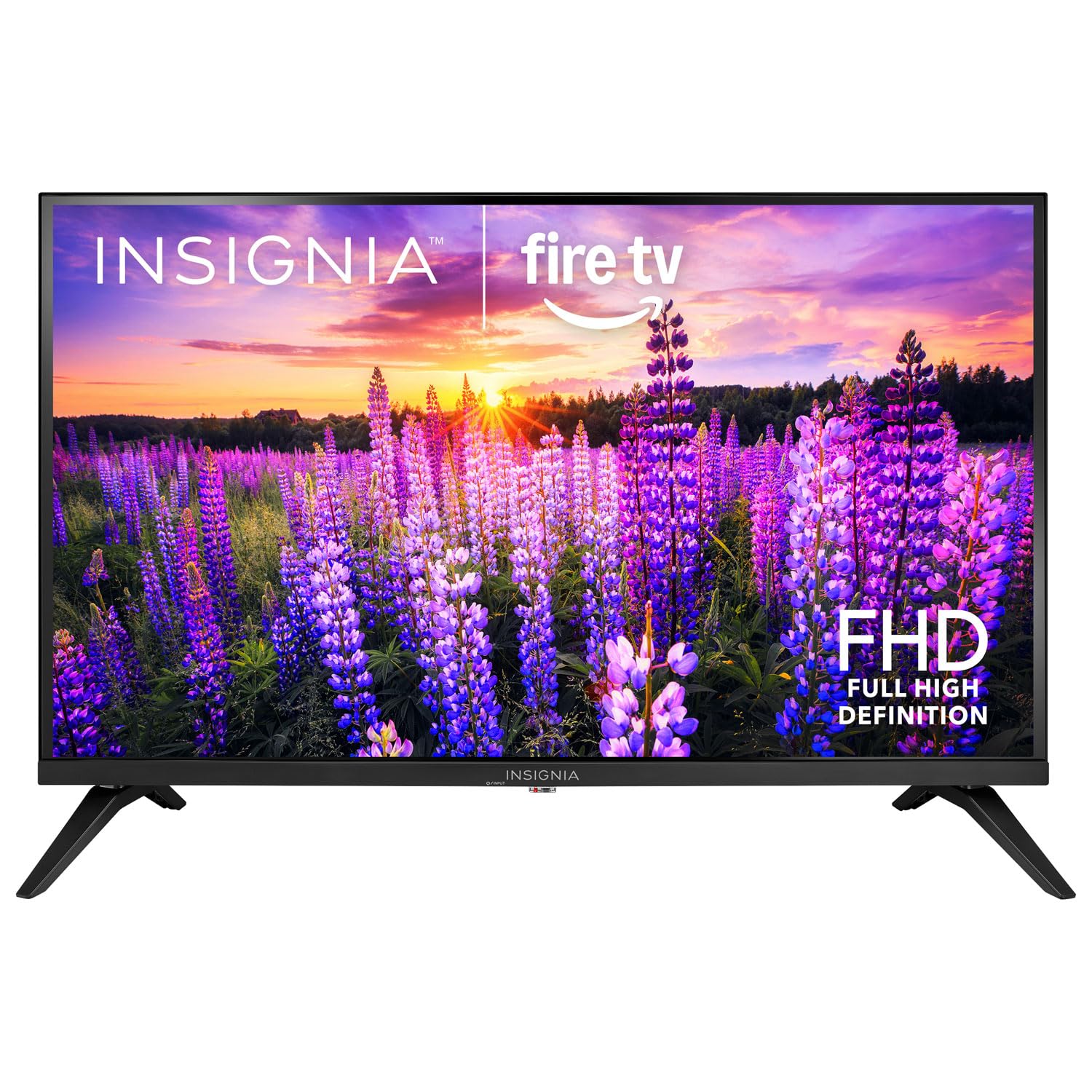
Billede: Forside view of the Insignia 32-inch Fire TV Smart TV, showing the screen and a remote control.
1. Opsætning
1.1 Udpakning
Tag forsigtigt tv'et og alt tilbehør ud af emballagen. Gem emballagematerialerne til senere transport eller opbevaring.
1.2 Montering af stativet eller vægmonteringen
Til montering af stativ:
- Placer tv'et med forsiden nedad på en blød, ren overflade for at forhindre, at skærmen beskadiges.
- Juster stativets baser med skruehullerne i bunden af tv'et.
- Fastgør stativerne med de medfølgende skruer.
Til vægmontering:
- This TV supports a VESA Mount Standard of 200 x 200 mm.
- Use a compatible wall mount kit (sold separately) and follow its installation instructions.
- Sørg for, at væggen kan bære vægten af tv'et og beslaget.
1.3 Tilslutning af strøm
Plug the power cord into the TV's power input, then plug the other end into a working electrical outlet.
1.4 Tilslutning af eksterne enheder
Your TV includes multiple ports for external devices:
- HDMI Ports (Total 2): Tilslut Blu-ray-afspillere, spillekonsoller og kabel-/satellitbokse.
- USB 3.0 Port (Total 1): Tilslut USB-lagerenheder til medieafspilning.
- Antenne-/kabelindgang: Tilslut en antenne til trådløse udsendelser eller en kabelforbindelse.
1.5 Initial Setup (Fire TV OS)
Upon first power-on, the TV will guide you through the Fire TV setup process:
- Fjernbetjeningsparring: Insert the included 2 AAA batteries into the remote. Follow on-screen instructions to pair the remote.
- Netværks forbindelse: Vælg dit Wi-Fi-netværk, og indtast adgangskoden.
- Amazon-konto: Log ind med din Amazon-konto, eller opret en ny.
- Kanalscanning: Hvis du bruger en antenne, vil tv'et søge efter tilgængelige kanaler.
- Softwareopdateringer: The TV may download and install the latest software updates.
2. Betjening af dit TV
2.1 Tænd/sluk
Tryk på Magt knappen på fjernbetjeningen for at tænde eller slukke for tv'et.
2.2 Navigering i Fire TV-grænsefladen
Brug retningsknappen og Vælge button on your remote to browse the Fire TV home screen, access apps, and navigate menus.
2.3 Brug af Alexa Voice Remote
Tryk og hold på Alexa button on your remote and speak into the microphone to:
- Søg efter film og tv-serier.
- Start applikationer (f.eks. "Åbn Netflix").
- Control playback (e.g., "Pause", "Fast forward").
- Stil spørgsmål eller få information.
2.4 Adgang til applikationer
Popular streaming services like Amazon Prime Video, Netflix, and YouTube are pre-installed. You can download additional apps from the Amazon Appstore.
2.5 Adjusting Picture and Sound Settings
Få adgang til Indstillinger menu on the Fire TV home screen to adjust:
- Billede: Brightness, contrast, color, aspect ratio (16:9).
- Sund: Volume, sound mode, DTS Virtual-X settings.
- Vise: Resolution (1080p), refresh rate (120 Hz).
2.6 Forældrekontrol
The TV includes parental control features. Navigate to the Indstillinger menu, og vælg derefter Præferencer, og derefter Forældrekontrol to set restrictions on content, purchases, and app usage. A PIN is required to enable or disable these controls.
3. Vedligeholdelse
3.1 Rengøring af tv'et
- Skærm: Tør forsigtigt skærmen af med en blød, fnugfri klud. Ved genstridige mærker, tør let afampRengør kluden med vand eller en skærmrens, der er specielt designet til tv'er. Sprøjt ikke væske direkte på skærmen.
- Legeme: Tør tv-rammen og stativet af med en blød, tør klud.
- Tag altid stikket ud af tv'et inden rengøring.
3.2 Softwareopdateringer
Your Fire TV Smart TV automatically checks for and installs software updates when connected to the internet. You can manually check for updates in the Indstillinger menu under Mit Fire TV > Om > Se efter opdateringer.
3.3 Udskiftning af batteri i fjernbetjening
When the remote control's performance degrades, replace the two AAA batteries. Ensure correct polarity when inserting new batteries.
4. Fejlfinding
| Problem | Mulig årsag | Løsning |
|---|---|---|
| Ingen strøm | Netledningen er ikke tilsluttet; stikkontakten virker ikke. | Ensure power cord is securely plugged into TV and a live outlet. Test outlet with another device. |
| Intet billede eller lyd | Forkert inputkilde; ekstern enhed slukket eller frakoblet. | Tryk på Input button on the remote to select the correct source. Check connections of external devices. Ensure devices are powered on. |
| Fjernbetjening virker ikke | Løbte batterier; fjernbetjening ikke parret. | Replace batteries (2 AAA). Re-pair remote by holding the Hjem button for 10 seconds near the TV. |
| Problemer med Wi-Fi-forbindelse | Forkert adgangskode; routerproblemer; TV'et er for langt fra routeren. | Verify Wi-Fi password. Restart your router and modem. Move TV closer to router or use a Wi-Fi extender. |
| Apps indlæses ikke eller går ned | Temporary software glitch; insufficient memory. | Restart the TV. Clear app cache (Settings > Applications > Manage Installed Applications). Ensure sufficient storage. |
5. Specifikationer
| Modelnummer | NS-32F401CA26 |
| Skærmstørrelse | 32 tommer |
| Displayteknologi | LCD |
| Opløsning | 1080p (Full HD) |
| Opdateringshastighed | 120 Hz |
| HDR-format understøttet | HDR10 |
| Aspektforhold | 16:9 |
| Forbindelsesteknologi | Wi-Fi |
| HDMI porte | 2 |
| USB 3.0 porte | 1 |
| Understøttede internettjenester | Amazon Prime Video, Netflix, YouTube, Alexa |
| Beskrivelse af højttaler | DTS Virtual-X virtual surround sound |
| Integrated Surround Sound Format | DTS Virtual-X |
| Kontrolmetode | Remote (with Alexa Voice) |
| Batterier påkrævet | 2 AAA (inkluderet) |
| Produktmål (D x B x H) | 47.3D x 17.1B x 71.9H Centimeter |
| VESA-monteringsstandard | 200 x 200 mm |
| Yderligere funktioner | Forældrekontrol |
6. Garanti og support
For warranty information, please refer to the warranty card included with your product or visit the official Insignia support website. For technical assistance, product registration, or service inquiries, please contact Insignia customer support through their official channels.
Bemærk: Specifikke garantivilkår og kontaktoplysninger til support kan variere fra region til region og kan ændres.