
1. Introduktion
This manual provides detailed instructions for the setup, operation, and maintenance of your Cillso IDW26 Smart Watch. Please read this manual thoroughly before using your device to ensure proper functionality and to maximize your user experience.

Image: The Cillso IDW26 Smart Watch, showcasing its main display with various metrics and a separate screen illustrating an incoming call.
2. Hvad er der i æsken
- 1x Cillso IDW26 Smart Watch
- 1x Type-C Magnetic Charging Cable
- 1x brugermanual
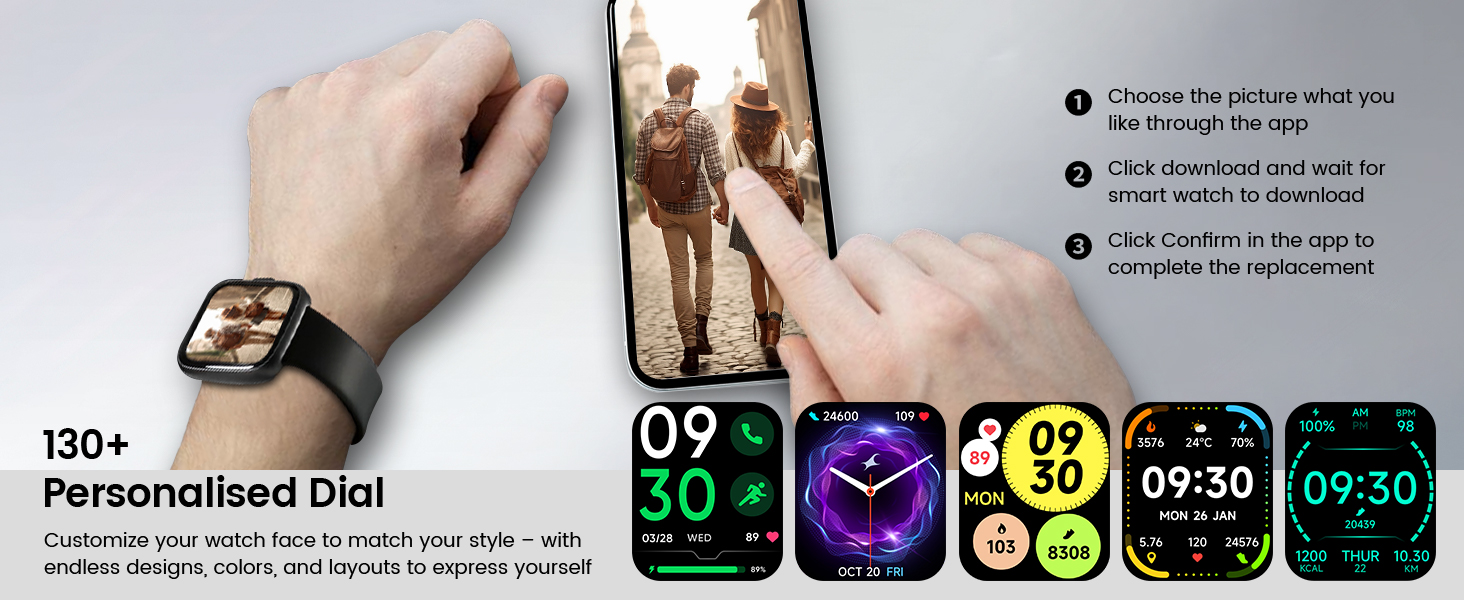
Image: A visual representation of the Cillso IDW26 Smart Watch packaging contents, showing the watch, its magnetic charging cable, and the included user manual.
3. Opsætning og første brug
3.1 Opladning af enheden
Before first use, fully charge your Cillso IDW26 Smart Watch. Connect the magnetic charging cable to the charging points on the back of the watch and plug the USB end into a power adapter (not included) or a computer's USB port. A full charge typically takes approximately 1.5 to 2 hours.

Billede: Bagsiden view of the Cillso IDW26 Smart Watch, highlighting the optical sensor for health monitoring and the two metallic contacts for magnetic charging.
3.2 Appinstallation og parring
To unlock the full functionality of your Cillso IDW26 Smart Watch, you need to install the companion application on your smartphone. The watch is compatible with smartphones running iOS 9.0+ and Android 5.0+ (or later versions).
- Download appen: Scan the QR code provided in the watch's packaging or search for "VeryFit" in your smartphone's app store (App Store for iOS, Google Play Store for Android).
- Aktiver Bluetooth: Sørg for, at Bluetooth er aktiveret på din smartphone.
- Åbn appen: Launch the "VeryFit" app and follow the on-screen instructions to create an account or log in.
- Tilføj enhed: Within the app, navigate to the "Add Device" section. The app will search for nearby devices.
- Vælg dit ur: Select "IDW26" from the list of found devices.
- Bekræft parring: A pairing request will appear on your phone and watch. Confirm the pairing on both devices.
- Tillad meddelelser: Grant the app necessary permissions, especially for notifications, to ensure messages and calls are displayed on your smartwatch.
For certain message notifications, the "GloryFit" app may also be mentioned in some contexts. If you encounter issues with specific message types, verify settings within both "VeryFit" and "GloryFit" if both are installed, or consult the app's help section.

Image: A visual guide demonstrating the pairing process for the Cillso IDW26 Smart Watch, from enabling Bluetooth to confirming the connection and allowing notifications.
For further assistance with app installation and pairing, you can visit the official support page: https://t.ido.ink/eAriqu
4. Betjening af smarturet
4.1 Navigation med berøringsskærm
- Stryg op/ned: Rul gennem menuer og notifikationer.
- Stryg til venstre/højre: Få adgang til hurtige widgets eller forskellige funktionsskærme.
- Tryk på: Vælg et element eller bekræft en handling.
- Tryk og hold: Tilpas urskiver (på startskærmen).
4.2 Side Button Functionality
The physical button on the side of the watch typically serves the following functions:
- Kort tryk: Wake up the screen, return to the previous screen, or go back to the home screen.
- Langt tryk: Power on/off the device, or access a quick menu (e.g., restart, power off).
5. Nøglefunktioner
5.1 Bluetooth-opkald og beskednotifikationer
The Cillso IDW26 Smart Watch features Bluetooth 5.3 for stable connectivity, allowing you to make and answer calls directly from your wrist. It includes a sensitive microphone and speaker for clear communication. Once paired with the "GloryFit" or "VeryFit" app, you will receive notifications for incoming calls, SMS messages, and alerts from various social media applications (e.g., Facebook, Twitter, WhatsApp, Instagram). Notifications are delivered via intuitive customizable vibrations.

Image: The Cillso IDW26 Smart Watch showing a message notification from WeChat and an incoming call interface with options to answer or decline.
5.2 Built-in Alexa Voice Control
Access Amazon Alexa's intelligent voice assistant directly from your wrist. Speak commands to check news, weather, calendar updates, set reminders, control smart home devices, and manage music playback. This feature enhances hands-free operation and daily efficiency.

Image: A user interacting with the Cillso IDW26 Smart Watch's built-in AI voice assistant, asking questions like "What time is it?" and "Weather today?".
5.3 1.83" HD Display and Customization
The smartwatch features a 1.83-inch HD display with 3D tempered glass, offering a resolution of 320x385 pixels for clear visuals and high touch sensitivity. The 4-level adjustable brightness ensures readability in various lighting conditions. Through the "VeryFit" app, you can choose from over 130 watch faces or create custom designs using your own photos.

Billede: En detaljeret view of the Cillso IDW26 Smart Watch's 1.83-inch HD screen, emphasizing its clarity and display technology.

Image: A demonstration of the Cillso IDW26 Smart Watch's customization options, showing multiple watch face designs and the process of selecting or creating a personalized dial through the app.
5.4 24/7 Health Monitoring
Equipped with a high-precision optical sensor, the IDW26 Smart Watch provides continuous health monitoring:
- Heart Rate Monitoring: Tracks your heart rate in real-time, providing insights into your cardiovascular health.
- Søvnovervågning: Analyzes sleep quality by identifying deep sleep, light sleep, and awake phases, offering suggestions for improved sleep habits.
- Blodiltmåling (SpO2): Monitors your blood oxygen levels for essential wellness insights.
- Åndedrætstræning: Guides you through breathing exercises with gentle vibrations and visual cues to help calm your mind and body.

Image: A composite image illustrating the 24/7 health monitoring capabilities of the Cillso IDW26 Smart Watch, including heart rate, sleep tracking, blood oxygen measurement, and guided breath training.
5.5 120+ sportstilstande
The fitness tracker supports over 120 professional sport modes, covering a wide range of indoor and outdoor activities such as running, cycling, soccer, and more. High-precision sensors accurately track steps, distance, calories burned, and workout duration, assisting in performance analysis and training plan optimization.

Image: A person hiking with the Cillso IDW26 Smart Watch, alongside graphics illustrating the watch's 24-hour activity tracking and icons representing over 120 sports modes.
5.6 IP68 vandtæthedsklassificering
With an IP68 rating, the smartwatch is resistant to sweat, rain, and can be worn during handwashing. It is not suitable for swimming or hot showers.

Image: The Cillso IDW26 Smart Watch shown with water droplets, visually representing its IP68 waterproof capabilities for daily activities like hand washing, exposure to rain, and perspiration.
5.7 Yderligere funktioner
The Cillso IDW26 Smart Watch includes several practical features to enhance daily convenience:
- Vækkeur: Indstil flere alarmer.
- Stopur og timer: Til præcis tidtagning under aktiviteter.
- Phone Locator: Helps find your paired smartphone.
- Kamerastyring: Fjernstyr din telefons kamera.
- Musik kontrol: Administrer musikafspilning på din smartphone.
- Vejrudsigt: Få vejropdateringer i realtid.
- Stillesiddende påmindelse: Beder dig om at bevæge dig efter perioder med inaktivitet.

Image: A collage of images depicting various practical functions of the Cillso IDW26 Smart Watch, including stopwatch, alarm clock, camera control, music control, weather forecast, and sedentary reminder.
6. Batterilevetid og opladning
The Cillso IDW26 Smart Watch is powered by a 300mAh battery designed for low power consumption.
- Brugstid: Up to 5-7 days with typical use.
- Standby tid: Op til 30 dage.
- Opladningstid: Cirka 1.5 timer for en fuld opladning.
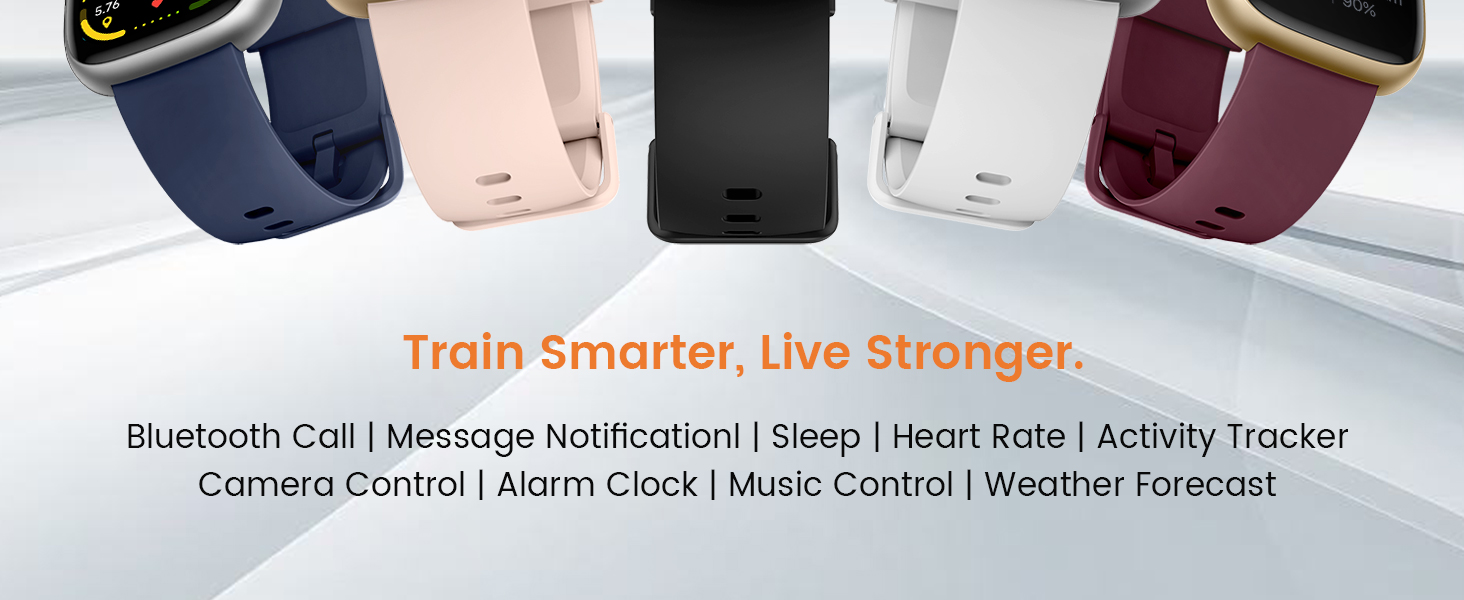
Image: A graphic illustrating the battery performance of the Cillso IDW26 Smart Watch, detailing its 2-hour charging time, 7 days of normal use, and 30 days of standby time.
7. Vedligeholdelse og pleje
- Rensning: Tør uret og remmen regelmæssigt af med en blød, tør klud. Brug om nødvendigt en let tør klud.amp klud og tør derefter grundigt.
- Undgå kemikalier: Brug ikke skrappe kemikalier, rengøringsmidler eller stærke vaskemidler, da disse kan beskadige urets finish og forseglinger.
- Vandeksponering: While IP68 rated, avoid prolonged submersion, hot water, or steam. Dry the watch thoroughly if it gets wet.
- Temperatur: Undgå at udsætte uret for ekstreme temperaturer (meget varmt eller meget koldt) eller direkte sollys i længere perioder.
- Indvirkning: Beskyt uret mod kraftige stød eller fald.
8. Fejlfinding
If you encounter issues with your Cillso IDW26 Smart Watch, please refer to the following common solutions:
- Uret tænder ikke: Sørg for, at uret er fuldt opladet. Tilslut det til opladeren i mindst 10 minutter.
- Kan ikke parres med telefon:
- Sørg for, at Bluetooth er aktiveret på din telefon og uret.
- Sørg for, at uret er inden for din telefons rækkevidde.
- Genstart både din telefon og uret.
- Try unpairing and re-pairing the device through the "VeryFit" app.
- Check if the "VeryFit" app has all necessary permissions enabled on your phone.
- Notifikationer vises ikke:
- Ensure the watch is successfully paired and connected to the app.
- Verify that notification permissions are granted to the "VeryFit" app in your phone's settings.
- Check the notification settings within the "VeryFit" app to ensure specific app notifications are enabled.
- Ensure your phone's notification bar displays the messages; if not, the watch cannot receive them.
- Unøjagtige sundhedsdata:
- Sørg for, at uret sidder tæt på dit håndled, hverken for stramt eller for løst.
- Rengør sensoren på bagsiden af uret.
- Undgå overdreven bevægelse under målingerne.
- Kort batterilevetid:
- Reducer skærmens lysstyrke.
- Deaktiver kontinuerlig pulsmåling, hvis det ikke er nødvendigt.
- Begræns antallet af apps, der sender notifikationer til uret.
- Sørg for, at uret er fuldt opladet hver gang.
If these steps do not resolve your issue, please contact Cillso customer support.
9. Specifikationer
| Feature | Detalje |
|---|---|
| Modelnavn | IDW26 |
| Mærke | Cillso |
| Skærmstørrelse | 1.83 tommer |
| Skærmopløsning | 320x385 pixels |
| Form | Firkant |
| GPS | GPS via smartphone |
| Battericellesammensætning | Lithium polymer |
| Forbindelsesteknologi | Bluetooth 5.3 |
| Batterikapacitet | 300 mioamp Timer |
| Særlige funktioner | Activity Tracker, Alarm Clock, Camera Control, Touchscreen, Weather Forecast, Alexa Built-in, Bluetooth Calling, Heart Rate/Sleep Monitor, 120+ Sports Modes, IP68 Waterproof |
| Operativsystemkompatibilitet | iOS 9.0+, Android 5.0+ |
| Varens vægt | 10 gram (0.353 ounce) |
| Vandmodstand | IP68 (Resistant to sweat, rain, handwashing) |
10. Garanti og support
Cillso is committed to providing quality products and customer service.
10.1 Kundesupport
If you have any questions about the product, encounter problems, or require assistance, please contact Cillso customer service through the platform where you purchased the product (e.g., Amazon). Cillso offers 24-hour customer service to help resolve any issues promptly.

Image: A graphic indicating customer support availability, prompting users to contact for assistance with product issues.