
1. Introduktion
The Aokeo AK-M1 is a professional XLR Bluetooth audio receiver designed to wirelessly transmit high-fidelity audio from your Bluetooth-enabled devices to active PA speakers, DJ equipment, and mixers. This manual provides comprehensive instructions for the safe and efficient use of your AK-M1 receiver, ensuring optimal performance and longevity.
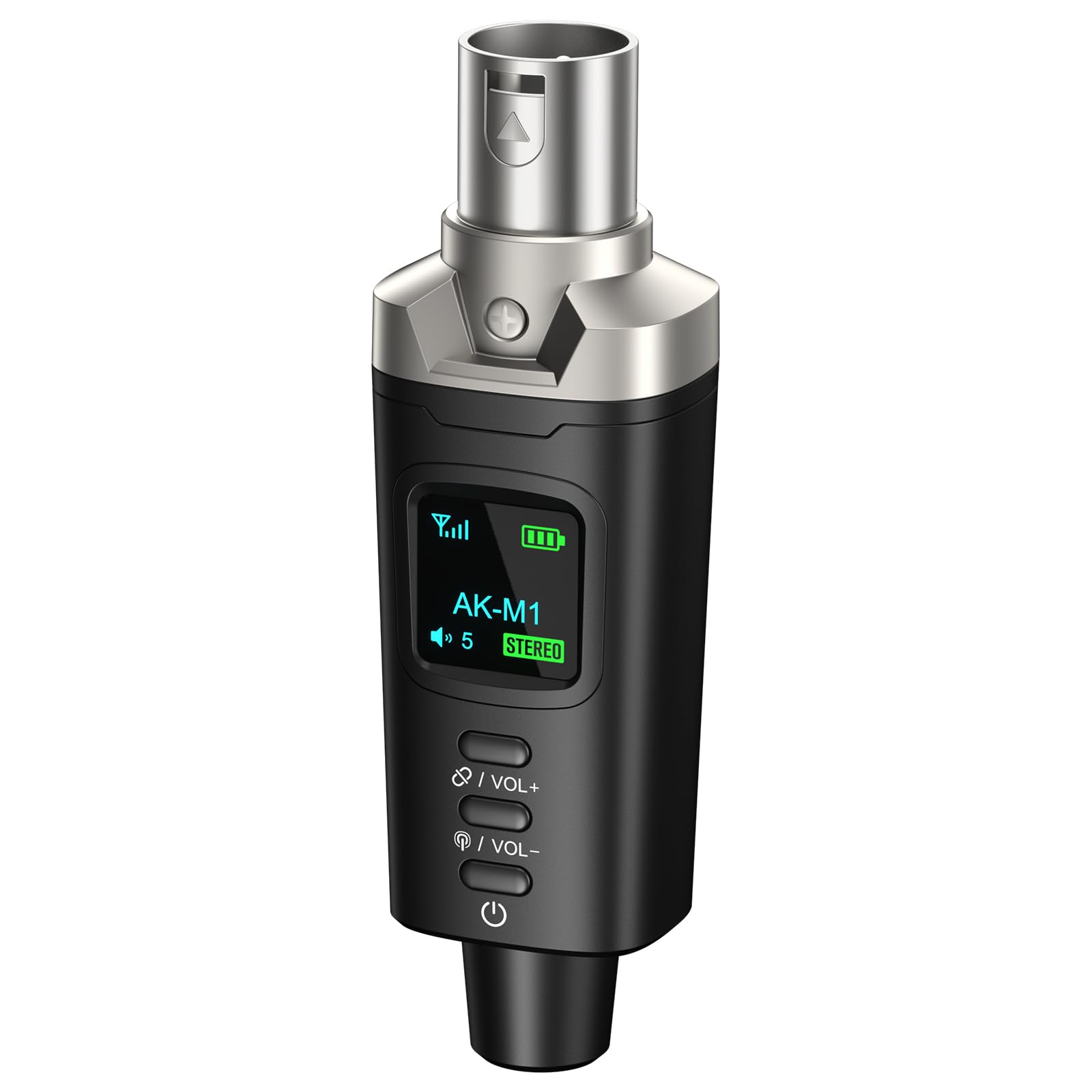
Image 1.1: Aokeo AK-M1 XLR Bluetooth Receiver.
2. Produktfunktioner
- Wireless XLR Connectivity: Equipped with an XLR output for direct connection to mixers, PA speakers, and DJ equipment, enabling cable-free audio transmission.
- High-Fidelity-lyd: Features a DAC resolution of 16-bit/48kHz for clear, distortion-free sound quality, comparable to wired connections.
- Extended Range & Stability: Utilizes Bluetooth 5.1, A2DP, and AVRCP technology for stable connectivity over a range of up to 100 feet (30 meters).
- Mono/Stereo Functionality: Supports mono audio with a single receiver. For stereo sound, two AK-M1 units (P3D dual) can be paired together.
- Lang batterilevetid: Built-in rechargeable battery provides up to 8 hours of operation on a full charge.
- Hurtig opladning: USB Type-C port allows for a full charge in approximately 2 hours using any 5V USB power source.
- Bred kompatibilitet: Universally compatible with Bluetooth-enabled devices such as smartphones, tablets, and laptops, and audio equipment featuring XLR interfaces.
3. Pakkens indhold
Tjek venligst pakken for følgende varer:
- AK-M1 Receiver x1
- USB Type-C ladekabel x1
- Brugervejledning x1

Image 3.1: Contents of the AK-M1 package, including the receiver, charging cable, and manual.
4. Opsætningsvejledning
4.1 Opladning af enheden
- Connect the provided USB Type-C charging cable to the charging port on the AK-M1 receiver.
- Plug the other end of the cable into a 5V USB power source (e.g., wall adapter, computer USB port).
- LED-displayet viser opladningsstatus. En fuld opladning tager cirka 2 timer.

Image 4.1: The AK-M1 receiver connected to a USB-C charging cable, illustrating its charging process and battery life.
4.2 Tilslutning til lydudstyr
- Ensure your audio equipment (mixer, PA speaker, DJ equipment) is powered off or its input gain is set to minimum.
- Insert the XLR connector of the AK-M1 receiver into an available XLR input on your audio equipment.
- Power on your audio equipment and adjust the input gain as needed after establishing a Bluetooth connection.

Image 4.2: The AK-M1 receiver connected to a mixer, demonstrating its compatibility with various audio devices.
5. Betjeningsvejledning
5.1 Tænd/sluk
- To power on, press and hold the power button (usually located at the bottom) until the LED display illuminates.
- For at slukke skal du trykke på tænd/sluk-knappen og holde den nede, indtil LED-displayet slukker.
5.2 Bluetooth Pairing (Mono Mode)
- Ensure the AK-M1 receiver is powered on and within range of your Bluetooth audio source (smartphone, tablet, laptop).
- The AK-M1 will automatically enter pairing mode, indicated by a flashing Bluetooth icon on the LED display.
- On your audio source device, open Bluetooth settings and search for available devices.
- Select "AK-M1" from the list of devices to connect. Once connected, the Bluetooth icon on the AK-M1's display will become solid.
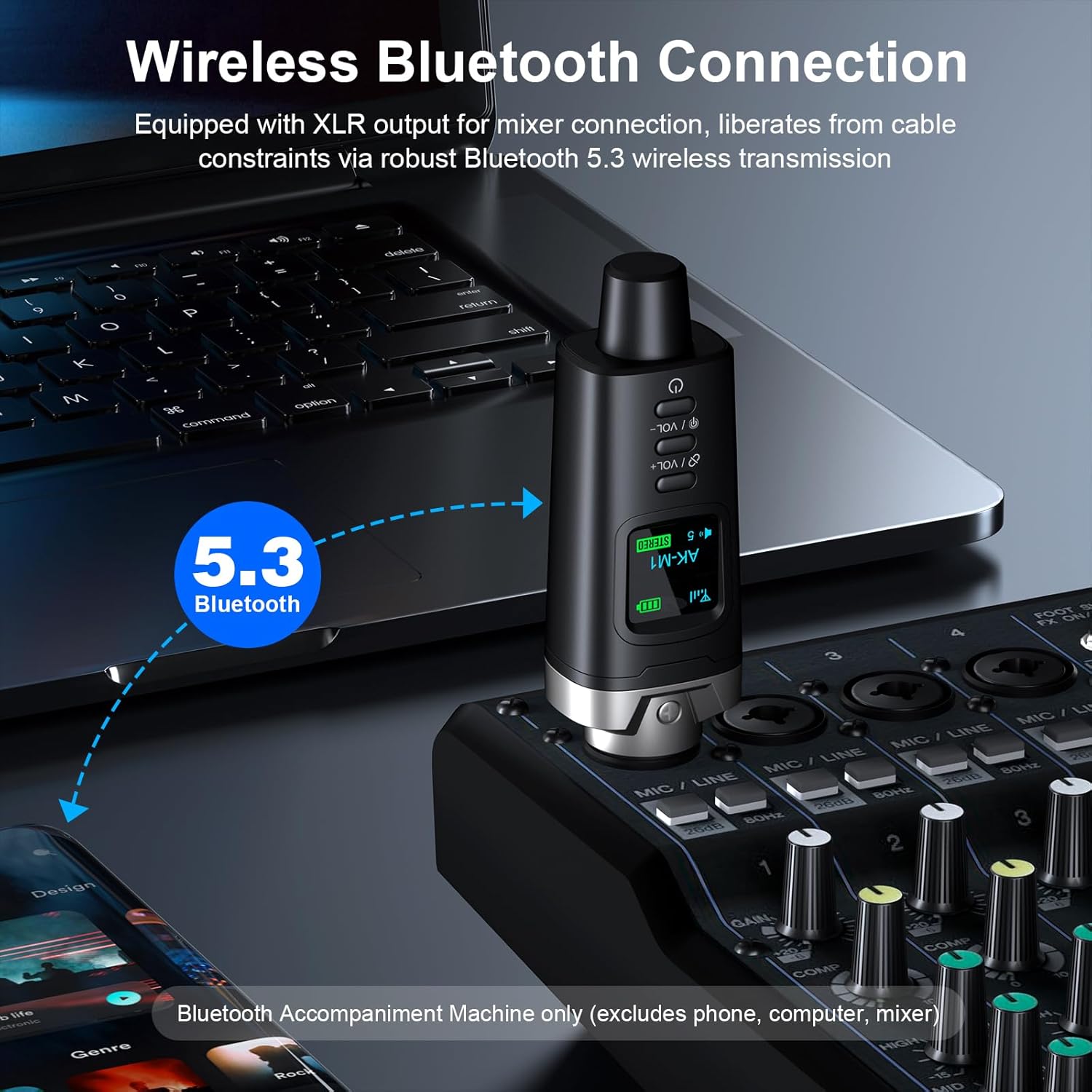
Image 5.1: The AK-M1 receiver establishing a wireless Bluetooth connection with source devices.
5.3 Stereo Pairing (with two AK-M1 units)
If you have two AK-M1 units (P3D dual), you can pair them for stereo audio output:
- Power on both AK-M1 receivers.
- Simultaneously press the "Stereo-Link" button on both units. The LED display will show "STEREO" and indicate Left/Right channel assignment.
- Once linked, proceed with Bluetooth pairing as described in Section 5.2 with your audio source device. The two AK-M1 units will appear as a single Bluetooth device.
5.4 Lydstyrkekontrol
Brug VOL+ og VOL- buttons on the AK-M1 receiver to adjust the output volume. The current volume level will be displayed on the LED screen.
5.5 LED-displayfunktioner
The LED display provides visual feedback on the device's status:
- Signalikon: Indicates Bluetooth signal strength.
- Batteriniveau: Viser den resterende batteriopladning.
- Lydstyrke: Displays the current output volume.
- STEREO (Green): Indicates Left or Right channel in stereo pairing mode.
- STEREO (Red): Indicates disconnected status in stereo pairing mode.
- Bluetooth-ikon: Flashing when in pairing mode, solid when connected.
- Power ikon: Indikerer strømstatus.

Image 5.2: Explanation of the icons and indicators on the AK-M1's LED display.
6. Vedligeholdelse
- Rensning: Brug en blød, tør klud til at rengøre enhedens yderside. Brug ikke flydende rengøringsmidler eller opløsningsmidler.
- Opbevaring: Opbevar enheden et køligt, tørt sted væk fra direkte sollys og ekstreme temperaturer.
- Batteripleje: For at forlænge batteriets levetid bør du undgå at aflade batteriet helt ofte. Oplad enheden regelmæssigt, selvom den ikke er i brug i længere perioder.
- Håndtering: Undgå at tabe enheden eller udsætte den for kraftige stød.
7. Fejlfinding
| Problem | Mulig årsag | Løsning |
|---|---|---|
| Ingen strøm | Batteriet er afladet. | Oplad enheden med det medfølgende USB Type-C-kabel. |
| Kan ikke parres via Bluetooth | Bluetooth is off on the source device; device is out of range; device is already paired with another unit. | Ensure Bluetooth is enabled on your source device. Move the devices closer. Disconnect from other devices and try again. |
| Ingen lydudgang | Volume is too low; AK-M1 not properly connected to audio equipment; audio equipment input gain is too low. | Increase volume on AK-M1 and source device. Ensure AK-M1 is securely connected to the XLR input. Adjust input gain on your mixer/speaker. |
| Dårlig lydkvalitet/Interferens | Too far from source device; obstacles blocking signal; interference from other wireless devices. | Move closer to the source device. Ensure a clear line of sight. Move away from other wireless devices. |
8. Specifikationer
| Feature | Detalje |
|---|---|
| Model | AK-M1 |
| Bluetooth version | 5.1 (A2DP, AVRCP) |
| Wireless Range | Op til 100 fod (30 meter) |
| DAC opløsning | 16-bit/48 kHz |
| Latency | Mindre end 5 ms |
| Batterilevetid | Op til 8 timer |
| Opladningstid | Cirka 2 timer |
| Opladningsport | USB Type-C (5V) |
| Output Interface | 3-Pin XLR Male |
| Dimensioner | 105mm (4.13in) Length, 33mm (1.30in) Width (approximate) |
| Varens vægt | 5.6 g (omtrentlig) |

Image 8.1: Visual representation of AK-M1's stable transmission capabilities and key specifications.

Billede 8.2: Detaljeret view of the AK-M1's design, including its dimensions and interface.
9. Garanti og support
Aokeo products are designed for reliability and performance. For warranty information, technical support, or service inquiries, please refer to the contact information provided with your purchase or visit the official Aokeo webwebsted. Gem venligst din købsbevis til garantikrav.