
1. Introduktion
This manual provides essential information for the safe and efficient operation of your Anern 4200W Hybrid Solar Inverter. Please read this manual thoroughly before installation and use. Keep it for future reference.
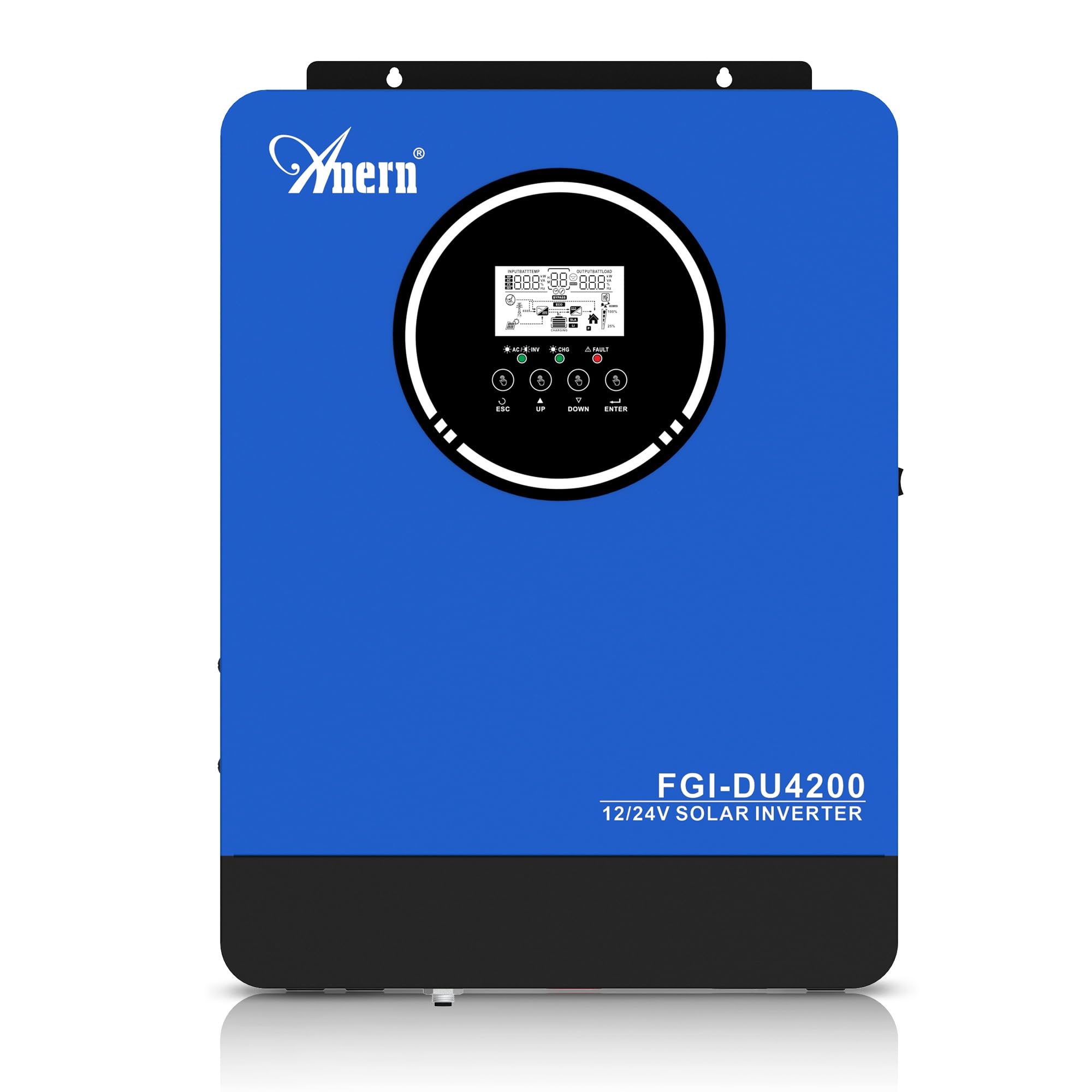
Figure 1: Anern 4200W Hybrid Solar Inverter. This image displays the main unit of the inverter, highlighting its key specifications such as 100A AC charging current, 4200W rated output power, and 500 VDC maximum PV array voltage.
2. Sikkerhedsinstruktioner
Overhold altid følgende sikkerhedsforanstaltninger for at mindske risikoen for elektrisk stød, brand eller personskade:
- Installation skal udføres af kvalificeret personale.
- Ensure all wiring is correctly connected and equipped with appropriate protective switches.
- Skil ikke inverteren ad. Der er ingen dele indeni, som brugeren kan servicere.
- Undgå at udsætte inverteren for regn, sne, sprøjt eller andre væsker.
- Sørg for tilstrækkelig ventilation omkring inverteren for at forhindre overophedning.
- Frakobl alle strømkilder (PV, batteri, forsyningsselskab), før du udfører vedligeholdelse eller ledningsføring.
3. Produktet er slutview
The Anern 4200W Hybrid Solar Inverter is designed to convert DC power from solar panels and batteries into AC power for household use. It features an integrated 100A MPPT solar charge controller and supports both 12V and 24V battery systems with automatic detection.
Nøglefunktioner:
- 4200W Pure Sine Wave Output: Provides stable and clean power for sensitive electronics.
- 100A MPPT Solar Charge Controller: Maximizes power harvest from solar panels.
- 12V/24V Battery Auto-Detection: Automatically adjusts output based on connected battery voltage.
- BMS Interface: Supports communication with lithium batteries for enhanced monitoring and protection.
- Real-time LED Display: Shows system status, operating data, and error codes.
- Configurable Charging & Output Modes: Offers flexibility for various application needs.
- Optional WiFi/GPRS Monitoring: Remote monitoring capability (module sold separately).

Figure 2: Inverter Display and Controls. This image illustrates the inverter's LCD display, function buttons for configuration, and the optional WiFi module for remote monitoring.
4. Opsætning og installation
4.1 Ledningsdiagram
Refer to the electrical schematic for proper system wiring. Ensure all connections are secure and correctly polarized.

Figure 3: Electrical Schematic. This diagram shows the complete wiring for a solar inverter system, including solar panels, combiner box, DC/AC breakers, inverter, utility grid connection, and loads.
4.2 Batteritilslutning
The inverter supports 12V and 24V battery configurations. It automatically detects the battery voltage and adjusts its output accordingly (2300W for 12V, 4200W for 24V). For 24V systems, connect two 12V batteries in series. For 12V systems, connect batteries in parallel if increasing kapacitet.

Figure 4: Battery Connection Options. This image illustrates how to connect batteries for 12V (parallel connection for 2300W output) and 24V (series connection for 4200W output) systems.
The inverter also supports lithium batteries and includes a BMS (Battery Management System) interface for monitoring and protection. Ensure the BMS is properly connected if using lithium batteries.

Figure 5: Communication Interfaces. This image highlights the dual communication interfaces for BMS (Battery Management System) and optional WiFi module, enabling remote monitoring and battery communication.
4.3 Startup and Shutdown Sequence
Opstartssekvens:
- Tilslut batteriet.
- Tænd for inverteren.
- Activate the protective switches for PV, Utility, and Loads.
Nedlukningssekvens:
- Deactivate the protective switches for Loads, Utility, and PV.
- Sluk for inverteren.
- Frakobl batteriet.
Important Note: Inductive loads (e.g., motors, refrigerators) may require up to 3 times their rated power for startup. Ensure the inverter's capacity is sufficient to handle these surge loads. Exceeding the inverter's surge capacity can cause damage.
5. Betjening
5.1 LCD-skærm og indstillinger
The inverter features an LED display that provides real-time system data and operating status. Use the function buttons below the display to navigate menus and configure settings. Settings include battery charging current, AC/solar charging priority, and charging current priority.
5.2 opladningstilstande
The inverter offers four configurable charging modes:
- Solprioritet: Solenergi prioriteres til opladning.
- Kun solenergi: Kun solenergi bruges til opladning.
- Prioritet af forsyningsvirksomheder: Utility grid power is prioritized for charging.
- Solar + Utility Hybrid: Kombinerer solenergi og strøm fra elnettet til opladning.
5.3 Outputtilstande
Three output modes are available to adapt to various application needs:
- Solar Priority (SUB): Solar power is prioritized for loads.
- Utility Priority (USB): Utility grid power is prioritized for loads.
- SBU: Solar, Battery, Utility priority.

Figure 6: Charging and Output Modes. This diagram visually explains the four available charging modes (Solar Charge, Utility Priority, Solar Priority, Hybrid Charge) and three load output modes (PV Priority, Utility Priority, SBU Priority).
5.4 Fjernovervågning
The inverter supports remote monitoring via an optional WiFi/GPRS module (sold separately). This allows users to monitor system performance and status from a distance.
6. Vedligeholdelse
Regelmæssig vedligeholdelse sikrer optimal ydeevne og levetid for din inverter:
- Keep the inverter clean and free from dust. Use a dry cloth for cleaning.
- Sørg for, at ventilationsåbningerne ikke er blokeret.
- Kontrollér regelmæssigt alle ledningsforbindelser for tæthed og tegn på korrosion.
- Monitor the battery status, especially if using lithium batteries with the BMS interface, to prevent overcharge or deep discharge.
- Inspect solar panels for dirt or damage that could reduce efficiency.
7. Fejlfinding
The LED display will show error codes if issues arise. Refer to the inverter's display for specific error codes to diagnose and resolve problems. Common issues and their potential solutions include:
- Ingen strømudgang: Check battery connections, DC/AC breakers, and inverter power switch.
- Lavt batteri Voltage: Ensure batteries are adequately charged. Check charging sources (solar, utility).
- Advarsel om overbelastning: Reduce the connected load. Inductive loads may cause temporary overloads during startup.
- Overophedning: Ensure proper ventilation. Clean any dust from the inverter's vents.
- PV Input Error: Kontroller solpanelforbindelser og volumentage. Ensure PV array voltage er inden for det specificerede område (55-500V DC).
For persistent issues or error codes not listed, contact customer support.
8. Tekniske specifikationer
| Feature | Specifikation |
|---|---|
| Mærke | Anern |
| Modelnummer | AN-FGI-DU 4200 |
| Elektrisk strøm | 4200 watt |
| Udgangseffekt | 4500 watt |
| Max. Output Power (Watts) | 4200 |
| Output bølgeform | Ren Sine Wave |
| Strømkilde | Solcelledrevet, batteridrevet |
| Anbefalede produktanvendelser | Hjem |
| Inkluderede komponenter | Instruktionsmanual |
| Overholdelse | CE |
| Produktdimensioner | 30 x 10 x 40 cm; 8.86 kg |
9. Garanti og support
For warranty information and technical support, please refer to the documentation provided with your purchase or contact Anern customer service. Keep your purchase receipt as proof of purchase.