
Indledning
This manual provides essential instructions for setting up, operating, maintaining, and troubleshooting your Brother DCP-T236 Ink Tank Printer. Please read this manual thoroughly before using the printer to ensure correct operation and to prevent damage.
Sikkerhedsoplysninger
- Always place the printer on a flat, stable surface.
- Bloker ikke ventilationsåbninger.
- Brug kun den netledning, der følger med printeren.
- Opbevar blækflasker utilgængeligt for børn.
- Avoid touching the print head.
Pakkens indhold
Kontroller, at alle varer er inkluderet i kassen:
- Brother DCP-T236 Printer Unit
- Strømkabel
- USB kabel
- Installations-cd
- Original Ink Bottles: BTD100BK (Black), BTD100C (Cyan), BTD100M (Magenta), BTD100Y (Yellow)
Opsætning
1. Initial Ink Filling
Carefully fill the ink tanks with the corresponding colored ink bottles. Ensure each bottle is fully emptied into its designated tank.
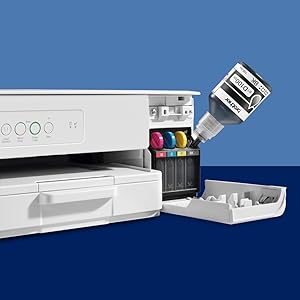
Image: Ink bottles being filled into the printer's ink tanks. Each color (Black, Cyan, Magenta, Yellow) has a dedicated tank.
The Black ink bottle (BTD100BK) yields approximately 7500 pages, while Cyan (BTD100C), Magenta (BTD100M), and Yellow (BTD100Y) each yield approximately 5000 pages.
2. Ilægning af papir
Open the paper tray and load up to 150 sheets of paper. Adjust the paper guides to fit the paper size. The printer supports various paper sizes including A4, Letter, Legal, and photo paper.
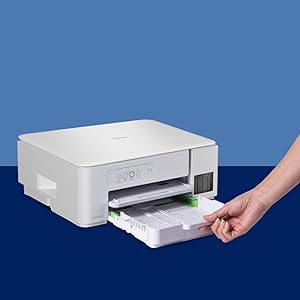
Image: A hand loading paper into the 150-sheet capacity paper tray of the Brother DCP-T236 printer.
3. Software installation
Connect the printer to your computer using the provided USB cable. Insert the Installation CD into your computer's CD-ROM drive and follow the on-screen instructions to install the printer drivers and software. Drivers are compatible with Windows, Linux, and Chrome OS.
Betjening af printeren
Udskrivning af dokumenter
To print, select the Brother DCP-T236 from your application's print dialog. You can achieve print speeds of up to 27 pages per minute (ppm) for monochrome documents and 11 ppm for color documents. The printer supports borderless printing for photos and other documents.
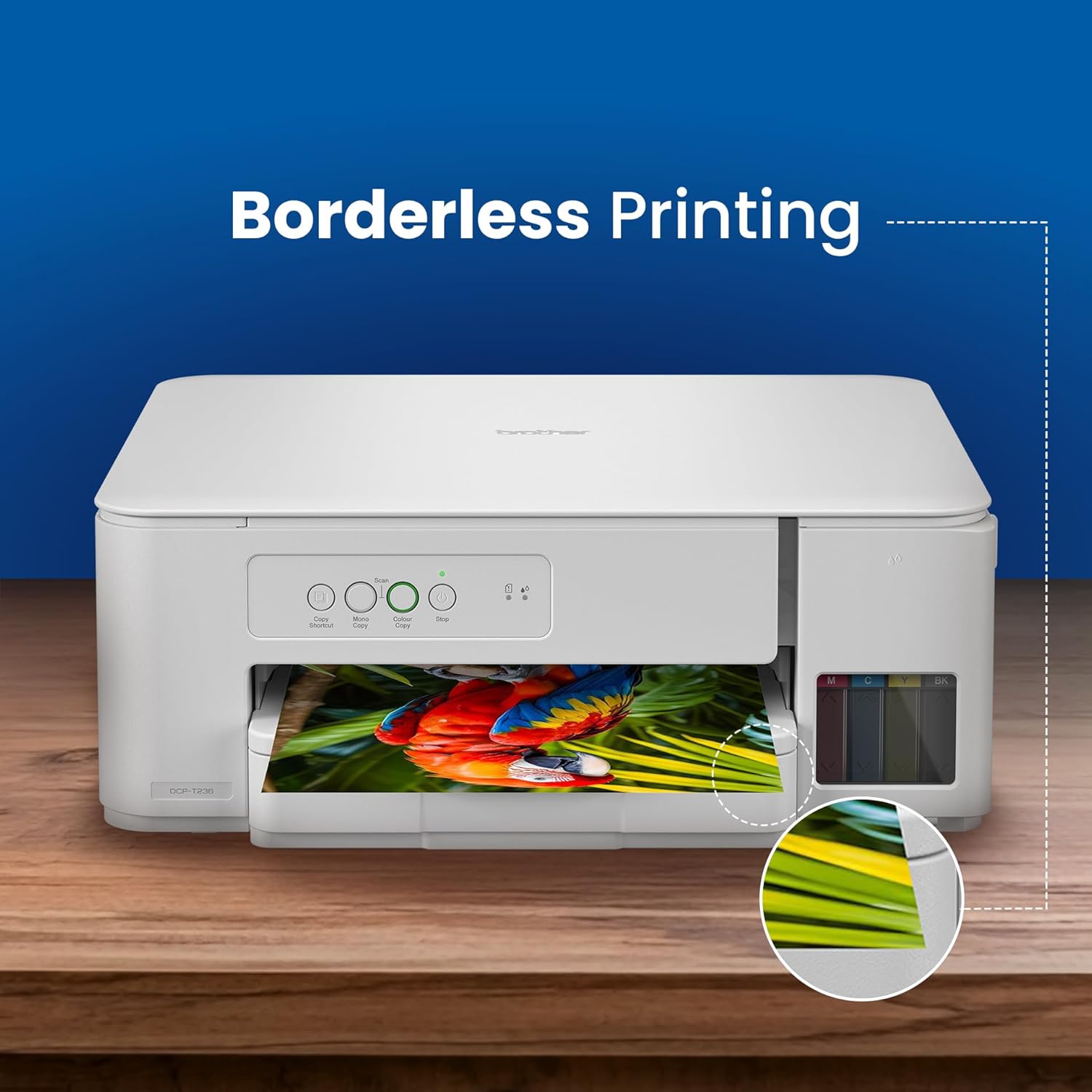
Image: The Brother DCP-T236 printer performing borderless printing, showing a printed image without white margins.
Scanning af dokumenter
Place your document face down on the flatbed scanner glass. Use the installed Brother software on your computer to initiate a scan. The scanner offers an optical resolution of up to 1200 x 2400 dpi.
Kopiering af dokumenter
Place the document on the scanner glass. Use the control panel buttons on the printer to select copy options (e.g., number of copies, color/mono). The printer features a copy shortcut button for quick access to common copy functions like 2-in-1 or ID copy.
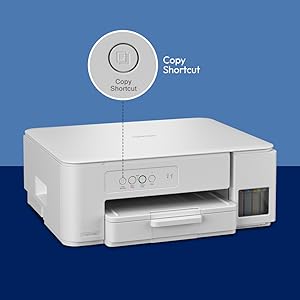
Image: Close-up of the Brother DCP-T236 printer's control panel, indicating the copy shortcut button for quick copying.
Opretholdelse
Blækpåfyldning
Monitor ink levels regularly. When an ink tank is low, purchase genuine Brother BTD100 series ink bottles. Follow the initial ink filling procedure to refill the tanks. Ensure the correct color ink is added to its corresponding tank.
Rensning
Periodically clean the exterior of the printer with a soft, lint-free cloth. For print quality issues, refer to the troubleshooting section or the printer's internal cleaning functions accessible via the software.
Fejlfinding
This section addresses common issues you might encounter with your Brother DCP-T236 printer.
- Printeren svarer ikke: Check power connections and USB cable connection. Ensure the printer is turned on.
- Dårlig udskriftskvalitet: Verify ink levels. Perform a print head cleaning and alignment through the printer software. Use genuine Brother ink.
- Papirstop: Carefully remove any jammed paper from the paper tray or inside the printer. Refer to the printer's display for specific jam locations.
- Scanneren virker ikke: Ensure the printer is properly connected and drivers are installed. Restart both the printer and computer.
For more detailed troubleshooting, consult the full software manual or Brother's online support resources.
Specifikationer
| Feature | Detalje |
|---|---|
| Modelnavn | DCP-T236 |
| Funktioner | Udskriv, Scan, Kopier |
| Forbindelse | USB 2.0 |
| Udskrivningsteknologi | Inkjet |
| Udskrivningshastighed (monokrom) | Op til 27 ppm |
| Udskrivningshastighed (farve) | Op til 11 ppm |
| Udskriftsopløsning | Op til 1200 x 6000 dpi |
| Scanner type | Flatbed |
| Scan Resolution (Optical) | Op til 1200 x 2400 dpi |
| Papirinputkapacitet | 150 ark |
| Understøttede papirstørrelser | A4, Letter, Legal, Photo, Envelopes, etc. |
| Ink Bottle Model | BTD100BK, BTD100C, BTD100M, BTD100Y |
| Mål (D x B x H) | 34.3D x 39B x 14.9H Centimeter |
| Vægt | 5.9 kilo |
| Strømforbrug | 13 watt |
| Operativsystemkompatibilitet | Windows, Linux, Chrome OS |
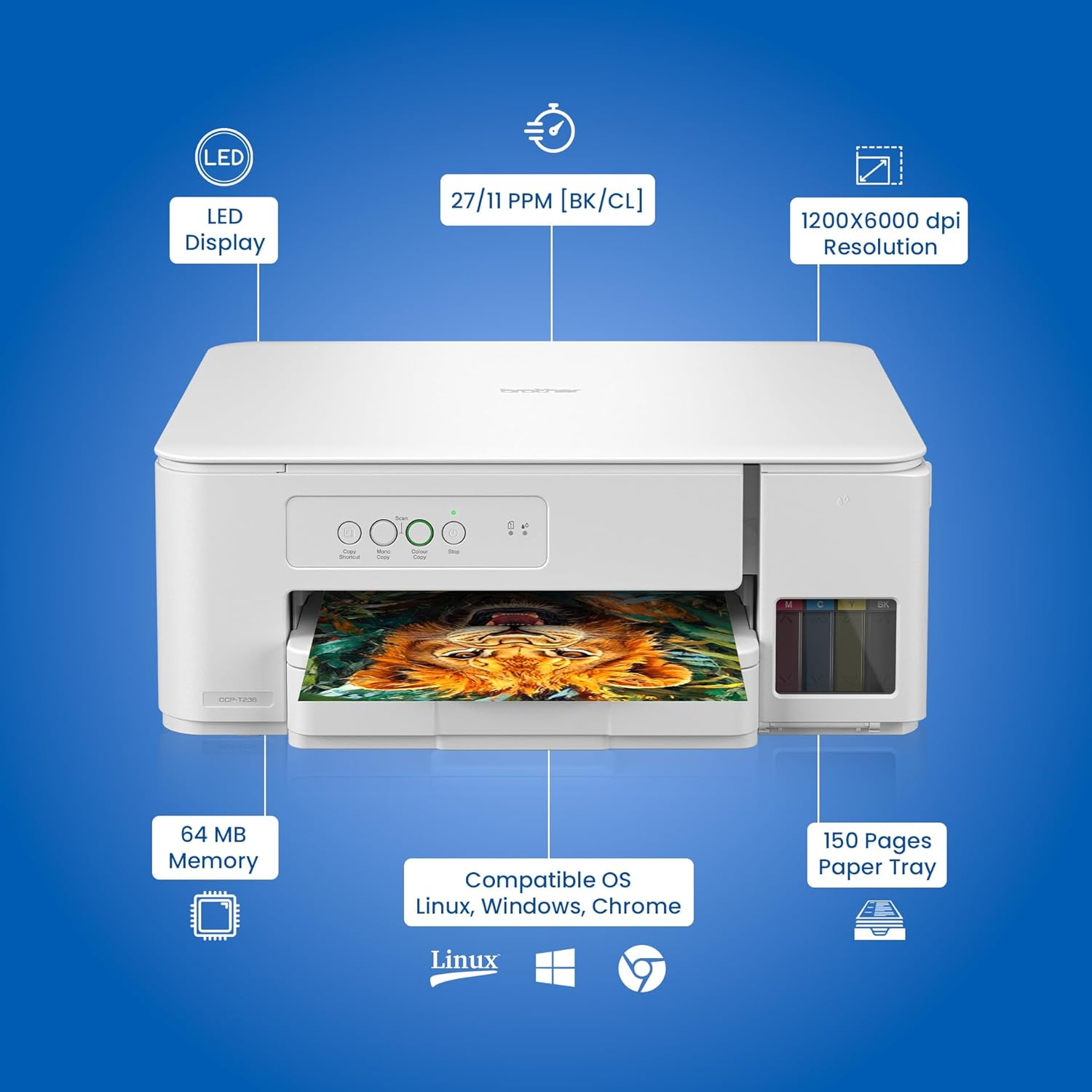
Billede: Overview of the Brother DCP-T236 printer highlighting its technical specifications and features.

Image: The compact and lightweight design of the Brother DCP-T236 printer, showing its dimensions and weight.
Garantioplysninger
Your Brother DCP-T236 printer comes with a 1 års standard producentgaranti. Please retain your purchase receipt for warranty claims. For detailed terms and conditions, refer to the warranty card included in your package or visit the official Brother webwebsted.
Kundesupport
For any product-related information, technical assistance, or service requests, please contact Brother customer support:
- Gratisnumre:
- 1-800-222-422 (For MTNL and BSNL users)
- 1-800-209-8904 (For others and all mobiles)
- Driftstider: Monday to Friday: 8:30 AM - 6:30 PM, Saturday: 9:00 AM - 6:00 PM
- E-mail support: customercare@brother.in
- Officiel Webwebsted: www.brother.in
Image: Brother's customer support details for product inquiries and assistance.