
Light My Bricks 2.0-10343
Light My Bricks 2.0 Light Kit for Lego Mini Orchid #10343 Instruction Manual
Model: 2.0-10343
Indledning
This instruction manual provides comprehensive guidance for the installation and use of the Light My Bricks 2.0 Light Kit designed for the Lego Mini Orchid #10343 set. This kit enhances your Lego model with vibrant pink lighting, highlighting the delicate features of the orchid. Please read this manual thoroughly before beginning installation to ensure a smooth and successful experience.
Sikkerhedsoplysninger
Advarsel: Kvælningsfare - små dele. Ikke egnet til børn under 3 år.
Always handle electronic components with care. Do not expose components to water or extreme temperatures. Ensure all connections are secure before powering on the light kit. Disconnect power before performing any maintenance or adjustments.
Hvad er der i æsken
Your Light My Bricks 2.0 Light Kit for Lego Mini Orchid #10343 includes the following components:
- 5 x Lights (Pink Astro LEDs)
- 1 x Connecting Belt
- 1 x Expansion Dock
- 1 x Flux Power Module
- 1 x Accessory (specific to the kit)
- 5 x Assorted Bricks (for integration)

Image: A visual representation of the kit components, including various wires, light bricks, and connection boards.
Opsætning og installation
The Light My Bricks kit is designed for flexible installation, allowing you to integrate the lighting as you build your Lego Mini Orchid #10343 set or after the set is fully assembled. For detailed, step-by-step instructions, please refer to the official 3D installation guides provided by Light My Bricks.
Accessing 3D Installation Guides:
- Locate the QR code printed on the side of your Light My Bricks kit box.
- Scan QR-koden med en smartphone eller tablet.
- Follow the on-screen instructions to access the interactive 3D installation guide.
The 3D guides provide visual assistance for every step, ensuring accurate placement of lights and cables within your Lego model.

Image: The product box for the Light My Bricks Mini Orchid Light Kit, indicating where to find the QR code for installation guides.
Generelle installationstips:
- Kabelstyring: Carefully route cables between Lego bricks to conceal them and prevent pinching. Use the provided adhesive squares or small Lego elements to secure cables if necessary.
- Komponentplacering: Ensure light components are placed as indicated in the 3D guide to achieve optimal illumination of the orchid's features.
- Strømtilslutning: The kit requires power from a USB Power Bank or a USB Wall Adaptor (not included). Connect the Flux Power Module to your chosen power source.
Betjeningsvejledning
Once the Light My Bricks kit is fully installed and connected to a power source, the lights will illuminate. There are no complex controls; the system is designed for simple plug-and-play operation.
- Tænd: Connect the USB cable from the Flux Power Module to a powered USB port (e.g., USB wall adapter, power bank). The lights will turn on automatically.
- Sluk: Disconnect the USB cable from the power source. The lights will turn off.

Image: The Lego Mini Orchid model illuminated by the Light My Bricks kit, showcasing the vibrant pink glow.
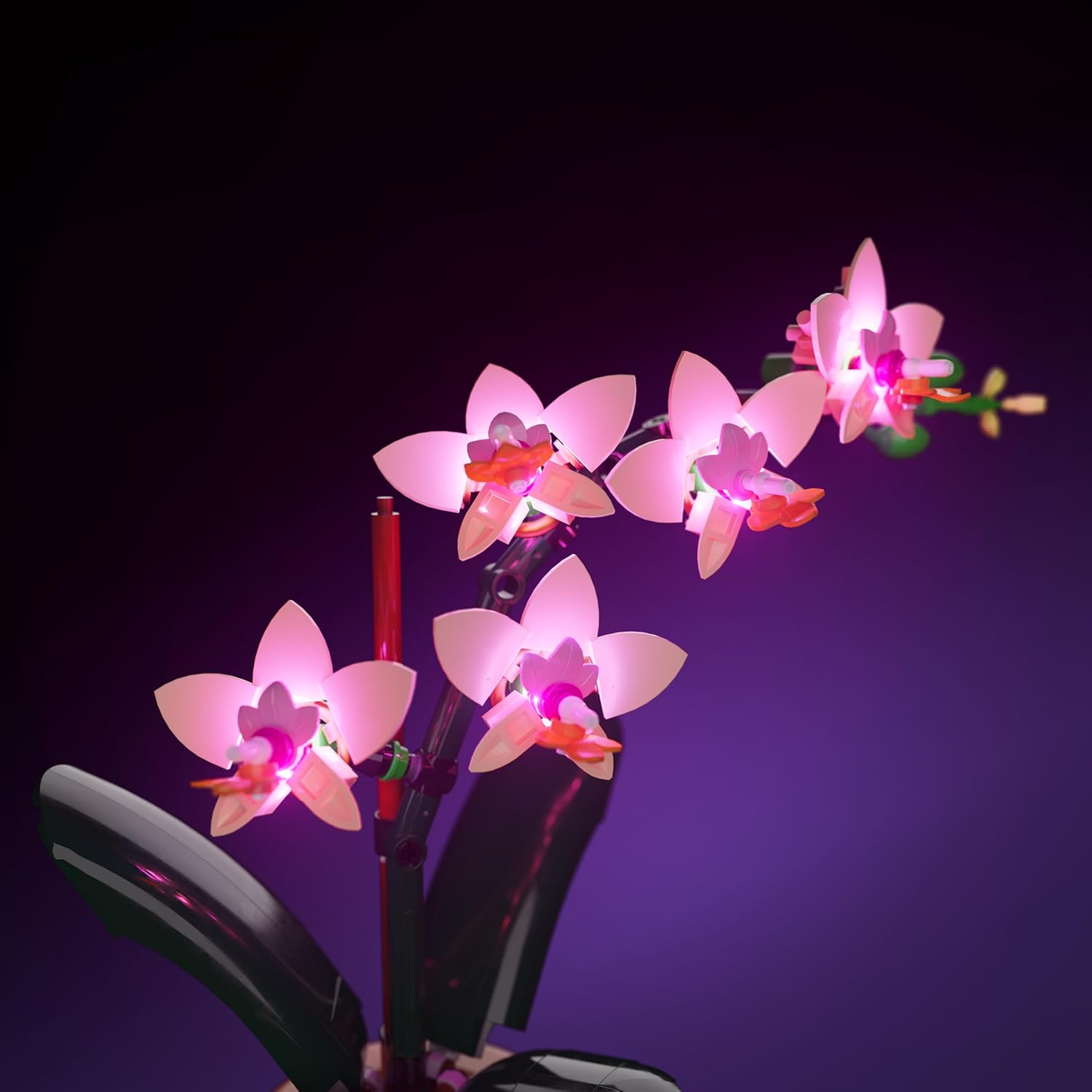
Billede: En detaljeret view of the illuminated orchid flowers, highlighting the integration of the lighting components.
Opretholdelse
The Light My Bricks kit requires minimal maintenance. Follow these guidelines to ensure longevity:
- Rensning: Use a soft, dry cloth to gently wipe away dust from the lights and cables. Do not use liquid cleaners.
- Håndtering: Avoid excessive bending or pulling of cables, as this can damage the internal wires.
- Opbevaring: If disassembling the kit, store components in a dry, cool place, away from direct sunlight and extreme temperatures.
Fejlfinding
Hvis du støder på problemer med dit Light My Bricks-sæt, kan du overveje følgende almindelige løsninger:
| Problem | Mulig årsag | Løsning |
|---|---|---|
| Lysene tænder ikke. | Ingen strøm, løs forbindelse, defekt komponent. |
|
| Nogle lys virker ikke. | Loose connection, damaged cable/light. |
|
| Lysene flimrer. | Insufficient power, loose connection. |
|
Hvis disse trin ikke løser problemet, bedes du kontakte Light My Bricks kundesupport for yderligere assistance.
Specifikationer
| Feature | Detalje |
|---|---|
| Produktdimensioner | 5.7 x 4.5 x 1.9 tommer |
| Varens vægt | 4.5 ounce |
| ASIN | B0FB2XGQ7D |
| Varemodelnummer | 2.0-10343 |
| Producent anbefalet alder | 12 år og opefter |
| Fabrikant | Lys mine mursten |
| Lys type | Pink Astro LEDs |
| Power Source (Ikke inkluderet) | USB Power Bank or USB Wall Adaptor |
Garanti og support
Light My Bricks products are designed for quality and durability. For information regarding warranty coverage and terms, please refer to the official Light My Bricks webwebstedet eller kontakt deres kundesupport direkte.
Kundesupport: For technical assistance, missing parts, or warranty claims, please visit the Light My Bricks-butikken på Amazon eller deres embedsmand website. Please have your product model number (2.0-10343) and ASIN (B0FB2XGQ7D) ready when contacting support.
Ask a question about this manual
Ask about setup, troubleshooting, compatibility, parts, safety, or missing instructions. Manuals+ will review the question and use this page’s manual context to help answer it.