
1. Introduktion
Thank you for choosing the TESSAN TS-PS06US00 Desk Clamp Power Strip. This device is designed to provide convenient power access and surge protection for your electronic devices in various settings such as home offices, dorm rooms, and workspaces. It features 5 AC outlets, 2 USB-C ports, and 2 USB-A ports, along with a 10-foot flat plug extension cord for flexible placement.
2. Sikkerhedsinstruktioner
ADVARSEL: For at mindske risikoen for elektrisk stød, brand eller personskade, bedes du læse og følge alle instruktioner omhyggeligt.
- Do not exceed the electrical ratings of this power strip (1250W Max, 10A).
- This product is intended for indoor use only. Do not expose to moisture or use in wet environments.
- Keep children away from the power strip and electrical outlets.
- Enheden må ikke skilles ad, ændres eller repareres. Kontakt kundesupport, hvis der er behov for service.
- Ensure the power cord is fully inserted into a grounded wall outlet.
- Avoid running the power cord under carpets or rugs, as this can cause overheating.
- Do not use with aquariums or other water-related products.
- The surge protection feature safeguards connected devices. If the 'Protected' indicator light is off, the surge protection may have expired.
3. Produktet er slutview
The TESSAN Desk Clamp Power Strip offers a versatile solution for managing power and charging needs on your desk or workbench. Its unique clamp design allows for secure and flexible mounting, while the flat plug and slim cord minimize obstruction.

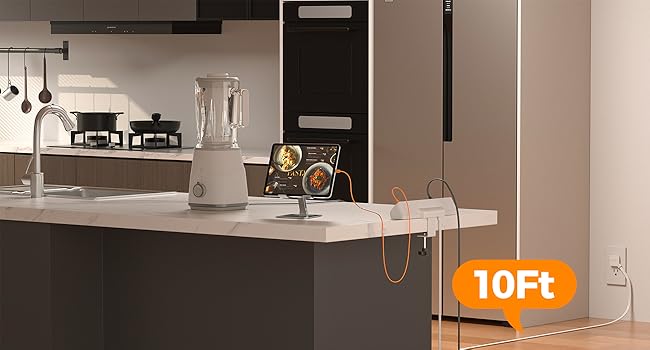
Image: The TESSAN Desk Clamp Power Strip with various devices connected, highlighting its 9-in-1 functionality.
Nøglefunktioner:
- 5 AC stikkontakter: Giver ample power for computers, monitors, lamps, and other electronics.
- 4 USB Ports (2 USB-C, 2 USB-A): Includes 20W max USB-C for fast charging and 12W max USB-A ports for various USB devices.
- 2100J Surge Protection: Protects your valuable electronics from power surges and spikes.
- Skrivebord Clamp Design: Securely mounts to desktops, under desks, or table legs up to 2 inches thick, saving desktop space.
- 10 Ft Flat Plug Extension Cord: The ultra-thin (0.14 inches deep) flat plug and long cord allow for discreet placement behind furniture and easy access to distant outlets.
- Tænd/sluk-knap: Controls power to all outlets and ports, with an indicator light for surge protection status.
Billede: Detaljeret view of the power strip's dimensions and the adjustable clamp for desk mounting.
4. Opsætning
Follow these steps to properly install your TESSAN Desk Clamp Power Strip:
- Vælg en placering: Select a suitable location on your desk, under your desk, or on a table leg. Ensure the surface thickness does not exceed 2 inches (5 cm).
- Fastgør Clamp: Løsn knappen på clamp to open it wide enough to fit over your chosen surface. Position the power strip and tighten the knob securely until the clamp holds firmly. Do not overtighten.
- Tilslut til strøm: Plug the 10-foot flat plug extension cord into a grounded wall outlet. The flat plug design allows it to fit in tight spaces, such as behind furniture.
- Bekræft beskyttelse: Once plugged in, the 'Protected' indicator light on the power strip should illuminate, confirming that the surge protection is active.
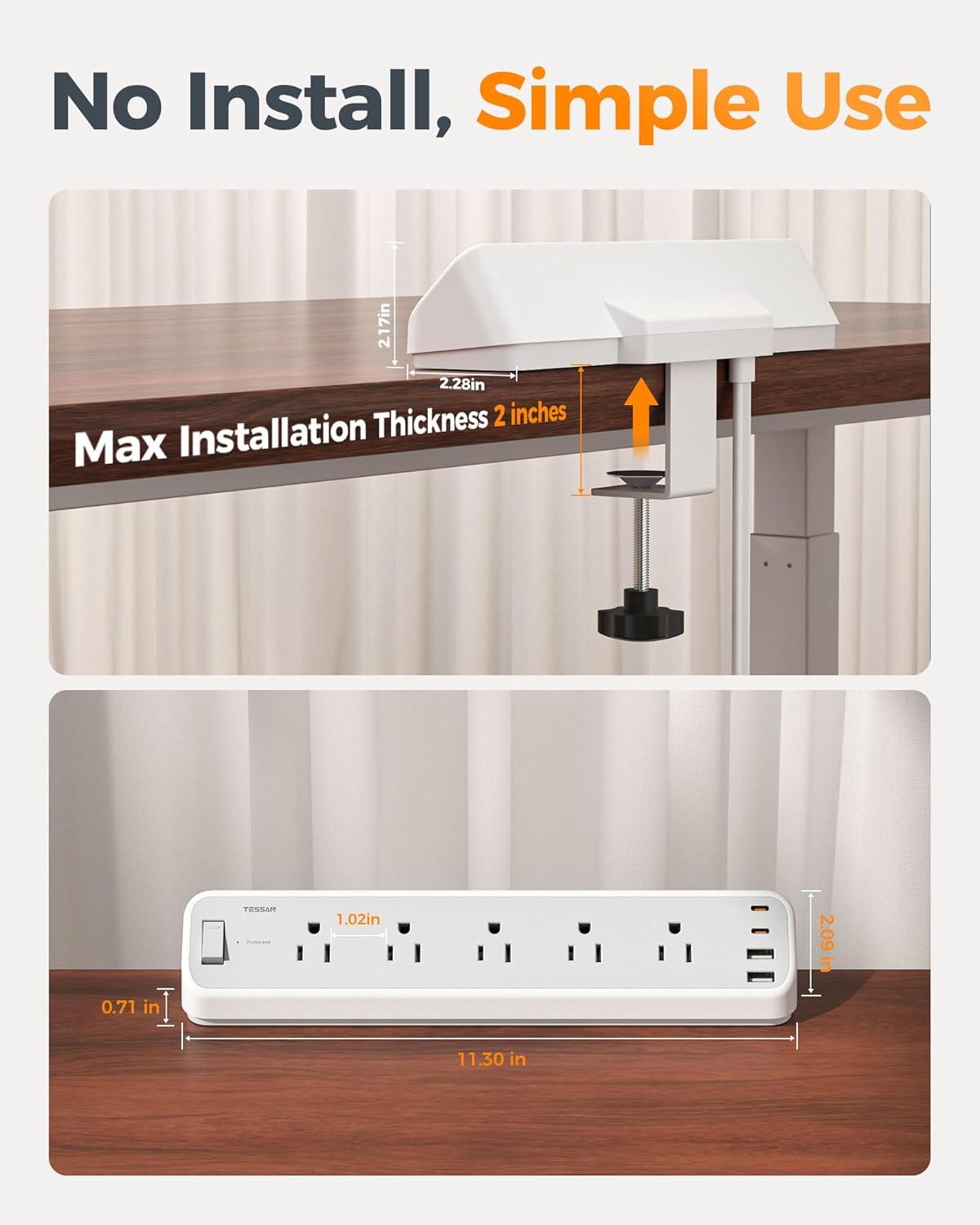
Image: A hand demonstrating the easy, tool-free adjustment of the desk clamp.
Video: Official TESSAN video demonstrating the installation and features of the Desk Clamp Stikdåse.
5. Betjeningsvejledning
Using your TESSAN Desk Clamp Power Strip is straightforward:
- Tænd/sluk: Use the master On/Off switch located on the power strip to control power to all connected devices. The switch will illuminate when power is on.
- AC stikkontakter: Plug your AC-powered devices (e.g., laptops, monitors, lamps) into any of the 5 standard AC outlets.
- USB-C porte: Connect your USB-C compatible devices (e.g., smartphones, tablets) to the USB-C ports for fast charging up to 20W.
- USB-A porte: Connect your USB-A compatible devices to the USB-A ports for charging up to 12W per port.

Image: Illustrates the fast charging capabilities of the USB-C and USB-A ports.
6. Vedligeholdelse
To ensure the longevity and safe operation of your power strip:
- Rensning: Disconnect the power strip from the wall outlet before cleaning. Use a dry, soft cloth to wipe the surface. Do not use liquid cleaners or aerosols.
- Opbevaring: When not in use for extended periods, store the power strip in a cool, dry place away from direct sunlight and moisture.
- Inspektion: Periodically inspect the power cord and the unit for any signs of damage, such as frayed wires or cracks. If damage is found, discontinue use and contact customer support.
7. Fejlfinding
Hvis du støder på problemer med din stikdåse, kan du se følgende almindelige problemer og løsninger:
| Problem | Mulig årsag | Løsning |
|---|---|---|
| No power to outlets/USB ports | Power switch is off; Wall outlet has no power; Overload protection tripped | Ensure power switch is ON; Check wall outlet with another device; Reduce connected load and reset power strip (if applicable). |
| 'Protected' indicator light is off | Surge protection has expired or is damaged | The power strip may no longer provide surge protection. Replace the unit to ensure continued protection. |
| Devices not charging via USB | Incorrect cable; Device not compatible; USB port overloaded | Ensure correct USB cable is used; Check device compatibility; Try another USB port or reduce total USB load. |
8. Specifikationer
- Mærke: THESSAN
- Modelnummer: TS-PS06US00
- Farve: Grå
- Samlet strømudtag: 9 (5 AC, 4 USB)
- AC stikkontakter: 5
- USB-porte: 4 (2 USB-C, 2 USB-A)
- USB-C udgang: 20W Maks
- USB-A-output: 12W Maks. pr. port
- Maksimal strøm: 10 Amps
- Strømstik type: Type B - 3-benet (nordamerikansk)
- Overspændingsbeskyttelsesvurdering: 2100 Joule
- Ledningslængde: 10 fod
- Max Clamp Tykkelse: 2 tommer
- Særlige funktioner: On And Off Switch, Surge Protection, USB Slot, Wide Spaced Outlet
9. Garanti og support
TESSAN products are designed and manufactured to the highest quality standards. This product is covered by a limited warranty from the date of purchase. For detailed warranty information, product support, or to report any issues, please visit the official TESSAN webwebstedet eller kontakt deres kundeserviceteam direkte.
Kontaktoplysninger:
- Webwebsted: www.tessan.com (Se venligst website for the most current contact details and support resources.)