
AXA Fold Lite C100
AXA Fold Lite C100 Foldelås Brugermanual
Model: Fold Lite C100 | Part Number: 59842095KB
Indledning
This manual provides essential information for the safe and effective use of your AXA Fold Lite C100 folding lock. Please read these instructions carefully before initial use and retain them for future reference. The AXA Fold Lite C100 is a lightweight, robust combination lock designed for securing bicycles, offering a high level of security and ease of use.
Sikkerhedsinstruktioner
- Ensure the lock is properly engaged and the code scrambled after securing your bicycle.
- Forsøg ikke at tvinge låsemekanismen op.
- Keep the lock clean and free from debris to ensure smooth operation.
- Store the lock in a dry environment when not in use.
- This lock is designed to deter theft; no lock can guarantee absolute security.
Produkt overview
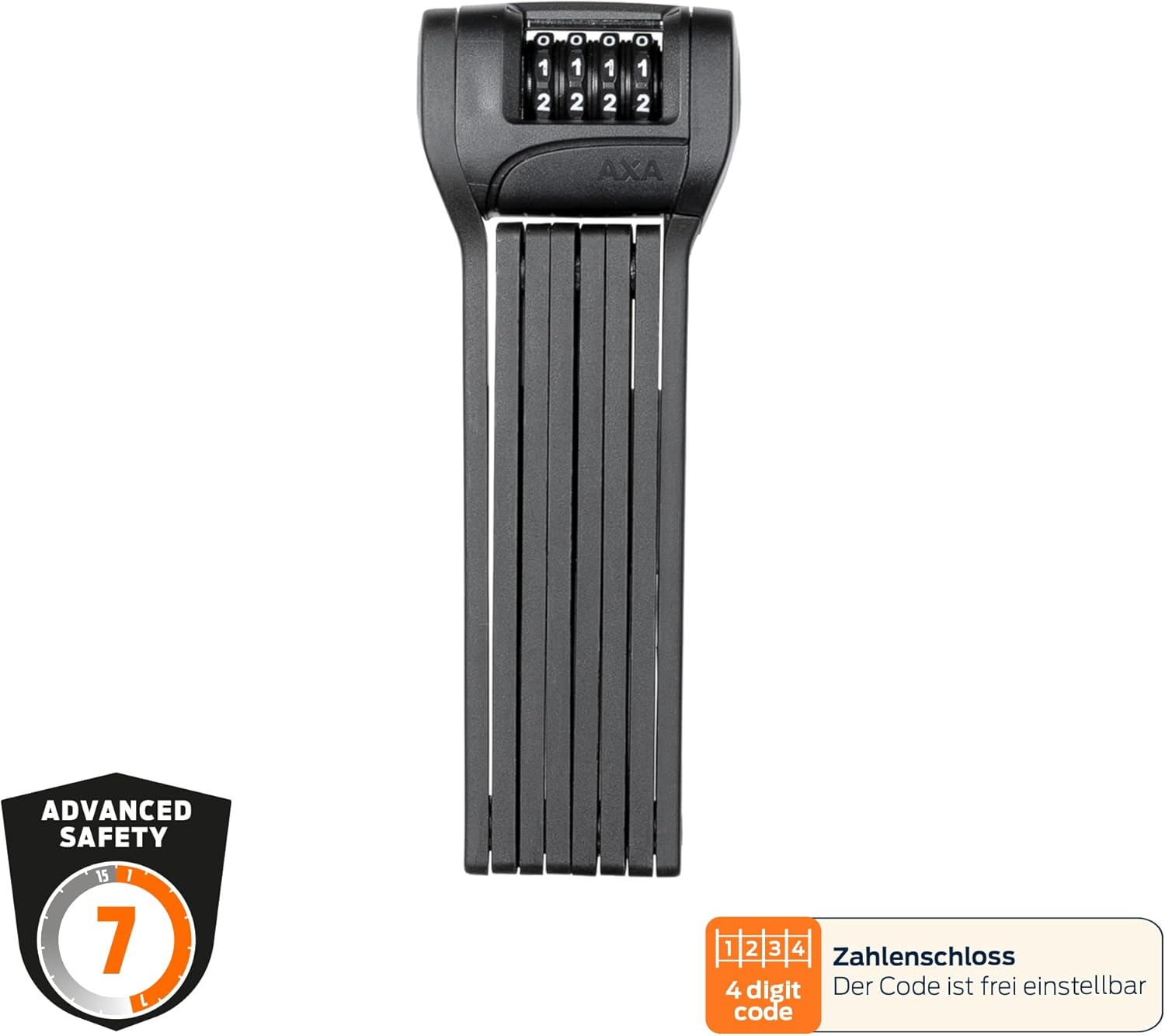
The AXA Fold Lite C100 is a compact and flexible folding lock. It consists of hardened steel links with a soft coating to protect your bicycle's frame. The lock features a 4-digit adjustable combination mechanism and comes with a convenient mounting bracket.

Opsætning
Setting Your Personal Combination Code
The AXA Fold Lite C100 comes with a factory default code (usually 0000). To set your personal 4-digit combination:
- Align the dials to the current opening code (factory default is 0000).
- Open the lock by pulling the locking mechanism apart.
- Locate the reset button or lever on the side or back of the lock head.
- Using a small pointed object (like a pen tip), press and hold the reset button/lever.
- While holding the reset button/lever, set your desired 4-digit combination by rotating the dials.
- Release the reset button/lever. Your new code is now set.
- Vigtig: Scramble the dials immediately after setting the code to ensure it is locked. Test your new code to confirm it opens the lock.
Montering af beslaget
The included bracket allows for convenient transport of your AXA Fold Lite C100 lock on your bicycle. It can be mounted in two ways:
- Brug af flaskeholderbeslag: If your bicycle frame has standard bottle cage mounting points, you can attach the bracket directly using the provided screws.
- Brug af monteringsstropper: For frames without bottle cage mounts, or if you prefer a different location, use the two included mounting straps to secure the bracket firmly to your frame. Ensure the straps are tightened securely to prevent rattling during rides.


Betjeningsvejledning
Locking Your Bicycle
- Remove the lock from its bracket.
- Unfold the lock completely.
- Wrap the unfolded lock around your bicycle frame (and wheel, if desired) and a fixed object such as a lamppost or bike rack.
- Juster kombinationsskiverne til din personlige 4-cifrede kode.
- Insert the locking bar into the lock head until it clicks securely into place.
- Bland kombinationsdrejeknapperne for at sikre låsen.

Unlocking Your Bicycle
- Juster kombinationsskiverne til din personlige 4-cifrede kode.
- Pull the locking bar out of the lock head.
- Unfold the lock from around your bicycle and the fixed object.
- Fold the lock back into its compact form and place it back into the mounting bracket on your bicycle.
Opretholdelse
- Rensning: Wipe the lock periodically with a damp cloth to remove dirt and grime. Avoid harsh chemicals that may damage the protective coating.
- Smøring: For optimal performance, especially in dusty or wet conditions, apply a small amount of silicone-based lubricant to the combination dials and the locking mechanism once or twice a year.
- Opbevaring: Når låsen ikke er i brug i længere perioder, skal den opbevares tørt og tempereret.
Fejlfinding
| Problem | Mulig årsag | Løsning |
|---|---|---|
| Lock will not open with correct code. | Dials not perfectly aligned; internal mechanism dirty or stiff. | Ensure dials are precisely aligned. Apply lubricant to dials and mechanism. Gently wiggle the locking bar while entering the code. |
| Lock is difficult to close. | Debris in the locking mechanism; bent links. | Clean the locking mechanism. Check for any visible damage to the links. Do not force closure. |
| Bracket rattles or lock feels loose in bracket. | Mounting screws/straps are loose. | Tighten all mounting screws or straps securely. |
Specifikationer
| Modelnavn | AXA Fold Lite C100 |
| Varenummer | 59842095KB |
| Låsetype | 4-digit Combination Lock |
| Sikkerhedsniveau | 7 (AXA Sikkerhedsindeks) |
| Længde | 100 cm (39.4 tommer) |
| Vægt | 725 gram (1.6 pund) |
| Materiale | Hardened Steel with Soft Coating |
| Farve | Sort |
| Inkluderede komponenter | Folding Lock, Mounting Bracket, Mounting Straps |
| Dimensioner (foldet) | Ca. 7.28 x 2.76 x 1.38 cm (L x B x H) |
Garanti og support
For warranty information and customer support, please refer to the official AXA webwebstedet eller kontakt din lokale forhandler. Gem din købsbevis i tilfælde af garantikrav.
Fabrikant: AXA
Webwebsted: www.axa-bike.com
Ask a question about this manual
Ask about setup, troubleshooting, compatibility, parts, safety, or missing instructions. Manuals+ will review the question and use this page’s manual context to help answer it.