
1. Introduktion
The RONGJI 13 Inch QLED Touch Screen Car Radio Upgrade Head Unit is an advanced in-car entertainment and navigation system. Featuring an 8-core processor, 4GB RAM, and 32GB ROM, it offers a responsive and clear visual experience with its 1280x720 resolution capacitive touch screen. Key functionalities include built-in Wireless/Wired Car-Play and Android Auto, Bluetooth 5.0, FM/AM radio with RDS, DSP sound effects, and GPS navigation.
2. Sikkerhedsoplysninger
Always ensure the vehicle is parked safely before operating the head unit. Do not attempt to install or service the unit if you are not qualified. Improper installation can lead to vehicle damage or personal injury. Consult a professional for installation if unsure. Keep the volume at a safe level to remain aware of road conditions.
3. Pakkens indhold
Bekræft at alle varer er til stede i pakken:
- Strømkabel
- RCA-kabel
- Omvendt kabel
- USB -kabel (x2)
- 4G-antenne
- GPS antenne
- Mikrofon (MIC)
4. Produktet er slutview
4.1. UI Display
The head unit features a customizable user interface (UI) with various display options for navigation, media, and applications. Users can personalize the layout to suit their preferences.

Image: Various user interface display options for the RONGJI car radio.
4.2. Full-fit QLED Screen
The 13-inch QLED screen offers a 1920x1200 resolution, providing a clear and vibrant display. The full-fit design enhances the viewing experience with wider angles and accurate color reproduction.
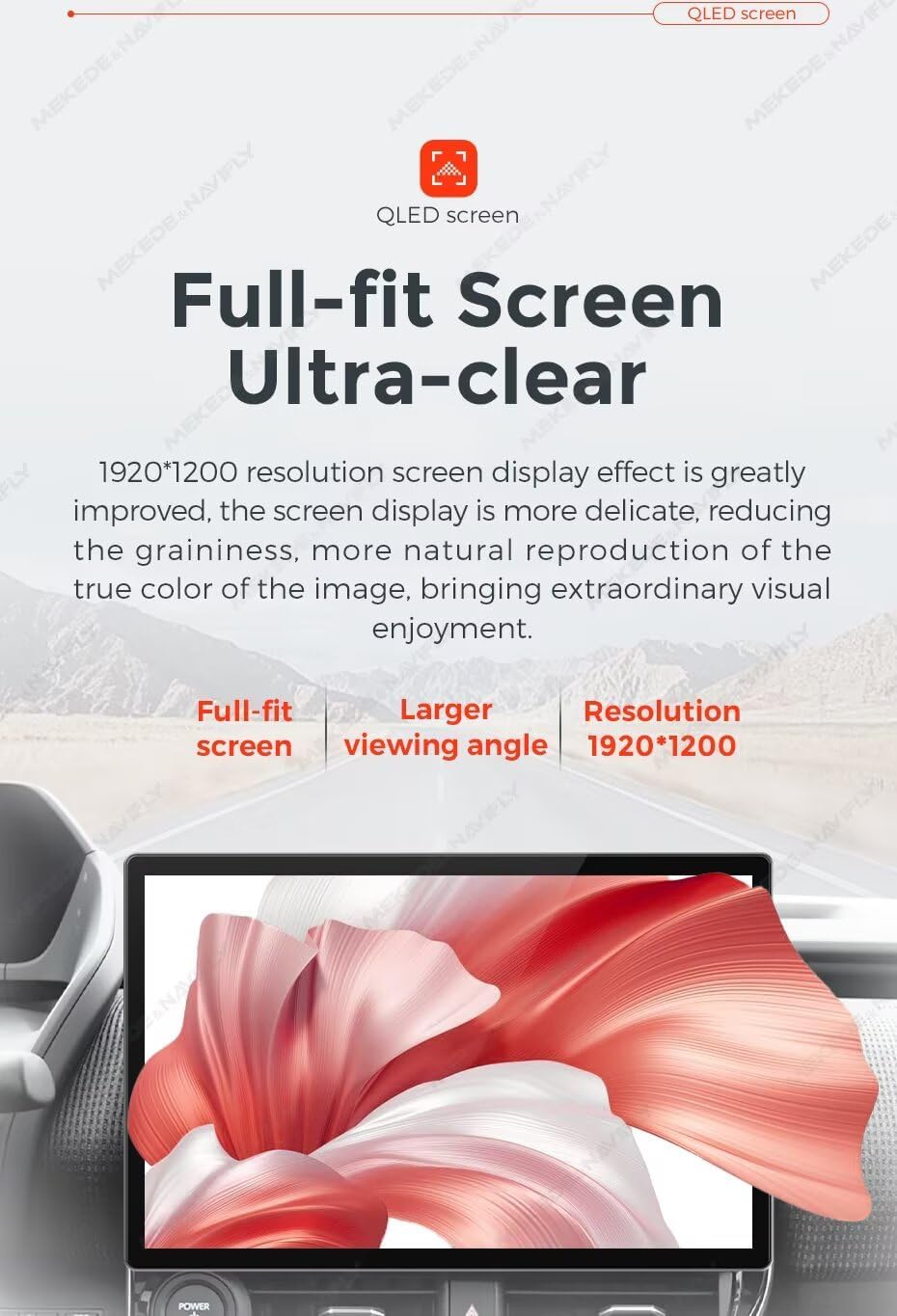
Image: Illustration of the QLED screen's clarity and full-fit design.
4.3. DSP-equalizerjusteringer
The built-in Digital Signal Processor (DSP) allows for multi-dimensional surround sound adjustments. Users can fine-tune audio settings with various equalizer presets (e.g., Rock, Pop, Jazz) and custom options to achieve optimal sound quality.
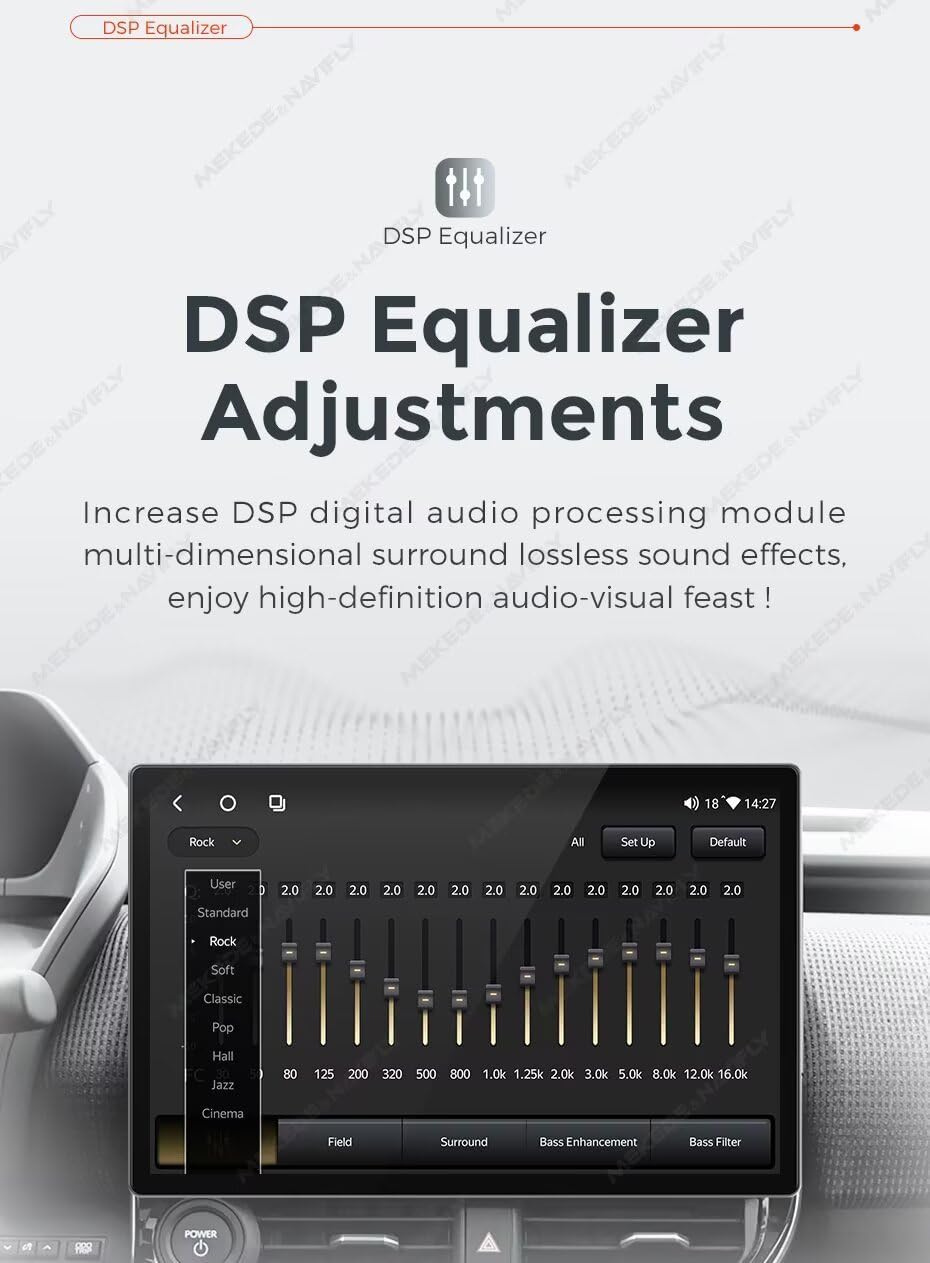
Image: Screenshot of the DSP Equalizer interface, showing various sound adjustment options.
4.4. Bluetooth 5.0 Function
The unit supports Bluetooth 5.0 for hands-free calling, phonebook access, and audio streaming. It includes a built-in microphone and supports an external microphone for clear communication.

Image: Display showing Bluetooth 5.0 connectivity for phone calls and music.
4.5. Ratbetjening
The head unit supports steering wheel controls, allowing users to manage music playback and answer calls without taking their hands off the wheel. This feature enhances driving safety and convenience.

Image: Depiction of steering wheel controls interacting with the head unit for music playback.
4.6. Delt skærm og billede-i-billede (PIP)
The split-screen function enables two applications to be displayed simultaneously, such as navigation and music, for enhanced multitasking and user convenience.

Billede: Eksample of the split-screen feature displaying navigation and radio simultaneously.
5. Opsætning
5.1. Køretøjskompatibilitet
Before installation, verify compatibility by comparing your car dashboard and OEM radio with the provided images. If uncertain, contact support with photos of your dashboard and the back of your OEM radio.
5.2. Ledningsdiagram og tilslutninger
Refer to the wiring diagram for proper connection of the power cable, RCA cables, USB cables, 4G antenna, GPS antenna, and microphone. Ensure all connections are secure before powering on the unit.

Billede: Detaljeret view of the back of the head unit, illustrating connection ports and included accessories.
Portbeskrivelser:
- A: Tilslutning af strømkabel.
- B: RCA Cable and 4G card slot.
- C: 360° panoramic device connection.
- D: Digital TV CAN (use if your car requires a CANbus connection).
- E: 4-pin USB cable port.
- F: 6-pin USB cable port.
- G: Reverse video cable input.
- H: Radio antenna connection.
- I: 5G WiFi antenna connection.
- J: GPS interface.
- K: 4G+ wireless network interface.
- L: Køleventilator.
- M: COAXIAL Interface (Note: This interface is only supported by M500-M700 models).
- N: OPTICAL Interface (Note: This interface is only supported by M500-M700 models).
6. Betjeningsvejledning
6.1. Car-Play and Android Auto
The unit supports both Wireless/Wired Car-Play and Android Auto. Connect your smartphone to access navigation, music, calls, and messages through the head unit's interface. This feature simplifies smartphone integration for a safer driving experience.

Billede: Eksamples of Wireless Car-Play and Wireless/Wired Android Auto connections.
6.2. GPS-navigation
The built-in GPS module and external GPS antenna enable online and offline navigation. Connect to Wi-Fi to download maps for any country for offline use. The unit will guide you to your destination even without a mobile signal.
6.3. FM/AM Radio
The integrated FM/AM radio with RDS provides stable radio frequency reception. Use the automatic or semi-automatic search functions to find and save your favorite stations.
6.4. Bluetooth-funktioner
Pair your phone via Bluetooth 5.0 for hands-free calls and music streaming. Access your phonebook, view call records, and enjoy audio from your device through the car's speakers.
6.5. Opdelt skærm
Activate the split-screen feature to run two applications simultaneously. For example, display navigation on one side and a media player on the other for enhanced convenience.
6.6. Ratbetjening
If your vehicle supports it, configure the steering wheel controls to manage audio playback (volume, track skip) and answer/end calls directly from your steering wheel.
7. Vedligeholdelse
Keep the screen clean using a soft, dry cloth. Avoid abrasive cleaners or solvents. Ensure all connections are secure and free from debris. Regularly check for software updates to maintain optimal performance.
8. Fejlfinding
If the unit does not power on, check the power connections and vehicle's fuse. If there is no sound, verify speaker connections and audio settings. For GPS issues, ensure the GPS antenna is properly installed and has a clear view of the sky. If Car-Play or Android Auto fails to connect, try restarting your phone and the head unit, and ensure the connection type (wireless/wired) is correct. For persistent issues, refer to the support section.
9. Specifikationer
- Skærmstørrelse: 13 tommer
- Skærmopløsning: 1920x1200
- Operativsystem: Android
- CPU: Octa Core
- VÆDDER: 4 GB
- ROM: 32 GB
- Forbindelse teknologi: Trådløs (Wi-Fi, Bluetooth)
- Særlige funktioner: BT 5.0, Touchscreen, Wireless Android Auto, Wireless Car-play, DSP, GPS Navigation, FM/AM Radio, Rear View Støtte
- Human Interface Input: Knapper, tastatur, mus, berøringsskærm
- Touch Screen Type: Kapacitiv
- Korttype: På verdensplan
10. Garantioplysninger
This product comes with a standard manufacturer's warranty. Please refer to the warranty card included in the packaging or contact RONGJI customer support for detailed warranty terms and conditions.
11. Support
For technical assistance, installation queries, or troubleshooting not covered in this manual, please contact RONGJI customer support. Refer to the contact information provided with your purchase or visit the official RONGJI webwebsted.