
Indledning
This manual provides essential information for the safe and efficient use of your SUPVAN T50M Pro Label Maker. Please read these instructions carefully before operating the device and retain them for future reference.
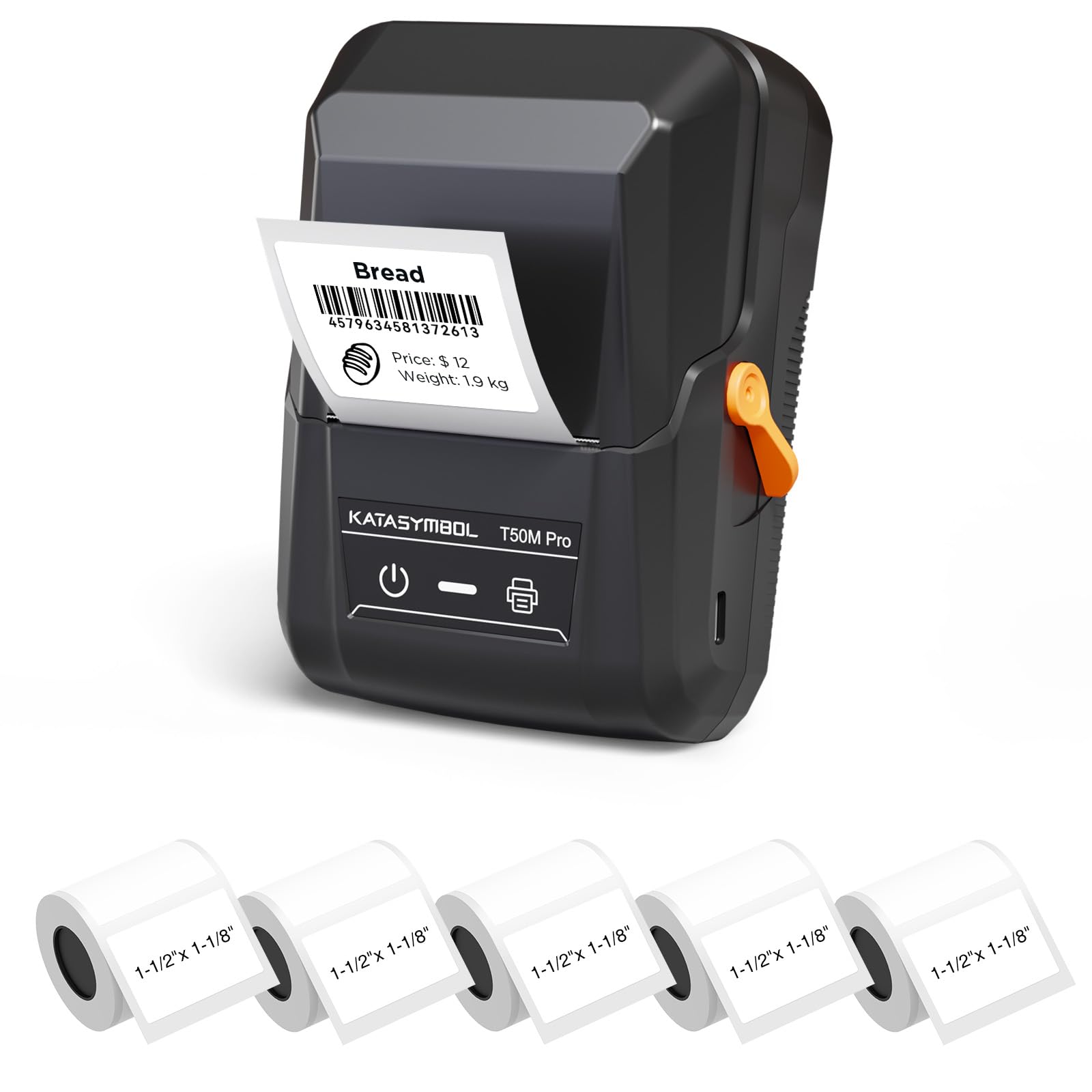
Image: The SUPVAN T50M Pro Label Maker, a compact thermal printer.
Pakkens indhold
Bekræft at alle varer er til stede i din pakke:
- SUPVAN T50M Pro etiketmaskine
- 5 rolls of 1.57'' × 1.18'' (40mm × 30mm) white labels (250 labels/roll)
- USB-kabel (til opladning og tilslutning)
- Brugervejledning (dette dokument)
Opsætningsvejledning
1. Opladning af enheden
Before first use, fully charge the label maker using the provided USB cable. The device features a 1200 mAh built-in rechargeable battery, offering extended use on a single charge.
2. Installation af etiketrullen
The T50M Pro uses thermal paper, eliminating the need for ink or toner. Follow these steps to install a label roll:
- Åbn dækslet til etiketrummet.
- Sæt etiketrullen i med trykfladen opad.
- Ensure the label edge is aligned with the printer's feed mechanism.
- Close the cover. The device's Smart RFID Auto-Detection will recognize the label size automatically.

Image: Illustration of loading thermal paper into the label maker. The device uses thermal printing technology, requiring no ink or toner.
3. Appinstallation og forbindelse
Download the official SUPVAN app from your device's app store. The app provides all editing functions and is free to use.
- Tænd etiketprinteren.
- Open the SUPVAN app on your smartphone or tablet.
- Follow the in-app instructions to connect to your T50M Pro via Bluetooth or USB.
Betjeningsvejledning
1. Oprettelse af etiketter med appen
The SUPVAN app offers a comprehensive suite of editing tools:
- Tekstredigering: Vælg mellem over 40 skrifttyper.
- Image & Picture Integration: Add custom images and logos.
- Skabeloner: Access over 140 free, constantly updated templates for various uses.
- Automatisk genkendelse af etiketstørrelse: The app automatically detects the loaded label size, reducing errors.

Image: The SUPVAN app's editing interface, demonstrating font choices, image integration, and automatic label size detection.

Image: A selection of over 140 free templates available within the SUPVAN app, suitable for diverse labeling needs.
2. Udskrivning af etiketter
After designing your label in the app, select the "Print" option. Ensure the label maker is connected and has sufficient battery. The T50M Pro supports various label styles and sizes, printing 3/4 to 2-inch wide labels.

Billede: Eksamples of labels created with the T50M Pro, including address labels, price tags, and decorative labels, demonstrating support for various styles.

Image: A visual comparison highlighting the high-quality image output from the SUPVAN T50M Pro's app compared to other label makers.
3. Almindelige anvendelser
The SUPVAN T50M Pro is suitable for a wide range of labeling tasks:
- Lille virksomhed: Shipping addresses, product information, QR codes, brand logos.
- Kontor og skole: Navn tags, folder labels, documentation, asset taggik.
- Hjemmeorganisation: Pantry labels, storage bins, personal items.

Image: Demonstrates diverse uses for the label maker, such as labeling containers in a pantry, creating product labels, printing shipping labels, and organizing school supplies.
Opretholdelse
1. Rengøring af printhovedet
For at sikre optimal udskriftskvalitet skal du rengøre det termiske printhoved med jævne mellemrum. Brug en blød, fnugfri klud, der let tørres af.ampened with isopropyl alcohol. Do not use abrasive cleaners or sharp objects.
2. Batteripleje
Recharge the device when the battery indicator is low. Avoid fully discharging the battery frequently to prolong its lifespan. Store the device in a cool, dry place when not in use for extended periods.
3. Opbevaring af etiketter
Opbevar etiketruller et køligt, tørt sted væk fra direkte sollys og varme for at forhindre nedbrydning af det termiske materiale.
Fejlfinding
1. Enheden tænder ikke
- Sørg for, at enheden er fuldt opladet. Tilslut den til en strømkilde med USB-kablet.
- Tryk og hold tænd/sluk-knappen nede i et par sekunder.
2. Printing Issues (Blank or Faint Prints)
- Check if the label roll is installed correctly with the printing surface facing up.
- Sørg for, at etiketrullen ikke er tom.
- Rengør printhovedet som beskrevet i afsnittet Vedligeholdelse.
- Verify that the label type is compatible with the T50M Pro.
3. Problemer med app-forbindelse
- Sørg for, at Bluetooth er aktiveret på din mobilenhed.
- Make sure the label maker is turned on and within range.
- Restart both the label maker and the app.
- Hvis problemerne fortsætter, kan du prøve at geninstallere appen.
4. Label Misalignment
- Ensure the label roll is properly seated and aligned in the compartment.
- The Smart RFID Auto-Detection should prevent most misalignment issues; if not, try re-seating the roll.
Specifikationer
| Feature | Detalje |
|---|---|
| Modelnavn | T50M Pro |
| Mærke | SUPVAN |
| Udskrivningsteknologi | Termisk |
| Forbindelsesteknologi | USB, Bluetooth |
| Hardware-interface | USB |
| Printer output | Monochrome (Black Ink Color) |
| Maksimal mediestørrelse | 1.57'' × 1.18'' (40mm × 30mm) - 3/4 to 2-inch wide labels supported |
| Speciel funktion | Portable, Smart RFID Auto-Detection, BPA-free labels |
| Batteri | 1200 mAh indbygget genopladeligt batteri |
| Dimensioner | Ca. 5 cm x 3.7 cm x 2.3 cm |
| Vægt | Ca. 0.6 lb. |
| Inkluderede komponenter | Label Maker, Labels, USB Cable |

Image: The compact design of the T50M Pro, highlighting its portability, lightweight nature, and 1200 mAh rechargeable battery.
Garanti og support
Garantioplysninger
For detailed warranty information, please refer to the warranty card included with your product or visit the official SUPVAN webGarantibetingelserne kan variere afhængigt af region og forhandler.
Kundesupport
If you encounter any issues or have questions regarding your SUPVAN T50M Pro Label Maker, please contact SUPVAN customer support through their official webwebstedet eller forhandleren, hvor produktet blev købt.
Du kan også besøge SUPVAN-butik på Amazon for yderligere produktinformation og supportressourcer.