
1. Introduktion
Thank you for choosing the ULTIMEA Skywave F40 Boom 5.1.2 Dolby Atmos Soundbar System. This manual provides essential information for setting up, operating, and maintaining your new sound system. Please read it thoroughly before use to ensure optimal performance and safety.
2. Pakkens indhold
Markér venligst feltet for følgende elementer:
- 1x Soundbar
- 1x subwoofer
- 2x surroundhøjttalere
- 1x Power cable for soundbar + surround speakers
- 1x HDMI-kabel
- 1x Optical cable
- 1x RCA to RCA stereo cable (6m)
- 1x HDMI Adapter
- 1x fjernbetjening
- 1x brugermanual
- 1x Wall mounting kit
- 1x Vægbeslag
- Sekskantskruer
3. Produktet er slutview
The ULTIMEA Skywave F40 Boom is a 5.1.2 channel Dolby Atmos soundbar system designed to deliver an immersive audio experience for your home cinema. It features a main soundbar unit, a wireless subwoofer, and two wireless surround speakers.
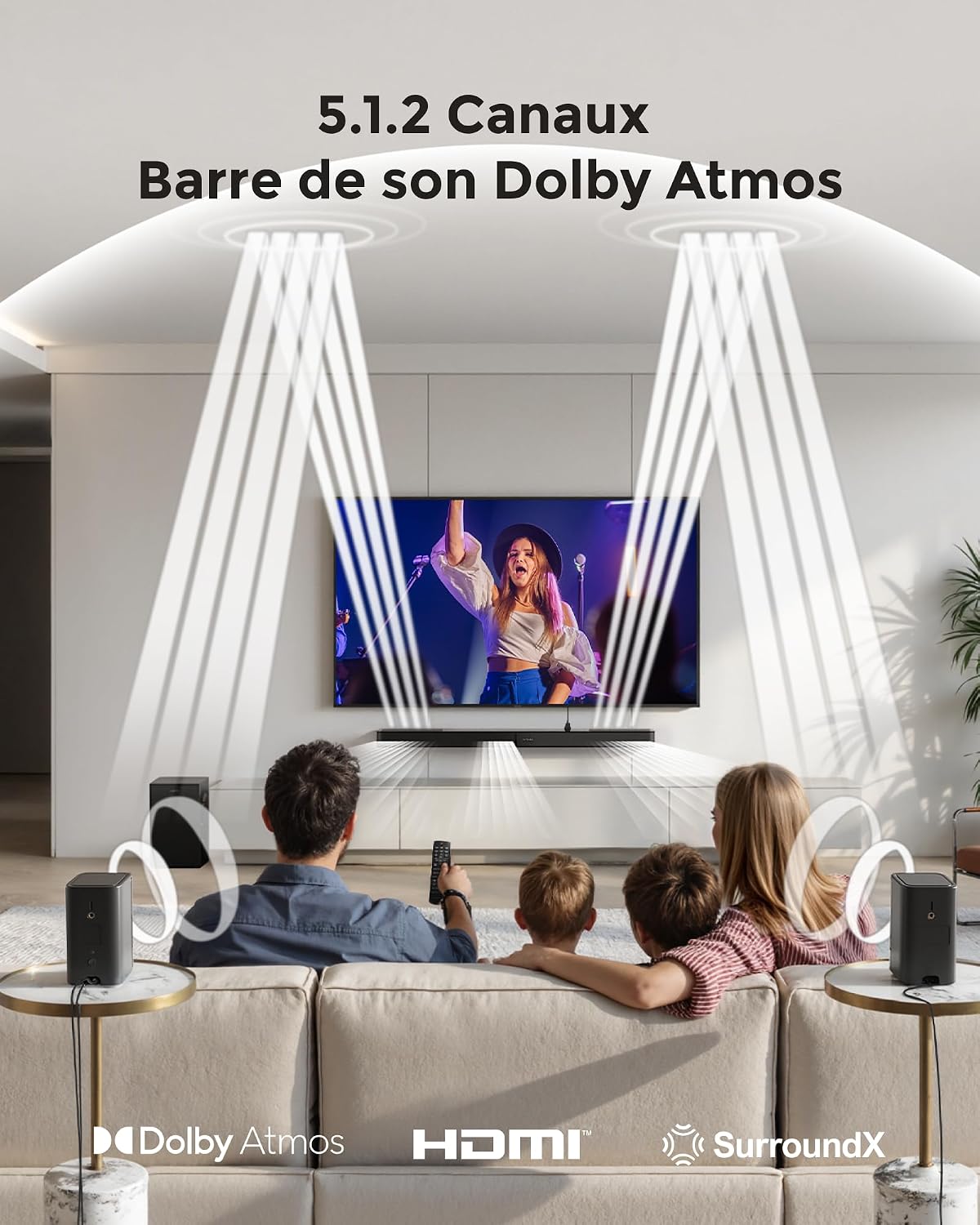
This image depicts the immersive 5.1.2 channel Dolby Atmos sound experience provided by the ULTIMEA Skywave F40 Boom, with sound directed from the soundbar and two rear speakers to create a 360-degree audio field for viewers.

This diagram illustrates the 8 high-performance speakers within the ULTIMEA Skywave F40 Boom system, detailing the soundbar's left, center, right, and up-firing channels, along with the separate subwoofer and two rear surround speakers.

The soundbar features a unique two-unit design, allowing for flexible placement and configuration.
4. Opsætning og installation
4.1 Placering
Position the soundbar centrally below your TV. Place the subwoofer in a suitable location, ideally near the soundbar. The two surround speakers should be placed behind your listening position for optimal surround sound effects.

This image provides technical diagrams for different installation options, including wall mounting and tabletop placement, ensuring flexibility for your home setup.

This diagram details the available connection ports on the soundbar: HDMI to TV (eARC) for high-quality audio, Optical for digital audio, USB for MP3 files (up to 128GB), SUB OUT for the subwoofer, and DC IN for power.
4.2 Tilslutning af systemet
- Strømtilslutning: Connect the power cable to the soundbar and a power outlet. Connect the power cable for the surround speakers to their respective power outlets.
- Subwoofer and Surround Speakers: The subwoofer and surround speakers will automatically pair wirelessly with the soundbar when powered on. Ensure they are within range and have a clear line of sight to the soundbar for stable connection.
- Audio Connection to TV (Recommended HDMI eARC):
- HDMI eARC: Connect one end of the provided HDMI cable to the soundbar's HDMI to TV (eARC) port and the other end to your TV's HDMI eARC port. This connection supports lossless audio formats like Dolby Atmos.
- Optisk: If your TV does not have an HDMI eARC port, connect the optical cable from the soundbar's OPTISK port to your TV's optical audio output.

This illustration guides you through connecting the soundbar to your TV using the HDMI eARC port for optimal audio transmission.

This diagram demonstrates connecting the soundbar to your TV using an optical cable for digital audio.
- USB-afspilning: Insert a USB drive (up to 128GB, MP3 files supported) into the soundbar's USB port for direct audio playback.

This image shows the wireless connectivity of the soundbar system, where the subwoofer and rear speakers automatically pair with the main soundbar unit.
5. Betjeningsvejledning
5.1 Grundlæggende betjening
- Tænd/sluk: Tryk på tænd/sluk-knappen på soundbaren eller fjernbetjeningen.
- Valg af input: Use the 'Source' button on the remote or the soundbar to cycle through available inputs: HDMI eARC, Optical, Bluetooth, and USB.
- Lydstyrkekontrol: Adjust the volume using the '+' and '-' buttons on the remote or soundbar.

The included remote control provides convenient access to all essential functions, including power, input selection, volume, and sound mode adjustments.
5.2 Bluetooth -parring
- Select the Bluetooth input on the soundbar. The soundbar will enter pairing mode.
- On your mobile device, search for "ULTIMEA Skywave F40 Boom" in the Bluetooth settings and connect.

This image demonstrates connecting a mobile device to the soundbar via Bluetooth for wireless audio streaming.
5.3 App kontrol
Enhance your control and customization options by downloading the official Ultimea app.
- Download the "Ultimea" app from your device's app store.
- Open the app and follow the on-screen instructions to connect to your Skywave F40 Boom soundbar.

The Ultimea app allows for comprehensive control over your soundbar, including adjusting sound levels (Bass, Midrange, Treble), surround effects, up-firing speaker levels, and accessing firmware updates.

The app offers multiple sound modes and a 10-band graphic equalizer to customize your audio experience.
5.4 Lydjusteringer
- Lydtilstande: Select from preset sound modes (Movie, Music, Voice, Sport, Game, Night) via the remote or app to optimize audio for different content.
- Basjustering: Adjust the subwoofer's bass level from -6 to +6 using the remote control or the Ultimea app.
- VoiceMX Technology: This feature enhances dialogue clarity, ensuring voices are crisp and easy to understand.

The BassMX subwoofer provides powerful and deep bass, which can be adjusted from -6 to +6 using the remote control or app to suit your preference.

VoiceMX technology enhances dialogue clarity, ensuring voices are crisp and easy to understand, even during action-packed scenes.
6. Vedligeholdelse
For at sikre dit soundbar-systems levetid og optimale ydeevne skal du følge disse vedligeholdelsesretningslinjer:
- Rensning: Use a soft, dry, lint-free cloth to clean the surfaces of the soundbar, subwoofer, and surround speakers. Do not use liquid cleaners, abrasive cleaning agents, or solvents, as these can damage the finish.
- Ventilation: Ensure that all components have adequate ventilation. Do not block any ventilation openings.
- Miljø: Undgå at placere systemet i direkte sollys, i nærheden af varmekilder eller i områder med høj luftfugtighed eller støv.
- Kabler: Periodically check all cables for any signs of damage. Replace damaged cables immediately.
7. Fejlfinding
If you encounter any issues with your ULTIMEA Skywave F40 Boom system, refer to the following troubleshooting steps:
- Ingen strøm:
- Ensure all power cables are securely connected to the soundbar, subwoofer, surround speakers, and a working power outlet.
- Kontroller om stikkontakten fungerer ved at tilslutte en anden enhed.
- Ingen lyd:
- Verify that the correct input source (HDMI eARC, Optical, Bluetooth, USB) is selected on the soundbar.
- Ensure all audio cables (HDMI, Optical) are securely connected between the soundbar and your TV/source device.
- Check that the soundbar and TV volumes are not muted or set too low.
- Confirm that the subwoofer and surround speakers are powered on and successfully paired with the soundbar.
- Forvrænget lyd:
- Reducer lydstyrken.
- Tjek kvaliteten af din lydkilde.
- Adjust the equalizer settings in the Ultimea app or via the remote control.
- Problemer med Bluetooth-forbindelse:
- Sørg for, at soundbaren er i Bluetooth-parringstilstand.
- Flyt din Bluetooth-enhed tættere på soundbaren.
- Ryd tidligere Bluetooth-forbindelser på din enhed, og prøv at parre igen.
- Fjernbetjeningen virker ikke:
- Udskift batterierne i fjernbetjeningen.
- Sørg for, at der ikke er nogen forhindringer mellem fjernbetjeningen og soundbarens sensor.
8. Specifikationer
| Mærke | ULTIMAT |
| Modelnavn | Skywave F40 Boom |
| Modelnummer | U4123 |
| Speaker Output Power (Max) | 460 watt |
| Frekvensrespons | 38 Hz |
| Forbindelsesteknologi | Bluetooth (BT 5.4), HDMI eARC, Optical, USB |
| Lydudgangstilstand | Surround (5.1.2 Channels) |
| Monteringstype | Vægmontering |
| Særlige funktioner | 2 Adjustable Surround Speakers, Ultimea SurroundX Technology, Dolby Atmos, Adjustable Bass & BassMX Technology, Ultimea Smart App Control, VoiceMX Technology |
| Anbefalede anvendelser | Gaming console, Computer, Smartphone/Tablet, Ambient sound system, Television |
| Farve | Sort |
| Kontrolmetode | App, fjernbetjening |
| Subwoofer størrelse | 6.5 tommer (16.51 cm) |
| Strømkilde | El-kabel |
| Soundbarens mål (L x B x H) | 80 x 9 x 4.6 cm (800 x 90 x 46 mm) |
| Samlet systemvægt | 8.5 kilo |
This diagram provides detailed dimensions for the soundbar (800mm length, 90mm width, 46mm height), subwoofer (234mm width, 315mm height, 192mm depth), and surround speakers (69mm width, 120mm height, 69mm depth).
9. Garanti og support
9.1 Garantioplysninger
The ULTIMEA Skywave F40 Boom soundbar system comes with a 2 års begrænset garanti fra købsdatoen. Denne garanti dækker fabrikationsfejl og funktionsfejl ved normal brug. Gem venligst din købsbevis til garantikrav.
9.2 Produktsupport
For any questions, technical assistance, or support regarding your product, ULTIMEA offers various free support options:
- Live assistance via phone or chat.
- Producentens kontaktoplysninger.
- Repair services.
- Step-by-step troubleshooting guides.
- Free replacement of missing or broken parts.
The availability of these support options may vary by product and country. Please visit the official ULTIMEA website or contact your retailer for specific support details in your region.
9.3 Returneringspolitik
A 30 dages returret is typically offered for this product. Please refer to your purchase agreement or retailer's return policy for detailed terms and conditions.