
1. Introduktion
The EDIFIER MP330 is a portable Bluetooth speaker designed to deliver a high-quality audio experience with its retro aesthetic and advanced features. It supports Hi-Res audio and offers versatile connectivity options.

Image: The EDIFIER MP330 portable Bluetooth speaker, showcasing its brown finish and integrated leather handle.
2. Pakkens indhold
Markér venligst feltet for følgende elementer:
- EDIFIER MP330 Speaker x 1
- USB-C til USB-C-kabel x 1
- Lynvejledning x 1
- Important Safety Information x 1

Image: A visual representation of the EDIFIER MP330 speaker and its included accessories: USB-C cable, quick start guide, and safety information.
3. Produktet er slutview
3.1 Betjeningselementer og porte
The EDIFIER MP330 features intuitive controls and essential ports for various audio sources.
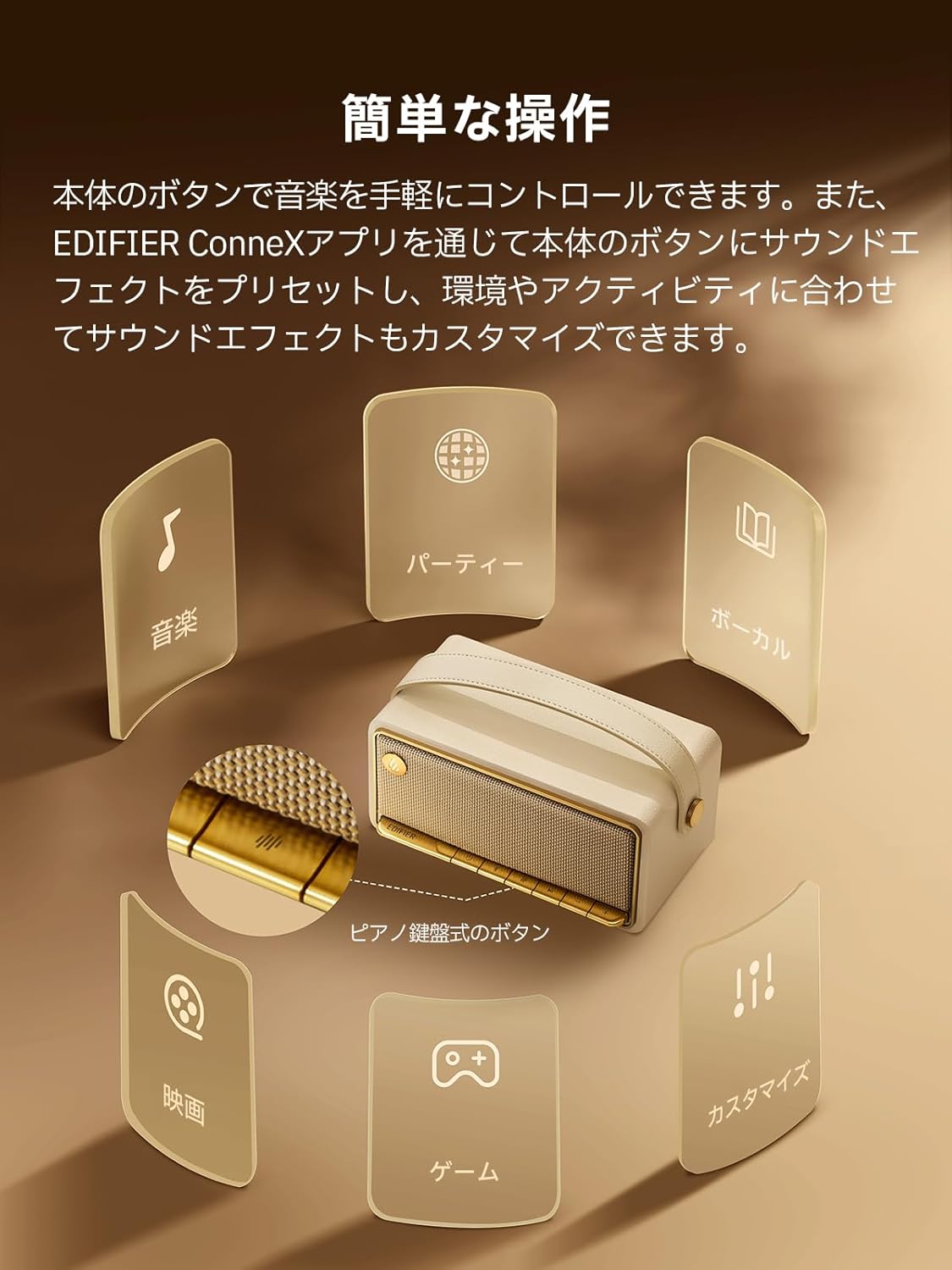
Image: A diagram illustrating the control buttons and indicator lights on the EDIFIER MP330 speaker, showing their functions for power, mode selection, playback, and volume.
- Power knap: Tryk og hold for at tænde/slukke.
- Mode knap: Short press to cycle through Bluetooth, USB-C, and microSD card input modes.
- Afspil/pause knap: Kort tryk for at afspille eller sætte lyd på pause.
- Knap til lydstyrke op/næste nummer: Kort tryk for at skrue op for lydstyrken, langt tryk for næste nummer.
- Knap til lydstyrke ned/forrige nummer: Kort tryk for at sænke lydstyrken, langt tryk for at sænke forrige nummer.
- USB-C-port: Til opladning og lydindgang.
- microSD-kortspor: Til afspilning af lyd files directly from a microSD card.
4. Opsætning
4.1 Opladning af højttaleren
Before first use, fully charge the speaker using the provided USB-C cable and a compatible power adapter (not included). The indicator light will show charging status.
4.2 Tænd/sluk
- Sådan tænder du: Tryk på tænd/sluk-knappen, og hold den nede, indtil indikatorlampen lyser.
- Sådan slukker du: Tryk på tænd/sluk-knappen, og hold den nede, indtil indikatorlampen slukker.
4.3 Bluetooth -parring
Sådan forbinder du din enhed via Bluetooth:
- Power on the MP330 speaker. The Bluetooth indicator will flash, indicating it is in pairing mode.
- Aktiver Bluetooth på din enhed (smartphone, tablet osv.) og søg efter tilgængelige enheder.
- Select "EDIFIER MP330" from the list of devices.
- Når der er oprettet forbindelse, vil Bluetooth-indikatoren lyse konstant.
4.4 Multipunktforbindelse
The MP330 supports connecting to two Bluetooth devices simultaneously. After connecting the first device, put the speaker back into pairing mode and connect the second device. You can then switch between audio sources by pausing playback on one device and starting it on the other.

Image: Two mobile phones displaying music playback interfaces, indicating a multipoint Bluetooth connection to the EDIFIER MP330 speaker.
4.5 Stereoparring (TWS)
For an enhanced stereo sound experience, you can pair two MP330 speakers together:
- Ensure both MP330 speakers are powered on and not connected to any Bluetooth device.
- On one speaker, press and hold the Bluetooth button until it enters TWS pairing mode (indicator light will flash a specific pattern).
- The two speakers will automatically connect to each other. One speaker will become the left channel and the other the right.
- Når den er parret, skal du tilslutte din enhed til den primære højttaler via Bluetooth som beskrevet i afsnit 4.3.

Image: Two EDIFIER MP330 speakers, one black and one ivory, positioned to illustrate stereo pairing, with a Bluetooth logo and arrows indicating connection.
5. Betjeningsvejledning
5.1 Skift af inputtilstande
Short press the Mode button to switch between Bluetooth, USB-C, and microSD card input modes. The indicator light will change color to reflect the active mode.
5.2 USB-C lydafspilning
Connect the MP330 to your computer using the provided USB-C cable. The speaker will automatically switch to USB-C audio mode. Select "EDIFIER MP330" as the audio output device on your computer.

Image: A diagram showing the EDIFIER MP330 speaker connected to a computer via a USB-C cable, indicating USB-C audio playback.
5.3 microSD Card Playback
Indsæt et microSD-kort med lyd files into the microSD card slot. The MP330 will automatically switch to microSD card mode and begin playback.

Image: A diagram illustrating how to insert a microSD card into the dedicated slot on the EDIFIER MP330 speaker.
5.4 Using the EDIFIER Connex App
Download the EDIFIER Connex app to unlock extended features and customize your listening experience. The app allows you to:
- Skift inputkilder.
- Styr afspilning.
- Customize sound effects (equalizer presets or custom settings).
- Access the electronic user manual and other settings.

Image: Multiple smartphone screens displaying the EDIFIER Connex app interface, highlighting various control and customization options for the speaker.
6. Vedligeholdelse
To ensure the longevity and optimal performance of your EDIFIER MP330 speaker, follow these maintenance guidelines:
- Rensning: Use a soft, dry cloth to clean the speaker's surface. Avoid using abrasive cleaners, solvents, or strong chemicals, as they may damage the finish.
- Opbevaring: Opbevar højttaleren et køligt, tørt sted væk fra direkte sollys, ekstreme temperaturer og høj luftfugtighed.
- Vandeksponering: The speaker is not waterproof. Avoid exposing it to water, rain, or excessive moisture.
- Håndtering: Håndter højttaleren forsigtigt. Undgå at tabe den eller udsætte den for hårde stød.
- Batteripleje: For optimal battery life, avoid fully discharging the battery frequently. If storing for an extended period, charge the battery to about 50% every few months.
7. Fejlfinding
If you encounter issues with your EDIFIER MP330 speaker, refer to the following common troubleshooting steps:
- Ingen strøm:
- Sørg for, at højttaleren er fuldt opladet.
- Check if the power button is pressed and held correctly to turn on the device.
- Ingen lyd:
- Verify the volume level on both the speaker and your connected device.
- Ensure the correct input mode (Bluetooth, USB-C, microSD) is selected.
- Hvis du bruger Bluetooth, skal du sørge for, at højttaleren er korrekt parret og forbundet til din enhed.
- If using a microSD card, ensure the card is inserted correctly and contains playable audio files.
- Problemer med Bluetooth-parring:
- Sørg for, at højttaleren er i Bluetooth-parringstilstand (blinkende indikatorlampe).
- Deaktiver og genaktiver Bluetooth på din enhed.
- Flyt højttaleren tættere på din enhed og væk fra potentielle interferenskilder.
- Prøv at ophæve parringen og parre højttaleren igen fra din enheds Bluetooth-indstillinger.
- Stereo Pairing Not Working:
- Sørg for, at ingen af højttalerne er tilsluttet nogen anden Bluetooth-enhed, før du starter TWS-parring.
- Følg TWS-parringstrinnene omhyggeligt (afsnit 4.5).
- Problemer med appforbindelse:
- Ensure Bluetooth is enabled and the speaker is connected to your device.
- Update the EDIFIER Connex app to the latest version.
- Genstart både højttaleren og din enhed.
If the problem persists after trying these steps, please contact Edifier customer support for further assistance.
8. Specifikationer
Detailed technical specifications for the EDIFIER MP330 speaker:

Image: A comparison chart highlighting key specifications of the EDIFIER MP330 and MP230 models, including output power, Bluetooth version, battery capacity, playback time, and Hi-Res audio support.
| Feature | Specifikation |
|---|---|
| Modelnavn | MP330 |
| Højttaler type | Bærbar højttaler |
| Materiale | Træ (MDF) |
| Farve | Brun |
| Udgangseffekt | 40W RMS |
| Bluetooth version | 6.0 |
| Batterikapacitet | 4800mAh |
| Afspilningstid | Op til 19 timer (ved 50 % volumen) |
| Frekvensrespons | 53Hz-40kHz |
| Hi-Res Audio | Supported (up to 24bit/96kHz) |
| Forbindelse | Bluetooth, USB-C, microSD card |
| Dimensioner (B x D x H) | 20.7 x 11.6 x 10.1 cm |
| Vægt | 1.13 kg |
| Kontrolmetode | App, trykknap |
| Signal-til-støj-forhold (S/N) | 85 dB |

Image: A technical drawing showing the dimensions (width, depth, height) and weight of the EDIFIER MP330 speaker.
9. Garanti og support
For warranty information, please refer to the warranty card included in your product packaging or visit the official Edifier website. If you require technical support or have questions about your EDIFIER MP330 speaker, please contact Edifier customer service through their official channels.
Edifier Officiel Webwebsted: www.edifier.com