
1. Introduktion
Thank you for choosing the Fuers ERD054G01 4G LTE Solar Outdoor Surveillance Camera. This manual provides essential information for the proper installation, operation, and maintenance of your device. Please read it carefully before use to ensure optimal performance and longevity of the product. This camera is designed for outdoor security, offering advanced features such as 4G LTE connectivity, solar power, dual lenses, and intelligent motion detection.
2. Produktet er slutview
2.1 Pakkens indhold
- Fuers Solar Outdoor Surveillance Camera
- Solpanel (integreret)
- Monteringstilbehør (skruer, vægdyvler)
- Brugermanual
- 128GB TF-kort (forinstalleret eller inkluderet separat)
2.2 Kamerakomponenter
Gør dig bekendt med hovedkomponenterne i dit kamera:

Billede 2.2.1: Detaljeret view of the camera highlighting the solar panel, upper and lower lenses, LED lights, microphone, and PIR motion sensor.
- Solpanel: 6W panel for continuous power charging.
- Upper Fixed Lens: Provides a stable 90° field of view.
- Lower PTZ Lens: Rotates 355° horizontally (Pan) and 90° vertically (Tilt) for wide area coverage.
- LED lys: 10 white LEDs for color night vision and 2 IR LEDs for infrared night vision.
- Mikrofon og højttaler: Til tovejs audiokommunikation.
- PIR Motion Sensor: Passive Infrared sensor for human detection.
- SIM-kortplads: For 4G LTE connectivity.
- TF-kortslot: Til lokal videolagring (understøtter op til 128 GB).
- Nulstil knap: For at gendanne fabriksindstillingerne.
3. Opsætning
3.1 Indledende opladning
Before first use, ensure the camera's internal 18600 mAh battery is sufficiently charged. Position the solar panel in direct sunlight for several hours, or connect the camera to a 5V/2A USB power adapter (not included) using a standard USB cable.

Billede 3.1.1: The camera's solar panel charging the internal battery, ensuring continuous operation.
3.2 Installation af SIM-kort og TF-kort
Locate the SIM card and TF card slots, usually protected by a rubber cover on the camera body. Carefully insert your 4G LTE SIM card and the provided 128GB TF card into their respective slots. Ensure they are inserted correctly according to the diagrams on the camera or in the quick start guide. Close the cover securely to maintain IP66 waterproofing.
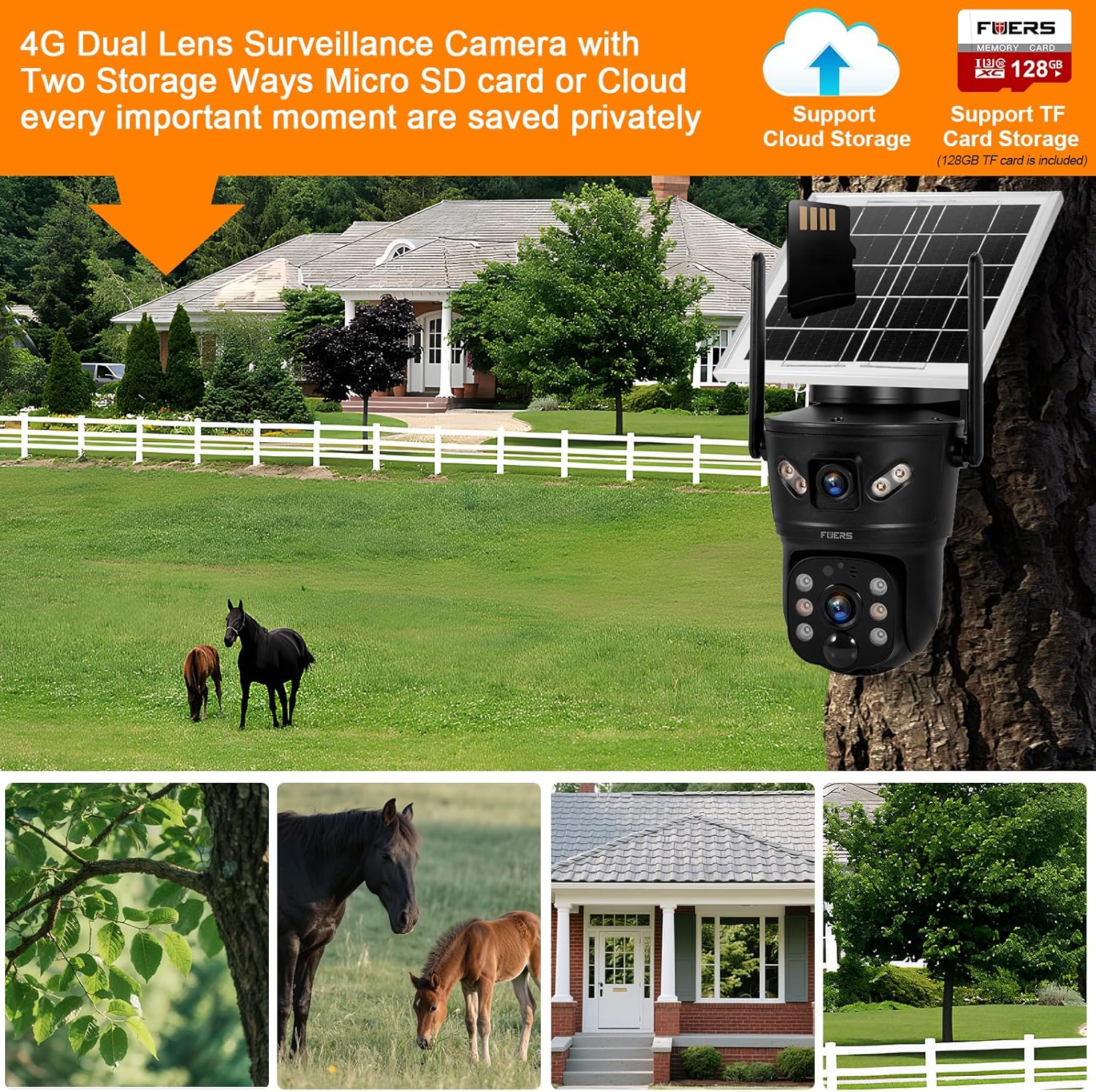
Billede 3.2.1: Illustration of the camera's dual storage options: cloud and local TF card, along with 4G connectivity.
3.3 Download og registrering af appen
Download V380 Pro application from your smartphone's app store (Google Play Store for Android or Apple App Store for iOS). Follow the on-screen instructions to register an account. An email verification may be required.
3.4 Kameraparring
- Power on the camera. It will emit a voice prompt indicating it's ready for connection.
- Åbn V380 Pro-appen, og tryk på '+'-ikonet for at tilføje en ny enhed.
- Select the option for '4G Camera' or 'Wireless Camera' and follow the voice prompts from the camera and instructions in the app.
- The app will guide you through connecting the camera to your 4G network. Ensure your SIM card has an active data plan.
- Når du har oprettet forbindelse, kan du navngive dit kamera og begynde live viewing.
3.5 Montering af kameraet
Choose a suitable outdoor location with good 4G signal reception and ample sunlight exposure for the solar panel. Use the provided mounting bracket and screws to securely attach the camera to a wall or pole. Ensure the camera has a clear line of sight to the area you wish to monitor.
4. Betjeningsvejledning
4.1 Live View og PTZ-styring
Open the V380 Pro app and select your camera from the device list to access the live view. You can use the on-screen controls to pan (355° horizontal) and tilt (90° vertical) the lower lens to adjust the viewing angle. The upper lens provides a fixed wide-angle view.

Billede 4.1.1: The camera's dual lens functionality, demonstrating the fixed upper lens and the pan/tilt capabilities of the lower lens.
4.2 Bevægelsesdetektion og advarsler
The camera features dual PIR and radar detection for accurate motion sensing (0-12m range, 120° angle). When motion is detected, the camera can:
- Send instant push notifications to your smartphone.
- Trigger a 3W siren to deter intruders.
- Automatically record video footage.
Adjust sensitivity and alert settings within the V380 Pro app under 'Alarm Settings'. The AI Humanoid detection feature helps reduce false alarms by focusing on human shapes.

Billede 4.2.1: The camera's motion detection feature in action, triggering an instant alert on a mobile device.
4.3 Tovejslyd
Utilize the built-in microphone and speaker for two-way communication. In the live view interface of the V380 Pro app, tap the microphone icon to speak through the camera, and listen to audio from the camera's surroundings.
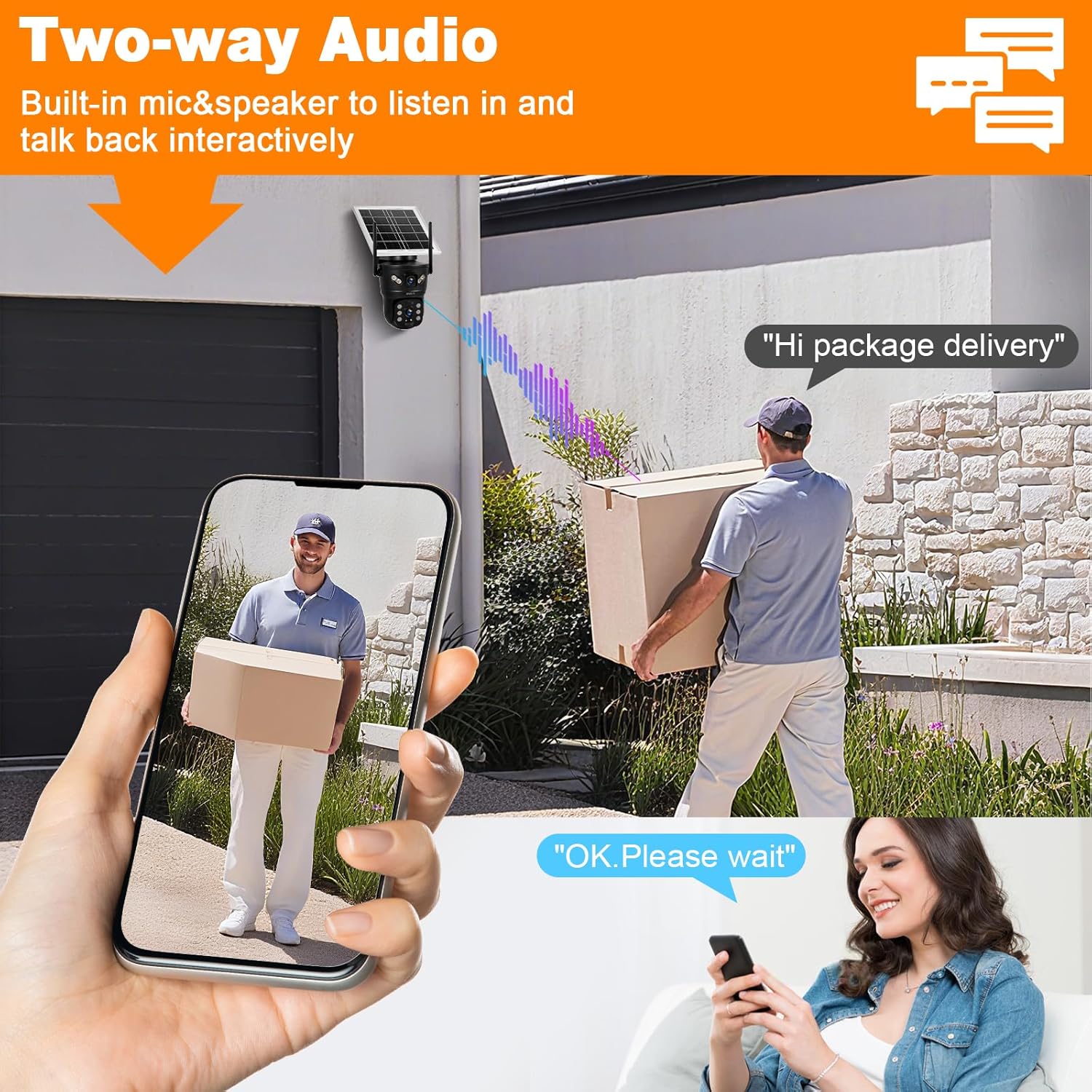
Billede 4.3.1: Demonstrating the two-way audio function, allowing interactive communication through the camera.
4.4 Nattesyn
The camera supports both infrared (black and white) and full-color night vision up to 10 meters. The 10 white LEDs provide illumination for color night vision, while the 2 IR LEDs enable standard infrared viewing. You can configure night vision modes (e.g., automatic, color, IR) within the app settings.

Billede 4.4.1: Comparison of color night vision (ON) and standard night vision (OFF), highlighting the camera's ability to capture clear, colored images in low light.
4.5 Optagelse og opbevaring
The camera records video footage based on motion detection or continuous recording settings. Recordings are stored on the local 128GB TF card. Additionally, alarm videos can be uploaded to cloud storage (subscription may be required). Access recorded footage through the 'Playback' section in the V380 Pro app.
5. Vedligeholdelse
Regular maintenance ensures optimal performance of your surveillance camera.
- Rensning: Periodically clean the solar panel and camera lenses with a soft, damp klud til at fjerne støv, snavs eller affald, der kan blokere udsynet eller reducere opladningseffektiviteten. Brug ikke skrappe kemikalier.
- Firmwareopdateringer: Check the V380 Pro app regularly for available firmware updates. Keeping the firmware updated ensures the camera has the latest features and security patches.
- Batteriets sundhed: While the solar panel provides continuous charging, ensure the camera receives adequate sunlight to maintain battery health, especially during prolonged cloudy periods.
- Vejrbeskyttelse: The camera is IP66 rated for outdoor use, meaning it is protected against dust and powerful water jets. However, avoid submerging the camera in water or exposing it to extreme physical impact.

Billede 5.0.1: The camera's IP66 waterproof rating, indicating its durability in various weather conditions from -10°C to 60°C.
6. Fejlfinding
If you encounter issues with your Fuers ERD054G01 camera, refer to the following common problems and solutions:
| Problem | Mulig årsag | Løsning |
|---|---|---|
| Camera is offline/cannot connect to app. | No 4G signal; SIM card issue; low battery; app connectivity issue. | Check 4G signal strength at camera location. Ensure SIM card is active and has data. Recharge battery. Restart camera and app. Try resetting the camera using the reset button. |
| Dårlig billedkvalitet om natten. | Lenses are dirty; incorrect night vision mode; insufficient ambient light for color night vision. | Clean lenses. Switch night vision mode in app (e.g., to IR for darker areas). Ensure white LEDs are enabled for color night vision. |
| Bevægelsesdetektionen virker ikke, eller der er for mange falske alarmer. | Incorrect sensitivity settings; PIR sensor obstructed; environmental factors (e.g., moving branches). | Adjust motion detection sensitivity in the app. Ensure PIR sensor is clear. Enable AI Humanoid detection to filter out non-human motion. |
| Batteriet oplades ikke via solpanel. | Insufficient sunlight; solar panel dirty or obstructed; faulty panel. | Relocate camera to an area with more direct sunlight. Clean the solar panel. If issue persists, contact support. |
| Two-way audio not functioning. | Microphone/speaker muted in app; poor network connection. | Ensure microphone and speaker are enabled in the V380 Pro app. Check network stability. |
For further assistance, consult the FAQ section within the V380 Pro app or contact customer support.
7. Specifikationer
| Feature | Specifikation |
|---|---|
| Modelnummer | ERD054G01 |
| Forbindelse | 4G LTE (SIM card required), Wi-Fi (for initial setup/local access) |
| Strømkilde | Integrated 18600 mAh rechargeable battery, 6W Solar Panel |
| Opløsning | 2MP (1920 x 2160P) 2K HD |
| Linsetype | Dual Lens (Fixed upper 90°, PTZ lower 355° Pan / 90° Tilt) |
| Nattesyn | Color Night Vision (10 White LEDs), IR Night Vision (2 IR LEDs), up to 10m range |
| Bevægelsesdetektion | Dual PIR and Radar (0-12m, 120° angle), AI Humanoid Tracking |
| Lyd | Tovejslyd (indbygget mikrofon og højttaler) |
| Opbevaring | Local (128GB TF Card included), Cloud Storage (for alarm videos) |
| Vejrbestandighed | IP66 vandtæt |
| Driftstemperatur | -10°C til +60°C |
| Dimensioner (L x B x H) | 11 x 8 x 4 cm |
| Vægt | 1.2 kg |
8. Garanti og support
8.1 Garantioplysninger
Your Fuers ERD054G01 camera is covered by a standard manufacturer's warranty against defects in materials and workmanship. The specific duration and terms of the warranty may vary by region and retailer. Please retain your proof of purchase for warranty claims.
8.2 Kundesupport
For technical support, warranty inquiries, or any questions regarding your product, please refer to the support section within the V380 Pro application or visit the official Fuers webDu kan også kontakte den forhandler, hvor du købte produktet, for at få hjælp.