
DOMO SLP9
DOMO Slate SLP9 OS12 T310 Tablet PC User Manual
Model: SLP9
Indledning
This manual provides essential information for the proper use and maintenance of your DOMO Slate SLP9 OS12 T310 Tablet PC. Please read it thoroughly before operating the device to ensure optimal performance and longevity.
Hvad er der i æsken
- 1 Pc DOMO Slate SLP9 OS12 T310 Tablet PC
- 1 Pc Charging Power Adapter
- 1 Pc Type-C USB Cable
- 1 Pc Type-C OTG Cable
- 1 Sim Card Tray Eject Pin
- Brugervejledning (dette dokument)
Produkt overview
Familiarize yourself with the physical components of your DOMO Slate SLP9 OS12 T310 Tablet PC.
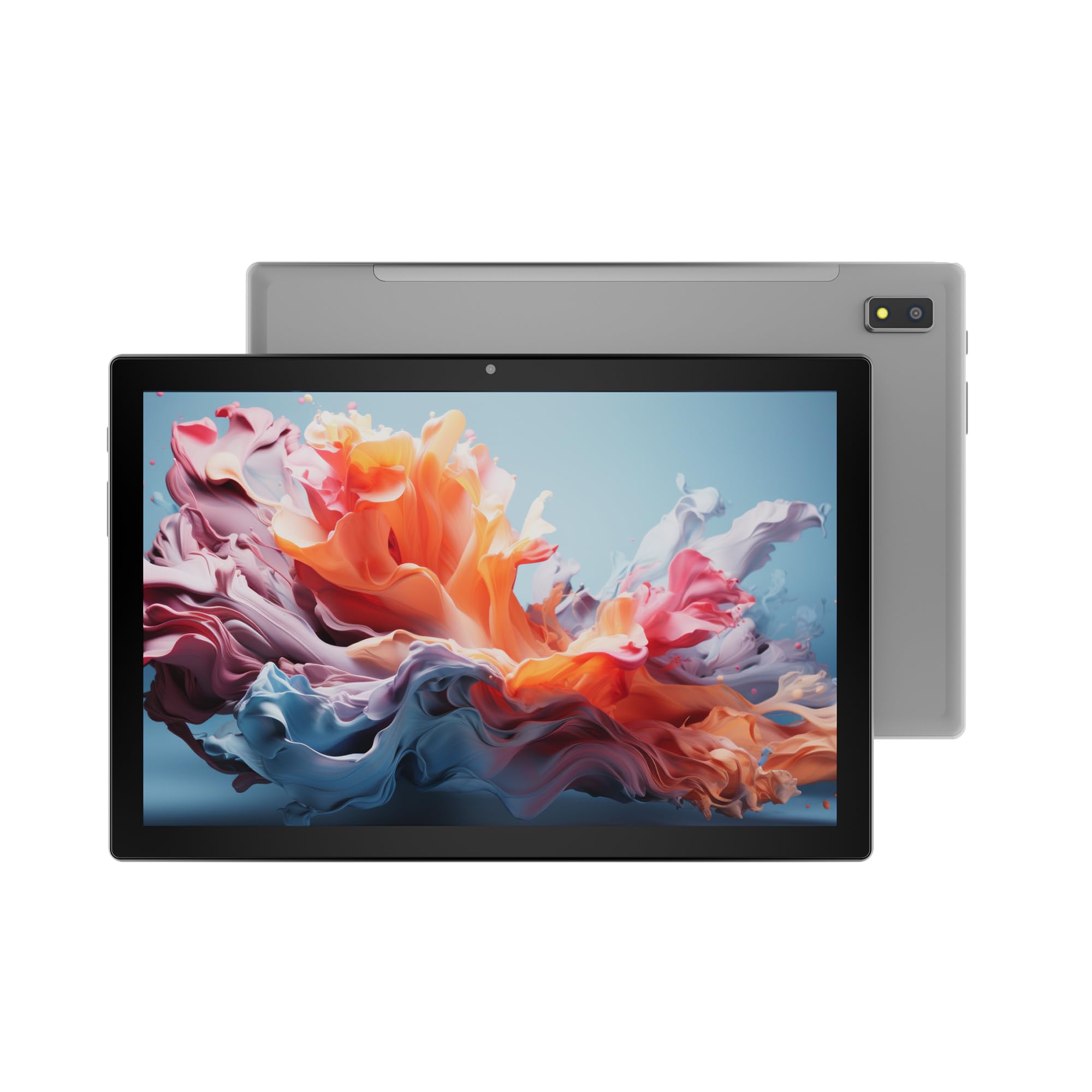
Figur 1: Front view of the DOMO Slate SLP9 OS12 T310 Tablet PC, showcasing the 10.1-inch IPS LCD display.

Figur 2: Vinklet view of the tablet, highlighting its slim profile og skærm.

Figur 3: Side view of the tablet, showing the placement of buttons and ports.

Figur 4: Bag view of the tablet, displaying the camera module and branding.
Nøglekomponenter
- 10.1-inch IPS HD LCD Display: Højopløsningsskærm for klare billeder.
- Forreste kamera: Placeret over skærmen til videoopkald og selfies.
- Rear Camera with LED Flash: Til optagelse af fotos og videoer.
- Power knap: For at tænde/slukke enheden eller sætte den i dvaletilstand.
- Lydstyrkeknapper: For at justere lydniveauer.
- Type-C USB-port: Til opladning og dataoverførsel.
- Dual SIM Slot: Supports 4G, 3G, and 2G SIM cards for cellular connectivity and voice calling.
- MicroSD -kortplads: Til udvidelig lagring op til 1 TB.
- Dual Box Type Speakers: Til lydudgang.
Opsætning
1. Opladning af tabletten
Before first use, fully charge your tablet. Connect the provided Type-C USB cable to the tablet's Type-C port and the other end to the charging power adapter. Plug the adapter into a wall outlet. The battery indicator on the screen will show charging status.
2. Isætning af SIM- og MicroSD-kort
- Find SIM-/MicroSD-kortbakken på siden af tabletten.
- Insert the provided SIM eject pin into the small hole next to the tray to open it.
- Carefully place your 4G/3G/2G SIM card(s) and/or MicroSD card into the designated slots on the tray. Ensure correct orientation as indicated on the tray.
- Skub forsigtigt bakken tilbage i tabletten, indtil den klikker på plads.
3. Første opstart og opsætning
- Tryk og hold på Power knap until the DOMO logo appears on the screen.
- Følg vejledningen på skærmen for at vælge dit sprog, oprette forbindelse til et Wi-Fi-netværk, konfigurere din Google-konto og konfigurere andre indledende indstillinger.
- Once setup is complete, your tablet is ready for use.
Betjeningsvejledning
Grundlæggende navigation
- Røre: Tryk på et ikon for at åbne en app eller vælge et element.
- Tryk og hold: Tryk og hold på et element for at få adgang til kontekstmenuer eller flytte ikoner.
- Stryg: Træk fingeren hen over skærmen for at rulle gennem sider eller lister.
- At klemme: Brug to fingre til at zoome ind eller ud på billeder og web sider.
Tilslutning til netværk
Wi-Fi-forbindelse
- Gå til Indstillinger > Netværk og internet > Wi-Fi.
- Slå Wi-Fi til/fra On.
- Vælg det ønskede netværk fra listen, og indtast adgangskoden, hvis du bliver bedt om det.
Bluetooth-parring
- Gå til Indstillinger > Tilsluttede enheder > Bluetooth.
- Slå Bluetooth til/fra On.
- Select the device you wish to pair with from the list of available devices. Confirm the pairing code if prompted.
Cellular Data and Voice Calling (4G)
With a valid SIM card inserted, your tablet supports 4G cellular data and voice calling (VoLTE). Ensure your SIM card is activated for these services.
- To enable/disable mobile data, go to Indstillinger > Netværk og internet > Mobilt netværk.
- For at foretage et opkald skal du åbne Telefon app and dial the number.
Kamerabetjening
Åbn Kamera app fra din startskærm eller appskuffe.
- Tryk på Lukker knappen for at tage et billede.
- Tryk på Video icon to switch to video recording mode.
- Brug Skift kamera icon to toggle between the front and rear cameras.
GPS -funktionalitet
The tablet has an inbuilt GPS chip and antenna. To use location services, ensure GPS is enabled in Indstillinger > Beliggenhed. You can then use navigation apps or other location-based services.
Opretholdelse
Rengøring af enheden
- Brug en blød, fnugfri klud til at rengøre skærmen og tablettens kabinet.
- Undgå at bruge skrappe kemikalier, slibende rengøringsmidler eller aerosolspray.
- Undgå at fugt trænger ind i åbningerne.
Batteripleje
- Undgå ekstreme temperaturer, da de kan forringe batteriets levetid.
- Brug kun den medfølgende oplader og kabel.
- Lad ikke tabletten oplade i længere tid, efter den er fuldt opladet.
Softwareopdateringer
Periodically check for system updates to ensure your tablet has the latest features and security enhancements. Go to Indstillinger > System > Systemopdatering.
Fejlfinding
| Problem | Mulig løsning |
|---|---|
| Tabletten tænder ikke. | Sørg for, at batteriet er opladet. Tilslut opladeren, og prøv igen. Hvis den ikke reagerer, skal du trykke på tænd/sluk-knappen og holde den nede i 10-15 sekunder for at fremtvinge en genstart. |
| Kan ikke oprette forbindelse til Wi-Fi. | Check if Wi-Fi is enabled in settings. Ensure the Wi-Fi password is correct. Restart your router and the tablet. |
| SIM-kort blev ikke fundet. | Ensure the SIM card is correctly inserted into the tray. Restart the tablet. Check if the SIM card is active with your service provider. |
| Langsom ydeevne. | Close unused applications. Clear cache. Consider uninstalling unnecessary apps. Perform a factory reset as a last resort (backup data first). |
| Kameraet virker ikke. | Ensure the camera app has necessary permissions. Restart the tablet. |
Specifikationer
| Feature | Detalje |
|---|---|
| Mærke | DOMO |
| Modelnavn | Slate SLP9 OS12 T310 |
| Vise | 10.1-inch IPS HD LCD, 1920 x 1200 Pixels, 400 NITS Brightness, 2.5D Corning Glass Touch Screen |
| Processor | UNISOC Tiger T310 - 64-bit Quadcore @ 3.8Ghz |
| VÆDDER | 4 GB LPDDR4 |
| Intern opbevaring | 64 GB |
| Udvidelig opbevaring | Op til 1 TB via MicroSD-kort |
| Operativsystem | Android 12 |
| Bagkamera | 13MP med LED-blitz |
| Forreste kamera | 5 MP |
| Batteri | 5020 mAh rechargeable polymer battery |
| Forbindelse | Dual SIM (4G VoLTE, 3G, 2G), DualBand Wi-Fi (2.4GHz & 5GHz), Bluetooth 5.0, GPS, FM Radio |
| Havne | Type-C USB Port, POGO Connector |
| Dimensioner (L x B x Tykkelse) | 24.4L x 16.2W x 1Th Centimeters |
| Vægt | 505 gram |
| Boliger | Metal |
| Oprindelsesland | Indien |
Garanti og support
Garantioplysninger
The DOMO Slate SLP9 OS12 T310 Tablet PC comes with a 1 års garanti for the device and 3 måneders garanti for accessories. The warranty type is Onsite, which includes free pickups and deliveries for service.
Garanti undtagelser: Physical damages, water damages, moisture damages, seal tampering, and burnout cases are not covered under warranty.
Kundesupport
For technical assistance, troubleshooting, or warranty claims, please contact DOMO customer support. Support options include an online knowledge base, support tickets, and phone support. Post-warranty services are available as paid onsite services.
For mere information, besøg den officielle DOMO Store on Amazon.
Ask a question about this manual
Ask about setup, troubleshooting, compatibility, parts, safety, or missing instructions. Manuals+ will review the question and use this page’s manual context to help answer it.