
Indledning
This manual provides instructions for the ZWP replacement remote control, designed for seamless operation with various LEVOIT Tower Fan models. This remote offers a convenient way to control your fan's functions from a distance.
Kompatible modeller:
- LEVOIT Tower Fan LTF-F422S-WUS
- LEVOIT Tower Fan LTF-F422-WUS
- LEVOIT Tower Fan LTF-F362S-WUSR
- LEVOIT Tower Fan LTF-F361-WUS
- LEVOIT Tower Fan LTF-F361-KEUR

Image: The ZWP replacement remote control, showcasing its design and buttons.

Image: A side-by-side comparison illustrating the ZWP replacement remote on the left and the original LEVOIT remote on the right, highlighting their similar button layouts.
Opsætning
Installation af batteri
Fjernbetjeningen kræver to 1.5V AAA-batterier (medfølger ikke). Følg disse trin for at installere dem:
- Find batterirummet på bagsiden af fjernbetjeningen.
- Skub batteridækslet nedad for at åbne det.
- Isæt to AAA-batterier, og sørg for, at de positive (+) og negative (-) poler er justeret korrekt med markeringerne inde i batterirummet.
- Skub batteridækslet tilbage på plads, indtil det klikker sikkert.
No programming is required. Once batteries are installed, the remote is ready for use.
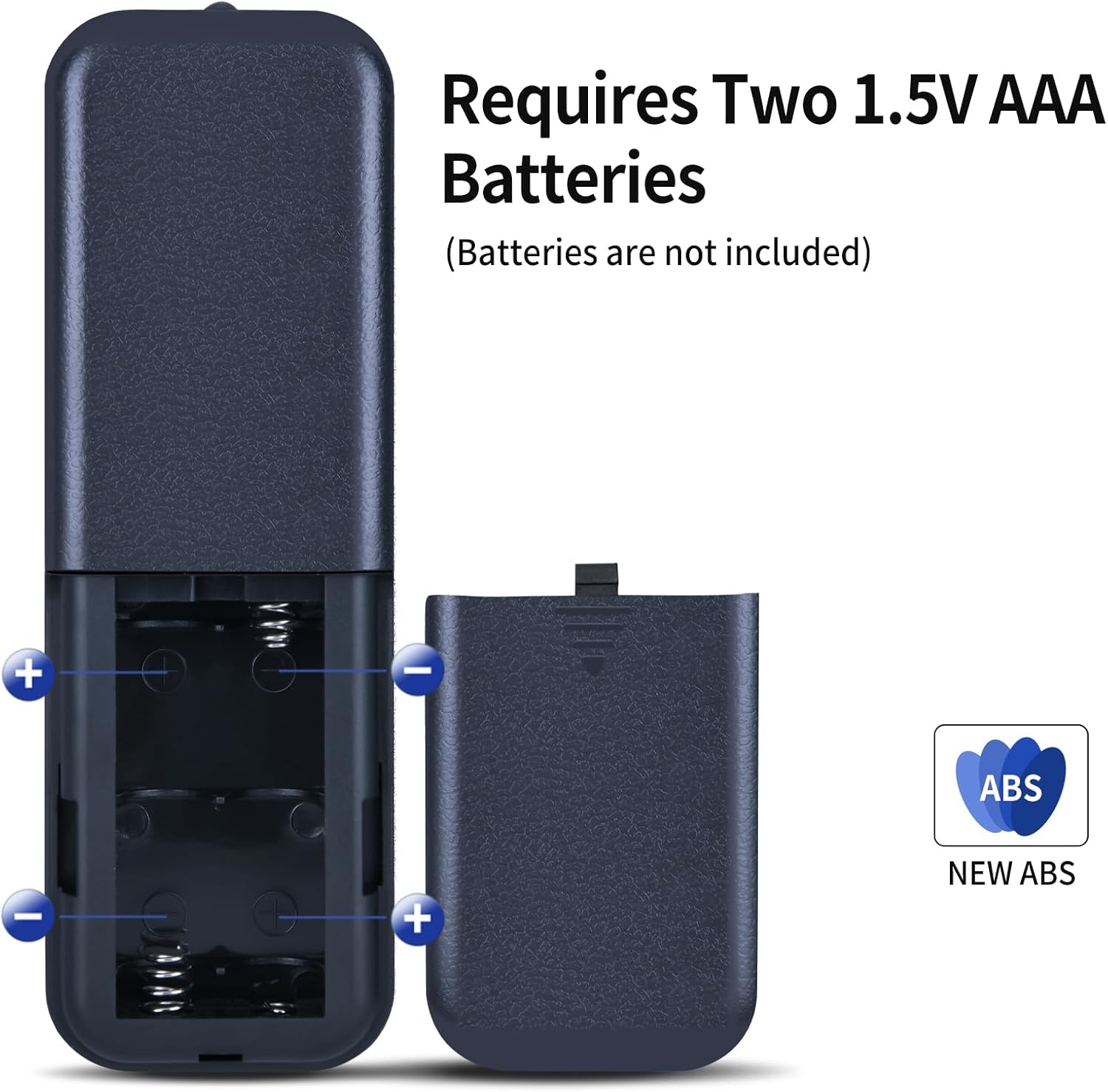
Image: Diagram showing the battery compartment of the remote control and how to insert two 1.5V AAA batteries, indicating positive and negative terminals.
Betjeningsvejledning
Point the remote control directly at the LEVOIT Tower Fan for optimal performance. The operational distance is approximately 8 meters (26 feet).

Image: An illustration demonstrating the remote control's effective operational distance of 8 meters from the tower fan.
Knap funktioner
The remote control features intuitive buttons for various fan functions:
- Power knap (⏻): Turns the fan On or Off.
- Oscillationsknap (↻): Activates or deactivates the fan's oscillation feature.
- Ventilatorhastighedsknapper (+ / -): Adjusts the fan speed. Use '+' to increase and '-' to decrease.
- Mode knap (⌛): Cycles through different fan modes (e.g., Normal, Natural, Sleep).
- Timer knap (⏱): Sets the fan's auto-off timer.
- Nattilstandsknap (🌛): Activates or deactivates night mode for quieter operation and dimmed display.
- Mute knap (🔇): Mutes or unmutes the fan's operational sounds.

Image: A hand holding the remote control, demonstrating its use in proximity to a LEVOIT Tower Fan.

Billede: En detaljeret view of the remote control's buttons, emphasizing the need to distinguish carefully between similar remote models based on button layout.
Opretholdelse
Rengøring af fjernbetjeningen
Sådan bevarer du fjernbetjeningens udseende og funktionalitet:
- Tør overfladen af med en blød, tør klud.
- Til genstridigt snavs, let dampRengør kluden med vand og et mildt rengøringsmiddel, og tør derefter straks efter.
- Do not use abrasive cleaners, alcohol, or solvents, as these can damage the surface or internal components.
Opbevaring
When not in use for extended periods, remove the batteries to prevent leakage and corrosion. Store the remote in a cool, dry place away from direct sunlight and extreme temperatures.
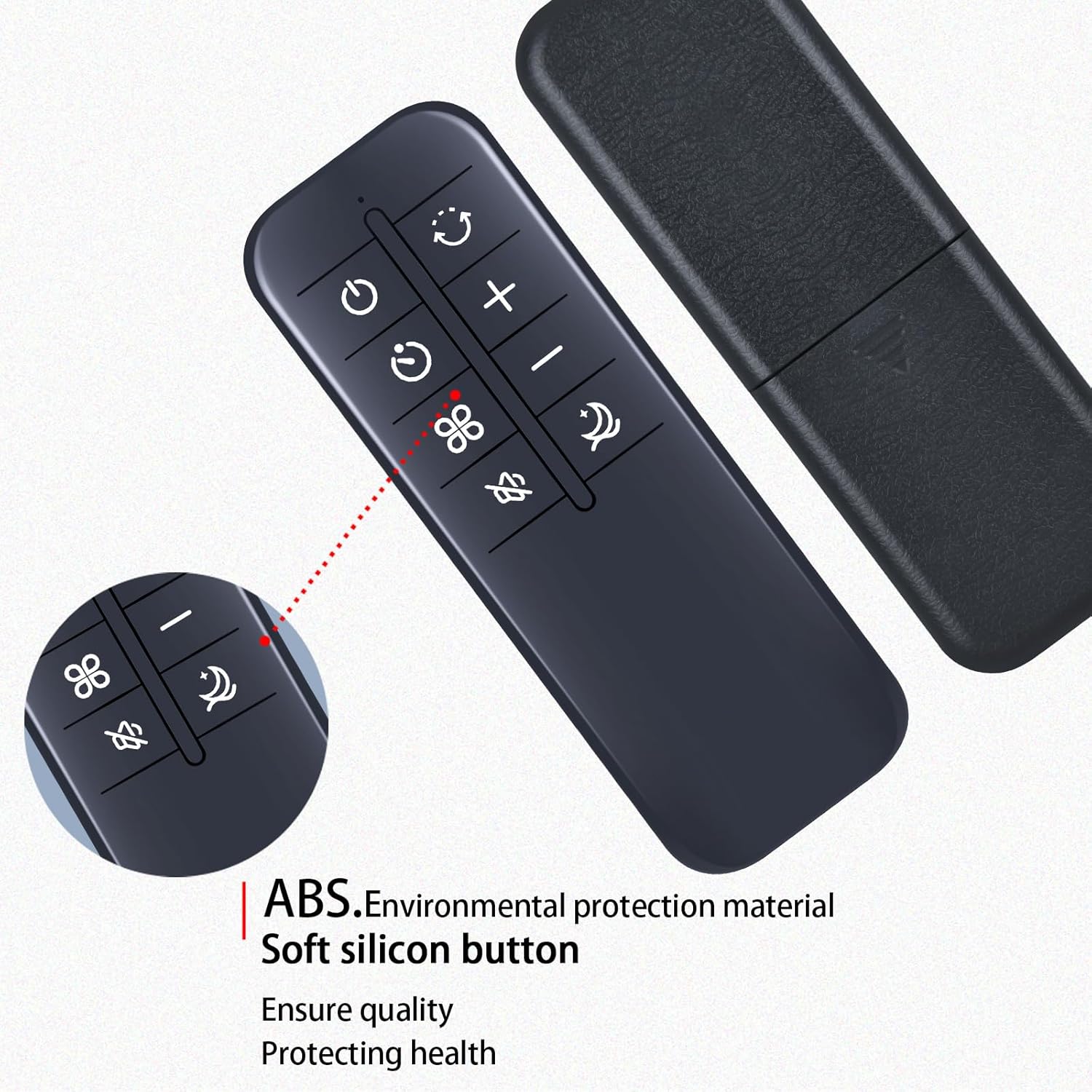
Billede: En detaljeret view of the remote control, highlighting its construction from high-quality ABS environmental protection material and soft silicon buttons, designed for durability and comfortable use.
Fejlfinding
| Problem | Mulig årsag | Løsning |
|---|---|---|
| Fjernbetjeningen svarer ikke |
|
|
| Intermitterende respons |
|
|
Specifikationer
- Mærke: ZWP
- Kompatible enheder: LEVOIT Tower Fans (Models: LTF-F422S-WUS, LTF-F422-WUS, LTF-F362S-WUSR, LTF-F361-WUS, LTF-F361-KEUR)
- Strømkilde: 2 x 1.5V AAA-batterier (medfølger ikke)
- Materiale: ABS af høj kvalitet
- Farve: Sort
- Speciel funktion: Ergonomisk design
- Operational Distance: Cirka 8 meter (26 fod)
- Varens vægt: 2.08 ounce (ca. 59 gram)
- Pakkedimensioner: 6.8 x 2.3 x 1 tommer (ca. 17.3 x 5.8 x 2.5 cm)
Støtte
For any questions or assistance regarding your ZWP replacement remote control, please do not hesitate to contact us. We are committed to helping you resolve any issues you may encounter.
Thank you for choosing ZWP.