
ECHTPower B0F845S96R
Brugermanual til trådløs ECHTPower-controller
Model: B0F845S96R
Mærke: ECHTPower
1. Introduktion
This manual provides detailed instructions for the ECHTPower Wireless Controller, designed for seamless compatibility with Nintendo Switch, Switch Lite, iOS, Android, and PC. This versatile controller features a robust 1000mAh battery, customizable 9-color RGB lighting, Bluetooth connectivity, programmable macro buttons, precise 6-axis gyro, immersive dual vibration, and convenient turbo functions.
Læs venligst denne manual grundigt, inden du bruger controlleren, for at sikre korrekt betjening og for at maksimere din spiloplevelse.
2. Pakkens indhold
Bekræft at alle varer er til stede i din pakke:
- 1 x ECHTPower Wireless Controller
- 1 x USB ladekabel
- 1 x Brugermanual (dette dokument)
3. Produktet er slutview
The ECHTPower Wireless Controller features an ergonomic design with a standard gamepad layout, ensuring comfortable use during extended gaming sessions. Key components include:
- Dual Analog Sticks with RGB lighting
- Retningspude (D-pad)
- ABXY Action Buttons
- Venstre/højre skulderknapper
- ZL/ZR Trigger Buttons
- Hjem-knap
- Capture knap
- Plus (+) og Minus (-) knapper
- Two Programmable Macro Buttons (M1, M2) on the rear

Figur 3.1: Forside view of the ECHTPower Wireless Controller.

Figur 3.2: Bagside view of the ECHTPower Wireless Controller highlighting the M1 and M2 buttons.
4. Opsætning
4.1 Opladning af controlleren
Before first use, fully charge the controller. Connect the included USB charging cable to the controller's charging port and the other end to a USB power source (e.g., console, PC, or USB wall adapter). The controller's indicator lights will show charging status. A full charge typically takes 2-3 hours.
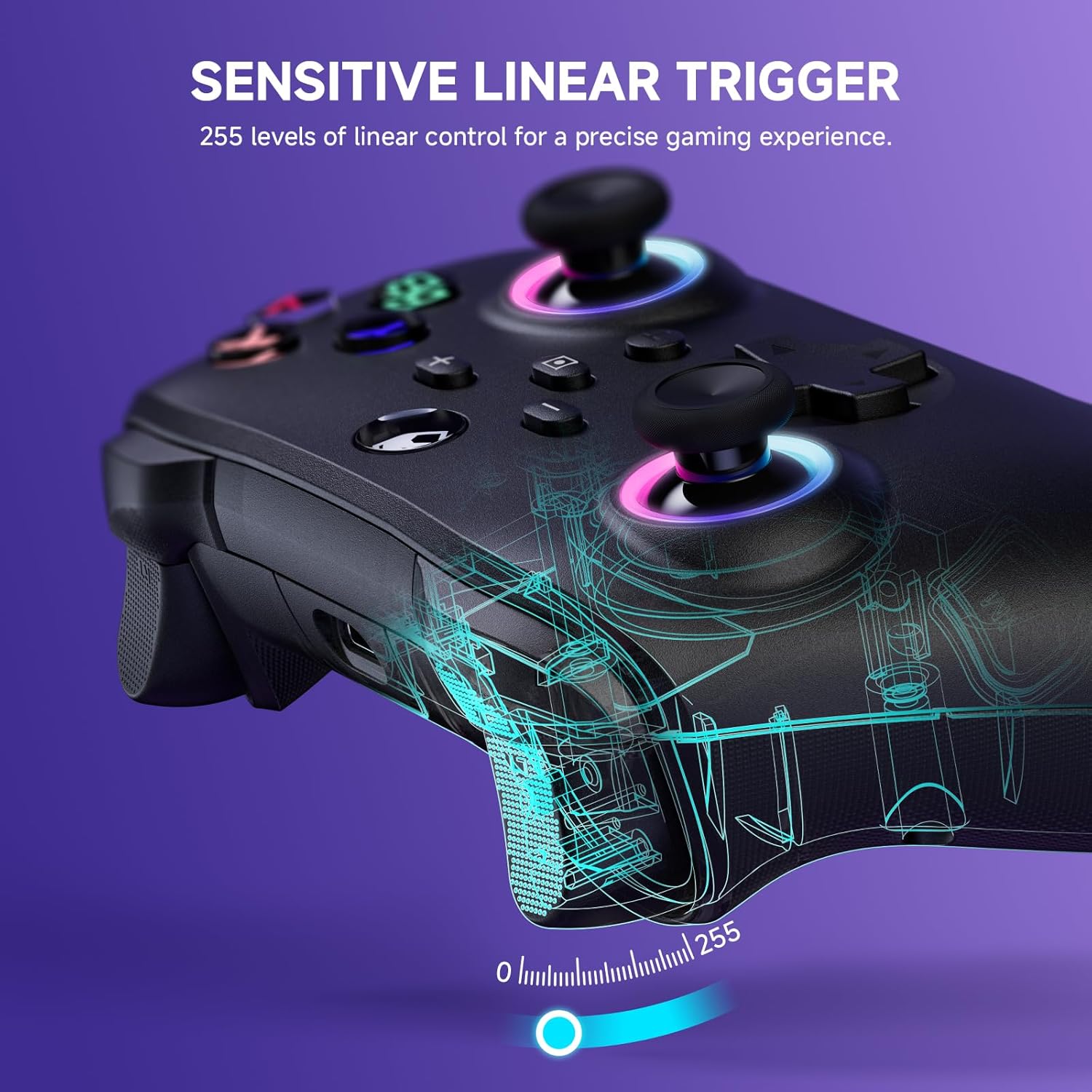
Figure 4.1: Charging the controller and battery life indication.
4.2 Parring med enheder
The controller supports both wireless (Bluetooth) and wired connections across multiple platforms.
4.2.1 Trådløs forbindelse (Bluetooth)
For the first-time connection, ensure the controller is sufficiently charged.
- Nintendo Switch/Switch Lite: From the HOME Menu, select 'Controllers' > 'Change Grip/Order'. While on this screen, press and hold the Y + HJEM buttons on the ECHTPower controller simultaneously until the indicator lights begin to flash rapidly. Once paired, the corresponding player indicator light will illuminate solid.
- iOS/Android: Enable Bluetooth on your mobile device. On the controller, press and hold the Y + HJEM buttons until the indicator lights flash. Select 'ECHTPower Controller' from the list of available Bluetooth devices on your phone/tablet.
- PC: Ensure your PC has Bluetooth enabled. Press and hold the Y + HJEM buttons on the controller. In your PC's Bluetooth settings, add a new device and select 'ECHTPower Controller'.
For efterfølgende tilslutninger skal du blot trykke på HJEM button on the controller to wake up and automatically reconnect to the last paired device.
4.2.2 Kabelforbindelse
Connect the controller to your device (e.g., PC, Switch dock) using the USB charging cable. The controller will automatically switch to wired mode. This mode is ideal for stable connections and charging during gameplay.
5. Betjeningsvejledning
5.1 RGB lyseffekter
The controller features 9 different color effects and 3 distinct light models, with 4 levels of brightness adjustment (25%, 50%, 75%, 100%).
- Standardtilstand: Breathing cycle when powered on.
- Skifteeffekter: Press specific key combinations (refer to the quick start guide included with the controller for exact button presses) to cycle through the light effects. The sequence of modes is: Breathing Cycle > Laser Mode > Neon Mode.
- Justering af lysstyrke: Use the designated button combination to adjust the brightness levels.

Figure 5.1: RGB Lighting on the controller.
5.2 Programmable Macro Buttons (M1, M2)
The M1 and M2 buttons on the back of the controller can be programmed to map single or multiple button functions, allowing for complex skill execution with a single press.
- Programmering: Enter programming mode (refer to the quick start guide for specific button combinations). Select the button(s) you wish to map, then press M1 or M2 to save the macro.
- Anvendelse: Once programmed, pressing M1 or M2 will execute the mapped sequence of actions.
5.3 Turbofunktion
The turbo function allows for rapid, automatic pressing of a button, available in both auto and manual modes with three adjustable speeds: 5 rounds/s, 12 rounds/s, and 25 rounds/s.
- Aktivering af turbo: Select the desired button, then activate turbo mode (refer to the quick start guide for specific button combinations).
- Justering af hastighed: Cycle through the turbo speeds using the designated button combination.

Figure 5.2: Turbo Function illustration.
5.4 Justerbar dobbeltvibration
Built-in dual vibration motors provide haptic feedback with four adjustable levels: Strong, Medium, Weak, and None. This enhances game immersion.
- Justering af vibration: Press the designated button combination to cycle through the vibration intensity levels to suit your preference.

Figure 5.3: Dual Vibration feature.
5.5 6-akset gyrosensor
The integrated 6-axis gyro sensors enable precise motion perception control, providing a realistic gaming experience, particularly in games that utilize motion controls.
6. Specifikationer
| Feature | Detalje |
|---|---|
| Modelnummer | B0F845S96R |
| Forbindelse | Bluetooth, Kablet (USB) |
| Batterikapacitet | 1000mAh |
| Opladningstid | Ca. 2-3 timer |
| Spilletid | Approx. 6-8 hours (with lights on) |
| Kompatibilitet | Nintendo Switch/Switch Lite, iOS, Android, PC |
| Gyro sensor | 6-akse |
| Vibration | Dual motors, 4 adjustable levels |
| RGB belysning | 9 colors, 3 modes, 4 brightness levels |
| Dimensioner | 6.3 x 4.72 x 2.72 tommer |
| Vægt | 9.91 ounce |
7. Vedligeholdelse
7.1 Rengøring
To clean the controller, use a soft, dry cloth. Do not use abrasive cleaners, solvents, or strong chemicals, as these may damage the surface or internal components.
7.2 Opbevaring
Opbevar controlleren et køligt og tørt sted væk fra direkte sollys, ekstreme temperaturer og høj luftfugtighed. Undgå at placere tunge genstande oven på controlleren.
8. Fejlfinding
8.1 Controlleren opretter ikke forbindelse/parrer ikke
- Sørg for, at controlleren er fuldt opladet.
- Bekræft, at Bluetooth er aktiveret på din enhed.
- Prøv at parre controlleren igen ved at følge trinnene i afsnit 4.2.1.
- If connecting to PC, ensure necessary drivers are installed (usually automatic).
- Try connecting via wired mode to confirm basic functionality.
8.2 Inputforsinkelse eller manglende respons
- Check the controller's battery level; low battery can affect performance.
- Ensure there are no strong wireless interference sources nearby (e.g., other Bluetooth devices, Wi-Fi routers).
- Prøv at flytte dig tættere på den tilsluttede enhed.
- Switch to wired mode to see if the issue persists.
8.3 Knapper eller joysticks reagerer ikke
- Genstart controlleren og den tilsluttede enhed.
- Sørg for, at der ikke sidder snavs omkring knapperne eller joystickene.
- Kontakt kundesupport, hvis problemet fortsætter.
9. Garanti og support
The ECHTPower Wireless Controller comes with a standard manufacturer's warranty. Please refer to the warranty card included in your package for specific terms and conditions.
If you encounter any issues not covered in this manual or require further assistance, please do not hesitate to contact ECHTPower customer support. Contact information can typically be found on the product packaging or the official ECHTPower webwebsted.
Ask a question about this manual
Ask about setup, troubleshooting, compatibility, parts, safety, or missing instructions. Manuals+ will review the question and use this page’s manual context to help answer it.