
Produkt overview
The WOBANE LED Puck Lights provide efficient and customizable illumination for various indoor spaces. This kit includes linkable LED puck lights with a convenient dimmer switch, designed for easy installation and safe operation.
- Linkbart design: Lights connect with a single cable, reducing wire clutter.
- Justerbar lysstyrke: Control light intensity with the integrated dimmer switch.
- Safe Low Voltage: Operates on DC 24V with an ETL Listed power supply, ensuring safety.
- Nem installation: Features 3M adhesive tape for screw-free mounting, protecting furniture. All necessary accessories are included.
Hvad er der i æsken
Kontroller, at alle komponenter er til stede, før installationen påbegyndes.
- 6x LED Puck Lights
- 1x strømadapter
- 1x Dimmer Switch
- Connection Cables and Accessories (e.g., cable clips, 3M adhesive)
- 1x Brugsanvisning (dette dokument)

Image: All components included in the WOBANE LED Puck Lights kit, laid out for inspection.
Opsætning og installation
Follow these steps for proper installation of your WOBANE LED Puck Lights.
- Planplacering: Determine the desired locations for each puck light under your cabinet, shelf, or display area. Consider the cable lengths and power outlet proximity.
- Forbered overflade: Sørg for, at monteringsfladerne er rene, tørre og glatte for optimal klæbeevne.
- Attach Puck Lights: Peel the backing from the 3M adhesive tape on each puck light and firmly press it onto the chosen surface. Hold for a few seconds to secure.
- Tilslut lys: Connect the puck lights to each other using the provided connection cables. Ensure secure connections.
- Connect Dimmer Switch and Adapter: Connect the dimmer switch to the main cable line, and then connect the power adapter to the dimmer switch. Plug the adapter into a standard electrical outlet.
- Administrer kabler: Use the included cable clips to neatly route and secure all cables, preventing them from hanging loosely. This ensures a tidy and safe installation.

Image: Visual guide for installation, demonstrating how to attach puck lights and manage wiring for both concealed and open installations.

Image: Illustration comparing the streamlined connection cable system of WOBANE lights to a more complex splitter-based system.

Image: A comprehensive diagram detailing the connections between the power adapter, dimmer switch, and the six puck lights, including cable measurements.
Betjeningsvejledning
The WOBANE LED Puck Lights are designed for simple operation.
- Tænd/sluk: The dimmer switch controls the power. Turn the rotary dial clockwise to turn the lights on and increase brightness. Turn counter-clockwise to decrease brightness and turn off the lights.
- Juster lysstyrke: Rotate the dimmer switch dial to achieve your desired light intensity, from a soft glow to full brightness.
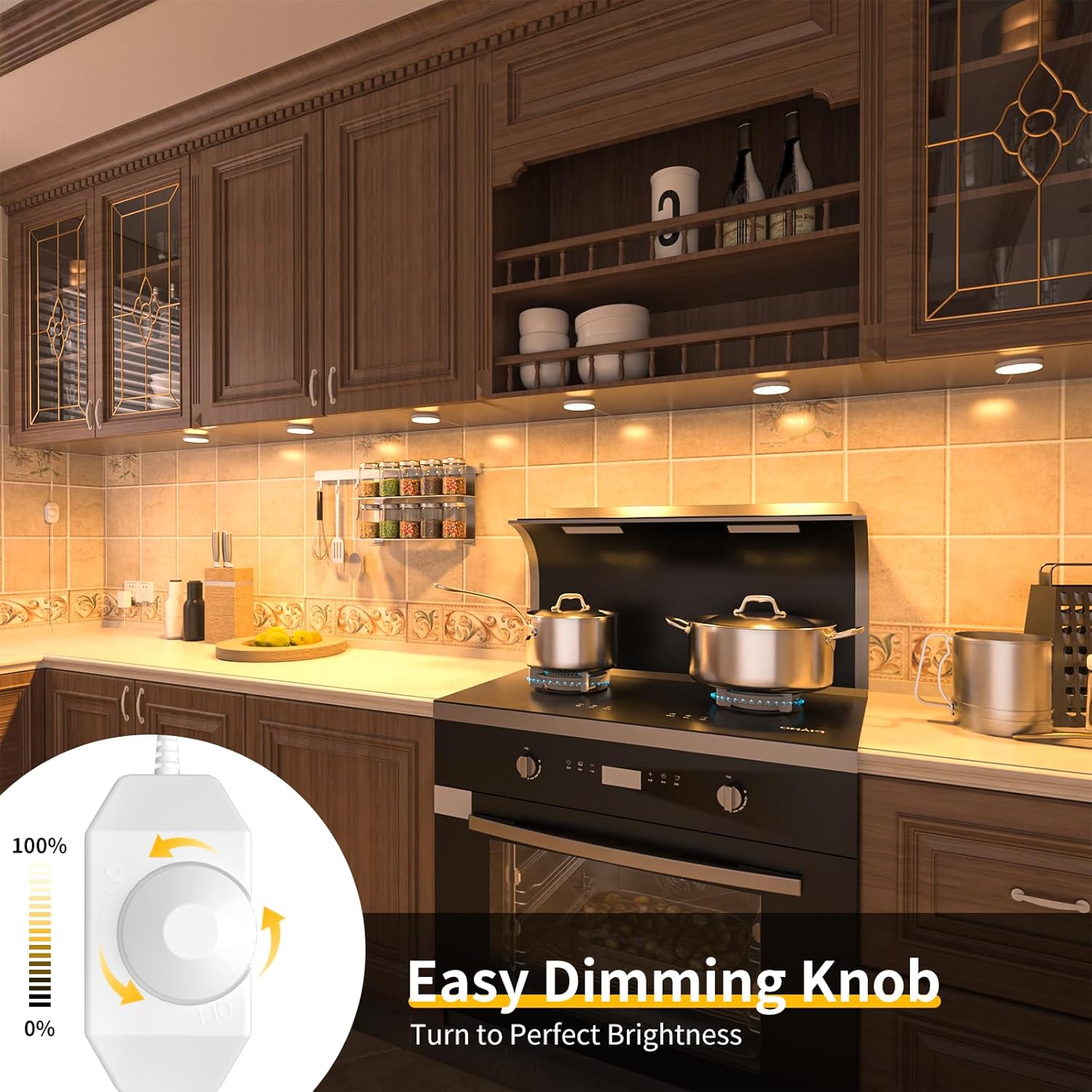
Image: A kitchen setting with under-cabinet lighting, illustrating the use of the rotary dimmer switch to adjust light intensity.
Opretholdelse
These LED puck lights require minimal maintenance.
- Rensning: Disconnect power before cleaning. Wipe the lights gently with a soft, dry cloth. Do not use abrasive cleaners or solvents.
- Kontrol af klæbemiddel: Periodically check the adhesive to ensure the lights remain securely attached.
- Kabelinspektion: Regularly inspect cables for any signs of damage or wear.
Fejlfinding
If you encounter issues with your WOBANE LED Puck Lights, refer to the following common solutions:
| Problem | Mulig årsag | Løsning |
|---|---|---|
| Lysene tænder ikke. | No power, loose connection, dimmer switch off. | Check if the power adapter is securely plugged in. Ensure all cable connections are firm. Rotate the dimmer switch clockwise to turn on and increase brightness. |
| Lysene er svage eller flimrende. | Dimmer setting too low, power issue. | Adjust the dimmer switch to a higher brightness setting. Verify the power adapter is functioning correctly. |
| Some puck lights are not working. | Loose connection to individual light. | Check the connection cable to the non-working puck light. Ensure it is fully inserted. |
Specifikationer
| Feature | Detalje |
|---|---|
| Mærke | WOBANE |
| Modelnavn | CP01 |
| Lyskildetype | LED |
| Farvetemperatur | 2700 Kelvin (varm hvid) |
| Lysstyrke | 1050 lumen (i alt) |
| Wattage | 12.5 watt |
| Voltage | 24 volt (DC) |
| Strømkilde | AC/DC |
| Installationstype | Flush Mount (with 3M adhesive) |
| Materiale | Plast |
| Produktdimensioner | 5 cm L x 2 cm B x 2 cm H (samlede pakkemål) |
| Varens vægt | 10.2 ounce |
| Indendørs/Udendørs brug | Indendørs |
| Speciel funktion | Energy Efficient, Lightweight |
| Controller type | Drejekontakt |

Image: Display shelves illuminated by WOBANE puck lights, emphasizing their bright and efficient glow.

Image: The 24V low voltage power adapter, ensuring safe operation without overheating.
Garanti og support
The WOBANE LED Puck Lights come with a Limited Warranty. For specific warranty details, please refer to the documentation included in your product packaging or contact WOBANE customer support.
For technical assistance or customer service inquiries, please visit the official WOBANE webwebstedet eller kontakt deres supportteam direkte.